
Getting started with Timely's API
Tips, Tricks & Best PracticesHandbookHow to connect Timely data with your stack using the public API.Timely’s public API allows you to connect the data from Timely to applications you use in your tech stack that can’t be natively integrated with Timely. Here’s a quick guide for you, or anyone on your team, that wants to get to know more about the API.
Getting started
To begin setup, please ensure you are an admin level user on the workspace.
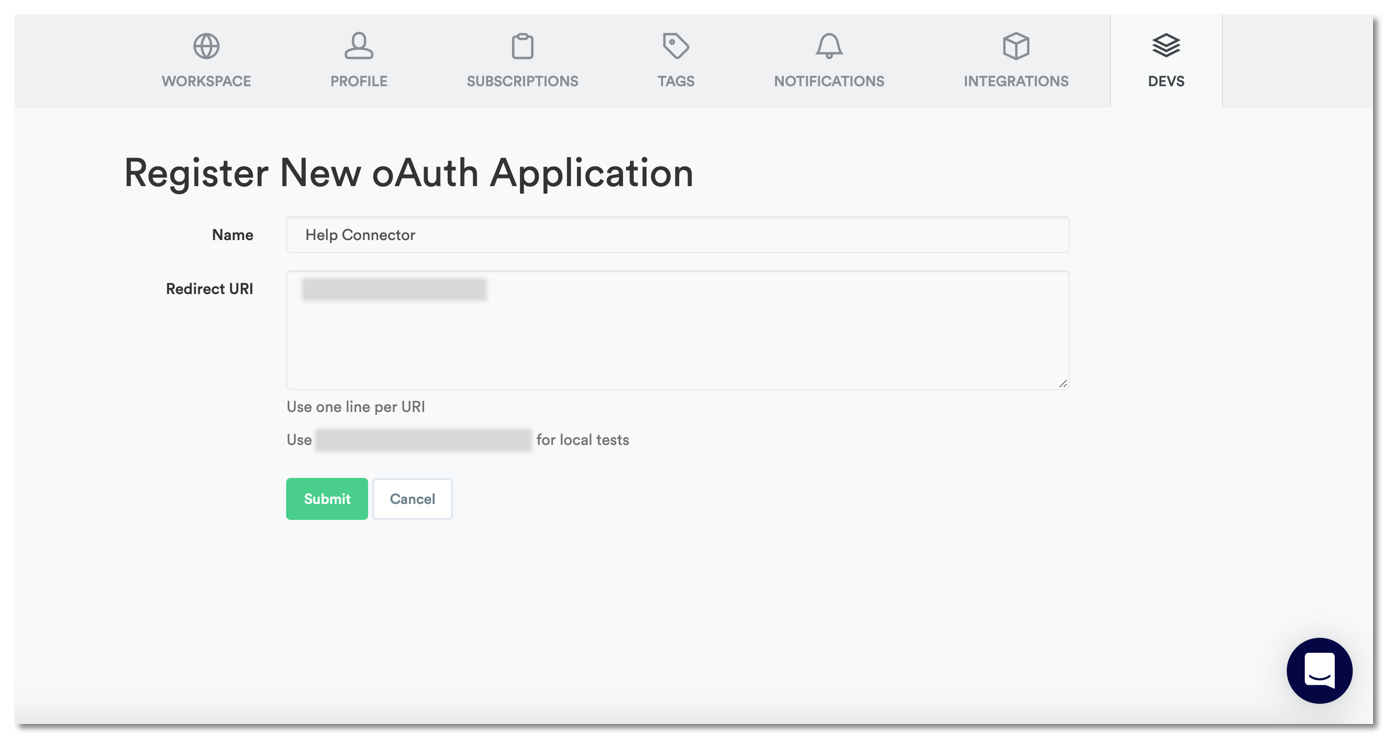
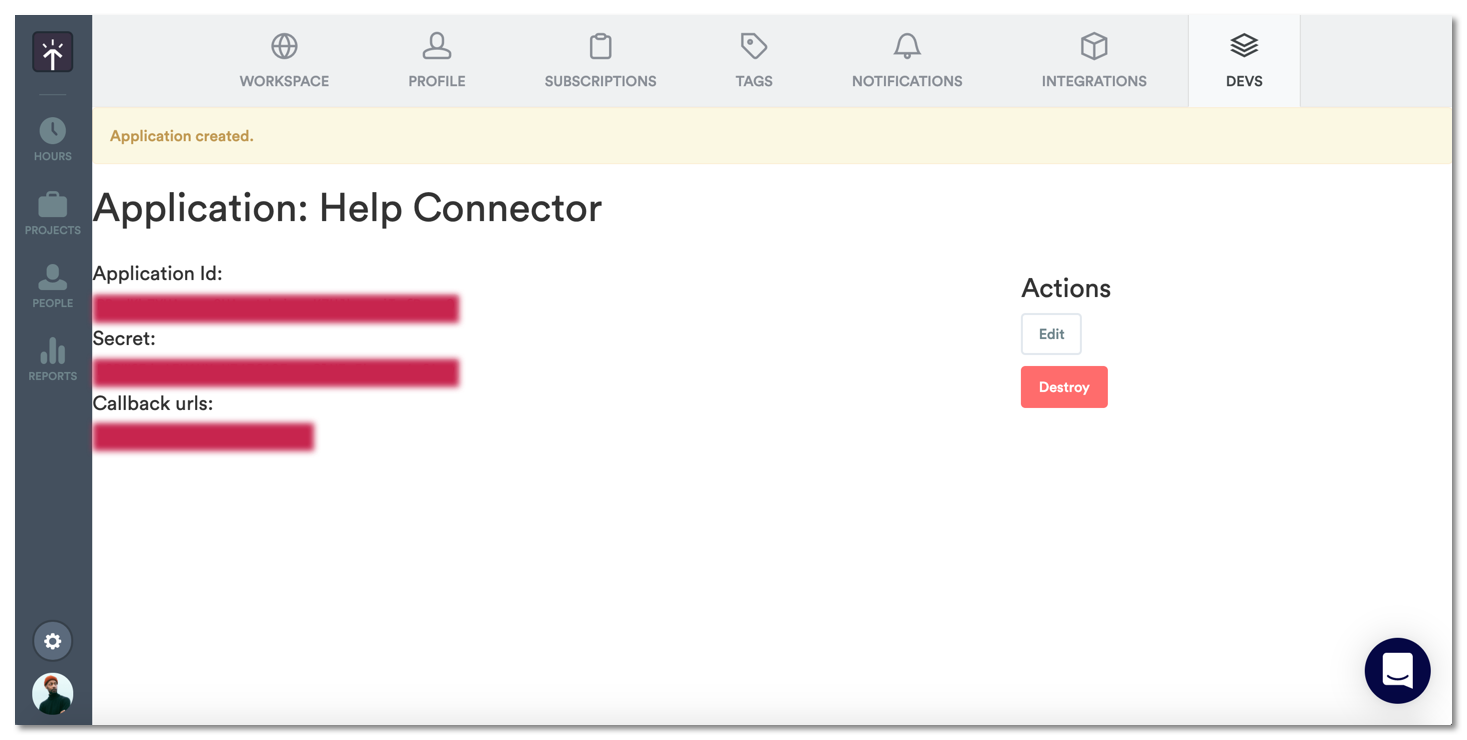
Then to get started, go to Settings > Devs and add a name for your application. Then use your own redirect URI, or copy the URI suggested for local tests. If you want to set up an OAuth flow you will have to specify the redirect URI as required for your setup. It’ll look like this:
From there, use these details to find your authorization code by entering this URL in your browser window:
https://api.timelyapp.com/1.1/oauth/authorize?response_type=code&redirect_uri={your_redirect_uri}&client_id={your_client_id}
You’ll find both the client_id (application Id) and redirect_uri (callback url) in the details of the app you created in Settings > Devs.
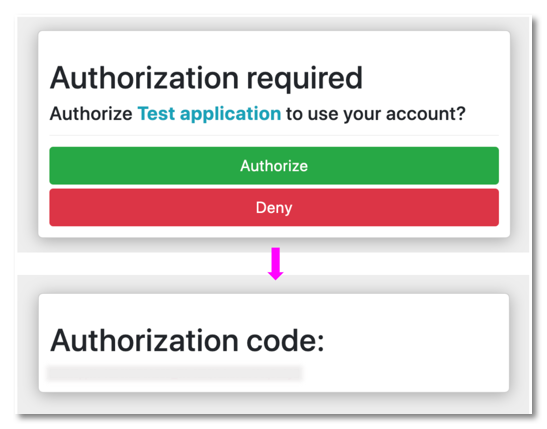
Once you’ve confirmed and authorized, you’ll receive your authorization code which is needed for the request in the next step.
In your API client, enter the following information as a POST request:
URL: https://api.timelyapp.com/1.1/oauth/token
You’ll need to add form data for these fields to complete the request:
- client_id — this is your application ID
- client_secret — this is your secret
- redirect_uri — this is your callback URL
- code — this is your authorization code generated by the URL with your redirect_uri and client_id
- grant_type — enter “authorization_code”
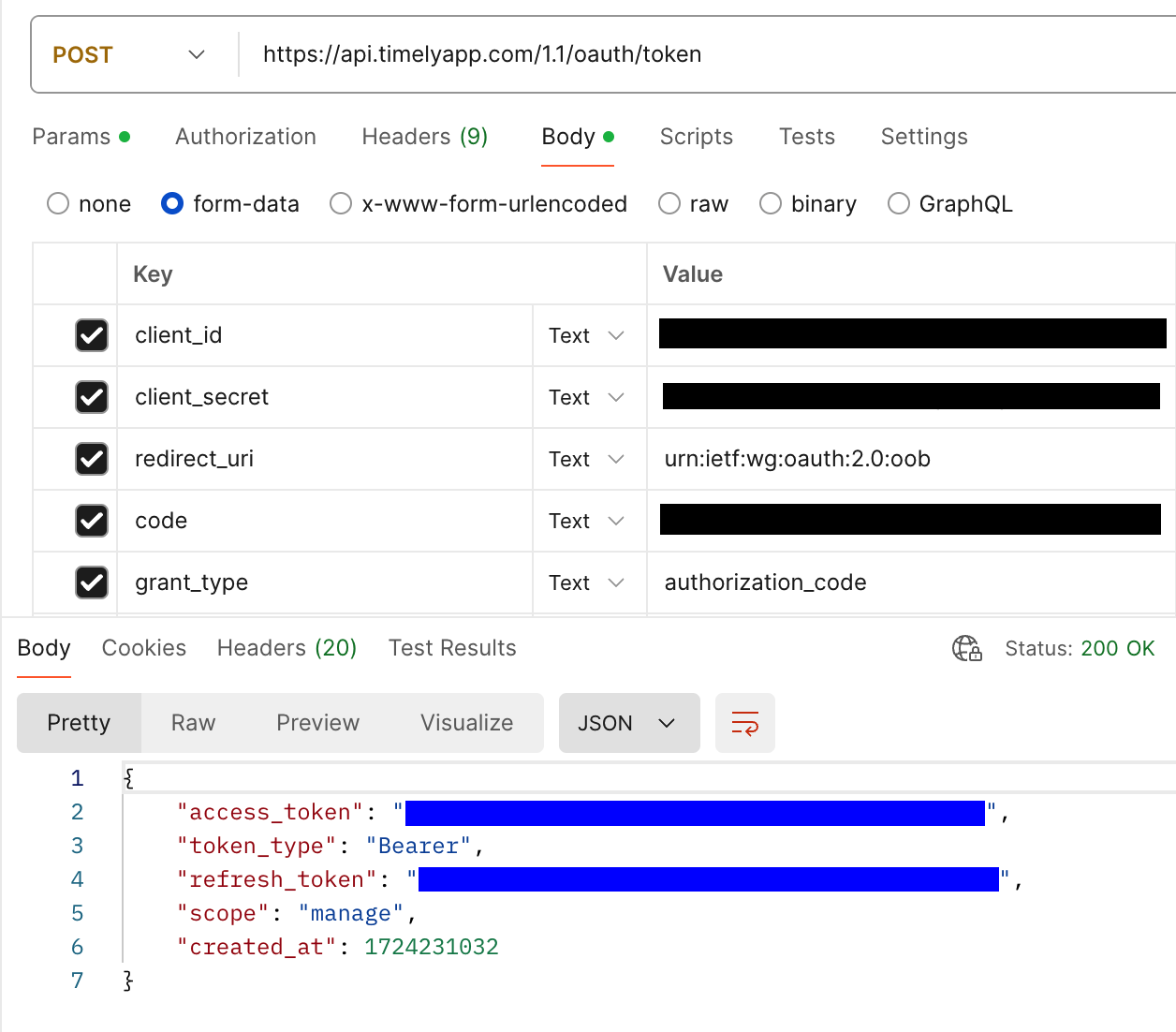
If your request was successful, the response from the server will have generated your access_token which is used in the header of every request you make to the server.
Now that you’ve created your app, you’re free to explore the API documentation and make requests of the API for the data you need.
FAQs
Where can I find your API documentation?
The documentation, including all the requests you can make via the API, is available here: https://developer.timely.com/
Can I make API calls for Memory?
For security and privacy purposes, Memory is a private API so you won’t be able to make calls to retrieve memories or post information to your timeline.
How do I use the refresh token? Do I need to generate a new one for each request?
Timely’s API token can be used for all API calls and can be used until a new token is generated.
Last updated April 1, 2026
Have feedback for this article or need more help? Contact us now.