
Linear Sync Integration
IntegrationsDeep Sync IntegrationsHandbookKeep your Linear issues, projects, and activity aligned with Timely for effortless time tracking.Overview
If your team builds in Linear and logs hours in Timely, this integration keeps everything aligned — no duplicate setup, no manual copying, no “wait, what did I work on today?” moments.
Connecting Timely to Linear — Workspace Admin
- Head to Settings > Integrations in Timely
- Choose Linear from Next-Gen Sync Integrations
- Click Connect workspace with Linear and Authorize when prompted
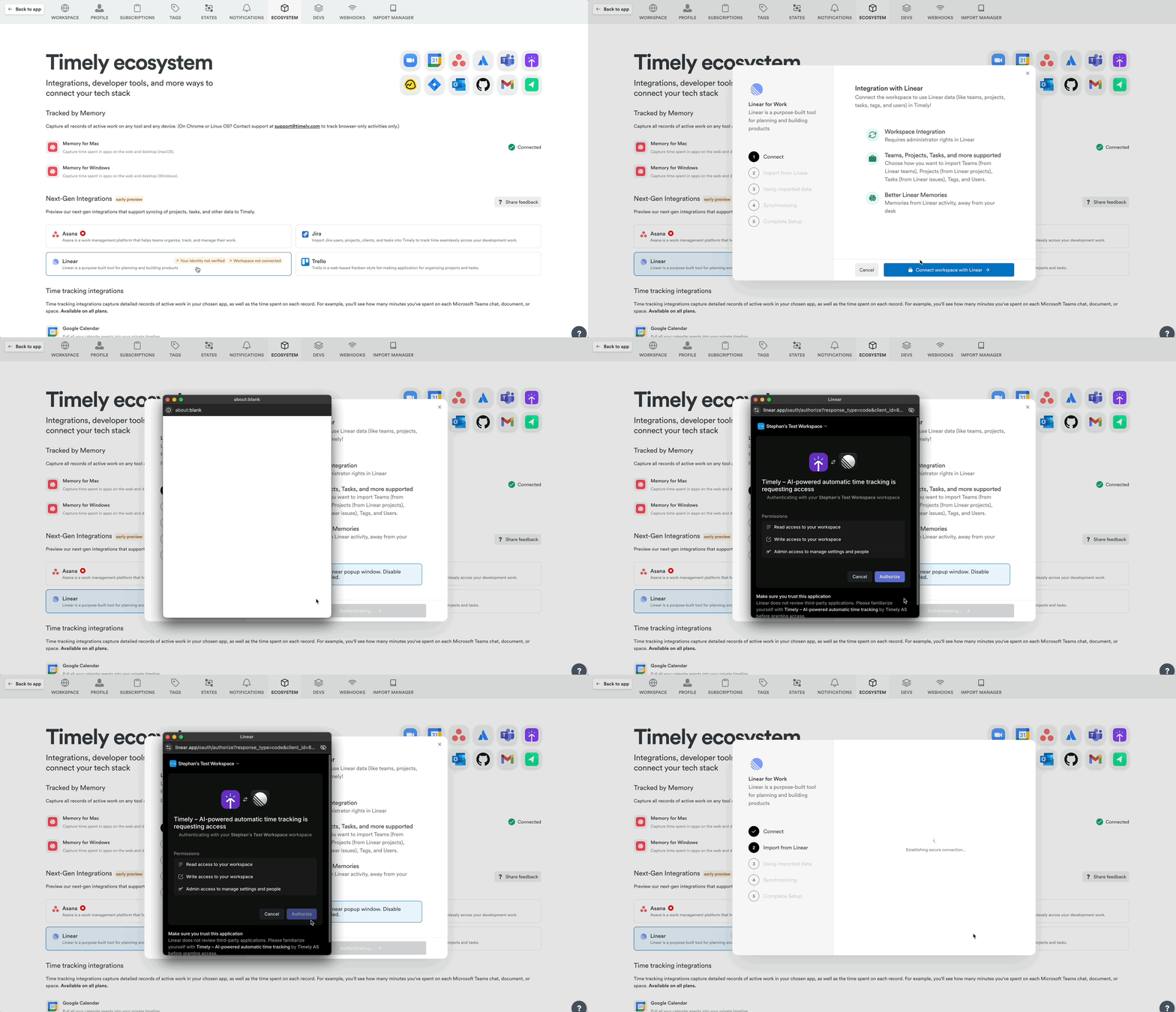
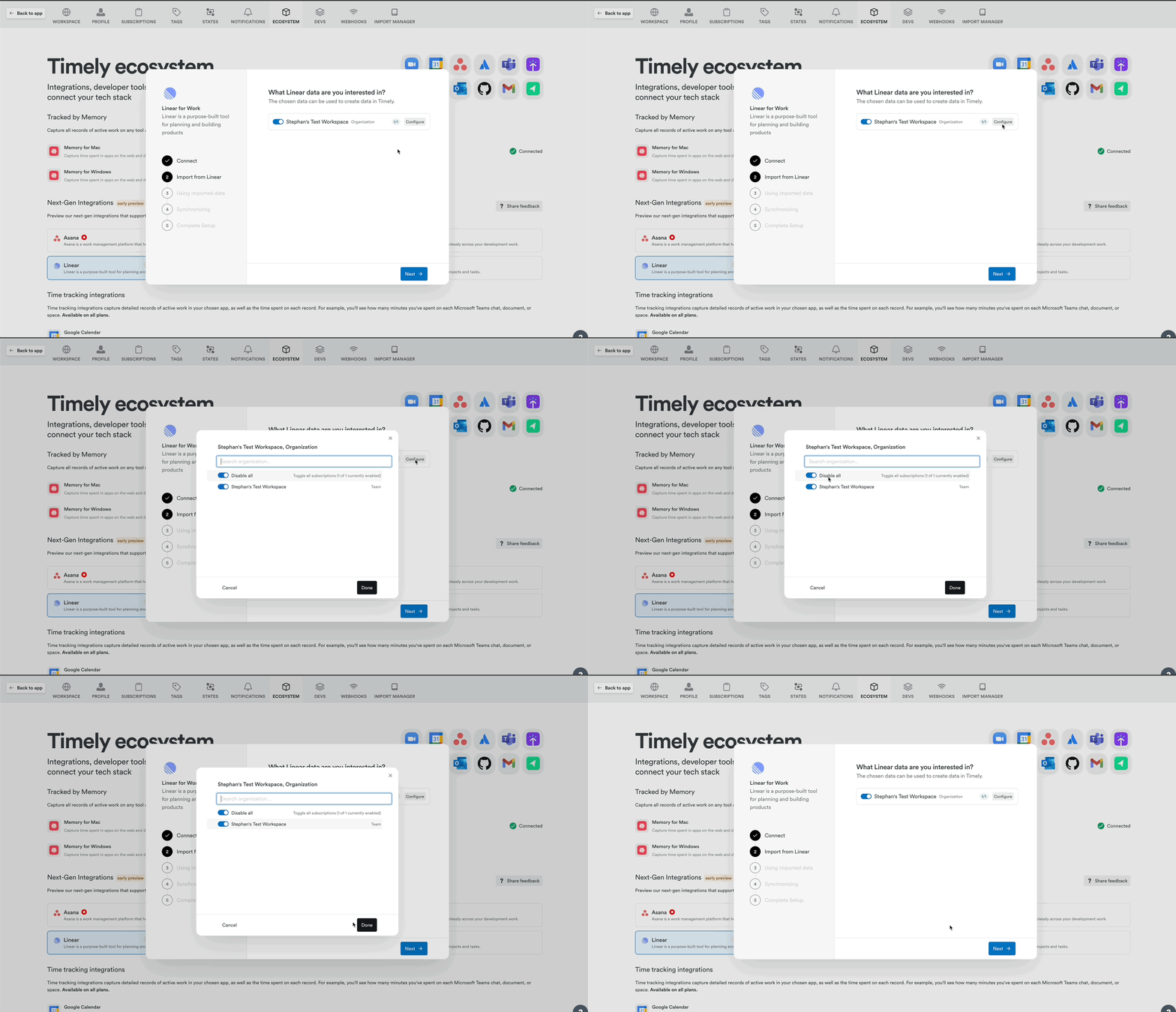
- Select or confirm the Linear workspace and click Next
- Confirm the sync configuration (defaults pre-set):
- Create Memories from Linear Issue and Project events
- Create Projects from Linear projects
- Log time against Linear Issues without task creation
- Create Tags from Linear labels
- Real-time sync
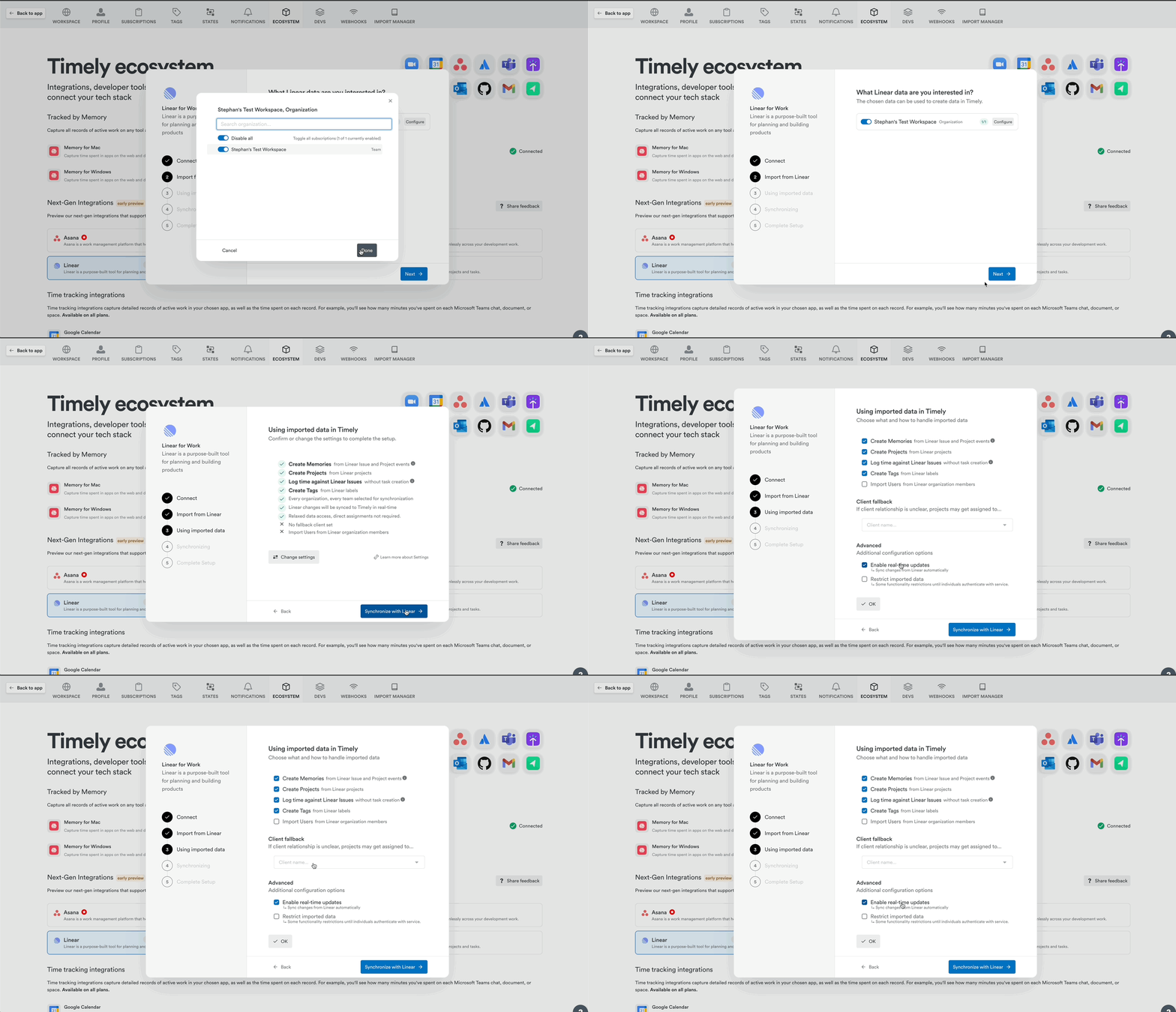
- Click Synchronize with Linear to finalize
Connecting — Personal Integration (Employees, Managers)
- Navigate to Settings > Integrations
- Find Linear in Next-Gen Sync Integrations
- Click “Authenticate with Linear”
- Click Authorize to confirm
Items synced from Linear
| Linear item | Appears in Timely as |
|---|---|
| Organization | Client |
| Team | Client |
| Project | Project |
| Issue | Activity Reference |
| Sub-issue | Activity Reference |
| Label | Tag (optional) |
Memories from Linear activity
These actions generate a Memory in Timely:
- Creating or updating a Linear issue
- Adding or editing a comment
- Updating a project
- Creating or updating a Cycle (sprint)
- Visiting any linear.app page
Logging time against Linear issues
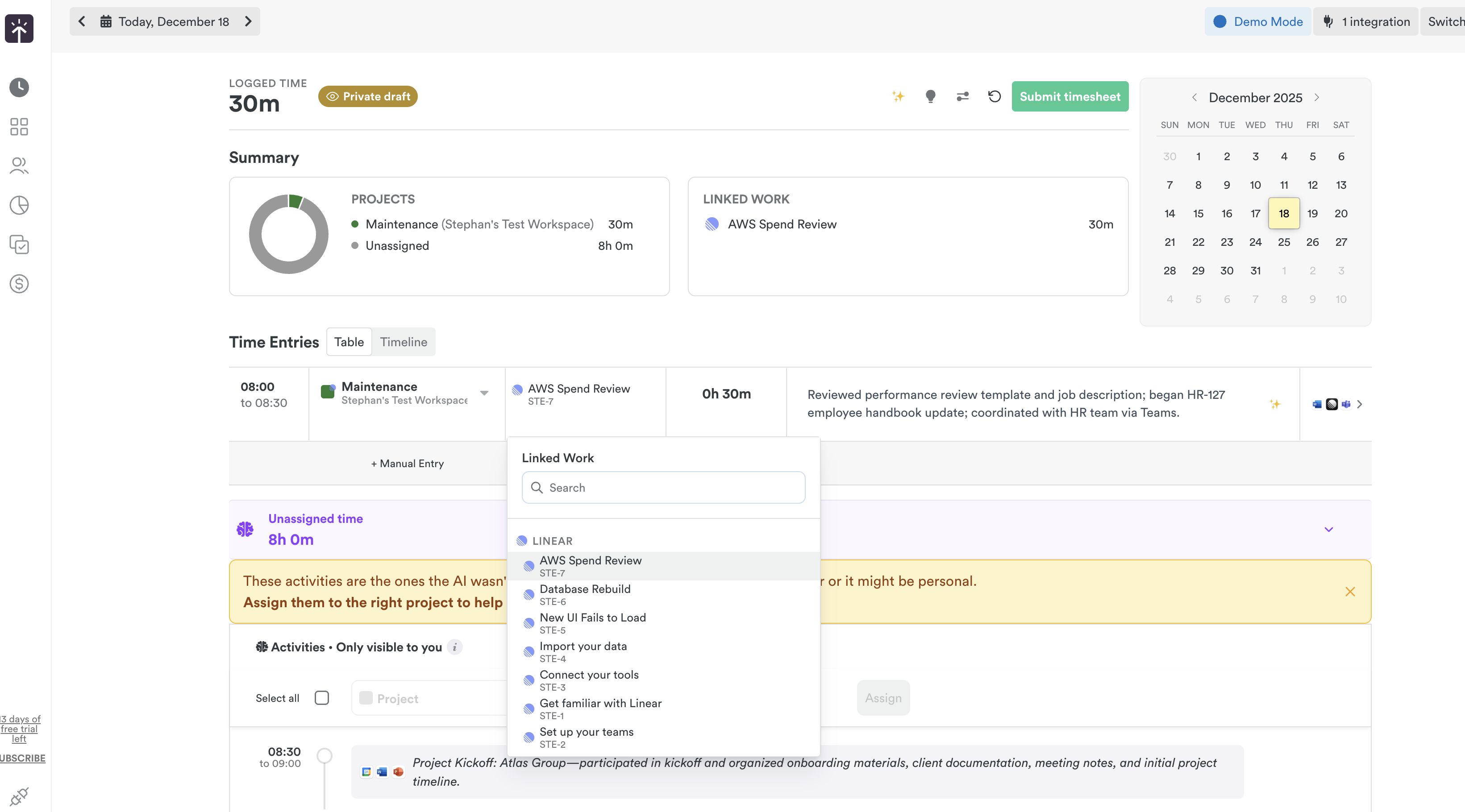
Once connected, search for issues directly in the time entry form and log your time as usual. References appear as Linked Work in AutoSheet or Attach a Task on the Classic timeline.
Removing the Linear integration
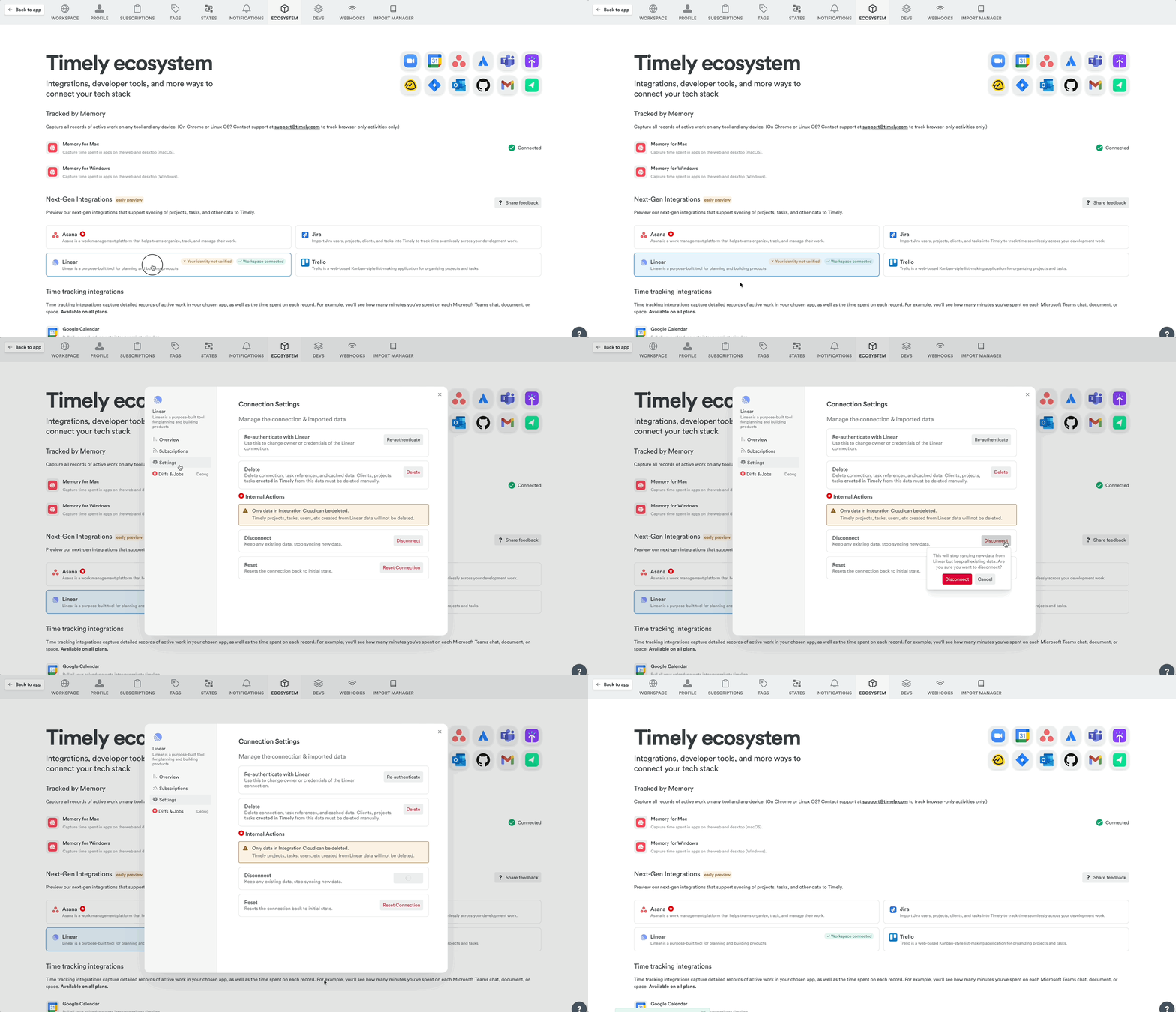
Head to Settings > Integrations, select Linear, click Settings → Disconnect.
FAQs
Does Timely send anything back to Linear?
This integration is a one-way continuous sync from Linear to Timely. Additional sync capabilities are planned.
Do I need the Tasks add-on?
No — this version doesn’t import issues as Tasks. It’s all about logging time against existing Linear work.
Do I still need the Memory app?
Absolutely. While the Linear integration brings in key activities, the Memory app captures everything across apps and tools for the full picture.
Why are some projects showing up under the wrong client?
Timely uses fallback logic when it can’t map a Linear project to a selected team. You can manually move projects to the correct client from project settings.
Last updated June 5, 2026
Have feedback for this article or need more help? Contact us now.