
How do I move a project to another client?
Projects & TagsProjectsHandbookNeed to move a project to another client? Here's how to do it quickly.Sometimes you may create a project under the wrong client and need to move it over to the one you originally intended. It’s super easy to move projects between clients in Timely — and you can do it for one project at a time or for several projects all at once.
Moving a single project to another client
-
Select the Projects icon from the left navigation bar.
-
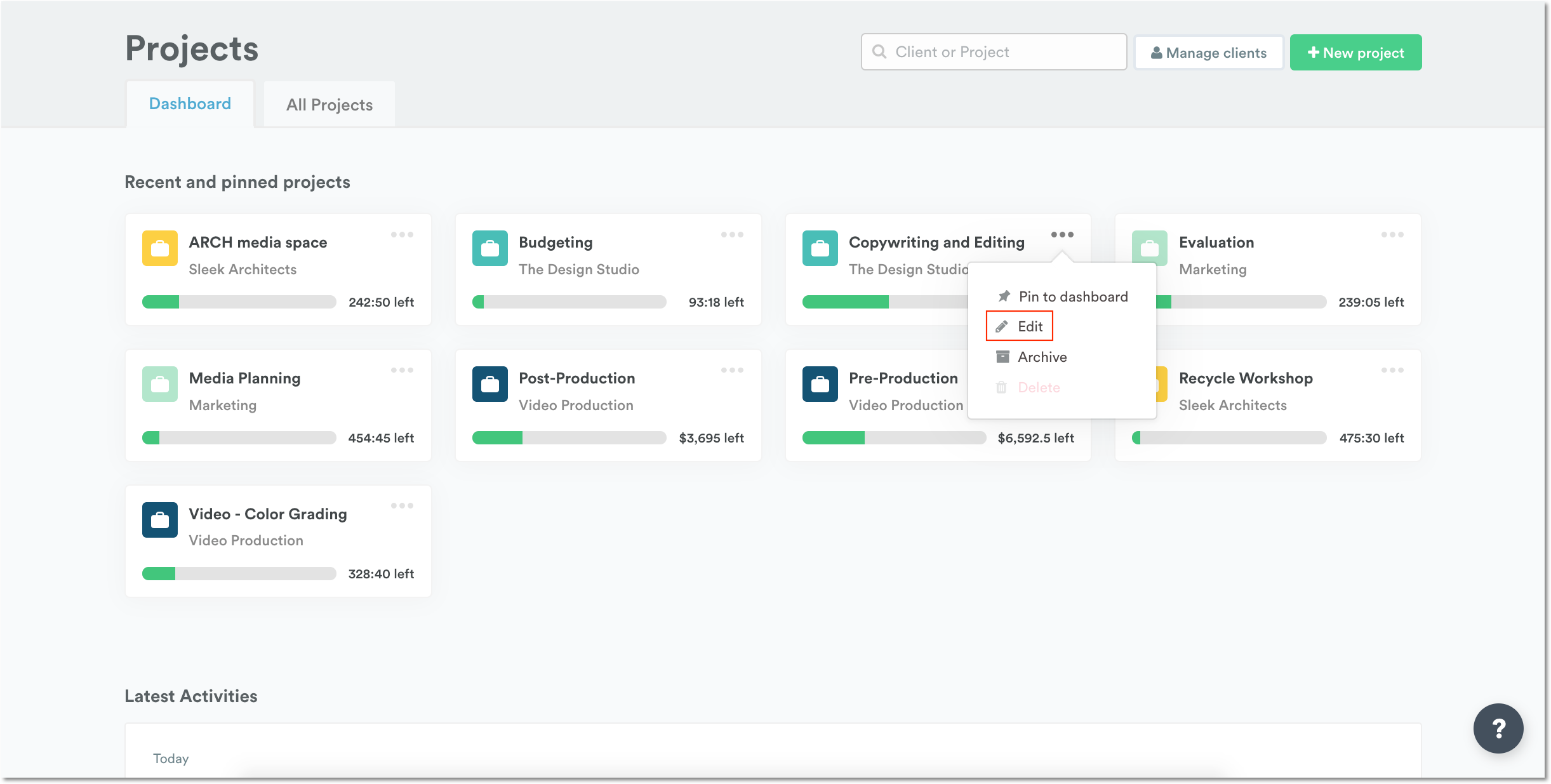
If your project sits on the Dashboard page of Timely, choose to “Edit” the project by clicking on the three dots ”…”.
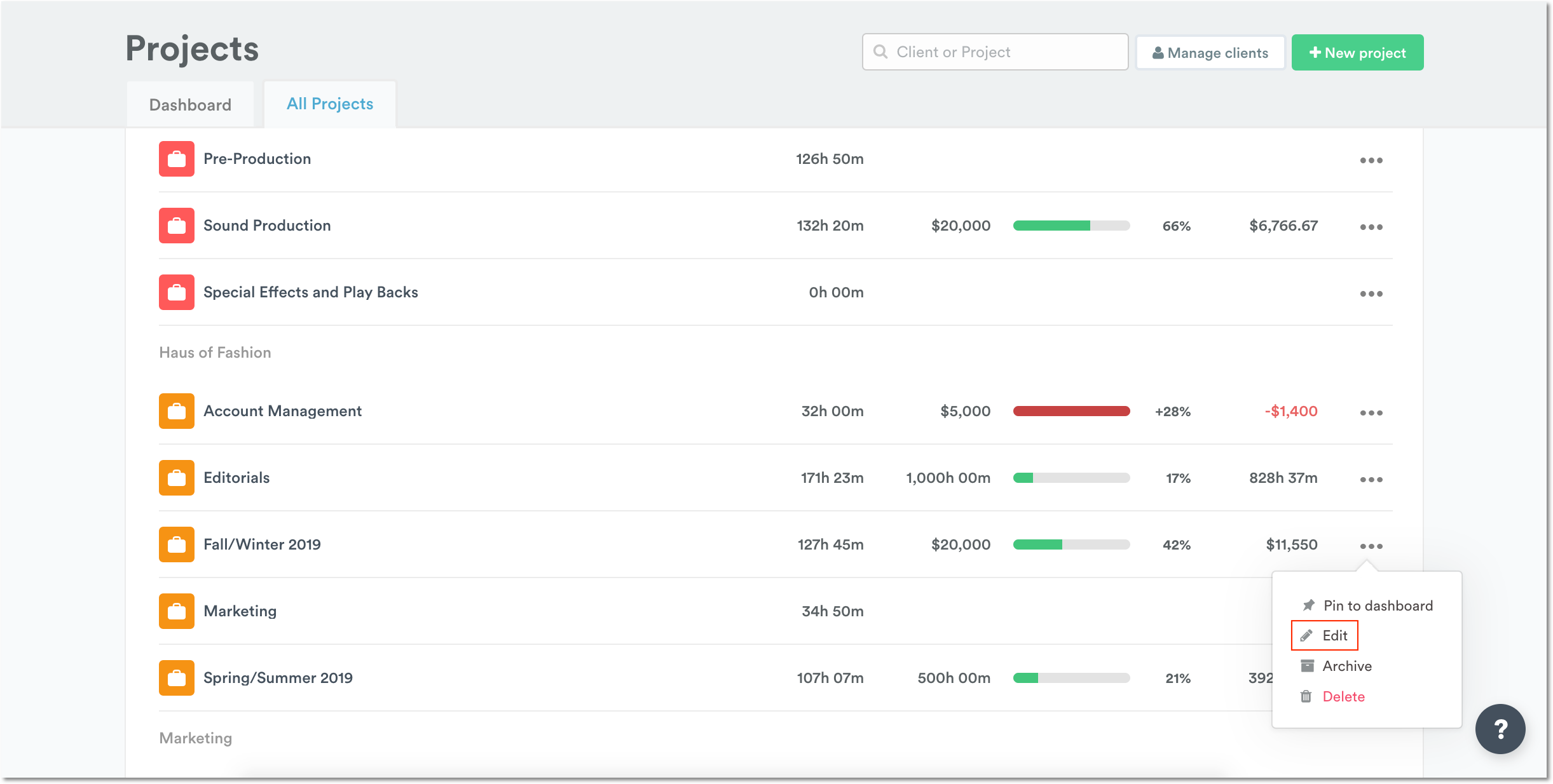
Alternatively, head to the All Projects Page and edit the project you need by selecting the three dots.
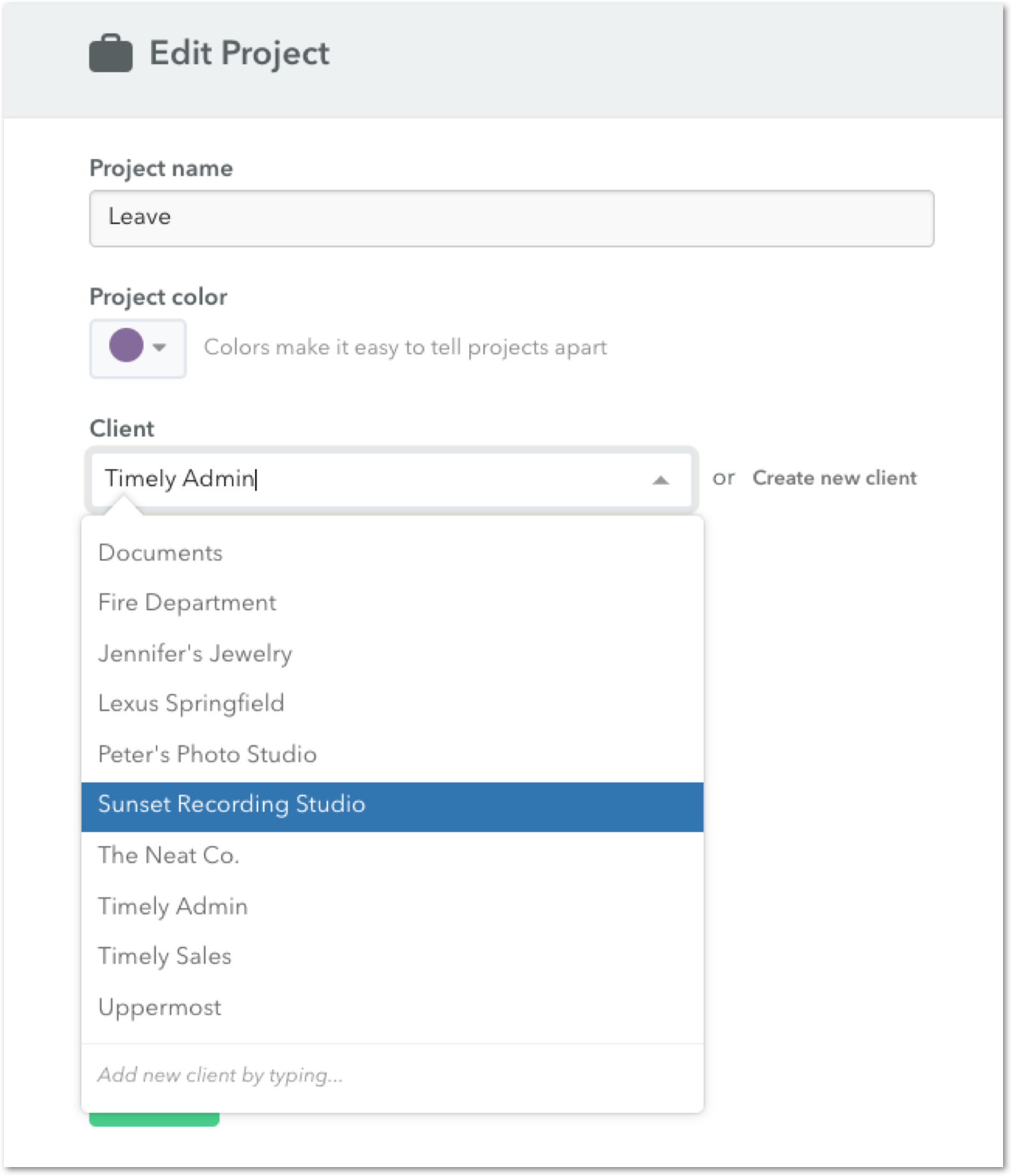
- Select the client you’d like to move the project to from the Client dropdown menu. You could also create a new client by using the Create new client link.
- Hit Update and your project will be moved!
Moving multiple projects to another client at once
If you need to reassign several projects to the same client in one go, use the Update client bulk action in the All Projects view.
- Go to the Projects page and open the All Projects tab.
- Tick the checkboxes next to each project you want to move. A batch actions bar will appear at the bottom of the screen.
- Click the Update client picker in the batch actions bar and select the destination client.
- Click Update — the button stays disabled until a client has been selected.
- Confirm the change in the “Are you sure you want to update client?” modal.
- A success toast reading “Updated X projects — Undo” will appear. You have 10 seconds to click Undo if you need to reverse the change.
Last updated June 23, 2026
Have feedback for this article or need more help? Contact us now.