
Sample Zapier Zaps
IntegrationsZapier & AutomationHandbookHelpful example Zaps to get you started connecting Timely with other apps through Zapier.Zapier can be an amazing tool for connecting a ton of different platforms and services — there have never been more options for moving data! With all these different options and settings, though, it can be challenging to know where to start. With that in mind, we’ve put together two handy Zaps to serve as a jumping-off point as you start building out your own workflows.
Make sure you’ve had a chance to look over our Connecting Timely with Zapier article for a more in-depth overview of Zap creation.
Slack
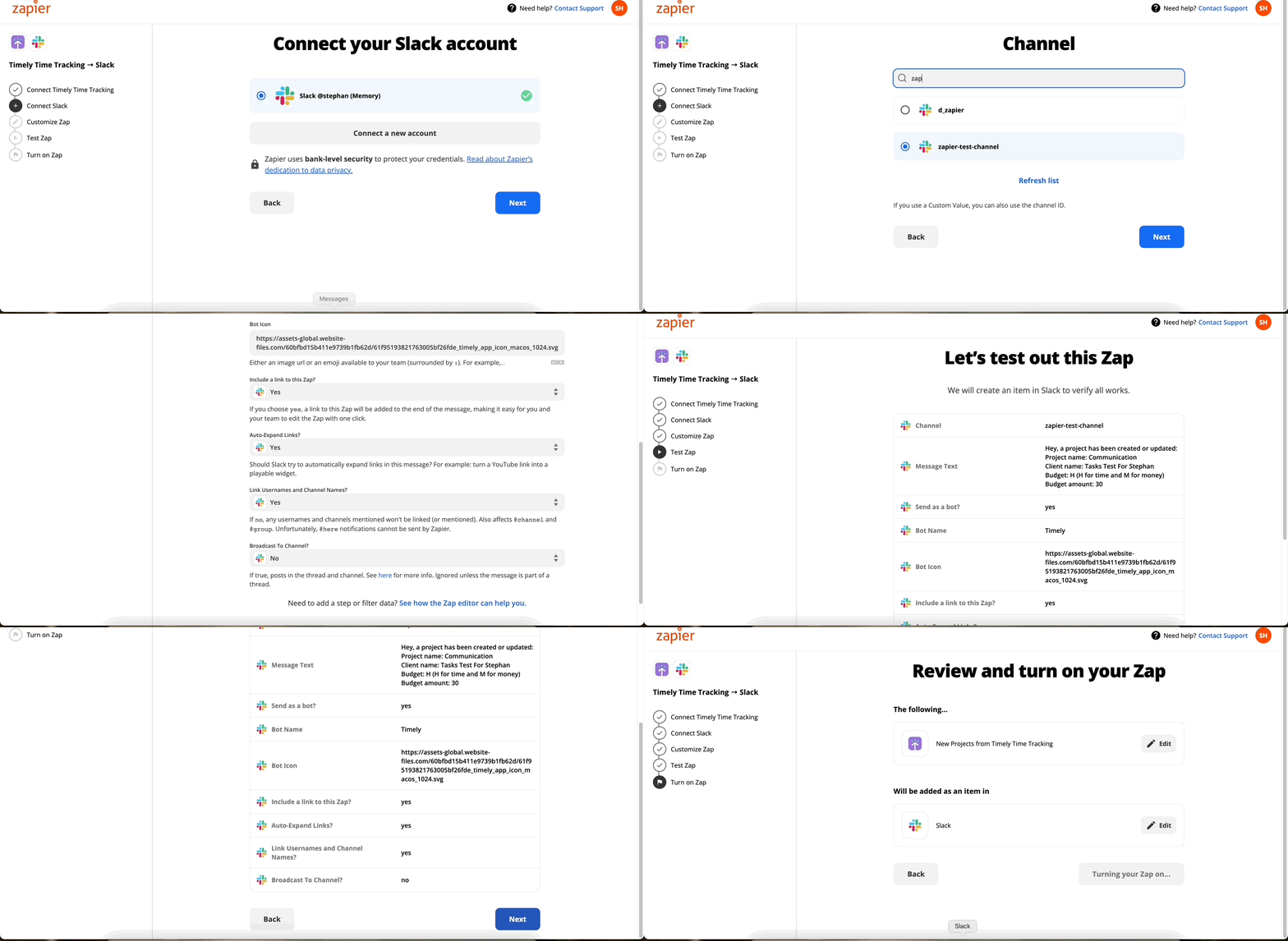
Looking to stay on top of new or updated projects? No problem! You can use this Zap to create a new Slack message when updates occur.
Steps:
- Connect your Timely account
- Connect your Slack account
- Customize! Set your desired message content, the best information to include, the channel you want to message, and other specifics to suit your needs
- Test, test, test! Zapier lets you trigger a test message to ensure everything is working and formatted the way you’d like
- If everything looks good, turn on your Zap
Google Sheets
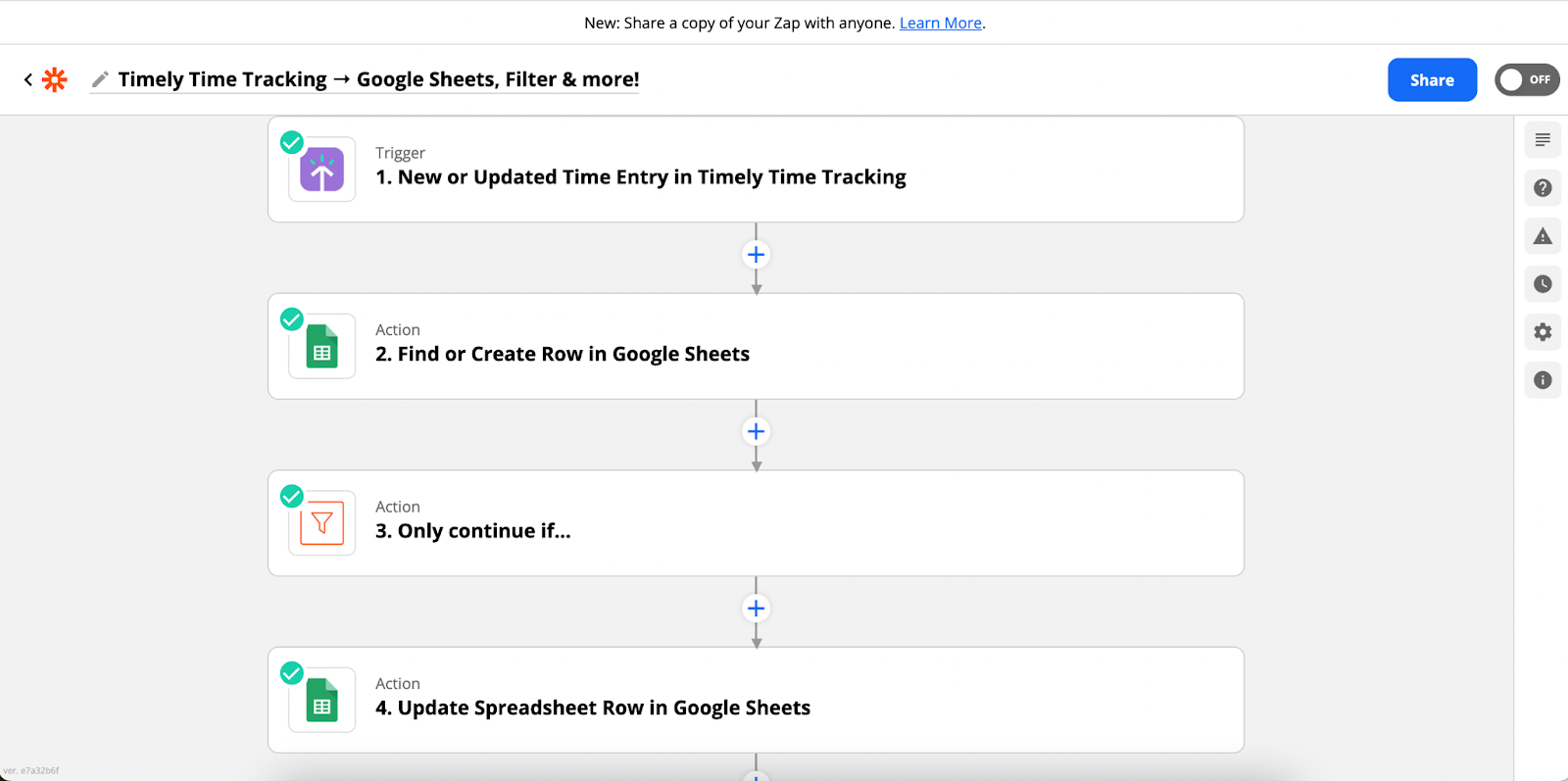
Maybe you’re looking for additional options to sync your data, or just love scrolling through rows and columns. With this Zap, you can add your new or updated time entries to a Google Sheet!
Timely Time Tracking → Google Sheets, Filter & more!
Steps:
- Connect your Timely account
- Select your workspace
- Test! Zapier just needs to make sure everything is connected properly
- Connect your Google Sheets account
- Customize your options to select the appropriate document, sheet, and data points
- Customize the data and fields you want to create
- One last test — just to make sure the Zap executes correctly
- If everything looks good and your spreadsheet is exactly how you want it, turn on your Zap!
Have questions as you go through this process? Run into difficulties setting up your Zap? Have an idea for a totally different Zap? Feel free to reach out to the Timely Support Team and we’ll be happy to help!
Last updated April 1, 2026
Have feedback for this article or need more help? Contact us now.