
Clients
Projects & TagsProjectsHandbookHow to create, edit, archive and delete clients in Timely.In Timely, a client is the person or company you’re billing project hours to or doing work for. Any project work you’ve done for a client can be reviewed in the Reports tab.
Creating a new client is extremely quick and easy. To get started, you need to create a project to affiliate the client with.
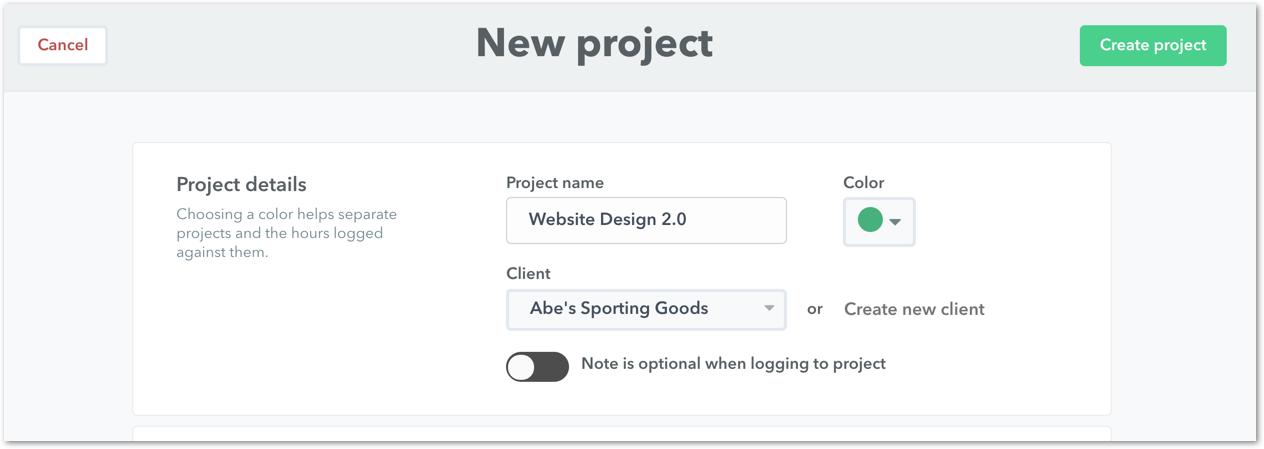
Projects and clients go hand-in-hand; they cannot exist without each other.
Can I edit and update a client name?
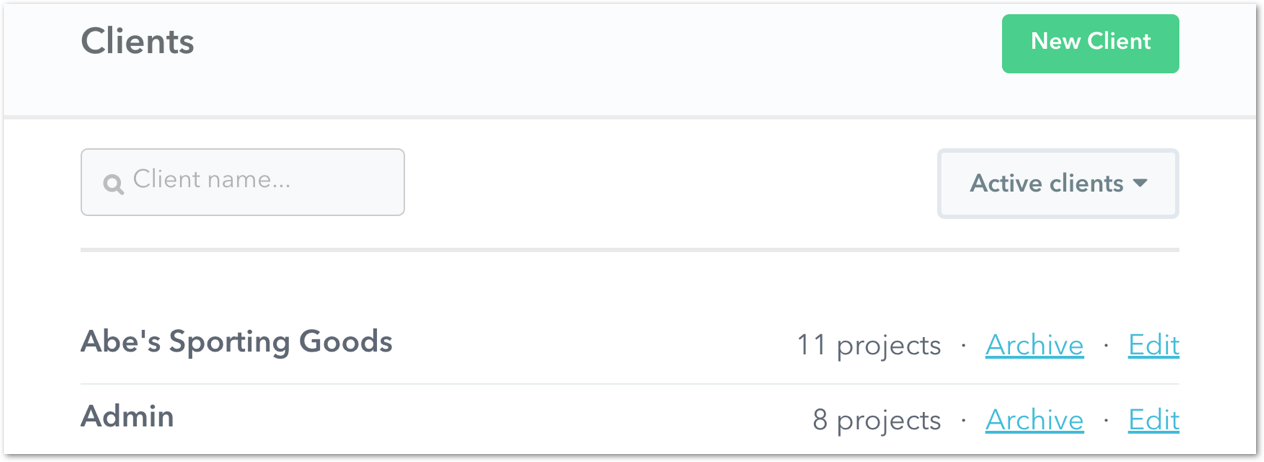
You totally can! Just click on the Manage clients button on the Project page, click Edit > Save and you’re done!

Is there a limit to how many clients I can have?
Nope! You can have as many clients as you want.
What happens if I try to create a client with a name that already exists?
Client names must be unique within your account. If you enter a name that is already in use, Timely will reject the request and show a “name already exists” error. To help you move forward quickly, Timely will also suggest a collision-free alternative — for example, if Acme already exists, you’ll see a suggestion such as Acme (2) that you can use straight away.
Can I delete a client?
You can archive clients, but you can’t delete them. If you created a client name by mistake, you can just change the name to something else or archive the client. You can access all archived clients by clicking on the Manage clients button on the Project page and clicking Archived clients from the dropdown menu.
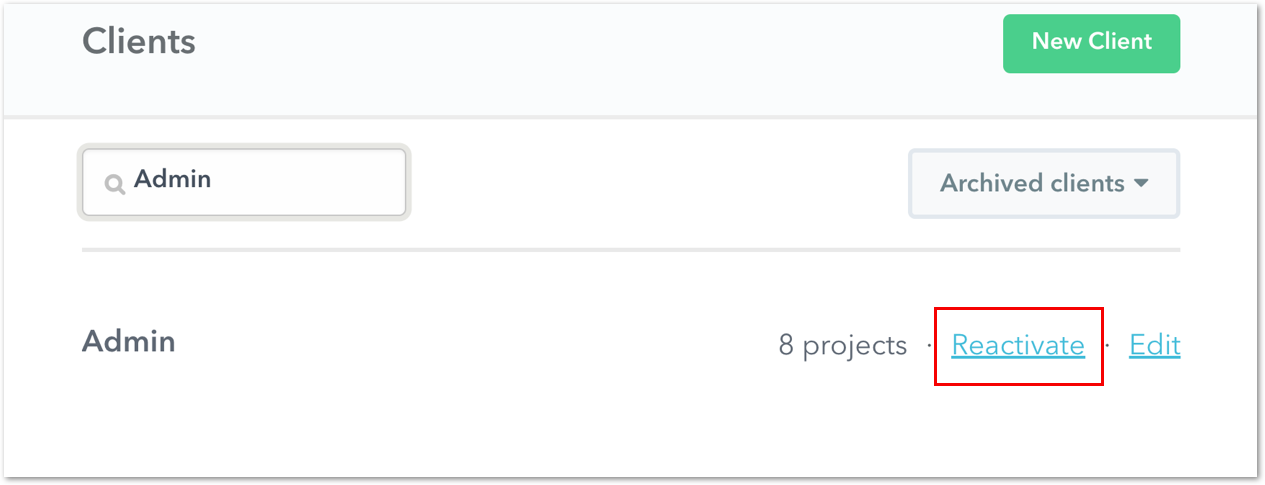
How do I unarchive a client?
In Manage clients, switch over to the Archived clients list and select Reactivate to restore an archived client.
Last updated July 27, 2026
Have feedback for this article or need more help? Contact us now.