
Duplicating projects
Projects & TagsProjectsHandbookCreate new projects using existing project details.While Timely can’t stop your projects changing course, it can make managing the transition a whole lot easier. By duplicating a project, you can retain all its details to quickly update whatever’s necessary and get back to work. No need to reinvent the wheel and start everything from scratch — in a couple of clicks your original and duplicated projects will sit side by side!
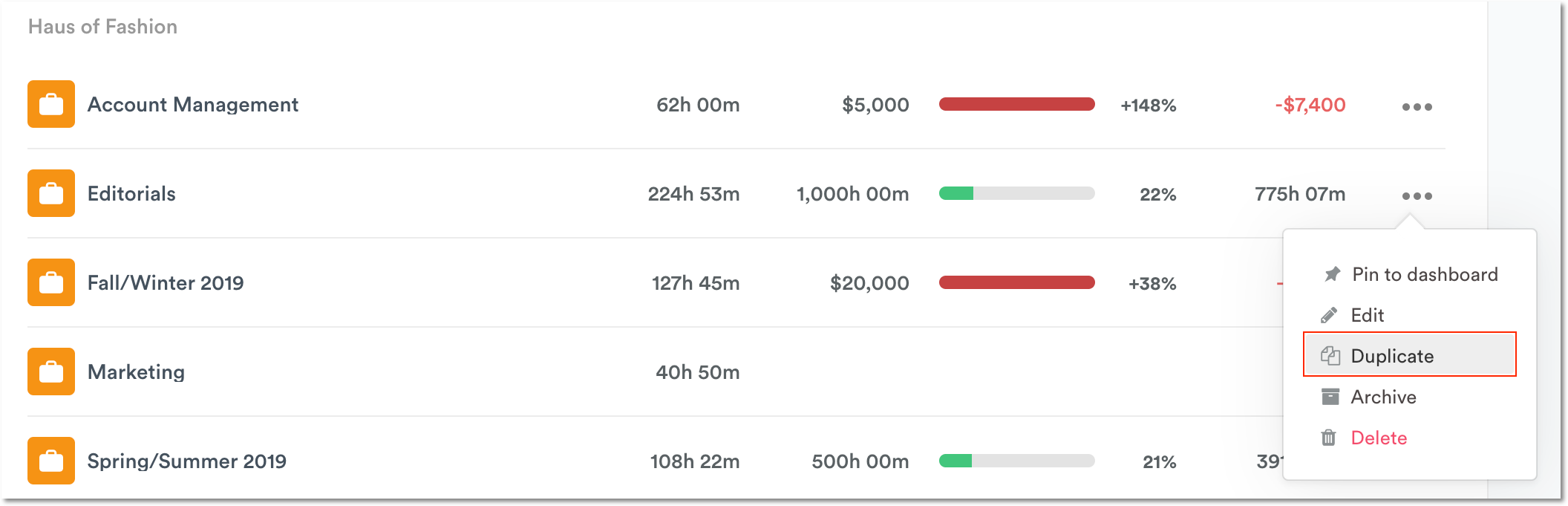
Duplicating projects is a breeze in Timely and we’ve given you a couple of ways to do it. First, you can head to the Projects tab and click the ”…” drop-down on the project you want to duplicate:
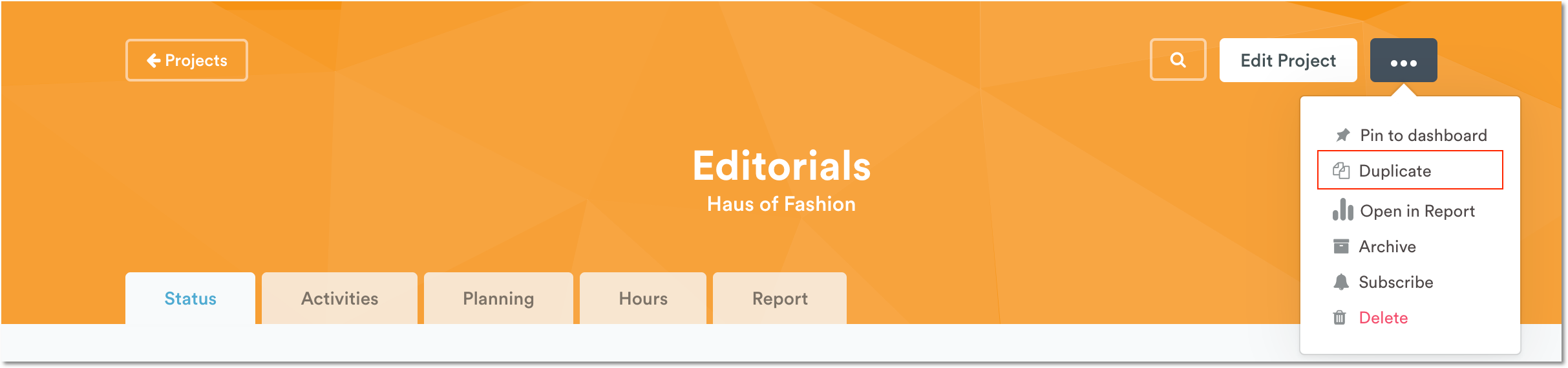
Alternatively, you can open any project then click the ”…” drop-down next to “Edit Project” to duplicate it:
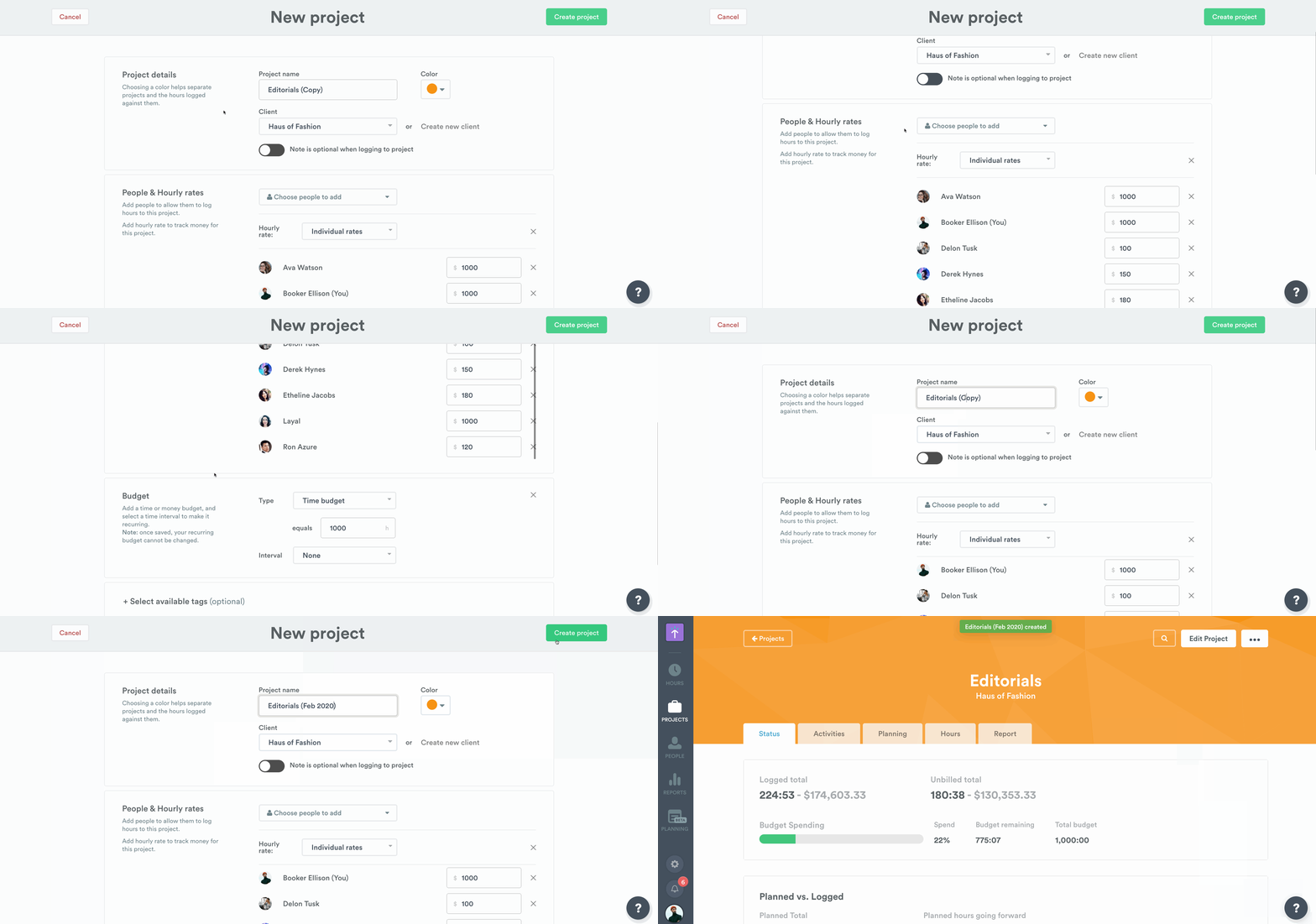
Both methods bring you to a page where you can edit project details:
Last updated April 1, 2026
Have feedback for this article or need more help? Contact us now.