
Basecamp
IntegrationsAI Time Tracking SourcesHandbookSee your Basecamp 4 ToDos, comments, and message activity right inside your Memory timeline.Basecamp is an essential component of many organizations’ project management process. With that in mind, we’ve made it easier than ever to stay on top of activities completed in Basecamp.
How it works
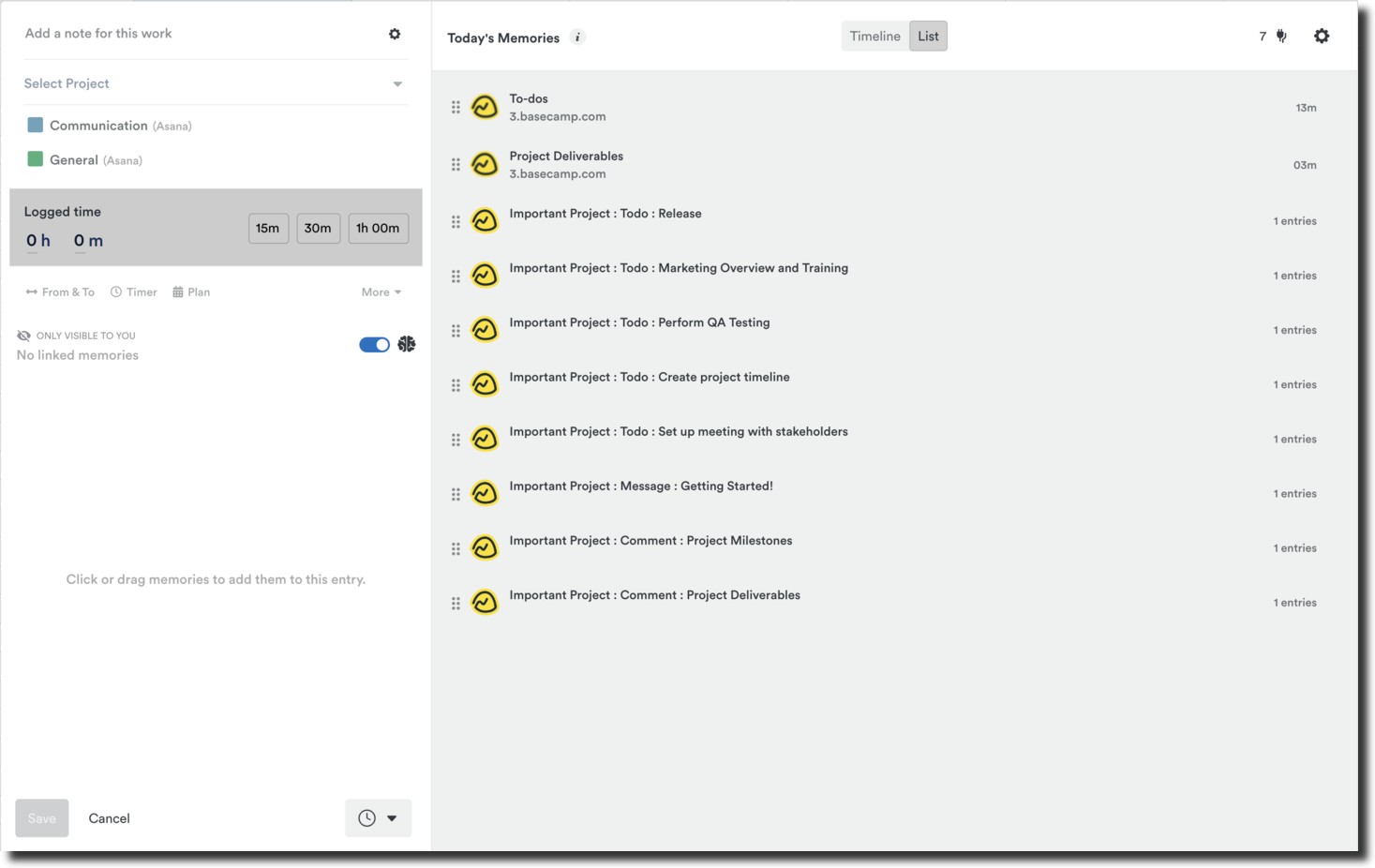
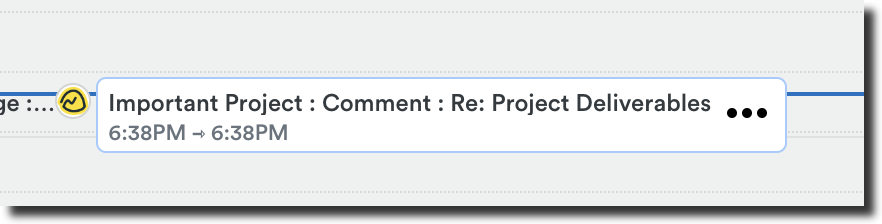
When integrated, these activities from Basecamp will automatically display on your timeline within Timely:
- When you mark a To-Do as completed
- When you submit a comment on a given board/topic
- When you add a new message to a board (specific to the “Message Board” widget)
- When you answer a question posed by an “Automatic Check-ins” widget
Get Basecamp connected
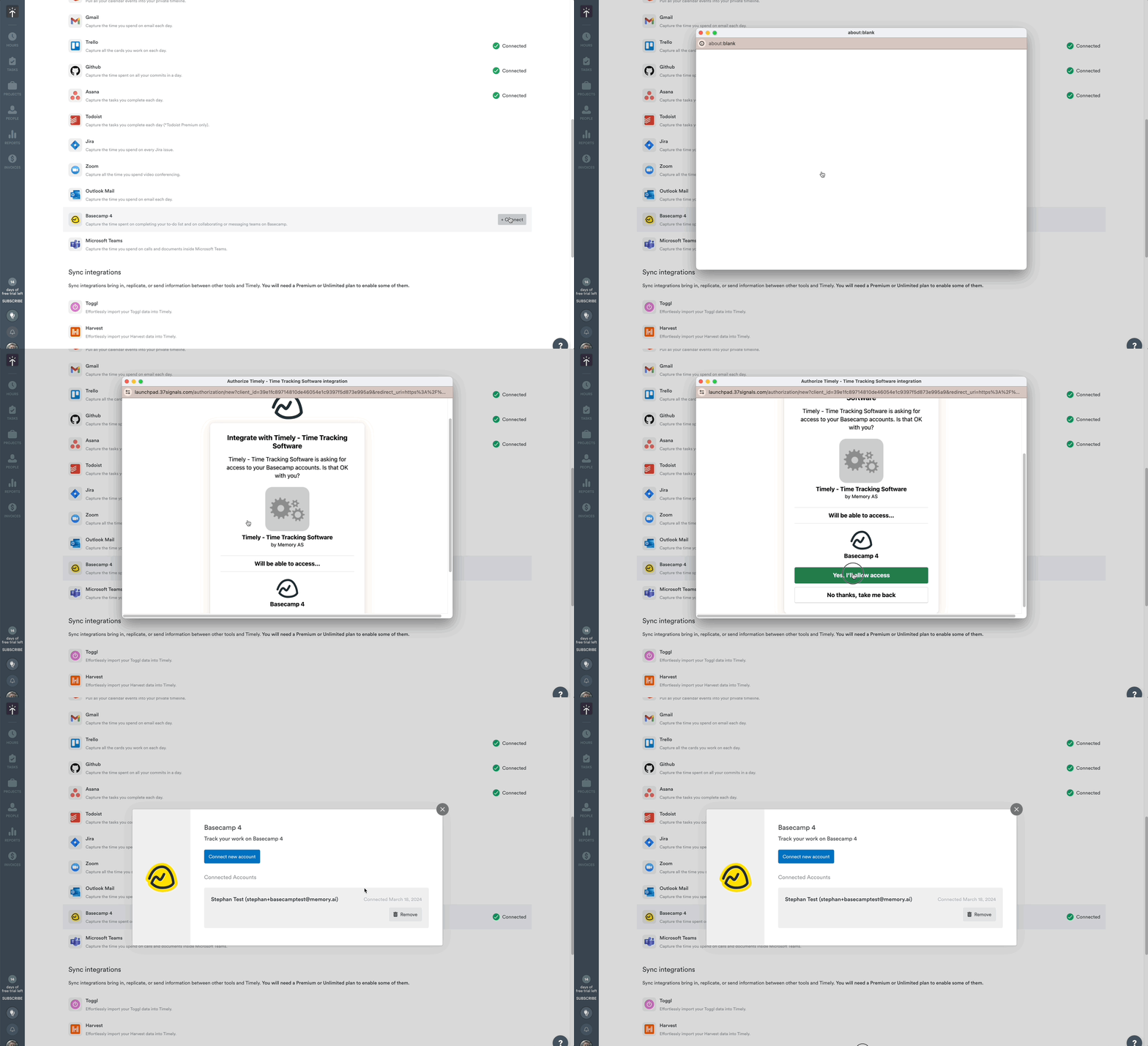
- Log in to Timely and click the Settings (gear) icon
- Head over to the “Integrations” tab
- Scroll down and click “connect” next to the Basecamp integration
- Click the “Connect new account” button and follow the prompts to sign into Basecamp
- Click the “Yes, I’ll allow access” button to finalize this process
FAQs
How do I remove the Basecamp integration?
You can disconnect the integration at any time. Simply head over to Settings > Integrations within Timely, click the Basecamp icon again, and then click the “Remove” button.
How far back will Timely sync over Basecamp activity?
You’ll see the last 30 days of Basecamp activity on your timeline.
If another Basecamp user marks my To-Do as complete, will that create a memory on my timeline?
No, Timely will only capture the actions that you yourself complete in Basecamp — the actions of other team members aren’t included at present.
Does this integration work with all versions of Basecamp?
Timely is able to integrate with Basecamp version 4 specifically at this time.
Last updated April 16, 2026
Have feedback for this article or need more help? Contact us now.