
What is captured by Memory?
PrivacyHandbookHow much information does Memory automatically capture from your desktop?Overview
Memory is your behind-the-scenes time tracker, quietly recording the work you do so you don’t have to. This article breaks down exactly what Memory captures as you move through your day, where that data shows up in Timely, and how it all helps you build an accurate, effortless timeline of your work. No manual entry, no guesswork — just a crystal-clear view of your day.
What Memory captures from your device
Memory quietly runs in the background of your device, keeping track of the work you’re actually doing — without you lifting a finger. It captures the apps and websites you’re actively using, as long as they’re front and center on your screen for at least a few minutes.
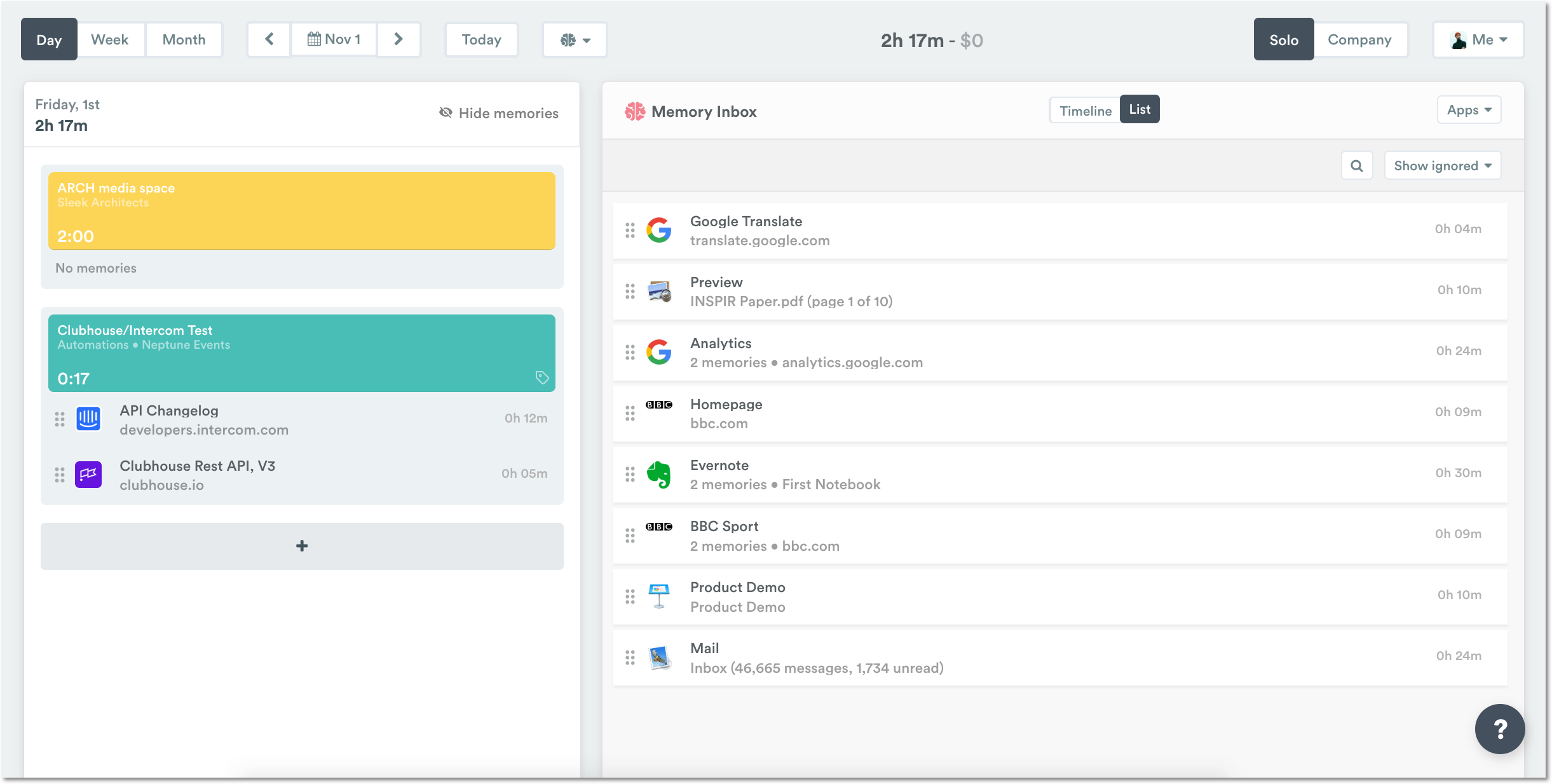
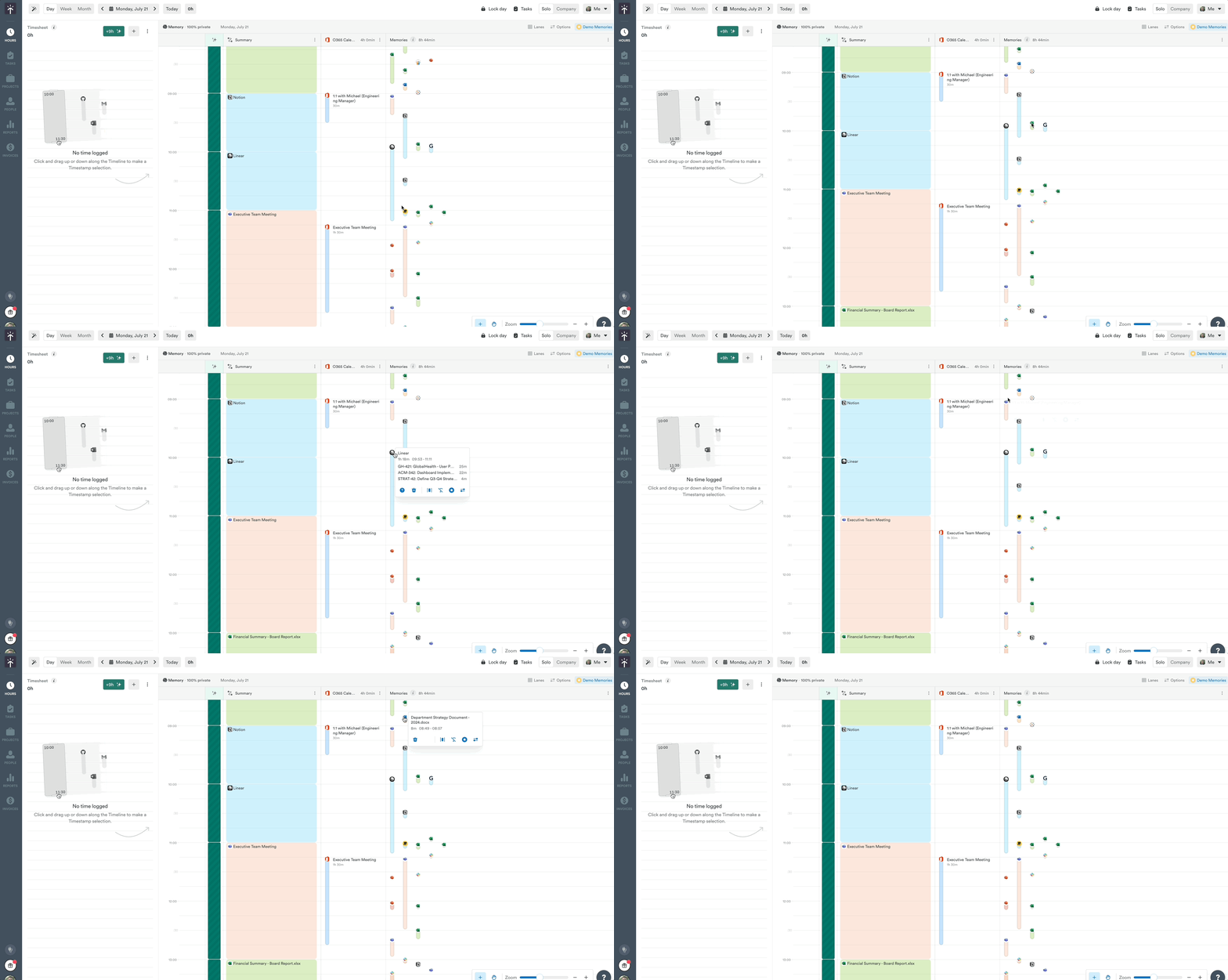
It grabs helpful context like the app name, window title, browser URL, and sometimes even the file name (depending on the app), along with how long you were using it.
So if you’re browsing in Chrome, for example, Memory might log the page title, the full URL, and the time you visited it.
On Mac, Zoom meeting windows are all titled “Zoom Meeting”, so Memory adds the names of the meeting participants shown in the Zoom window to the title, for example “Zoom Meeting — Alice, Bob, Carol”. Memory doesn’t capture the meeting topic or meeting ID.
List view:
Timeline view:
Ready to get started?
Download and install Memory from our downloads page.
For more information, troubleshooting, or detailed instructions on how to configure Memory, check out our dedicated articles:
FAQs
Can Memory see everything I do on my computer?
No. Memory only captures the apps and websites you actively use — what’s front and focused on your screen for more than a few moments. It doesn’t track anything in the background, private/incognito browser windows, or personal content like passwords or messages.
Does Memory record keystrokes or take screenshots?
No. Memory never records keystrokes, screenshots, or audio. It only captures metadata like window titles, URLs, and timestamps. Your privacy is always a top priority.
What if I don’t want Memory tracking something?
You’re in full control. You can pause tracking anytime from the Memory menu on your device.
Why do some activities not appear in my Memory?
Memory only logs activity when a window is active and focused for more than a few moments. Quick glances or background activity won’t be captured. Some apps and private browsing sessions are also excluded by design.
Can I use Memory on more than one device?
For best results, we’d recommend installing a single instance of Memory on your primary work computer.
Does Memory track me when I’m not working?
Only if you let it. You can manually pause tracking, set up scheduled tracking hours, or customize your settings to make sure Memory is only on when you want it to be.
Last updated October 7, 2026
Have feedback for this article or need more help? Contact us now.