
Share a report
ReportingHandbookQuickly share your timesheet and reports via a public URL link.We know it can be a little annoying to go through a three-step process to get your client their report: download it, save it, and then email it. So, we’ve now made it just one click! Just generate a sharable public link to your report and send it to your client for instant access.
Create and share a report
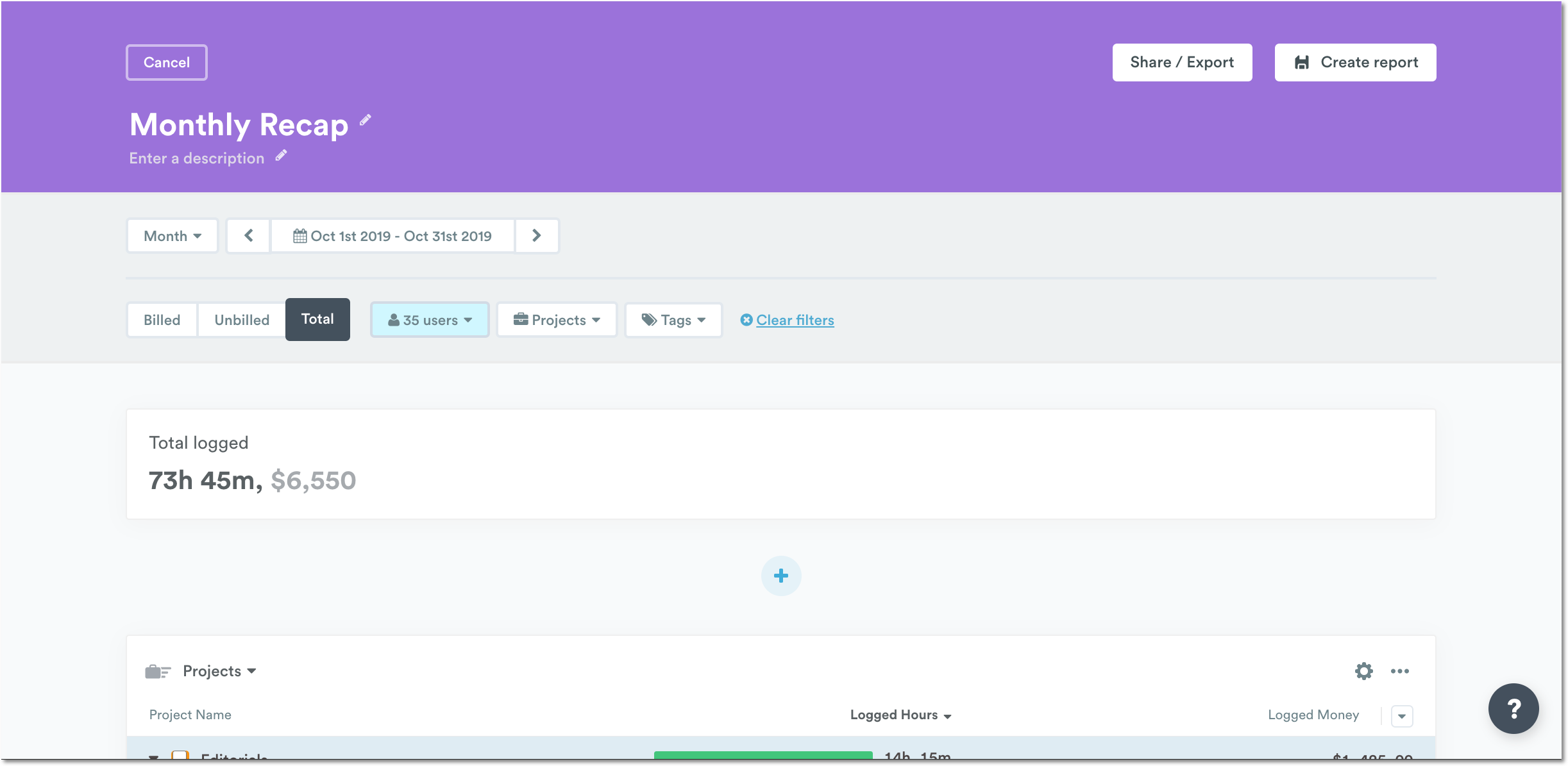
Once you have finished setting up your report template, hit “Create Template” to save it and then click “Share and Export”.

This is located at the top of the screen next to “Create Report” or “Save changes” (if you’re creating or editing an existing report template).
Preview a report
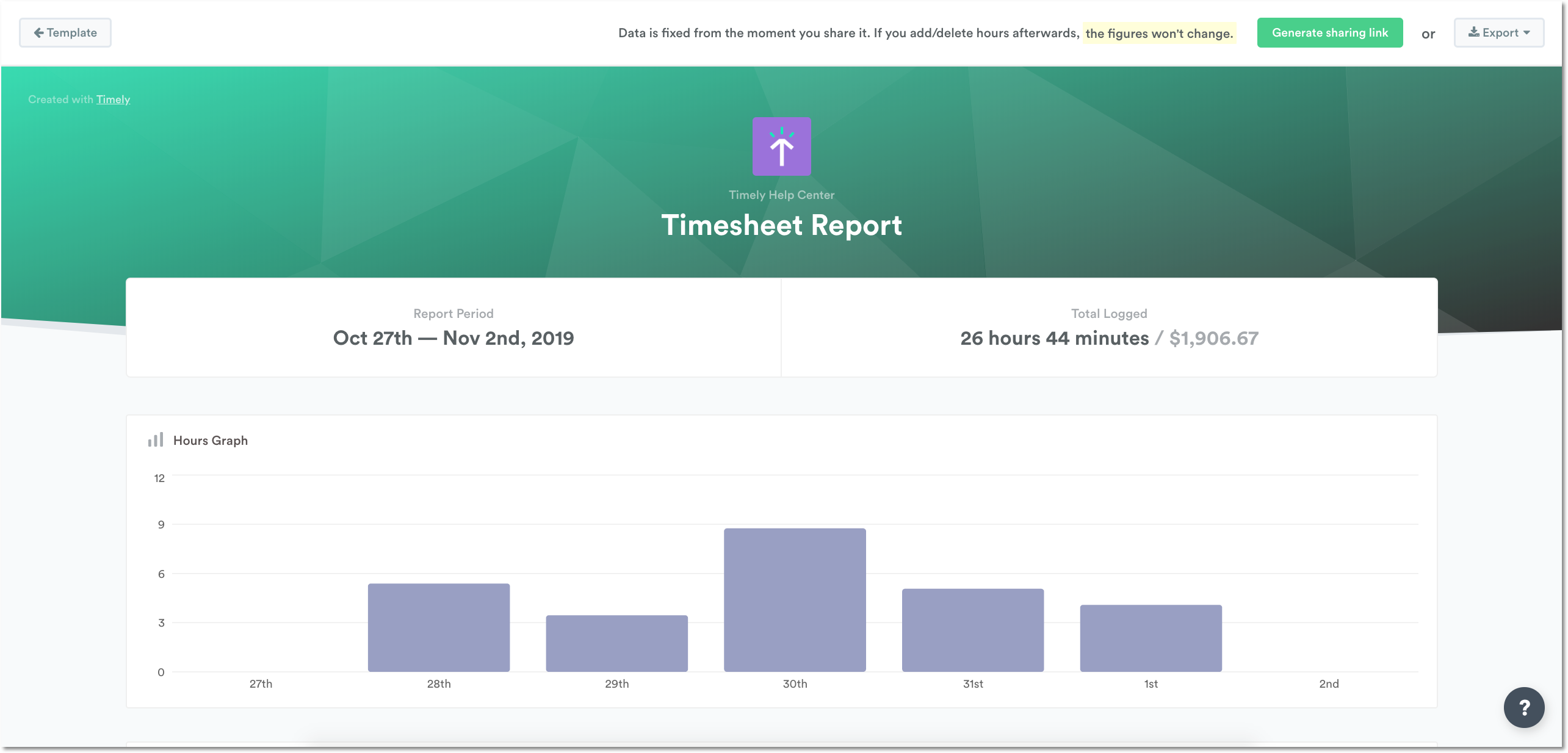
Once you’ve clicked “Share/Export”, you’ll get to preview your report, letting you make sure your “i”s are dotted and “t”s are crossed. If you need to adjust your report, simply click back on “Template” in the upper-left-hand corner.
Generate sharable link
Click on “Generate sharing link” in the upper-right-hand corner to create a public link to your report.

You’ll then see your sharing link at the top of your report, where you can copy to the clipboard or choose to Revoke access at any time.

Export and download your report
Exporting your report is helpful for when you need to analyze your reports further in Excel or if you’d like to send your timesheet as a basis for invoicing via PDF. For every report you create, you’ll be able to generate and export a report as well as further customize by selecting which columns to include, which can be saved along with the report. That way, each time you go to export, you don’t have to specify which columns are supposed to be displayed all over again!
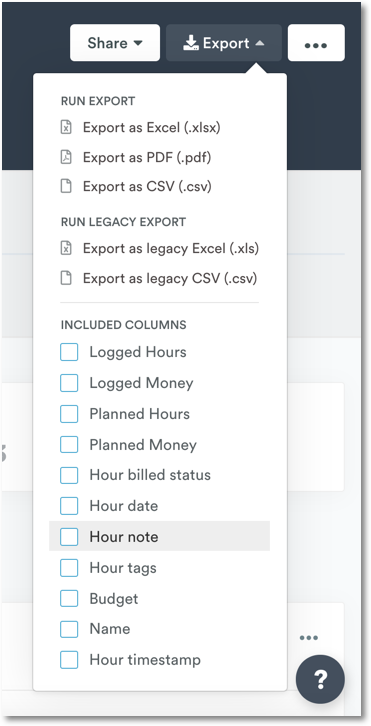
Reports can be exported in .XLS, .PDF and .CSV formats.
Download reports directly
Small reports will download directly to your computer. If Timely thinks the report is too large for a direct download, it will send it to your Timely-registered email address instead within a few minutes.
To export different data simply change the filters at the top of your report template. Read more on how to create a template.
FAQs
How do I get my reports to include decimals?
We recommend that you generate your reports in Excel to include decimals.
Last updated April 1, 2026
Have feedback for this article or need more help? Contact us now.