
How to keep track of employee absence
People & Team ManagementHandbookKeep track of vacations and sick leave in Timely.Managing employee resources effectively is the secret to stellar project management! Without logging vacation and sick leave, you won’t know exactly how many people are available to take on new projects. More generally, without tracking how all employee time is spent you can’t grasp where your resources are going — and, therefore, recalibrate efforts to keep everything on-track.
Thankfully, Timely makes keeping track of who’s in a breeze. Here’s how to create and report on admin projects to stay updated on who is and isn’t available.
Creating admin projects
Start by creating non-billable projects for various types of workforce leave, such as “Sick Leave”, “Vacation” and “National Holiday”. Make sure to add all users on your accounts to these projects.
To differentiate between other clients, assign those projects to a client with the name “Admin” or your company’s name:
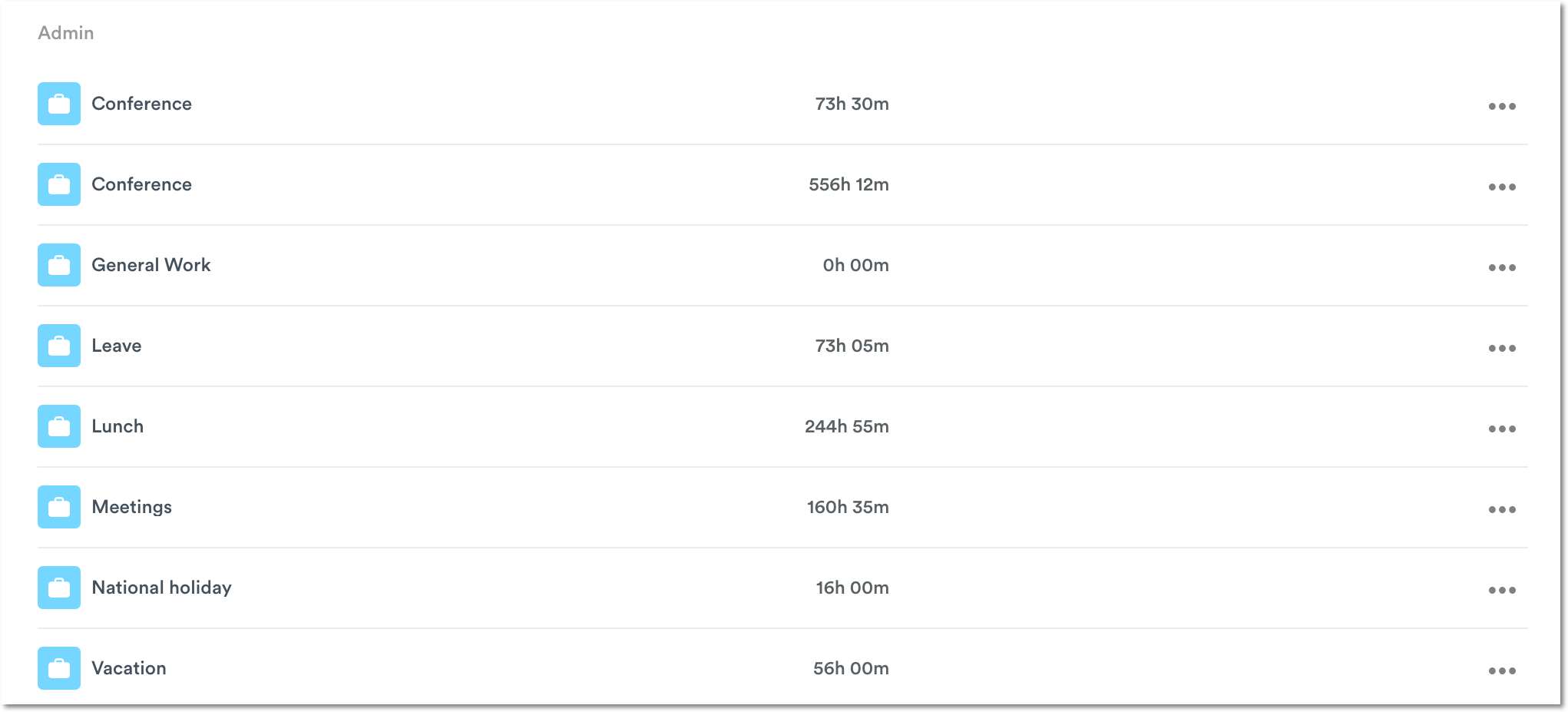
Log admin hours
You can also assign a specific color to any admin-related project so that it sticks out from the rest when you look at time sheets in Timely. In the example below, the projects in light blue represent admin-related activities:
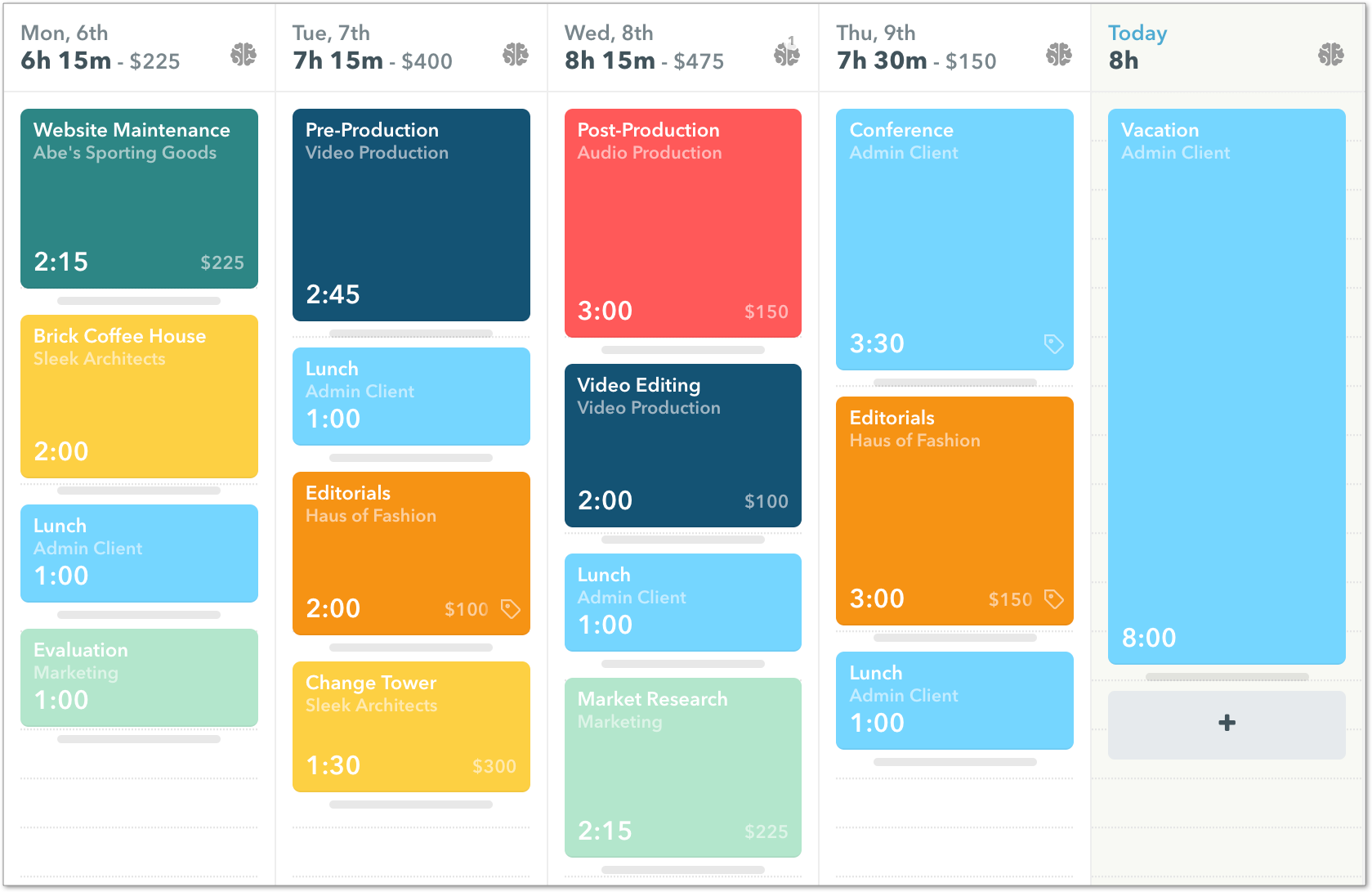
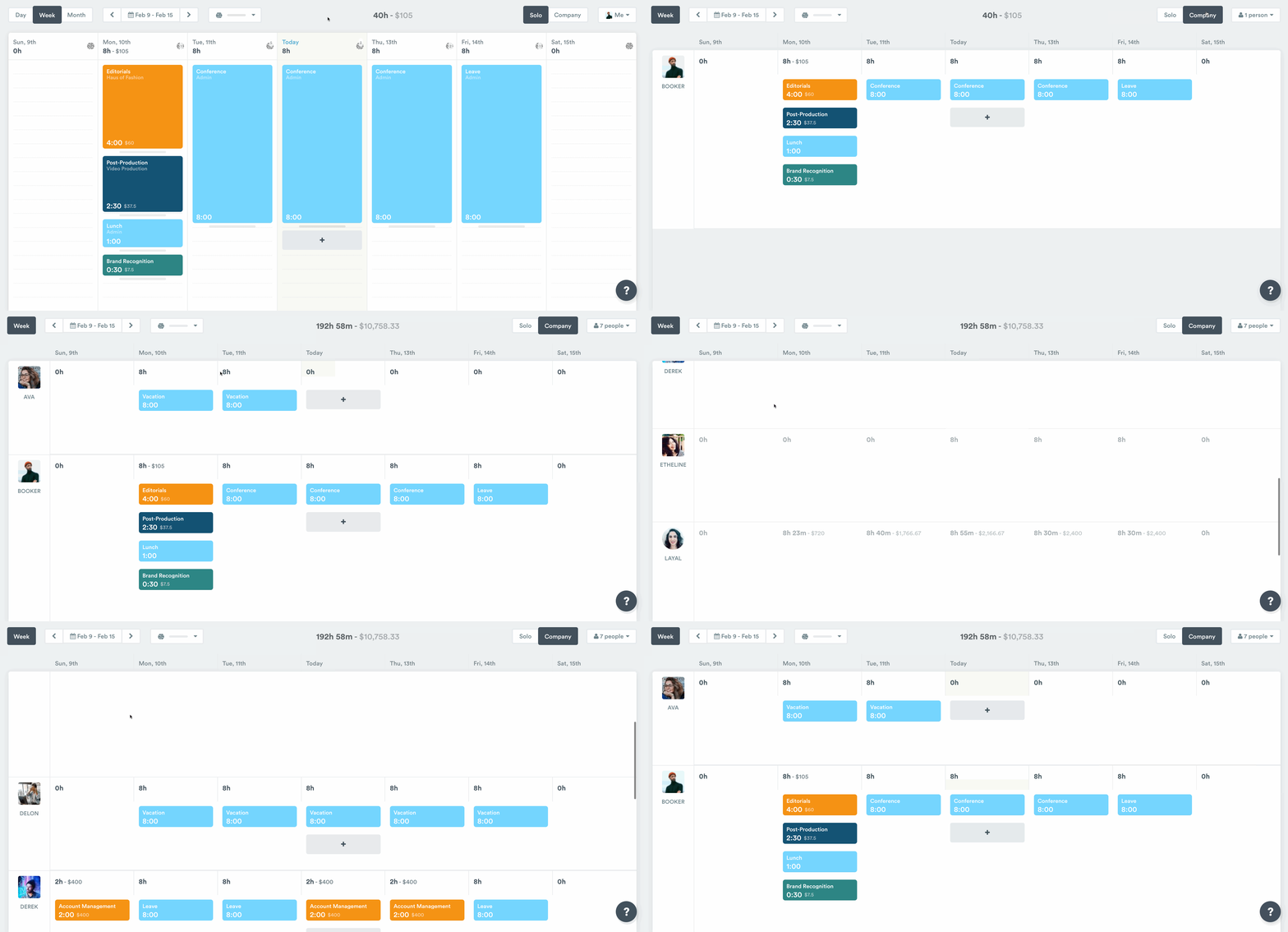
With Company view, Admin and Manager level users are able to plan and log hours for other users in Timely as well. This is especially helpful when someone will be out on leave for an extended period of time.
Company view also provides a great way to get an overview of your company’s schedule for the week to keep on top of who’s on vacation or off sick:
Reporting on admin hours
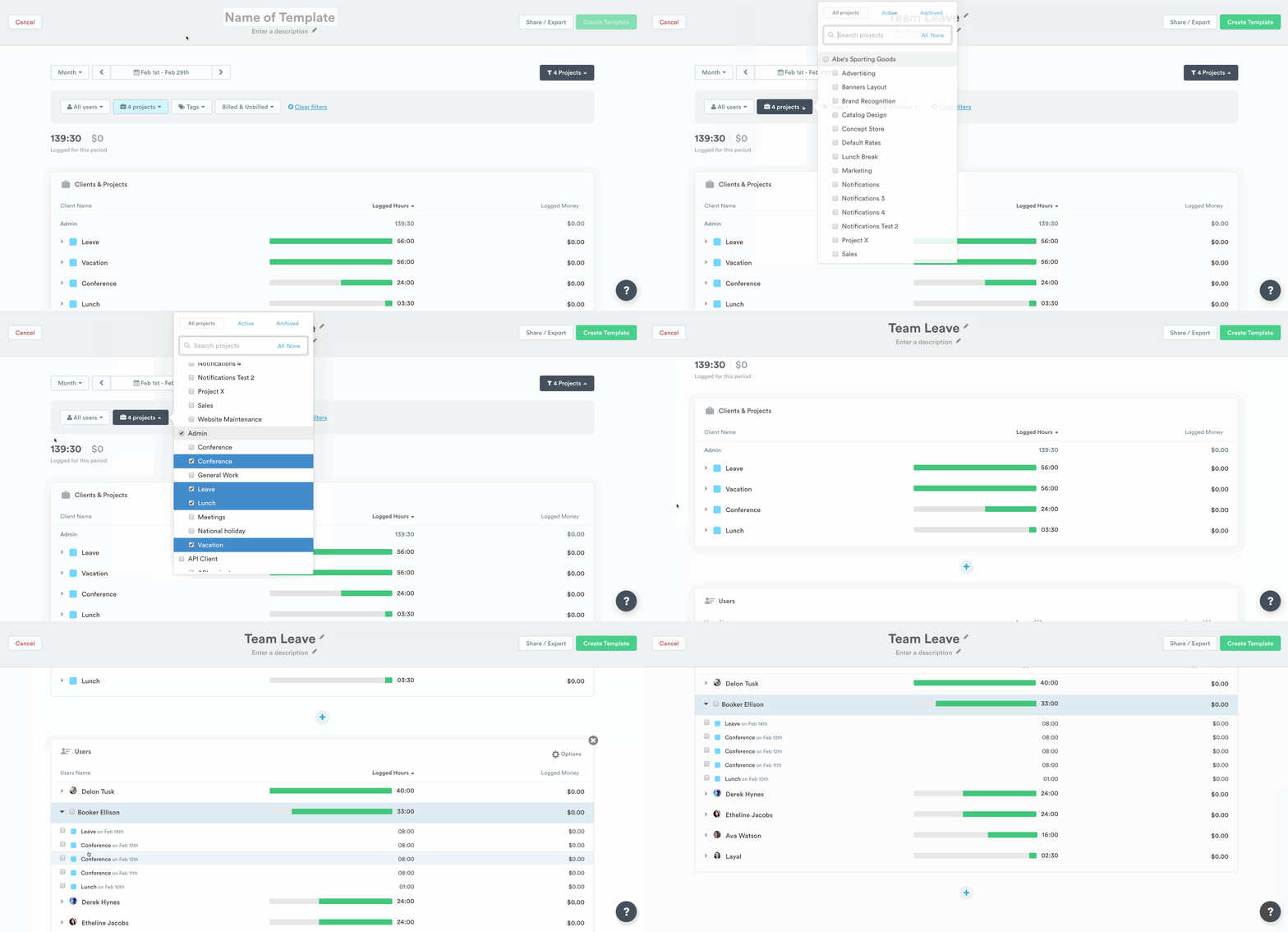
You can access planned and logged admin hours such as sick leave or vacation hours from the Individual User page and the Individual Project page, or simply from the Reports tab.
Create a template to save your filters and option settings. This will allow you to run the report weekly, monthly or yearly basis or for a custom period by just adjusting the timeframe.
Last updated April 1, 2026
Have feedback for this article or need more help? Contact us now.