How to identify if you're using the Legacy Timeline or List view

Time Tracking: Classic Legacy version Handbook Discover the key differences between Timely's Classic Timeline & List view and the Legacy experience, and learn how to identify which one you're using.

Timely’s Classic Timeline & List Experience is here, bringing a sleeker, more intuitive way to track your time! But this shiny update isn’t everywhere just yet.

We’re rolling it out slowly and carefully to select workspaces (and by request) as it moves out of beta. Even if it’s available in your workspace, the Classic experience is completely optional—you can switch between Classic and Legacy anytime. There are no current plans to deprecate the Legacy experience, so you can stick with what works best for you!

So, how do you know if you’re using the Classic Timeline & List View experience or still on the Legacy version? This guide will help you spot the difference and find the right resources.

What’s different in the Classic Timeline & List View Experience?

The Classic Timeline & List View Experience brings a more modern, user-friendly interface with enhanced visibility and organization of your tracked time. Here’s what you can expect:

  • A refreshed look – A sleeker, more intuitive design for easier navigation
  • Improved time tracking – A clearer, more structured way to manage your logged time
  • More control – Faster editing, fine-tuned granular control, better organization options, and a streamlined workflow

You’ll find both versions in the Hours section of Timely, where you log time against projects and tasks.

Classic Timeline & List View vs. Legacy Experience

Classic Timeline & List Experience

Classic Timeline experience preview

If you signed up for Timely after March 2025, participated in the Classic Timeline & List beta in 2024/2025, or requested early access, you’re likely seeing the updated timeline experience above, or the Classic list view experience below.

Classic List View preview

  • Both views feature a modern, streamlined layout
  • Timeline and List views are better visually structured
  • Includes customization options to isolate specific activity into their columns, control memory granularity, and enhanced AI Timesheet Assistant capabilities

Classic experience options dropdown

From the Hours Dashboard, if your “Options” dropdown appears as above, you are currently using the Classic Timeline or List view experience.

Legacy Experience

Legacy Timeline experience

If you joined Timely before March 2025, haven’t opted into the Classic Timeline & List View beta, or are part of a larger enterprise workspace, you’re likely still using the Legacy Timeline & List View shown above.

  • Uses the original interface with a familiar layout
  • Fewer customization options compared to the Classic experience
  • Still available for users who haven’t switched over yet or who would prefer to continue to use the older style interface

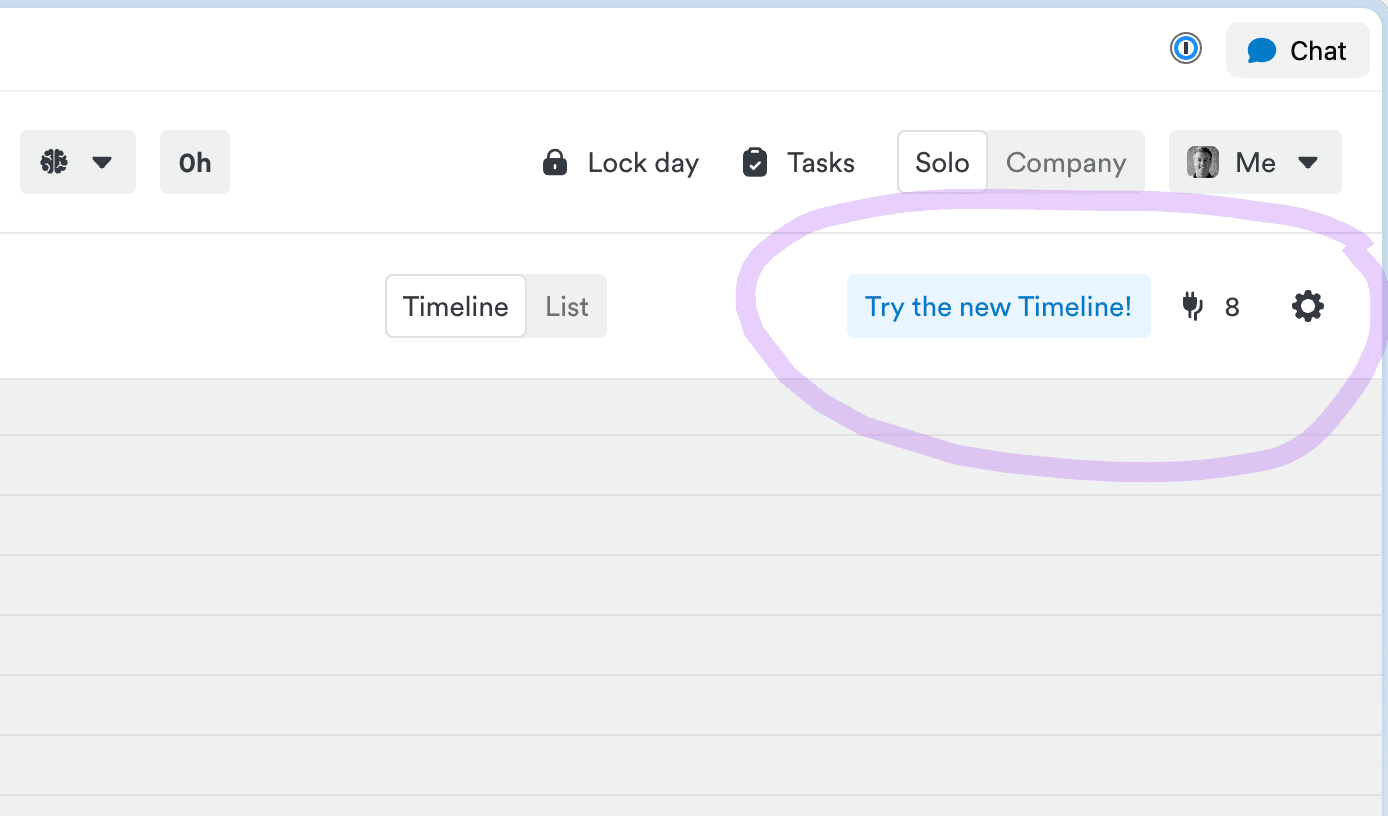
Legacy experience options gear icon

From the Hours Dashboard, if your options menu appears as a small gear icon in the top-right corner, you’re using the Legacy Experience. You may also see a “Try the Classic Timeline!” button nearby—feel free to click it to explore the Classic Experience!

Where to learn more

Timely’s goal is to make time tracking effortless, and the Classic Timeline & List Experience is designed to do just that! If you have any questions or feedback, feel free to reach out.

Last updated April 14, 2026