
Integrate Timely with Salesforce using Zapier
IntegrationsZapier & AutomationHandbookContinuously sync opportunities from Salesforce as projects to Timely using Zapier.Zapier is an amazing platform that connects countless apps and services together. If you are newer to Zapier, check out our introductory article for an overview, as well as some sample Zaps for inspiration.
How items map between platforms
| Salesforce | Timely |
|---|---|
| Account | Client |
| Opportunity | Project |
| User | User |
Have a specific entity you’d like to see available in Zaps? Drop us a note!
Creating new Projects in Timely from Salesforce Opportunities
Once configured, each time a new opportunity for an account is created in Salesforce, a corresponding project is created in Timely. If the user or client doesn’t exist in Timely yet, they will be generated automatically.
Step-by-step setup
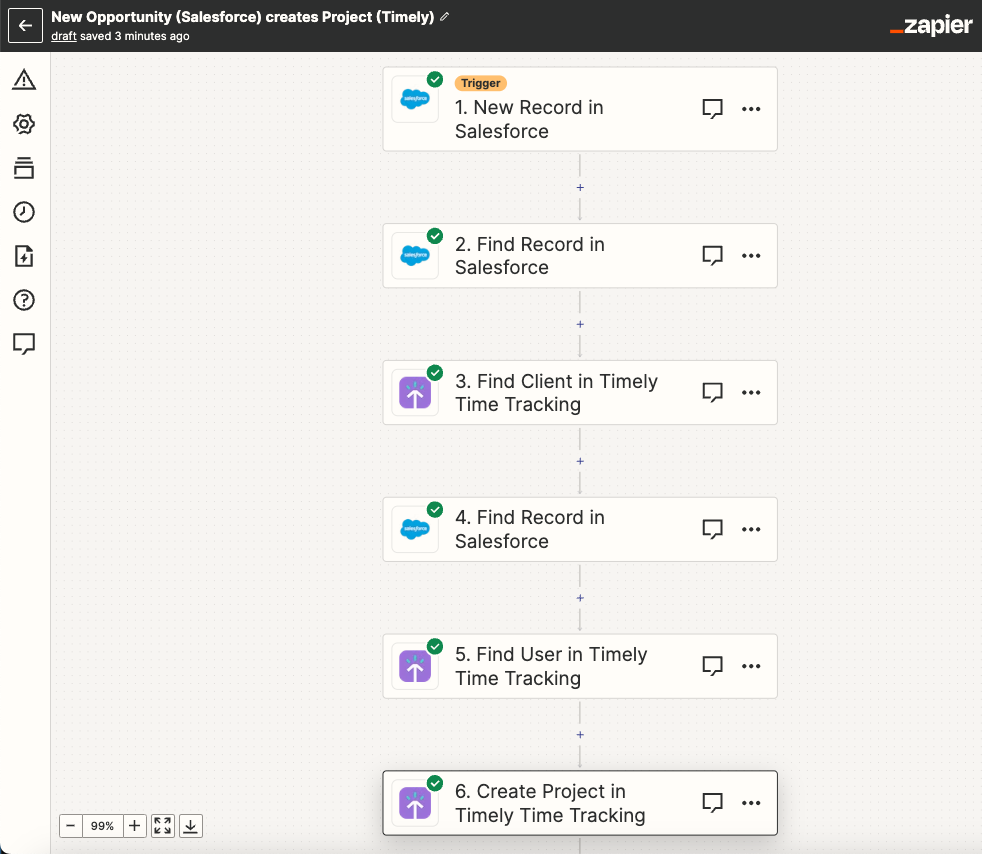
Step 1: Select Salesforce as the trigger app with the trigger “New Record”. Connect your Salesforce account and select the Object “Opportunity”.
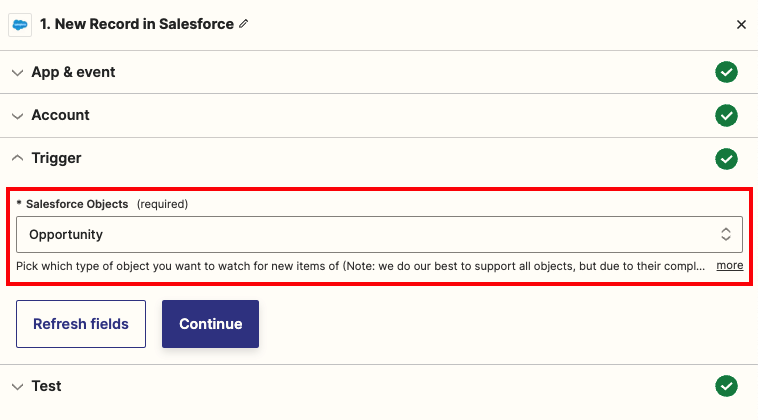
Step 2: Find the Account name for this Opportunity. Select the action “Find Record” and use the “Account Id” from step 1 to get the full Account record.
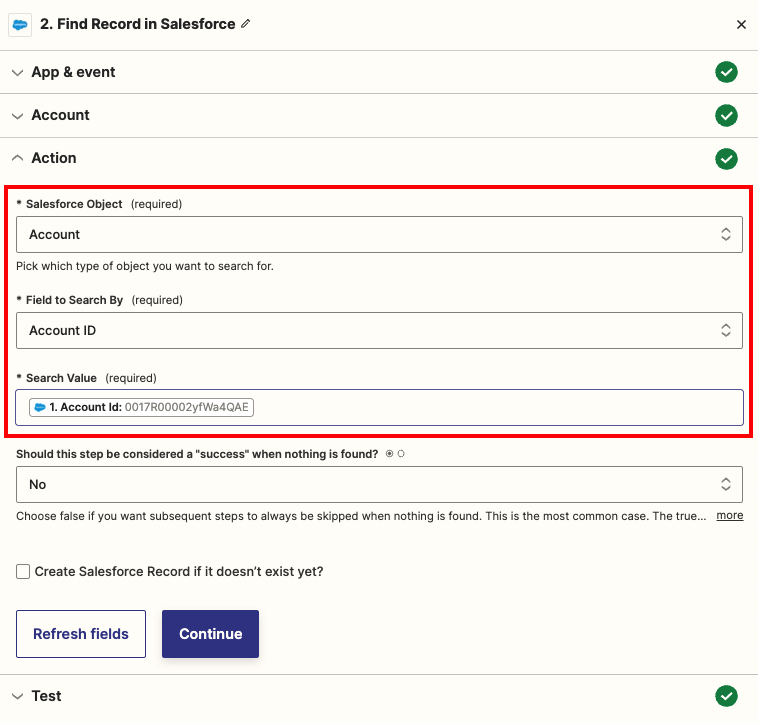
Step 3: Select “Timely Time Tracking” and the action “Find Client”. If the client doesn’t exist, it will be created.
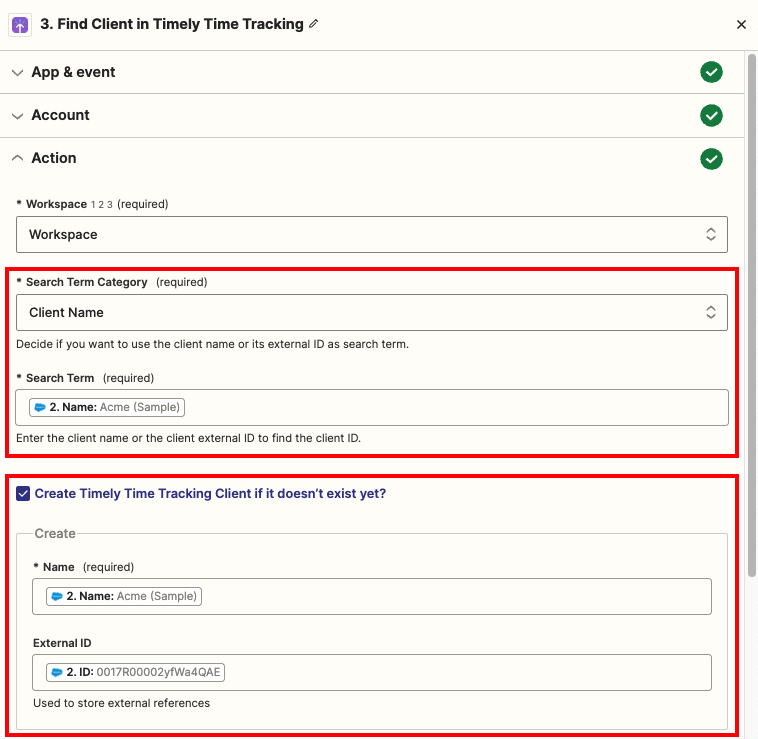
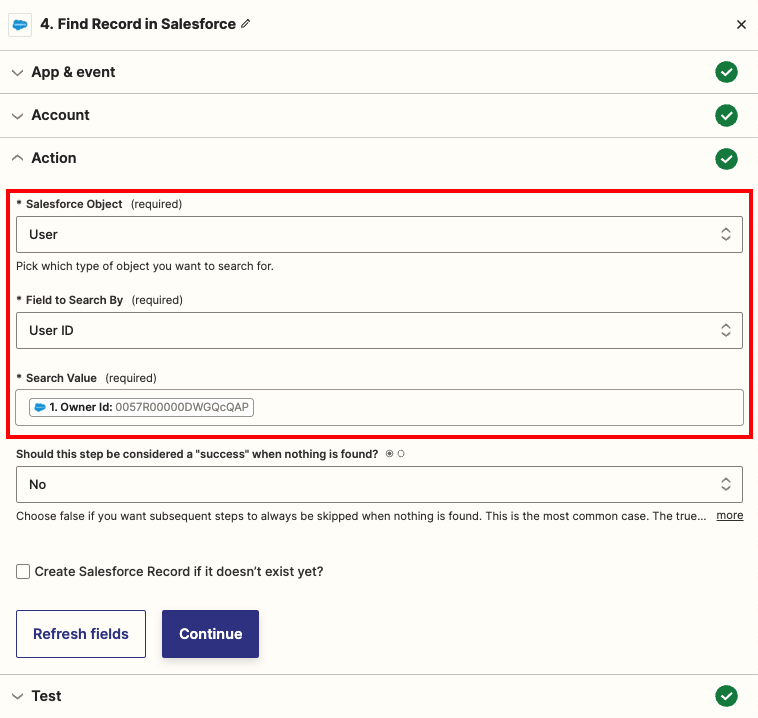
Step 4: Find the opportunity owner’s email/name in Salesforce using “Find Record” with the “Owner Id” from step 1.
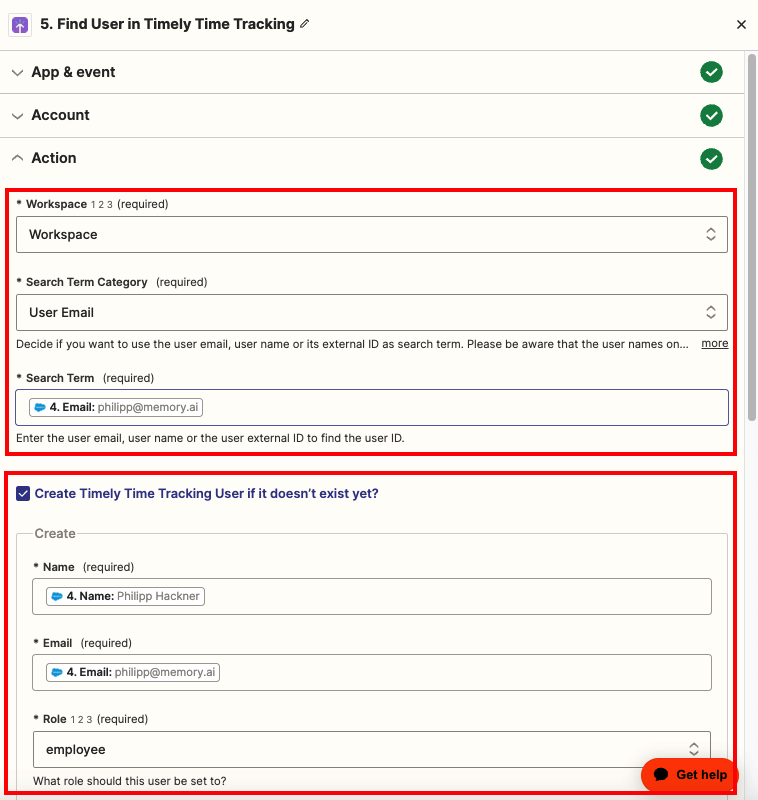
Step 5: Select “Timely Time Tracking” and “Find User”. If the user email doesn’t exist, a new employee user will be created.
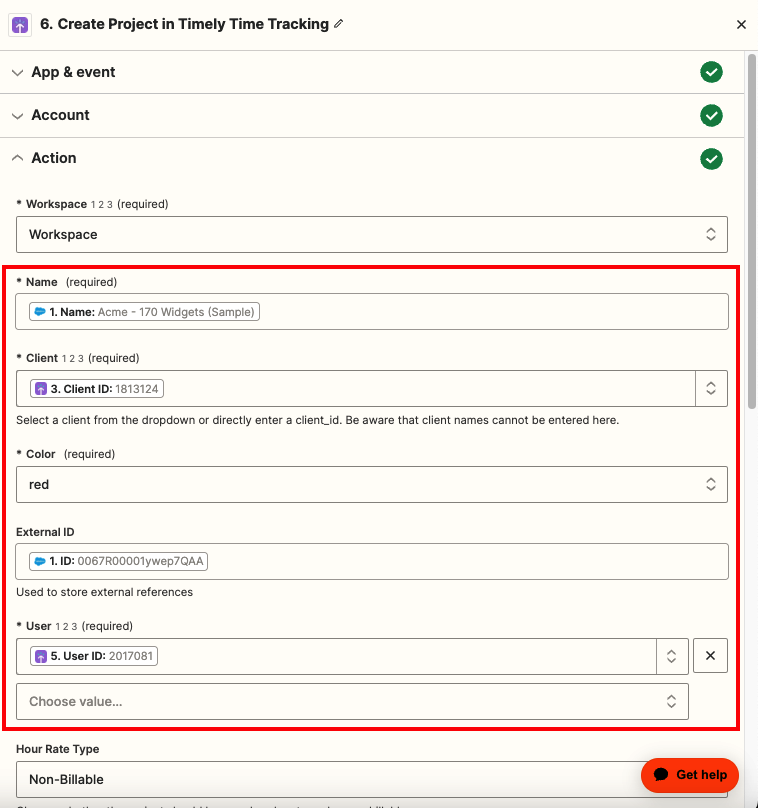
Step 6: Create the project in Timely. Set the project name to the Opportunity name, the client from step 3, the user from step 5, and the Salesforce opportunity ID as the external ID.
Now Opportunities newly created in Salesforce will be created in Timely automatically!
Video walkthrough
For a visual walkthrough, watch our guide:
Last updated April 15, 2026
Have feedback for this article or need more help? Contact us now.