Tasks on iOS
Time Tracking: Classic iOS and Android Handbook Log time against Tasks in Timely for iOS to stay on top of milestones while on the go.With the addition of Tasks to Timely’s iOS app, it’s never been easier to stay on top of milestones big and small, all while on the go!
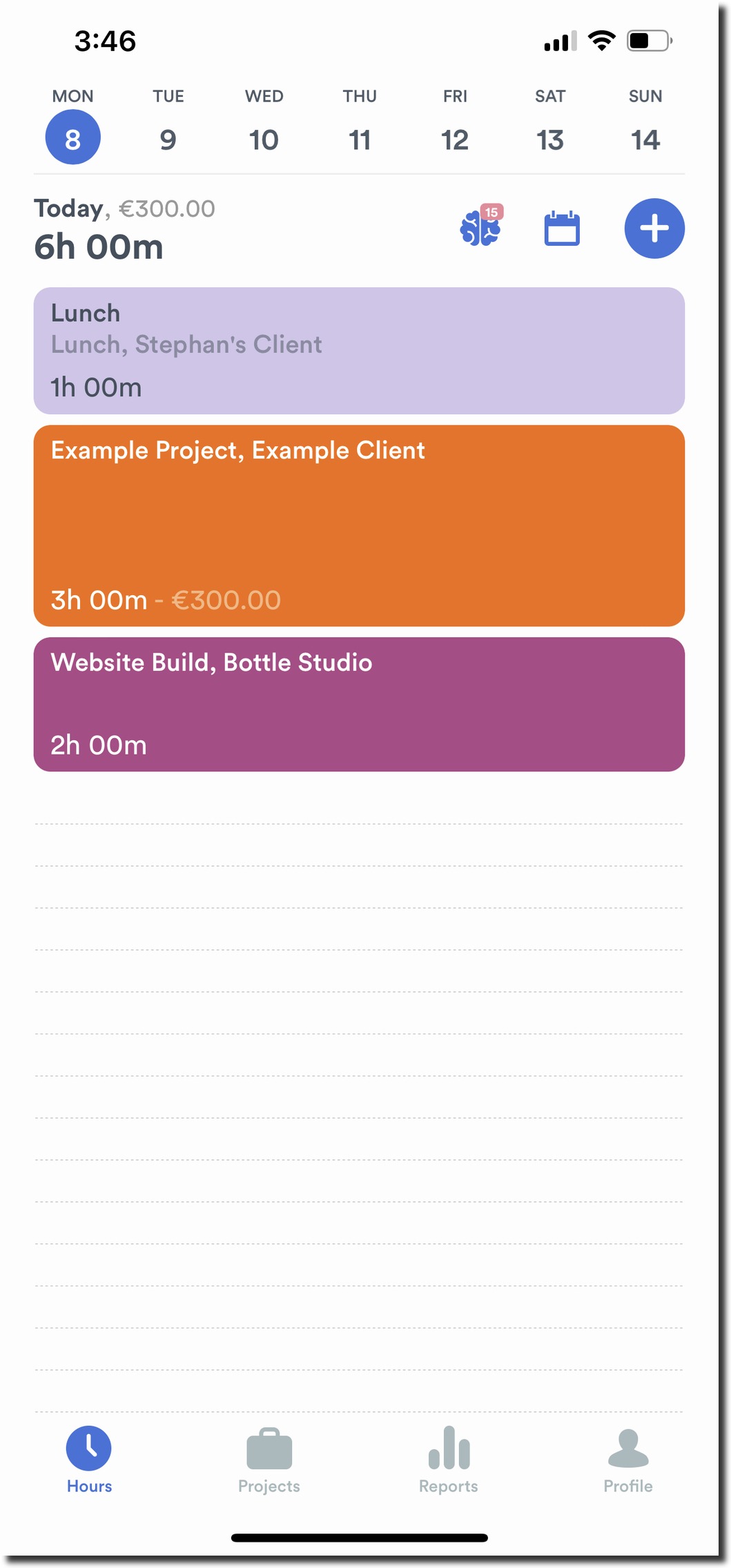
To log time against a Task, head over to the Hours section in the Timely app and then tap the ”+” button:
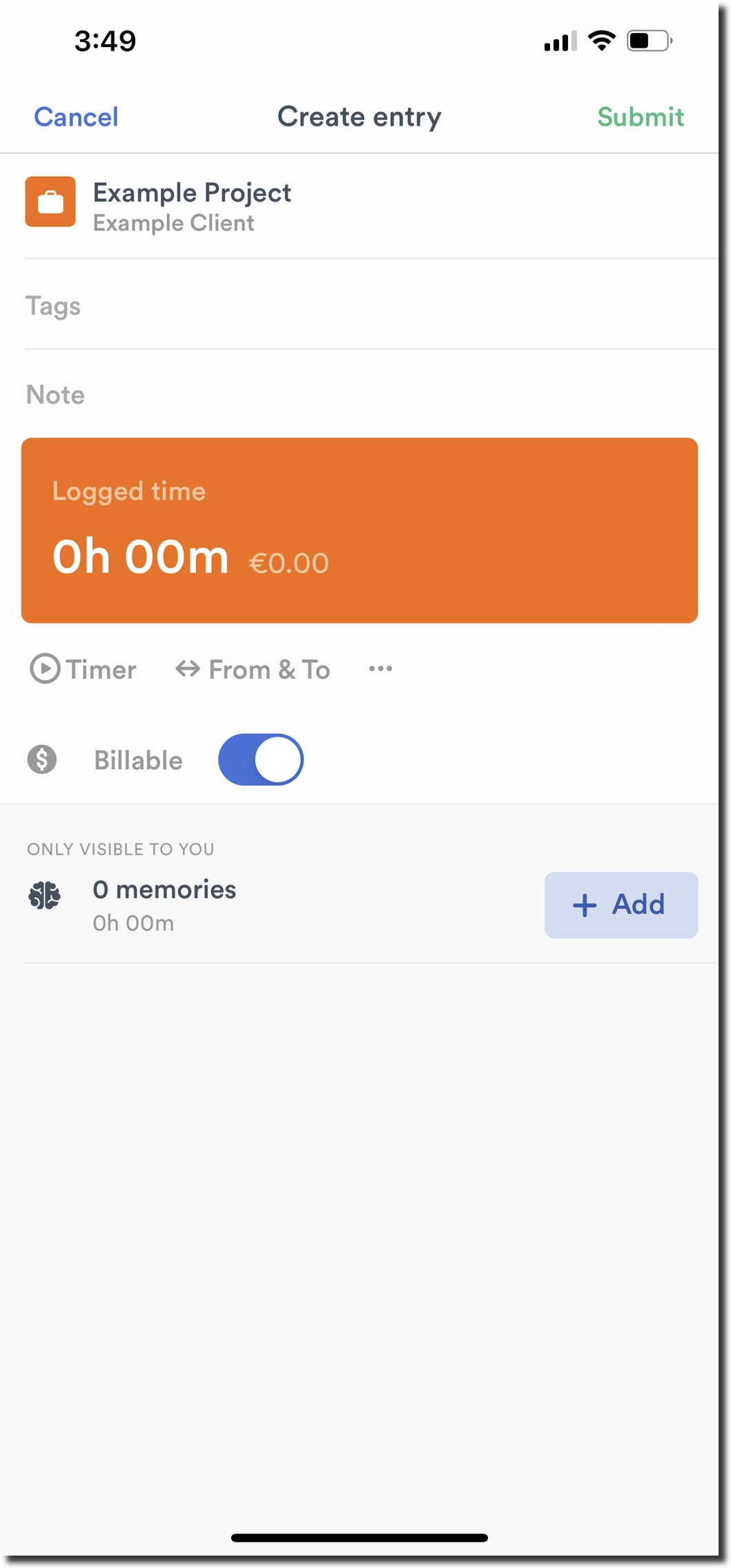
Next, you’ll see the option to Select Task or Project along the top of your fresh entry:
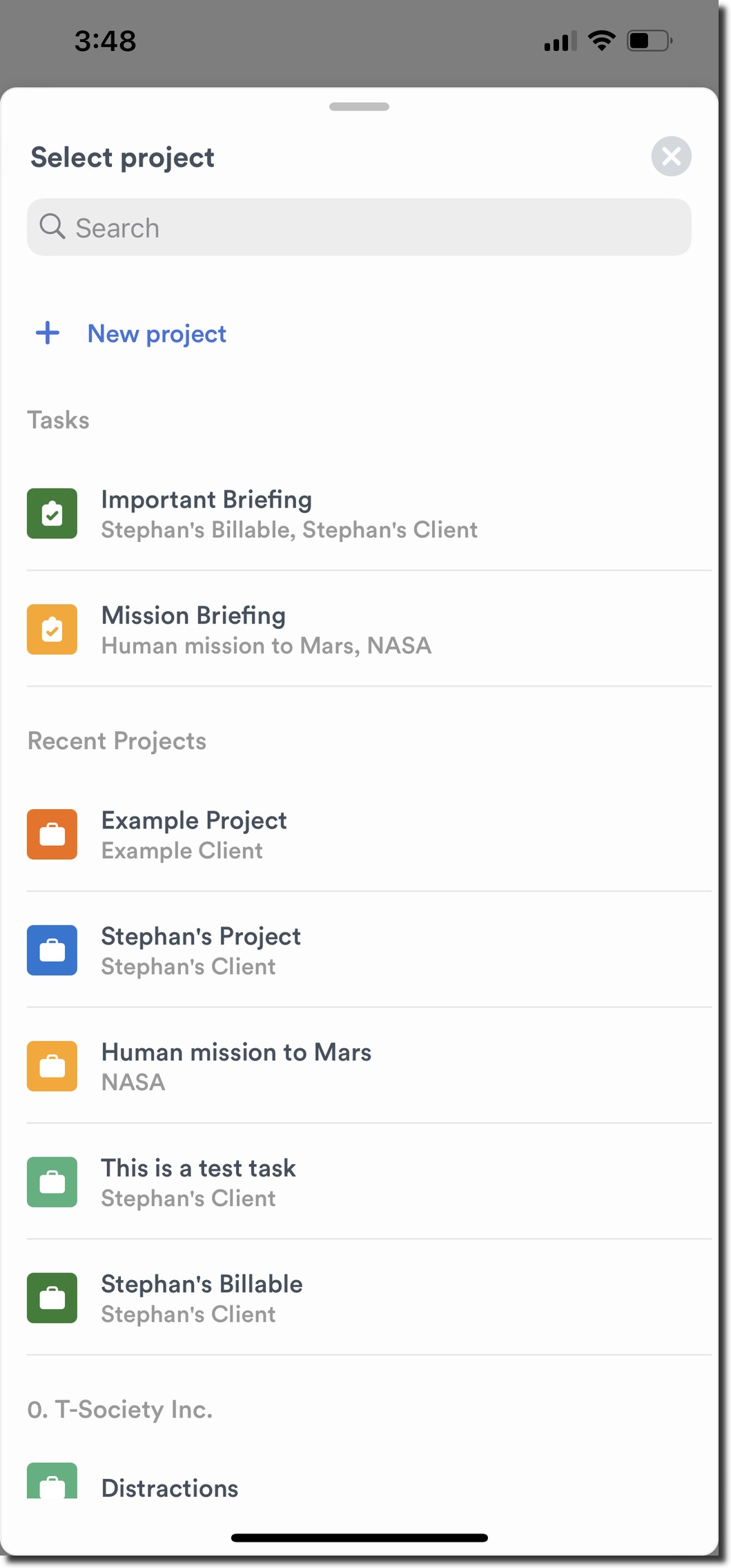
From the drop down, you’ll see Tasks and Projects listed separately as options to choose from. You’ll find Tasks display with a separate icon, for easy identification:

Finally, fill out the other options for your time entry as you would normally. You’ll want to make sure to set a duration, add an optional note, and assign any tags as needed:
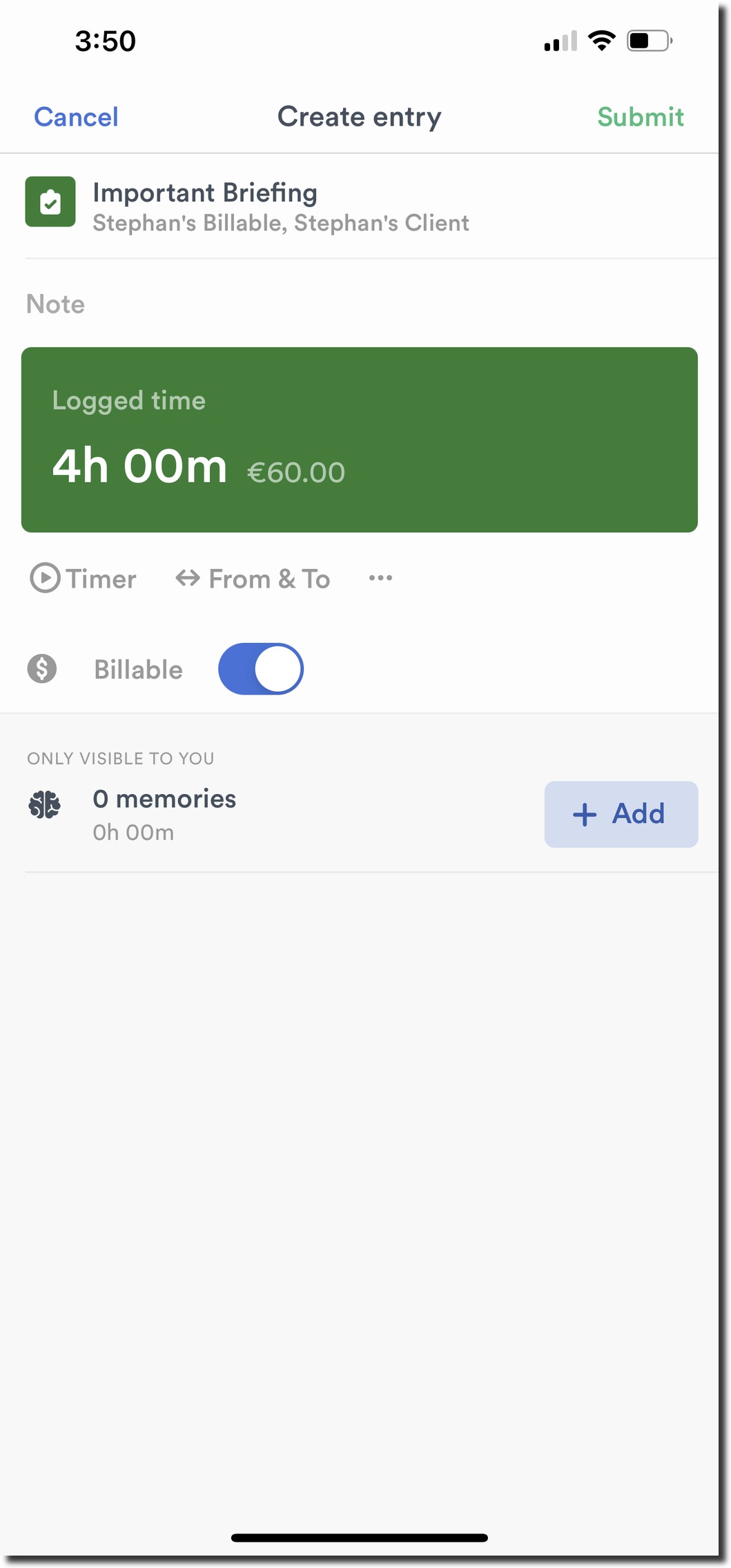
Once your entry is complete, go ahead and tap the check mark to finalize your entry.
Last updated April 14, 2026
Have feedback for this article or need more help? Contact us now.