
RescueTime grades your day. Timely bills it.
RescueTime was built to help you focus, so it scores every app you use as productive or distracting. Its timesheets are a pricier tier on top. Timely was built for client work from the start: it drafts your timesheet and never marks your hours.
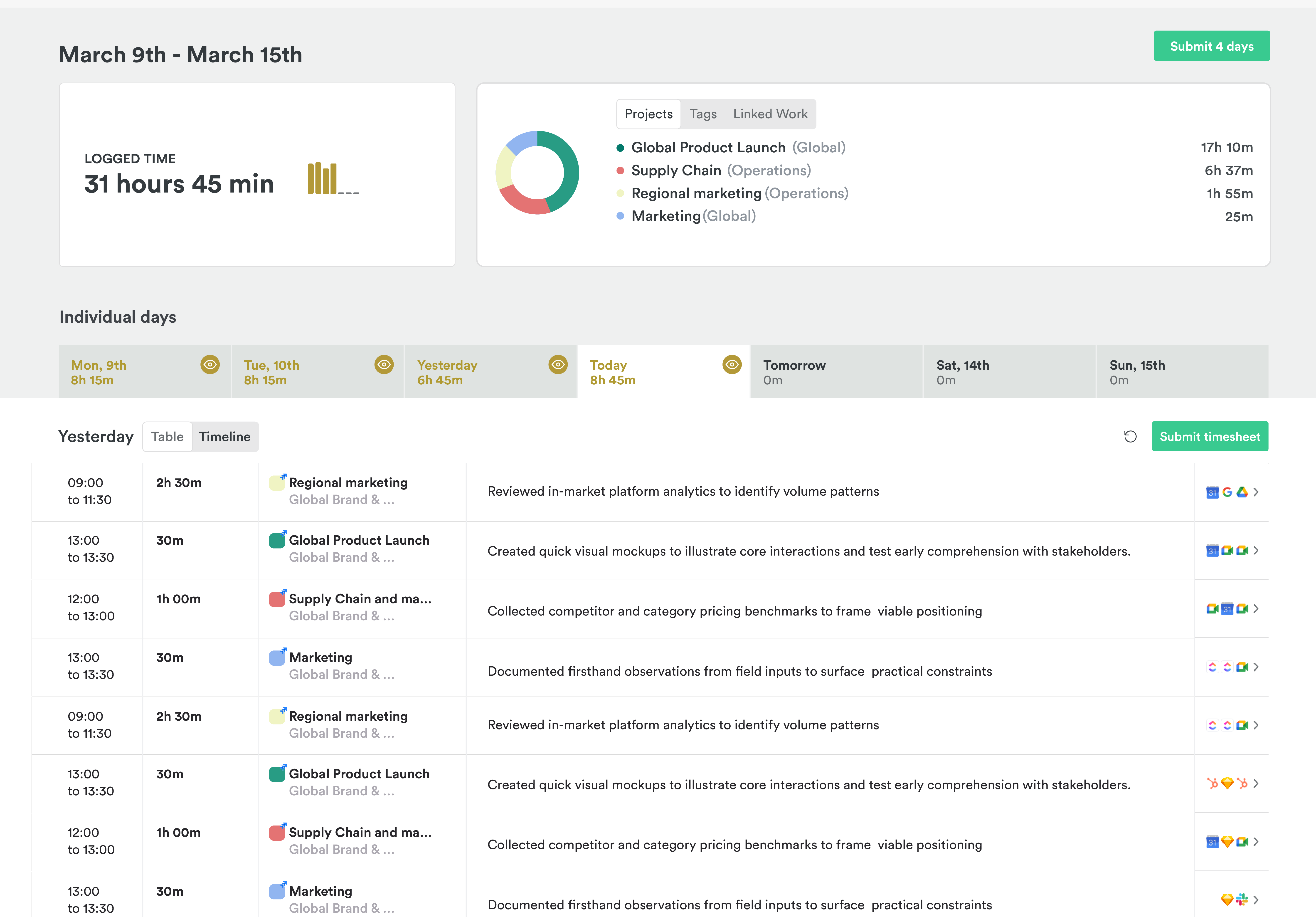
What RescueTime gets right
RescueTime is very good at what it was made for. It shows you where your attention goes and helps you protect it.
- Focus sessions that block distracting sites
- A free Lite plan, and phone tracking on iOS
- Timesheets that let you accept a whole day at once
Same hour, two questions
An hour in a spreadsheet can answer two different questions. RescueTime asks whether it was productive. Your client asks what it was for. Both are fair, but only one of them ends up on an invoice.
RescueTime is a mirror for your attention, and it now has a timesheet bolted on. Timesheets live on Solo+ and Team+, priced above the focus plans, and they start cold: you drag activity onto projects by hand until the suggestions learn your work.
And scores travel. On RescueTime's team plans, managers see a summary for each person and can drill down to individuals. Data gathered to help you focus can end up in a report about you.
An example day of 6h 30m. In RescueTime: Every app scored for productivity. Nothing split by client. In Timely: 6h 30m drafted across 3 projects, ready to check and submit.
Timely changes the default
In RescueTime, the default is a score for your day. In Timely, the default is a drafted timesheet, and nobody grades the person who did the work.
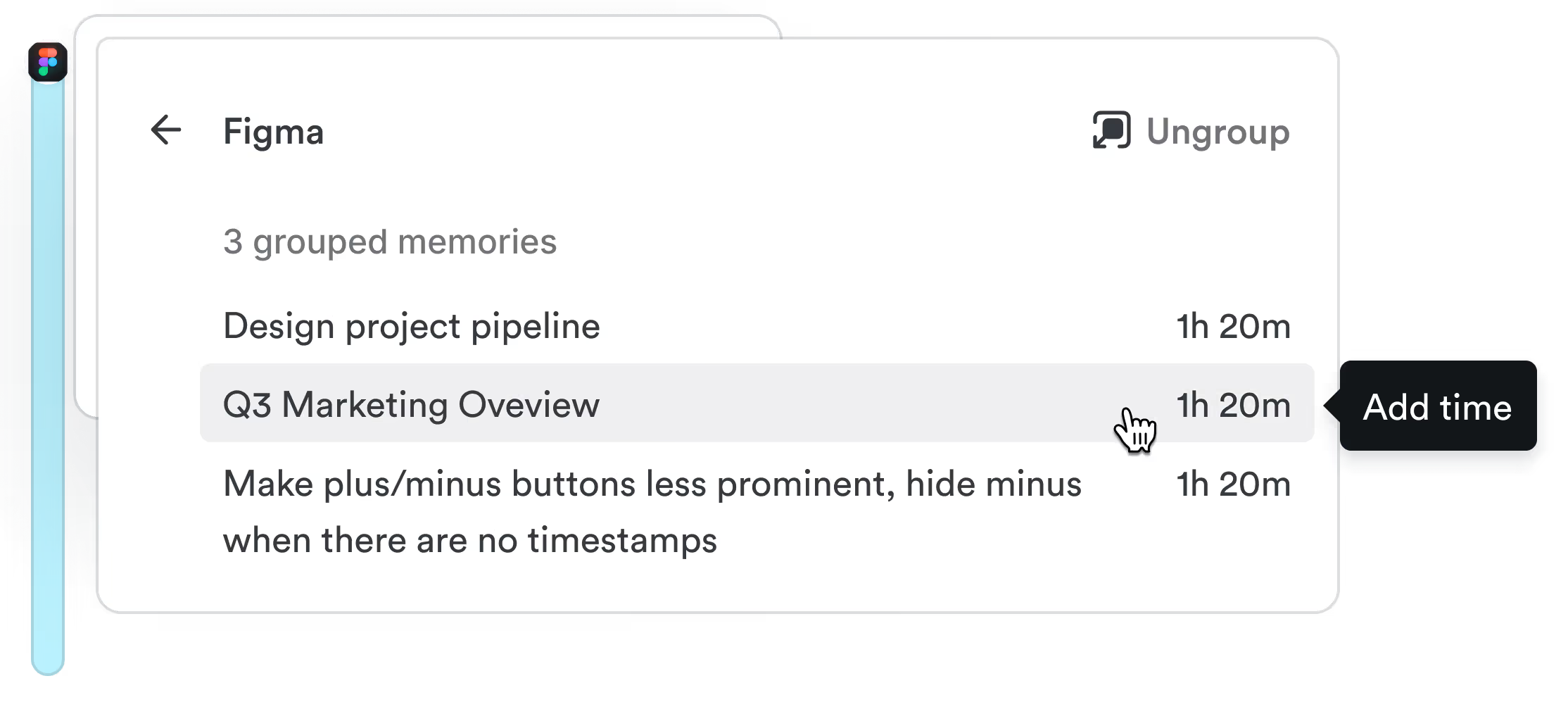
Memory records the day
The Memory app notes the apps, documents, sites, and meetings you work in, privately, on your Mac or PC. Nobody else can see it, admins included.
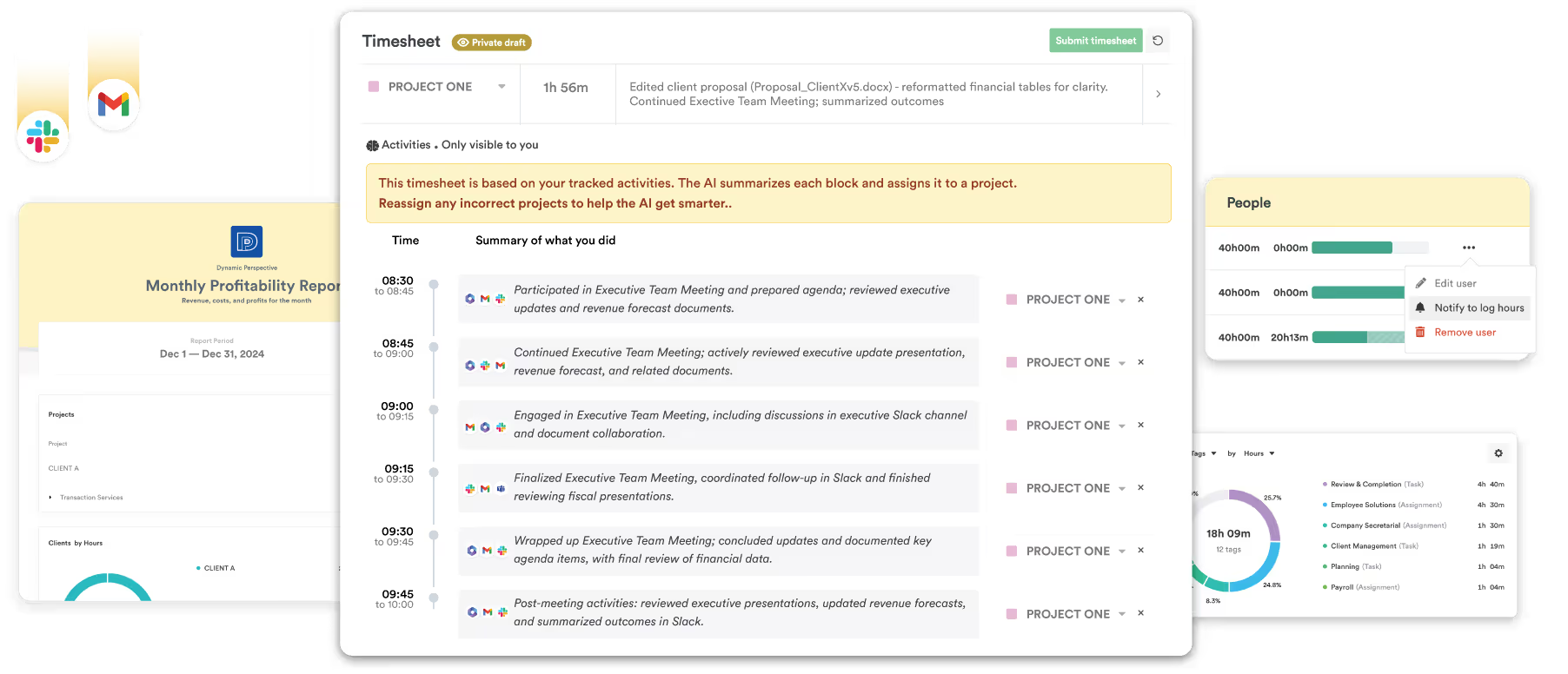
AutoSheet drafts the timesheet
Each morning, AutoSheet turns yesterday into a draft: projects, hours, and notes, linked to the work behind them.
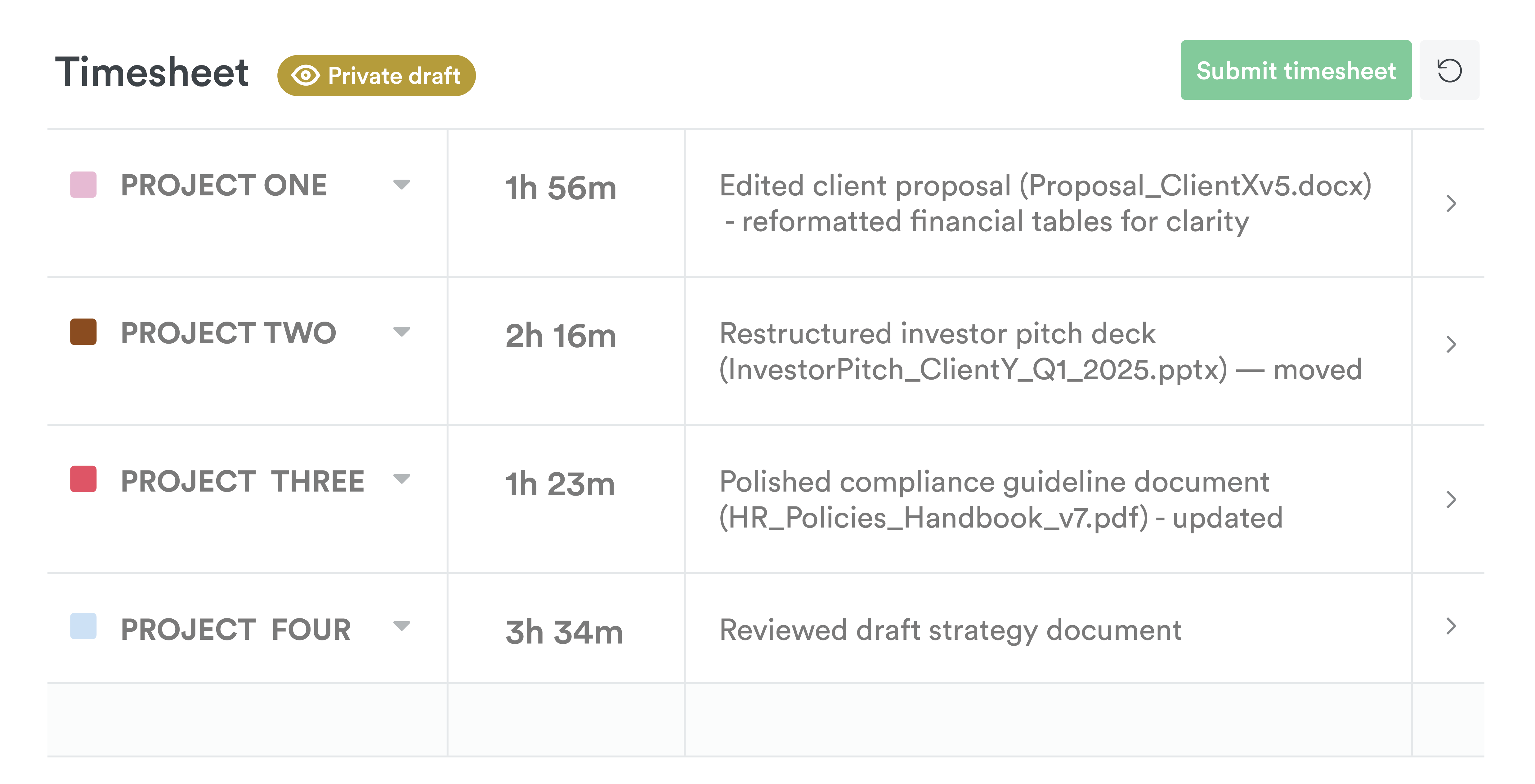
You check it and submit
Fix anything that looks wrong and submit. Nothing reaches the shared timesheet until you do.
What people notice first
RescueTime is not built to understand time from a project/task perspective; it's a productivity perspective. Timely saves time in terms of categorizing and billing — it's simpler.
With Timely, I like not having to think about time tracking. Being able to switch project quickly during the day and still allocate worked time correctly.
Comparing the timesheet plans
RescueTime's cheapest paid plan is for focus and has no timesheets. Timesheets start on Solo+ for one person and Team+ for teams, so those are the plans we've compared.
| Pricing | RescueTime | Timely |
|---|---|---|
| One person, billed annually | $12 on Solo+ | $9 on Starter |
| Per person on a team, billed annually | $16 on Team+ | $9 on Starter (up to 5 people), $16 on Premium |
| Billed monthly | $15 on Solo+, $18 a person on Team+ | $11 on Starter, $20 on Premium |
| Focus tools and site blocking | Included | Not offered |
Checked on . Source: RescueTime pricing page.
Timely vs RescueTime, feature by feature
Every row checked against RescueTime's own website. We've marked where RescueTime wins, too.
| Feature | Timely | RescueTime |
|---|---|---|
| Capturing time | ||
| Captures work automatically, no timer | : Memory app for Mac and Windows | : Every plan, including the free one |
| Drafts your timesheet for you | : AutoSheet drafts each day for you to check and submit | : Solo+ and Team+, once it has learned your projects |
| No screenshots, keystroke logging or productivity scores | : On every plan | : Scores activity as productive or distracting by default. No screenshots or keystroke logging |
| Activity private to the person | : Admins can't see anyone's Memory | : On team plans, managers see per-person summaries |
| Approving and billing | ||
| Timesheet approvals | : Premium and up, built with time entry states | : Team+ plan |
| Locked time | : Unlimited plan | : People can finalize their own days, and unlock them |
| Billable rates | : Solo+ and Team+ | |
| Project budgets | : Recurring budgets on Premium and up | : Hour targets, no money budgets |
| Invoicing | : Draft invoices sent through QuickBooks Online, Premium and up | : Exports CSV or Excel to invoice elsewhere |
| Planning and reporting | ||
| Planned vs actual time | : Premium and up | : Logged hours against project targets |
| Capacity planning | : Logged and planned time against capacity, Unlimited plan | |
| Utilization reports | : Unlimited plan | : Reports filter by billable time, no utilization report |
| Practicalities | ||
| Free plan | : Lite: tracking and reports, no timesheets | |
| Free trial | 14 days: No card needed | 14 days: Every paid plan |
| Price from, per person a month | $9 annually, $11 monthly: Starter: up to 5 people and 20 projects | $12 annually, $15 monthly: Solo+, the first plan with timesheets, for one person. Team+ is $16 a person annually, $18 monthly |
| Security certification | ISO 27001: No SOC 2 | None listed: No SOC 2 audit of its own |
Bring your timesheets across
Keep RescueTime for focus if you like it. Move your timesheet data to Timely, and let Memory take it from there.
Import with CSV
RescueTime timesheets export to CSV. On Premium and up, an admin imports people, projects, tags and time entries, mapping the columns as they go.
Install Memory
Everyone installs the Memory app on their Mac or PC. It records the day privately in the background.
Check your first draft
After a day of work, AutoSheet drafts the first timesheet. Fix anything that looks wrong and submit.
Questions about Timely vs RescueTime
I use RescueTime to focus. Can I keep it?
Yes. They do different jobs and can run side by side. RescueTime's focus sessions and blocking help you concentrate. Timely records your work privately and drafts your timesheet. If you keep RescueTime only for focus, you won't need its timesheet plans.
Does Timely score productivity?
No. Timely doesn't label apps as productive or distracting, and it doesn't score people. Memory notes which apps, documents and sites you worked in so AutoSheet can draft your timesheet. It never records keystrokes, screenshots or audio.
RescueTime has timesheets now. What’s different?
RescueTime's Solo+ and Team+ plans turn tracked activity into project time, and you can accept a whole day at once. Its suggestions start cold, so at first you drag activity onto projects yourself. Timely's AutoSheet drafts the whole day from the first morning and learns from each timesheet you submit. Timely also has money budgets, plus invoices through QuickBooks Online and capacity planning on higher plans.
Can I bring my RescueTime data?
Yes. Export your timesheet data from RescueTime as a CSV. On Premium and up, an admin can import people, projects, tags and time entries. Import people and projects first, then time entries.
Can my manager see what I work on?
No. Your Memory is private to you, and admins can't open it. They see the timesheet you submit.
Is there a free plan?
No. Timely has a 14-day free trial with every feature, and you don’t need a card to start.
Let your day draft itself
Fourteen days, every feature, no card. See your work turned into a timesheet, with no score attached.