
New Features
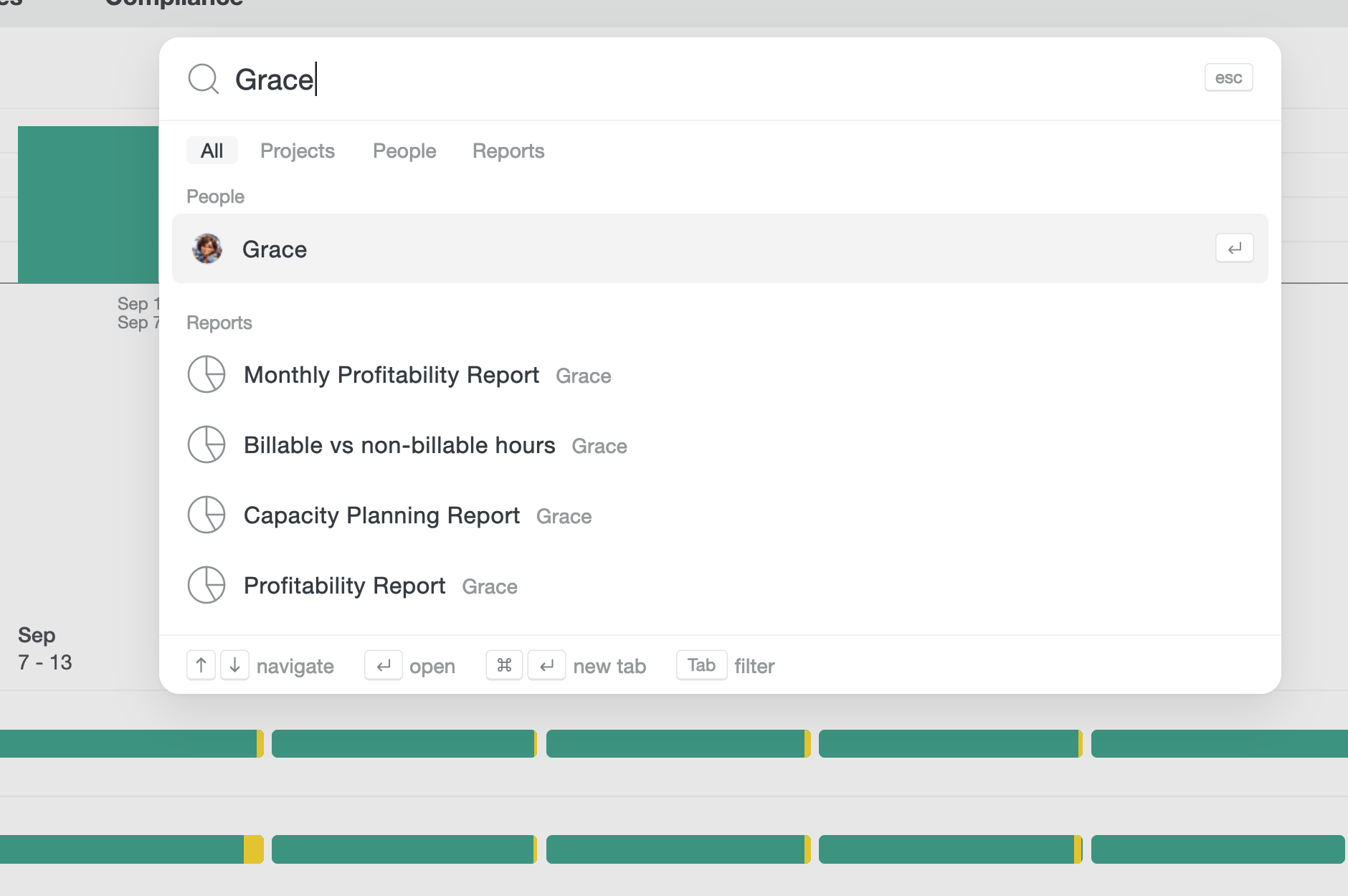
- Find anything faster with ⌘K search. Quick search (⌘K on Mac, Ctrl+K on Windows) is now available to everyone on desktop. Search for a name and the person appears first, ahead of reports. See all keyboard shortcuts.
- Match exported entries to your other tools. Exports from a saved Custom Report (CSV, XLSX, and PDF) can now include an Entry ID column, giving each time entry its own unique number. It’s handy for matching rows in tools like Power BI. Choose it under Entry in the export window. It’s off by default and available when time entries are included. See the export fields.
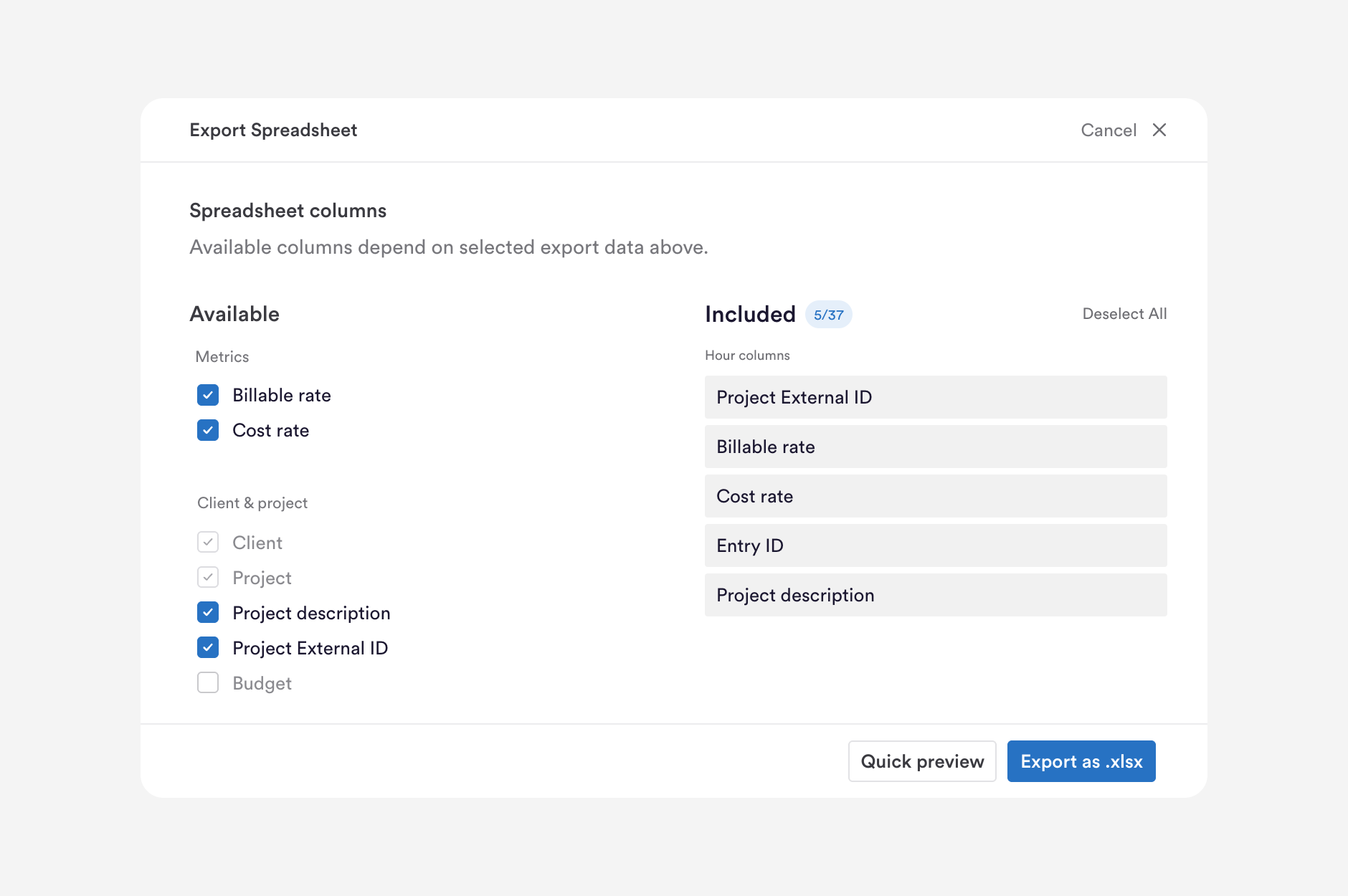
- See billable and cost rates in your exports. Billable Rate and Cost Rate are now optional columns in Custom Report exports. Both show per-entry figures, so totals, clients, and teams are left blank. Billable Rate is hidden for people whose permissions hide rates, and Cost Rate is only available to people with internal costs enabled and the right permissions. Learn about exporting cost rates.
- See all your logged hours in one place. Time you log manually or through the API now appears in your AutoSheet timeline and table alongside your automatic timesheet entries. You can edit the project, tags, and note right there, and Timely won’t create duplicate entries over time you’ve already logged. Days with only logged hours can be submitted as done. Explore the AutoSheet timeline.
- Select a range of rows in one go in AutoSheet’s Table view. Click one checkbox, then Shift-click another to select every row in between. Rows you’ve already selected stay selected, and a normal click still selects a single row.
- Trello stays up to date automatically. Changes to your Trello boards, lists, and cards now catch up on their own, so you no longer need to sync manually if an update is missed. See how the Trello sync works.
- Team leads can see compliance for their teams. Team leads can now open the Compliance Dashboard (beta), scoped to the teams they lead, and send reminders to those teams. Admins still see the whole workspace. Learn about reviewing your team’s compliance.
Improvements
- More accurate reminder emails. The unassigned time in reminder emails now matches your daily view. Time already covered by an entry is no longer counted, and fully assigned days show no unassigned line. See reminder notifications.
- More reliable full re-syncs. Full re-sync now brings in all your data, so missing tasks are recovered and your Linear, Monday, and Salesforce connections show as complete. Turning on a sync setting, such as Create Tasks for ClickUp, now brings in the previously excluded data the next time you save. See what syncs from ClickUp.
- Smoother Jira setup. Setup now finishes even if a Jira user has a missing or incorrectly formatted email address, so your chosen projects appear in Timely. Connect Jira to Timely.
- Projects with grouped labels now sync. Projects whose label sits inside a label group, such as in Linear, now appear in Timely with both the label and its group. See what syncs from Linear.
- Linear projects keep their client. Client assignments you make in Timely are now kept when your Linear projects sync. See what syncs from Linear.
More updates
Away time prompts, bulk project editing, and bulk tag management
Product Update Q3 2026: Nearly 190,000 timesheets, filled in by AutoSheet
Smarter Timelines, easier edits and more control over your notes
See your seats at a glance, plus cleaner exports and invoices
Per-period recurring budgets, faster Trello and Jira syncing, and reliability fixes
Faster Linked-Work Search, Flexible Time Logging, and Reliability Fixes