
New Features
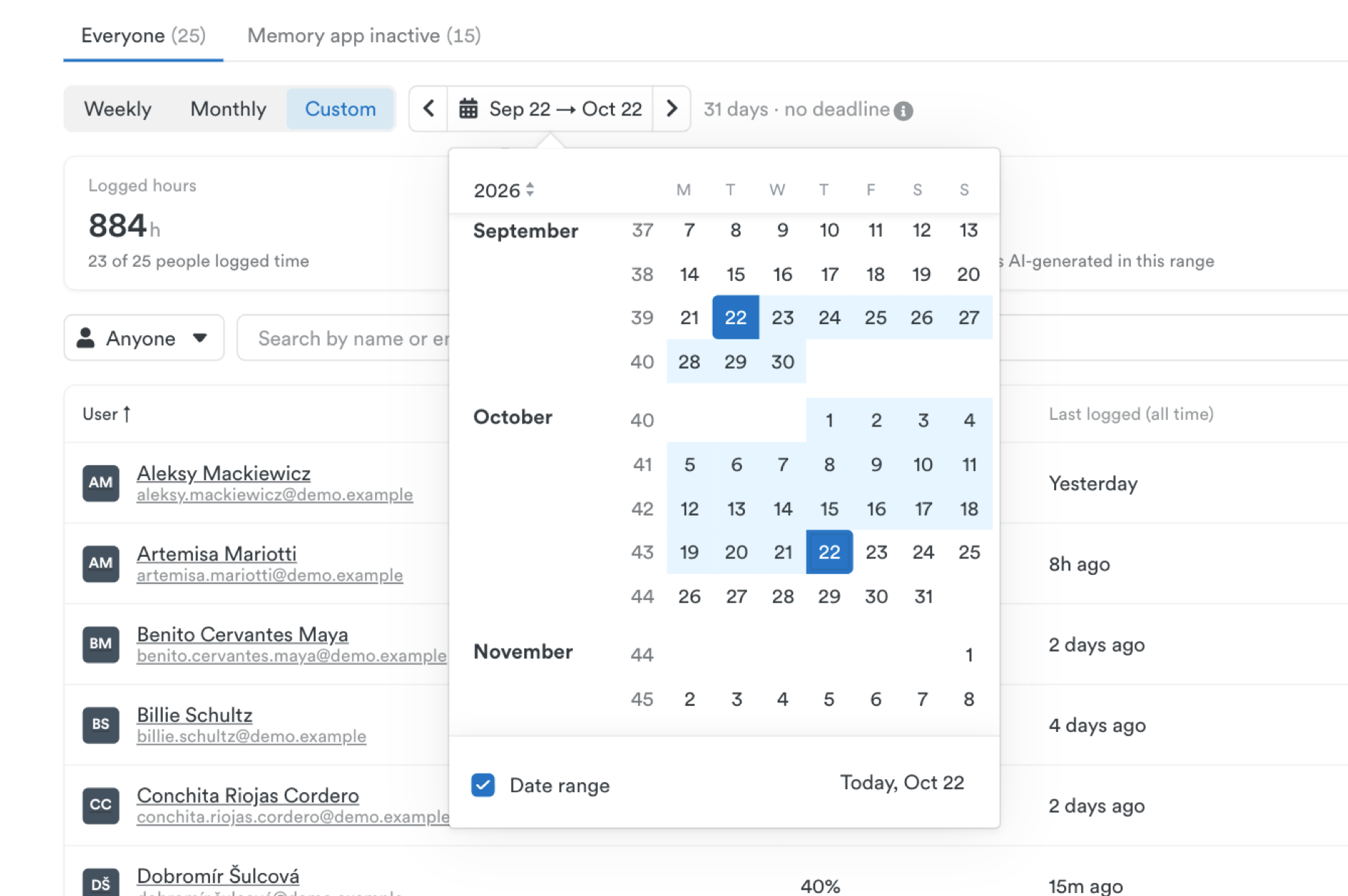
- See how your team tracks time over any period. The Compliance dashboard now has a Custom option alongside Weekly and Monthly, So you can check everyone has logged their time before you invoice a client or close the quarter. Pick any start and end date up to a year apart. See how custom date ranges work.
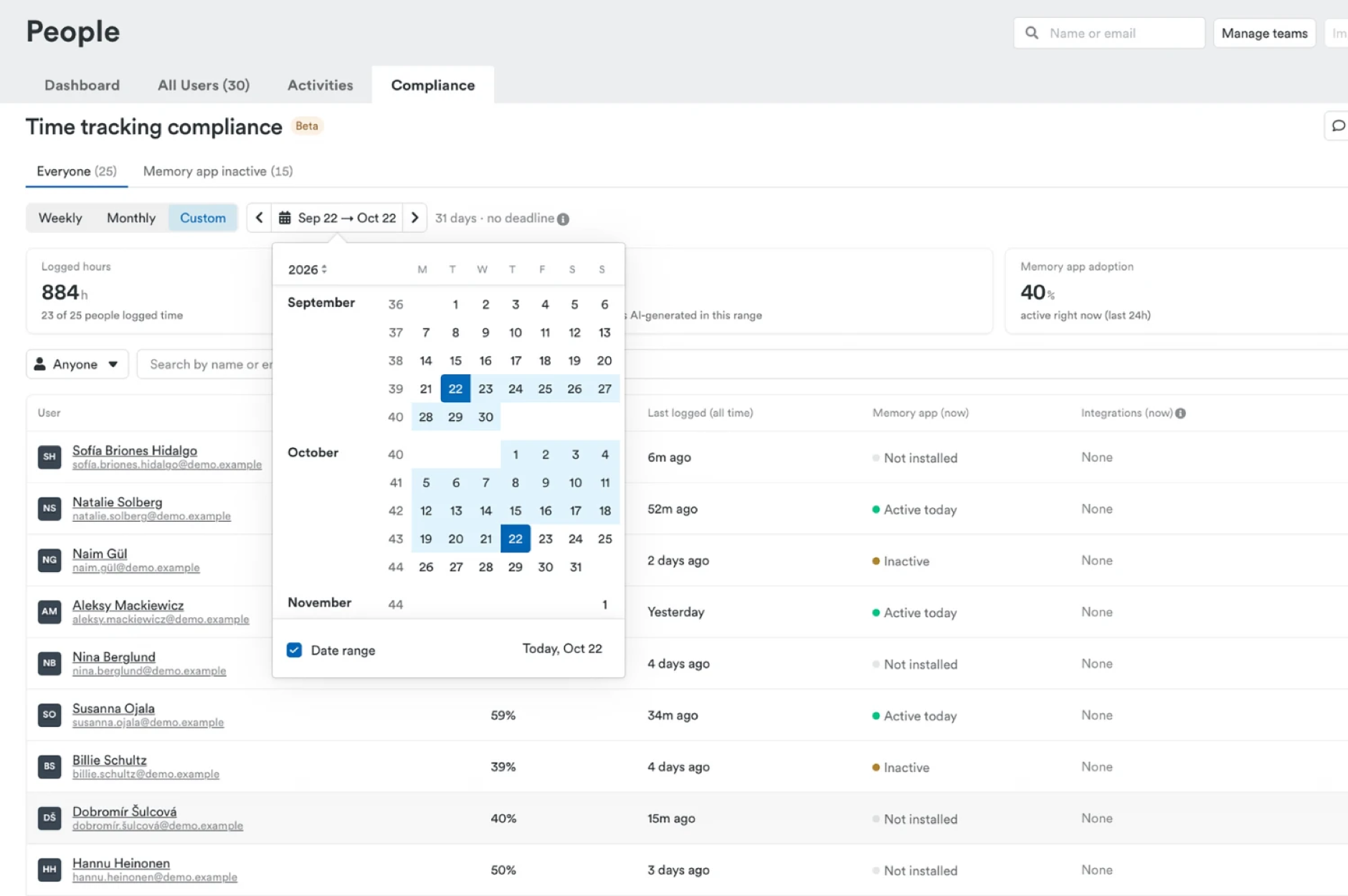
- Team leads can keep their own team on track. Team leads can now open the Compliance dashboard for the teams they lead, then filter, export and send reminders to their own people without needing an admin. Admins still see the whole workspace. Click anyone’s name to jump straight to their user page. Learn how to access the Compliance dashboard.
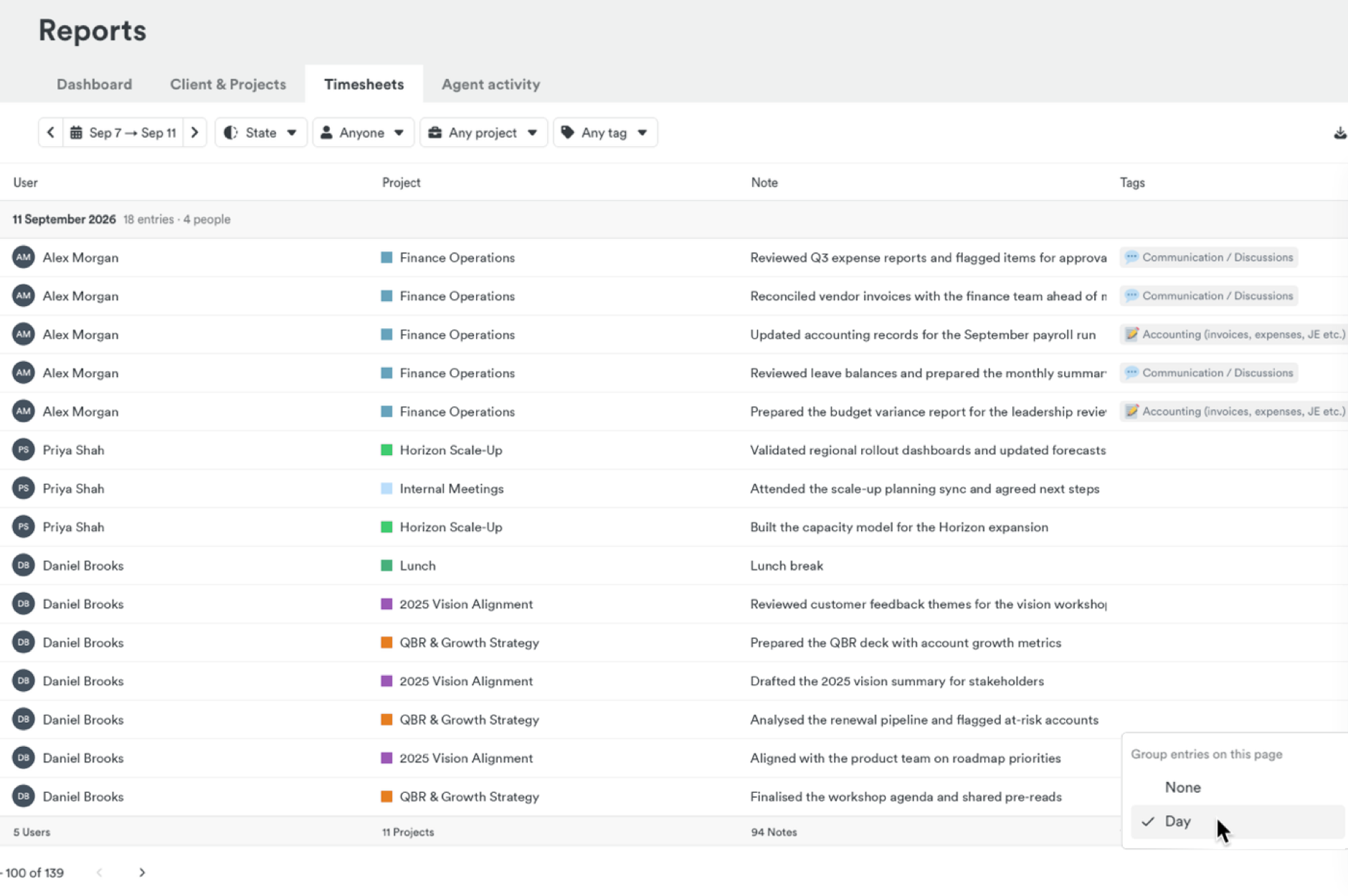
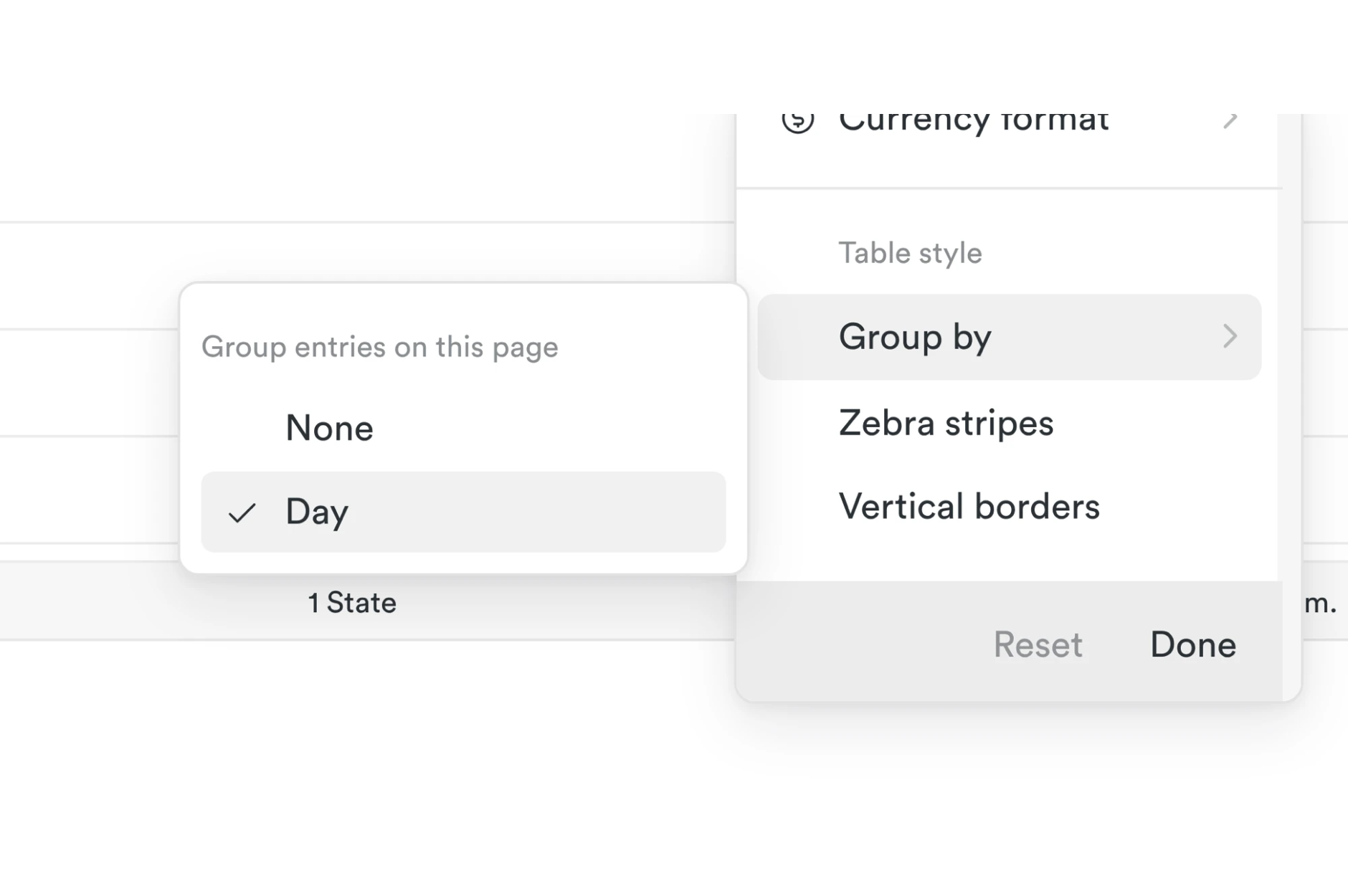
- Review timesheets one day at a time. Group entries by date to see each day’s work, who logged it and the day’s total at a glance. In the Timesheets tab, open Options → Group by → Day. Timely remembers your choice, and your exports stay the same. Learn how to group entries by day.
- Exports that match how you read time. Show time in exported reports as hours and minutes (1:30) or as a decimal (1.50), whichever suits your invoicing or payroll. Your choice is saved with the report and used for every download, scheduled export and email. Admins can also set a default for the whole workspace. Learn about time formats in exports.
- Get answers about Timely, fast. Ask Timely is a new AI search on our website. Ask a question in your own words on Timely.com and get an answer straight away, without digging through help articles.
- Set up projects faster. When you create a project, Timely now fills in the client you used last time, so there’s one less thing to choose. Learn about clients in Timely.
Improvements
- Invite links now expire after 14 days. This keeps your workspace secure. Invitation emails show the expiry date, and if someone misses it you can resend the invite from the People page.
- Easier to log time spent in chats and AI tools. On Mac, Memory now notes which WhatsApp chat you were in when using WhatsApp in your browser, so time spent talking to clients is easy to recognise and log. It also records the conversation name in Claude and ChatGPT, not just the app name. Learn what Memory captures.
- Memory starts reliably when you log in. On Mac, Memory now opens at login more dependably, so you don’t lose time from the start of your day. If your Mac or company settings stop it from starting, Memory tells you and shows you how to fix it. Learn about Memory’s settings.
- Get straight to your day in AutoSheet. If today’s timesheet hasn’t been created yet, AutoSheet now shows a one-line note with a Generate button instead of a large placeholder, so your day’s activity is right there without scrolling. And if a timesheet couldn’t be created, AutoSheet now tells you, so you know to try again.
- Everyone can log time to their ClickUp and Asana projects. Projects from ClickUp now include everyone who has access to them in ClickUp, and Asana projects include people with access through a shared team, so nobody has to be added by hand before they can log time. Learn about the ClickUp sync and the Asana sync.
- Your project setup stays how you left it. Clients you assign to synced projects in Timely now stay put when the project updates in another tool. New Linear projects arrive in Timely along with their issues, ready to log time to. Learn about the Linear sync.
- Know exactly how many projects you’ve selected. When you select all matching projects on the Projects page, Timely now shows the exact count before you make changes. Learn how to bulk-update projects.
Bug Fixes
- People dashboard. Scrolling through people on the People dashboard now shows everyone, instead of skipping some. Learn about the People dashboard.
- Removing activity from an entry. Unticking captured activity in a time entry now removes it, instead of adding it twice.
- Fewer sign-in errors. If you sign in or out in another tab, Timely now keeps your session up to date, so your changes save without an error.
More updates
Away time prompts, bulk project editing, and bulk tag management
Faster search, richer report exports, and team lead compliance views
Product Update Q3 2026: Nearly 190,000 timesheets, filled in by AutoSheet
Smarter Timelines, easier edits and more control over your notes
See your seats at a glance, plus cleaner exports and invoices
Per-period recurring budgets, faster Trello and Jira syncing, and reliability fixes