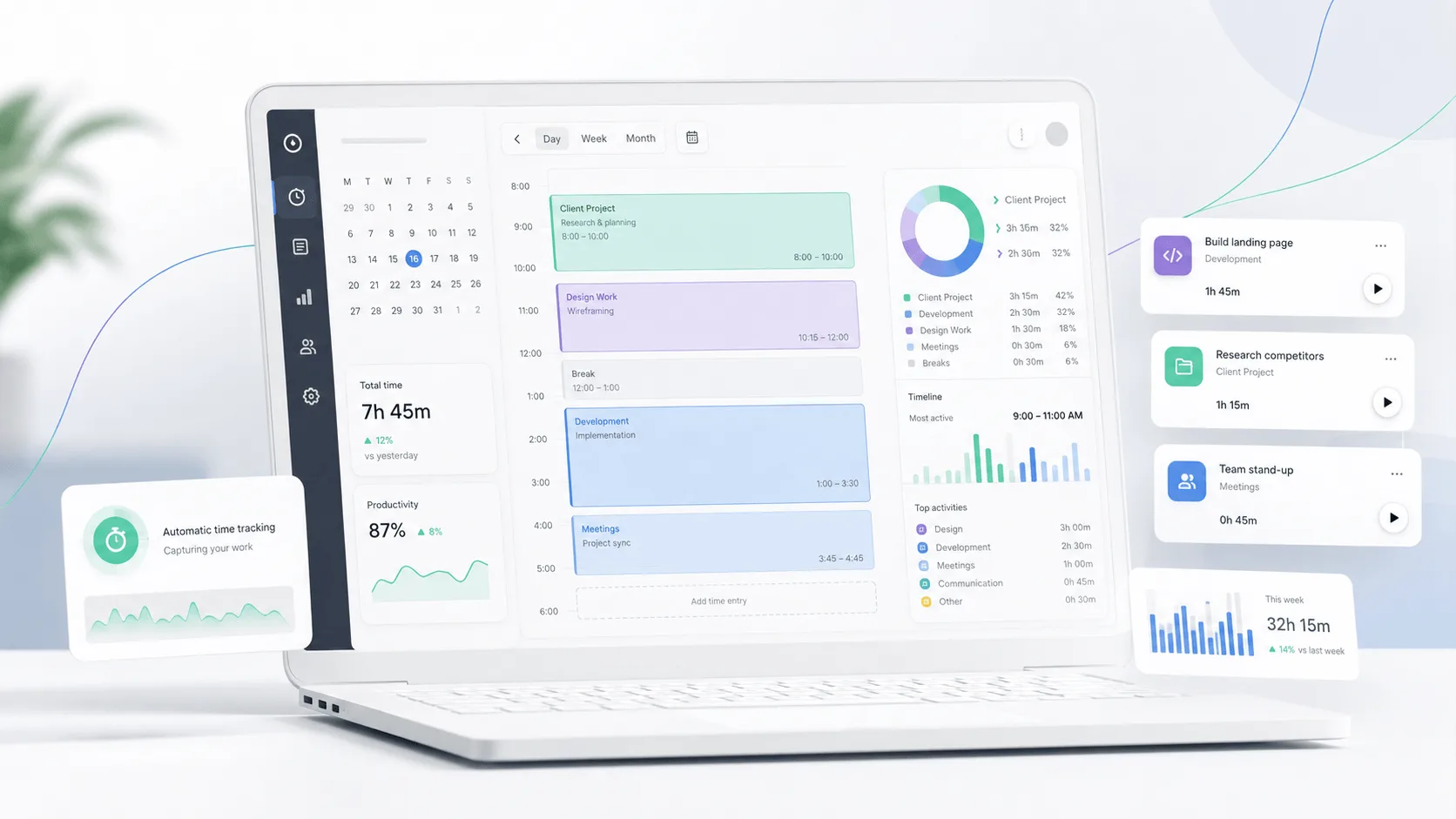
Memtime (formerly known as Timebro) is not one of the most popular time tracking tools on the market today, and it's not for lack of quality. Memtime reviews have an average rating of 4.7/5 on G2 and 4.4/5 on Capterra, with many users praising how easy it is to use. But there are also some issues with pricing, integrations, and organization of your time entries.
Despite Memtime being a competitor, we want to give you an honest, objective review of this time tracking app, so you can see for yourself if this is the right tool for your team or if you should track time with something else.
TL;DR
- Memtime automatically records activity in the background, helping users reconstruct their workday without relying on timers.
- It can help consultants and other professionals capture billable time more accurately, especially when work is split across many small tasks.
- Memtime is easy to set up, supports many project and billing integrations, and stores recorded activity locally for added privacy.
- Billing is one of the biggest concerns, with several Capterra reviewers reporting unexpected renewals and unsuccessful refund requests.
- Some reviewers also report being pursued for payment after they stopped using Memtime, including cases involving debt collection.
- Memtime is relatively expensive, while project organization, reporting, integrations, and activity categorization can still feel limited compared with some alternatives.
Try the better Memtime alternative for automatic tracking today. Get Timely for free for 14 days.
Pro: Memtime automatically tracks your work in the background
One of the most common positives in Memtime reviews is its automatic tracking.
You don't need to remember to start a timer whenever you switch tasks. Memtime records your computer activity in the background, then gives you a timeline you can review and turn into time entries later.
This can be especially useful if you regularly switch between clients or forget to record shorter pieces of work. G2 lists automatic tracking among the most frequently praised aspects of Memtime, with many reviewers mentioning it positively.
“The automatic tracking works in the background and gives me a clear overview of what I’ve been working on without constantly starting or stopping timers.”
The result is a much lower chance of losing track of work that would otherwise never make it onto a timesheet. Instead of relying on memory at the end of the day, you can review what Memtime recorded and assign that activity to the right project.
Pro: Memtime makes it easier to capture billable time accurately
Memtime can be useful for consultants, agencies, and others who bill by the hour. Since the app records tracking data in the background, you can review what you actually worked on instead of rebuilding your day from memory.
That can make billing more accurate when your day includes a lot of task switching or small pieces of client work. It also connects time management with billing more closely, since recorded activity can later be assigned to the appropriate client or project. This is one of the bigger positives to consider when looking for software advice about Memtime.
One G2 reviewer (who runs a law firm) described it like this:
“I find Memtime incredibly effective for capturing and tracking my billable hours seamlessly without manual checks.”
This is especially useful for work that happens in short bursts.
Emails, calls, document edits, and quick client tasks are easier to forget when entering time later, while Memtime gives you a record to work from when preparing your timesheet.
Pro: Memtime is easy to set up and learn
Memtime gets strong marks from reviewers for ease of use, which matters if you want employees to adopt a new time tracking tool without a lengthy setup process. The interface is pretty intuitive, and the app starts collecting activity in the background once it is installed.
The free trial also gives a business a chance to test how Memtime fits into its existing workflow before committing to it. You do not need to configure every option in full detail before getting useful data, which keeps the initial setup efforts relatively low.
One G2 reviewer said this:
“The setup was a breeze, and I appreciate that the data stays on the device rather than being published to any cloud servers.”
That relatively gentle learning curve can also help with future adoption. If more employees need access later, they can start tracking their work without spending days learning how the software functions.
Pro: Memtime integrates with many popular project and billing tools
Memtime can connect directly with a wide range of project software, accounting platforms, and task management tools. There are over 100 integrations available, including Jira, Asana, ClickUp, FreshBooks, and QuickBooks Time.
The idea is simple. Memtime imports projects and tasks from connected software, lets you assign tracked activity to them, and then syncs completed time entries back.
This seamless integration means you can work from Memtime without repeatedly copying hours between different systems. Memtime can still record activity across programs and browser tabs while connected project data is handled separately.
One Capterra reviewer loved the Autotask integration:
“Timebro was the only app we found that integrates with our PSA tool (Autotask).”
The same reviewer noted that Memtime could also sync with Jira. Memtime currently supports Autotask integration directly, allowing users to import tasks and tickets, create time entries, and send them back to Autotask automatically.
For businesses already relying on supported tools, this can reduce the amount of switching required between systems. In some cases, Memtime may be the only app in a team's shortlist that connects directly with the project or billing platform they already use.
Pro: Memtime keeps recorded activity private on your device
Memtime is a privacy-first solution that stores automatically captured activity locally rather than uploading it to the cloud. According to Memtime, tracking data is stored exclusively in a local database on your device. Only time entries you choose to create can be synchronized with connected tools or shared with other users.
This can reduce data privacy risks for businesses tracking potentially sensitive work. It also means employees retain control over their activity history, which can be useful for companies without the IT capacity to manage more complicated monitoring systems.
One G2 reviewer specifically highlighted this as a reason they liked Memtime:
“I appreciate that the data stays on the device rather than being published to any cloud servers.”
The privacy model is especially relevant because Memtime can record detailed activity across applications and browser tabs. Users get that level of tracking without automatically sending the underlying activity history to their employer or Memtime itself.
Con: Memtime automatic renewals have caused serious billing complaints
Billing is one of the more serious complaints in Memtime reviews. Several Capterra users say their subscriptions renewed automatically without a reminder, sometimes for another two years, even when they had stopped using the software.
One reviewer had this complaint:
“Memtime raised its prices and charged me for a 2 year renewal without notice.”
They also said that they contacted Memtime the following day and asked for a refund, but the request was refused. Other Capterra reviewers describe similar situations involving renewal charges, no advance notification, and unsuccessful refund requests.
The complaints do not mean every customer will run into billing problems, but the pattern is clear enough to consider before subscribing. If you choose Memtime, check the renewal terms carefully and keep track of the next billing date yourself.
Con: Some reviewers report being pursued for payment after they stopped using Memtime
A small but serious group of Capterra reviews goes beyond complaints about automatic renewals. Some former users say Memtime continued pursuing payment after they had stopped using the software, with reviewers mentioning invoices and debt collection.
One reviewer who had used Memtime for between six and 12 months wrote:
“They’ll send you debt collectors to get paid for the months you don’t use the app!”
Another reviewer reported a similar experience after abandoning the app:
“Get people to forget about the subscription and just charge them, or send debt collectors after them.”
These are individual reviewer accounts rather than proof that every canceled account is handled this way. Still, the fact that multiple Capterra users independently mention debt collection makes the subscription terms worth reading carefully before signing up, particularly the cancellation window and renewal period.
Con: Memtime can be expensive compared with other time tracking tools
Price is one of the most common complaints in Memtime reviews. G2 groups 21 reviews under “Expensive,” while Capterra also lists several users who question whether the product provides enough value for its price.
One Capterra reviewer put it plainly:
“I think the price is very expensive. I pay less for my teamwork license than for timebro.”
The pricing structure adds to the issue. As covered in our full Memtime pricing guide, the Basic plan costs $18 per user per month with quarterly billing. Even the cheapest commitment requires paying $54 per user upfront. Annual billing brings the effective price down to $14 per month.
Several competing time trackers have lower starting prices:
Time Doctor starts at $8 per user with monthly billing, or $6.67 per user per month annually.
Clockify has a free plan, while Basic starts at $4.99 per user with monthly billing, or $3.99 annually.
Hubstaff starts at $4.99 per user per month with annual billing, although paid plans have a two seat minimum.
Toggl Track has a free plan for up to five users, while Starter costs $12 per user monthly, or $9 annually.
TimeCamp also has a free plan, with Starter costing $5.49 per user monthly, or $3.99 annually.
Memtime can still justify the premium for users who place a lot of value on automatic background tracking and local data storage. But for individuals and larger teams focused heavily on price, there are plenty of alternatives that cost considerably less.
Con: Organizing projects, clients, and recorded activity can feel clunky
Automatic tracking may be simple, but organizing everything afterward can require more effort. Some reviewers say Memtime becomes less convenient when they need to manage multiple clients or assign recorded activity to specific projects.
One Capterra reviewer described the issue directly:
“Also, the product is a bit clunky and does not allow an easy way to organize and manage products/clients/task.”
Another Capterra reviewer said that categorizing projects and logging time against specific work within multiple projects can feel laborious compared with competing tools. The same reviewer connected much of that friction to Memtime’s interface.
This may become more noticeable for consultants or agencies handling many clients at once. Memtime does a good job of showing what happened during the day, but turning that activity into neatly organized project records can still take some work.
Con: Memtime does not integrate with every tool users need
Memtime supports a wide range of integrations, but this remains one of the more common complaints in its reviews. G2 currently groups 18 reviews under integration issues, with users mentioning missing connections and limitations within existing integrations.
One G2 reviewer pointed to a specific gap:
“What I dislike is that there is currently no Monday integration yet.”
Another reviewer said they wanted more control over task visibility when connecting Memtime with ClickUp. In practice, this means the quality of the experience can depend heavily on the tools your team already uses.
Before choosing Memtime, it is worth checking whether your project management, accounting, or client management software is supported and whether the integration includes the specific functions you need.
Con: Memtime still requires users to sort and categorize some recorded activity
Memtime records activity automatically, but that does not mean every time entry is ready to use without input. Users may still need to assign recorded activity to the correct project, task, or client, especially when their day involves frequent switching between different types of work.
One Capterra reviewer described this limitation clearly:
“Can be hard to categorise projects and logging the time against specifics within multiple projects can be laborious compared to competitors.”
Another reviewer wanted Memtime to automate more of this process:
“I wish that you could create rules so some things were categorized automatically.”
Memtime has added rules and automatic suggestions since some of these reviews were published, so the current product can reduce some of this work. Still, users may need to review their recorded activity and correct categories before submitting time entries, particularly when several projects or clients are involved.
Con: Reporting and time entry management could offer more flexibility
Memtime gives you a detailed record of time spent across apps, projects, and calendar entries, but some reviewers want more control over what happens after that data is captured. Editing entries and preparing reports can become time-consuming when you need to consolidate activity across longer periods.
One Capterra reviewer specifically called out the limitations around reporting:
“I'd like it to have more automated functions, like being able to pull a weekly or monthly report rather than daily ones.”
G2 users have raised similar issues with time entry management. One reviewer wanted the ability to combine several separate blocks of work into a single entry before sending the data to Xero Projects.
Memtime has since added more reporting options, including custom date ranges and several report types. Still, if you expect your time tracker to handle advanced approvals, highly customized reports, or extensive manipulation of entries, it is worth checking whether the current reporting tools match how your team works.
Con: Memtime is missing some features users expect from a broader time tracking platform
Memtime does automatic time tracking well, but reviews show that some users want more functionality around reporting, task management, approvals, and automation. G2 currently groups 14 reviews under missing features and another seven under limited features.
For example, one Capterra reviewer wanted more control over how recorded activity is organized:
“I wish that you could create rules so some things were categorized automatically.”
The same reviewer also wanted totals by task across weekly, monthly, or custom periods rather than only daily views. Other reviews mention missing manager approval options, more flexible task filtering, and features such as a built-in Pomodoro timer.
This means Memtime may feel limited if you need more than automatic activity capture and timesheets. Teams looking for deeper workforce management or more flexible reporting may still need another tool alongside it.
Should you get Memtime as a time tracker?
Memtime can work well if you want a straightforward time tracker with local data storage and connections to common project and billing tools. Its activity timeline also makes it easier to reconstruct your day when you forget to log work as it happens.
However, those strengths are not unique to Memtime. If automatic tracking is your main priority, alternatives such as Timely offer a more developed experience around capturing activity and turning it into usable time records.
Memtime is also less appealing if you need broader team management features or more flexible reporting. Organizing recorded activity still requires some input, while several competing time trackers offer lower starting prices.
The biggest concern is billing. Multiple Capterra reviewers complain about automatic renewals, rejected refund requests, and payment collection after they had stopped using the software. These reviews do not represent every customer experience, but they are serious enough to justify reading the renewal and cancellation terms carefully before subscribing.
Memtime makes the most sense if privacy, local activity storage, and specific integrations are high priorities for you.
Consider another time tracker if automatic tracking is your main reason for buying, or if you want lower pricing and stronger team features.
Memtime is capable at its core job, but there are alternatives that offer a stronger overall package depending on what you need from a time tracker.
Get the better Memtime alternative for automatic time tracking
Memtime gets the basics right, especially if local activity storage is important to you. But the pricing, billing complaints, reporting limitations, and extra work required to organize some recorded activity leave room for alternatives.
Timely is the better option if automatic time tracking is the main reason you are shopping for a tool. Automatic tracking is included on every Timely plan, and the app can categorize captured activity and turn it into draft timesheets based on how you log your work. It also tracks activity across thousands of apps and websites, so short pieces of work are less likely to disappear from your timesheet.
Timely also goes further once that time has been captured. You can monitor project health, separate billable and nonbillable hours, set project rates, and compare logged work against project budgets. Higher plans add team management, cost tracking, work planning, and connections with project management and accounting tools.
That gives Timely a stronger case for teams that want automatic tracking to feed directly into timesheets and project oversight, rather than simply providing a record of what happened during the day.
If you want to see how it compares with Memtime in your own workflow, try Timely for free.