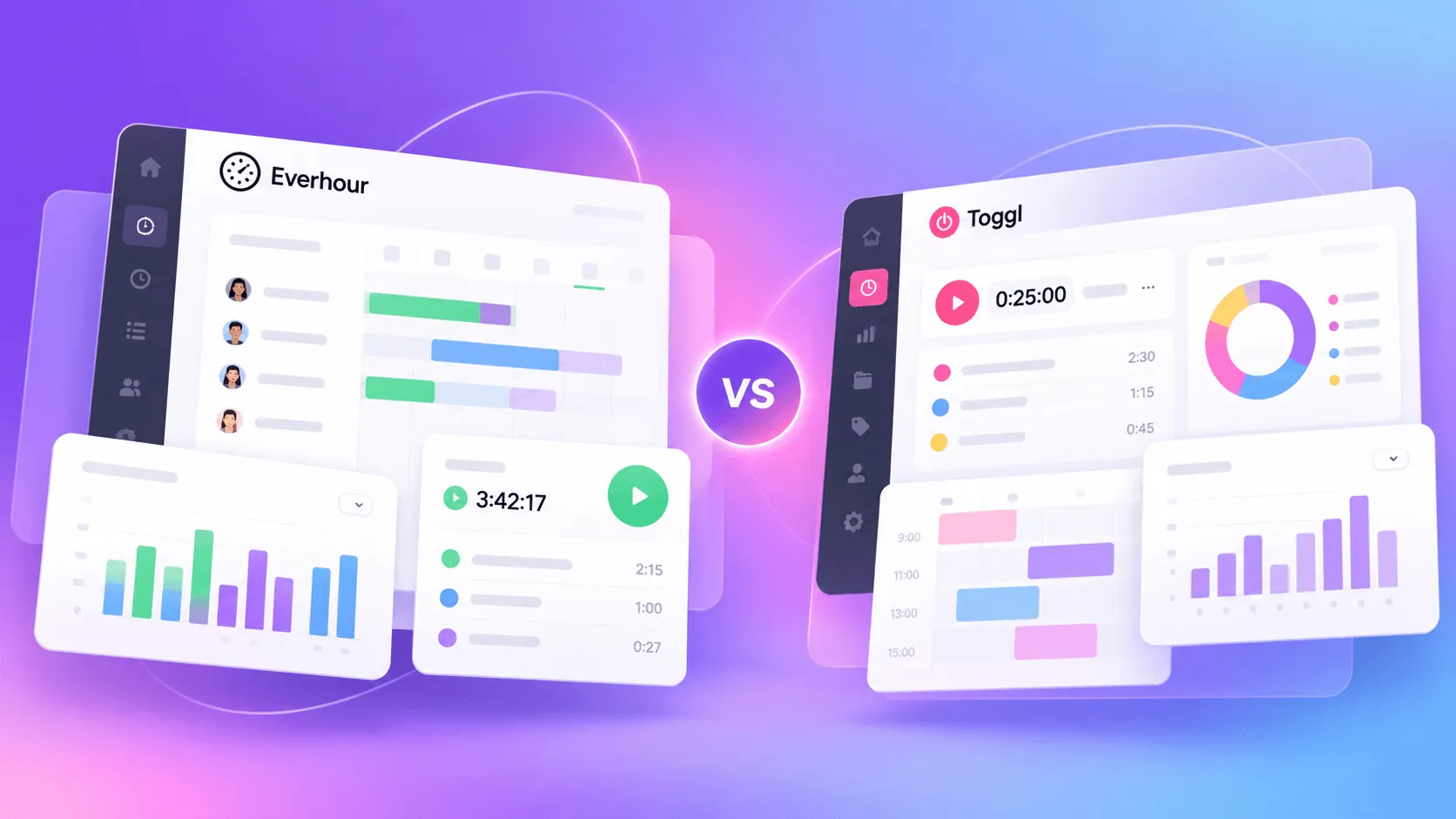
In theory, Hubstaff and Toggl belong to the same category: time tracking tools. But in reality, there is a clear line dividing them as Hubstaff is a full suite of employee monitoring tools, while Toggl Track is a platform that allows freelancers and small businesses track their billable hours more accurately.
If you're thinking about making a choice between these two tools, the truth is that you probably need to reconsider what you need a time tracking tool for and only then can you make a choice. But without forcing too much work on you, let's put Hubstaff and Toggl Track side by side to see which one makes more sense for your business.
| Category | Hubstaff | Toggl Track |
|---|---|---|
| Best for | Remote and field teams that need workforce oversight | Freelancers, agencies, and small teams tracking project hours |
| Time tracking | Timers connected to timesheets, attendance, and activity data | Simple timers, manual entries, idle detection, and offline tracking |
| Employee monitoring | Screenshots, activity levels, app usage, website tracking, and GPS | No screenshots or manager facing activity monitoring |
| Project management | Project budgets, hour limits, Agile boards, sprints, and staffing visibility | Projects, tasks, time estimates, and budget alerts |
| Reporting | Workforce activity, labor costs, expenses, budgets, and invoice reports | Billable time, profitability, fixed fee projects, and client reports |
| Scheduling and attendance | Native shift scheduling, attendance reports, time off, and geofencing | No shift scheduling, but includes calendar editing and timesheet approvals |
| Invoicing and payroll | Creates invoices, records payments, and connects approved time to payment services | Generates invoice PDFs and exports payroll data to other systems |
| Integrations | More than 35 integrations, plus Zapier connections | More than 100 integrations, including browser extension connections |
| Mobile and desktop apps | Stronger for field teams, GPS tracking, job sites, and employee monitoring | Better for quick timers, offline tracking, and editing entries |
| Ease of use | Requires more manager setup and configuration | Easier to learn and adopt |
| Free plan | No permanent free plan | Free plan for individuals and small teams |
| Starting paid price | $4.99 per seat per month with annual billing | $9 per user per month with annual billing |
| Main downside | Can feel intrusive and requires more setup | Can become expensive as teams need advanced features |
| Best overall choice | Choose Hubstaff for monitoring, scheduling, and payroll | Choose Toggl Track for simple and flexible project time tracking |
Get the better alternative to Hubstaff and Toggl. Try Timely for free and start tracking time automatically today.
Hubstaff and Toggl Track at a glance
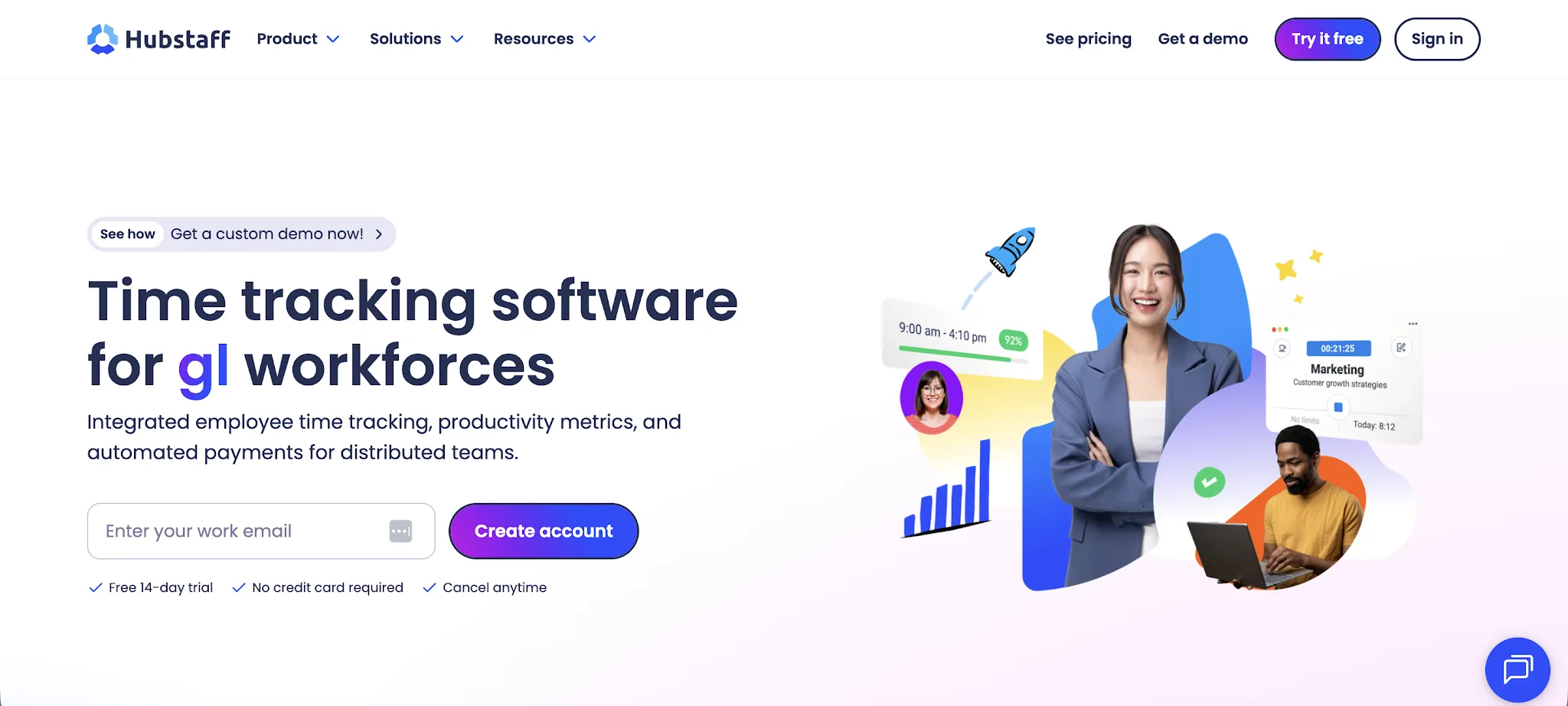
Hubstaff and Toggl Track both help businesses track time, but they approach the job from different angles. Hubstaff is built around employee oversight, while Toggl Track focuses on simple and flexible time recording.
Hubstaff is designed for workforce management. It gives managers tools for activity tracking, screenshots, scheduling, payroll, and location monitoring. This makes it more relevant for remote teams that need visibility into how employees work.
Toggl Track is designed for easy time tracking. It focuses on timers, timesheets, project budgets, and reports without placing the same emphasis on employee monitoring. Freelancers, agencies, and office-based teams can use it with little setup.
The biggest difference is control versus simplicity. Hubstaff gives managers more data about employee activity and attendance. Toggl Track offers basic time tracking in a less intrusive format that gives users more control over how they record their work.
In practical terms, Hubstaff is closer to a workforce management platform. Toggl Track is closer to a dedicated time tracking tool.
PS. we also have a full comparison of Toggl Track and Clockify on our blog, as well as Hubstaff and Clockify.
Key features
Hubstaff and Toggl Track cover many of the same core functions, but the experience differs once tracking begins. Each platform records hours, organizes time entries, and reports on team activity in its own way.
The following comparison looks at how their main features work in practice, including where each tool offers more control and where it keeps things simpler.
Time tracking
Both tools cover the basics of time tracking, but they handle the process differently. Hubstaff connects tracked hours with employee oversight, while Toggl Track keeps the experience focused on recording and reviewing time.
Hubstaff places time tracking inside a wider workforce management system. Employees select a project or task, start the timer, and begin recording work in just a few clicks. The platform then adds those work hours to individual timesheets for managers to review.
Hubstaff can also compare scheduled shifts with actual hours. Managers can see when employees start work, take breaks, or finish for the day. This gives them a clearer view of attendance alongside the time tracking data.
The platform can collect activity information while the timer runs, depending on company settings. This may include keyboard and mouse activity, app usage, or screenshots. Hubstaff therefore gives managers more than a record of time entries, since all the data contributes to its employee monitoring features.
Toggl Track keeps the timer simpler and less intrusive. Users choose a client, project, or task before starting the timer. They can also create time entries manually or edit tracked hours when a timer was left running for too long.
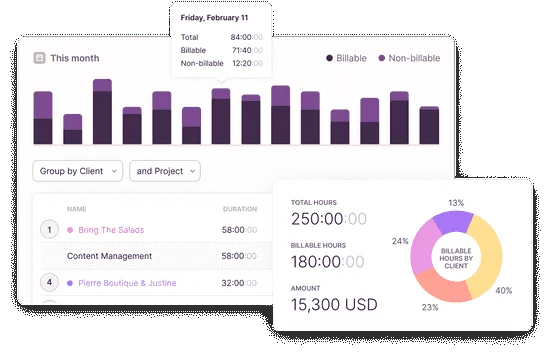
Toggl Track supports idle detection and offline tracking through its desktop apps. Recorded work syncs when the user reconnects, while idle alerts help remove periods that should not count toward actual hours.
Its time tracking data is primarily used for project reports, budgets, and billable hour analysis. Managers can see how time is distributed without receiving the same level of employee activity information found in Hubstaff.
Toggl Track is the cleaner choice for teams that mainly need accurate timers and editable records. Hubstaff offers more control for businesses that want to connect work hours with attendance and employee activity.
Employee monitoring
Employee monitoring is one of the clearest differences between Hubstaff and Toggl Track. Hubstaff gives managers detailed visibility into employee activity, while Toggl Track focuses on time tracking without workplace surveillance.
Hubstaff monitors activity while employees track time. Managers can review keyboard and mouse activity levels, optional screenshots, and the apps or websites used during work. These productivity insights help businesses compare time spent with visible computer activity, particularly when managing remote workers.
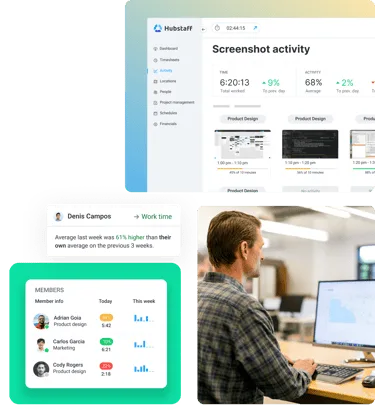
Hubstaff also includes idle time detection. When the platform detects a period without keyboard or mouse activity, it can identify that time as inactive. This helps prevent forgotten timers from adding long periods of inactivity to employee timesheets.
Location tracking is another major Hubstaff feature. Its mobile app supports GPS tracking for employees who travel between job sites. Managers can review routes, locations, and the time spent at each site, while geofencing can automate when tracking starts based on an employee’s location.
Employees remain in control of when Hubstaff tracks them because activity and GPS tracking only run when the timer is active. However, the amount of information collected can still feel intrusive for teams that do not need close supervision.
This approach can be too much for companies that are not strict on employee monitoring, which is why many of them look for Hubstaff alternatives.
Toggl Track takes a privacy focused approach. It does not provide screenshots or the same type of GPS tracking found in Hubstaff. Its automatic Timeline can record app and browser activity, but this information remains private until the user chooses to turn it into time entries.
Toggl Track does offer idle time detection through its desktop apps. Rather than reporting inactivity to a manager, it alerts the user and lets them correct the affected entry.
Hubstaff is the stronger option when a business needs activity monitoring and location tracking. Toggl Track is better for teams that want visibility into work hours without closely observing how each person spends every minute.
Project and task management
Both tools connect time tracking with project work, but their project management capabilities differ in scope. Hubstaff offers more operational control, while Toggl Track uses projects and tasks mainly to organize recorded time.
Hubstaff connects tracked work with project planning. Managers can create projects, assign team members, set budgets, and define hour limits. Employees then log hours against the relevant project or task, giving managers a direct view of progress and labor costs.
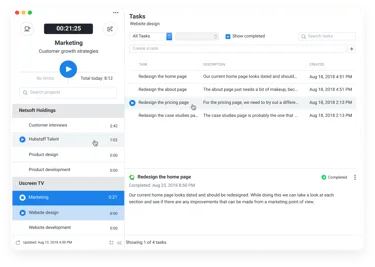
Teams can also compare expected hours with the time employees actually record. Hour goals and budget alerts reveal when work is taking longer than planned, which can improve future project time estimates. Hubstaff also connects with project management platforms such as Asana and Jira.
Hubstaff Tasks adds broader project management features. Teams can plan work through Agile boards and sprints, while Epics help break larger initiatives into smaller tasks. Its Premium plan supports unlimited users, although the separate add on creates another subscription to manage.
Toggl Track offers a lighter structure. Projects act as the main category for recorded work, while tasks provide another level of detail. Users can assign time entries to the correct project or task, then filter reports to see where hours went.
Paid plans include project time estimates, task estimates, and alerts. Managers can compare recorded time with the original estimate, while each task shows its actual hours. This gives small teams a clear way to watch progress without adopting a full project management system.
Toggl Track also includes data accuracy controls on its Premium plan. Administrators can create entries for team members or move existing entries between users, although these controls are restricted to higher priced plans.
Hubstaff is the better choice when teams need task planning alongside budgets and staffing visibility. Toggl Track works better when project management mainly means categorizing hours and comparing them with estimates.
Reporting and analytics
Both platforms turn tracked time into reports, but they answer different management questions. Hubstaff focuses on workforce activity and project costs, while Toggl Track places more emphasis on billable work and profitability.
Hubstaff provides detailed reports across time and activity. Managers can review total hours by employee or project, then compare those figures with activity levels. These reports help identify productivity trends and recurring productivity patterns across remote or distributed teams.
Its reporting also connects time with project finances. Hubstaff reports project budgets alongside labor costs, while its expense tracking tools let teams record additional project spending. Managers can compare budgets with actual costs before work moves too far beyond the original estimate.
Hubstaff also supports client billing through invoice reports. Businesses can review paid amounts and outstanding balances, then export invoice information when needed. This gives managers comprehensive reports that connect employee time with project costs and client payments.
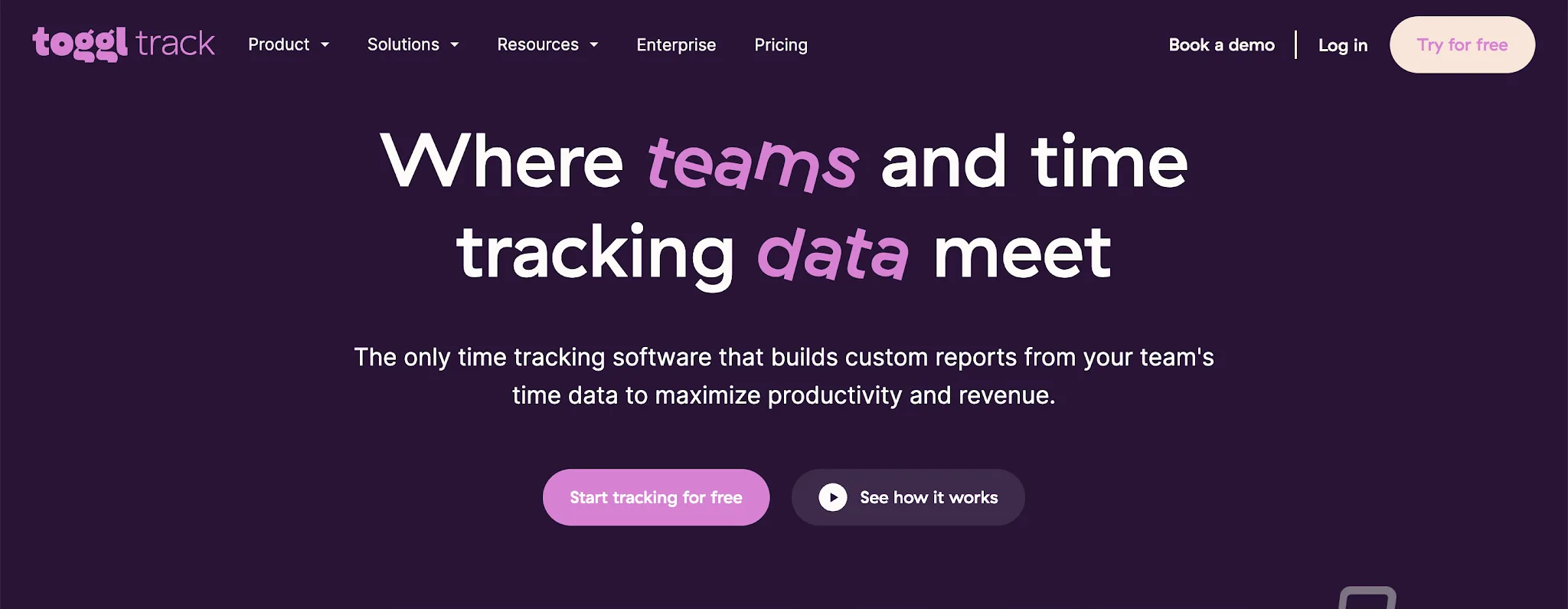
Toggl Track offers cleaner reporting for project and billing analysis. Its summary reports show how much time was recorded for a selected activity, client, or project. Users can filter the data and view total hours without working through employee monitoring information.
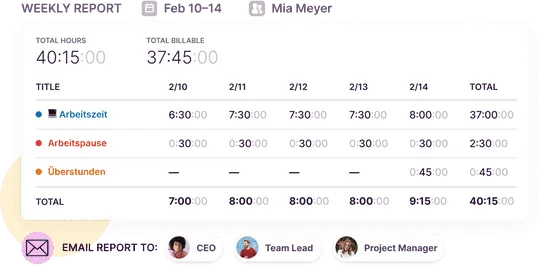
Toggl Track also provides profitability reports that compare revenue with labor costs. These reports can break results down by projects or clients, helping professional service teams review margins and make better pricing decisions.
For fixed fee projects, Toggl Track compares the agreed project fee with the cost of the time recorded. Recurring fixed fees are adjusted to match the selected reporting period, giving managers a clearer view of earnings over time.
Hubstaff offers more visibility into workforce performance and project spending. Toggl Track provides a simpler reporting experience for teams focused on project profitability and client billing.
Scheduling and attendance
Hubstaff has a clear advantage in scheduling and attendance. It connects planned shifts with time tracking, while Toggl Track mainly helps teams review and organize the hours logged after work takes place.
Hubstaff includes native shift scheduling. Managers can create shifts for specific employees, choose the relevant project, and set the expected start and finish times. Recurring schedules reduce repeated setup for teams that follow similar working patterns each week.
Employees can be scheduled across multiple projects, which is useful for businesses that move people between clients or job sites. Hubstaff then compares each scheduled shift with the hours logged, showing whether someone arrived late or missed their assigned working period.
Attendance reports give managers a record of scheduled hours and actual tracked time. Hubstaff also supports time off policies and requests, so approved leave can be managed within the same workforce system.
Toggl Track does not offer comparable shift scheduling or attendance monitoring. It is designed to record time by project and task rather than create employee rosters. This may be enough for small teams with flexible schedules, but businesses with fixed shifts will need another tool for staff planning.
Its Calendar view still offers a useful way to review when work happened. Users can edit time entries directly or use drag and drop editing to move an entry to a different time slot. Calendar integrations can also display events from Google Calendar or Outlook beside recorded time.
Toggl Track can give teams control over correcting their own records, while workspace administrators can edit entries created by other members. Paid plans can also group entries into timesheets for approval, but this remains a review process rather than a full attendance system.
Hubstaff is the better option for businesses that need to plan shifts and compare attendance with recorded time. Toggl Track is better when employees manage their own schedules and the main concern is keeping time records accurate.
Invoicing and payroll
Hubstaff and Toggl Track both connect recorded time with payments, but Hubstaff goes further into invoicing and payroll automation. Toggl Track provides the data needed for billing clients and paying staff, while Hubstaff supports more of the payment process inside the platform.
Hubstaff turns approved timesheets into invoices and payroll records. Businesses can set pay rates and billing rates for individual employees or projects. Once time is approved, Hubstaff creates detailed breakdowns of hours, rates, expenses, and amounts owed.
Invoices can include custom branding, tax information, notes, and automated line items. Teams can send them directly from Hubstaff, record full or partial payments, and monitor whether an invoice is outstanding or paid.
Hubstaff also connects approved timesheets with payment services such as Wise, PayPal, Deel, and Payoneer. Its integrations with QuickBooks and other accounting software help move tracked hours into existing financial processes.
Toggl Track focuses more on preparing accurate billing and payroll data. Teams can apply billable rates at the workspace, project, employee, or task level. Reports then show billable time and revenue for each client or project.
Users can create a PDF invoice from report data and edit its client details, tax fields, line items, and payment instructions. Unlike Toggl, Hubstaff stores more of the invoicing process inside the platform. Toggl downloads the finished invoice as a PDF and does not save it within Track.
For payroll, Toggl Track lets administrators export timesheet data and calculate amounts using employee rates. Teams must then process payments through their payroll provider or accounting software.
Hubstaff is the better choice for businesses that want invoicing, approvals, and team payments closely connected. Toggl Track works well when the company already has separate billing and payroll systems.
Integrations
Both platforms connect with popular business tools, but their integration strategies reflect their wider product philosophies. Hubstaff uses integrations to connect tracked work with management and payments, while Toggl Track supports lightweight tracking across a broader range of everyday apps.
Hubstaff offers more than 35 integrations across several business categories. It connects with project management tools such as Asana, ClickUp, Jira, Trello, and Monday. Teams can import projects and tasks, assign members, and track time without rebuilding their existing project structure in Hubstaff.
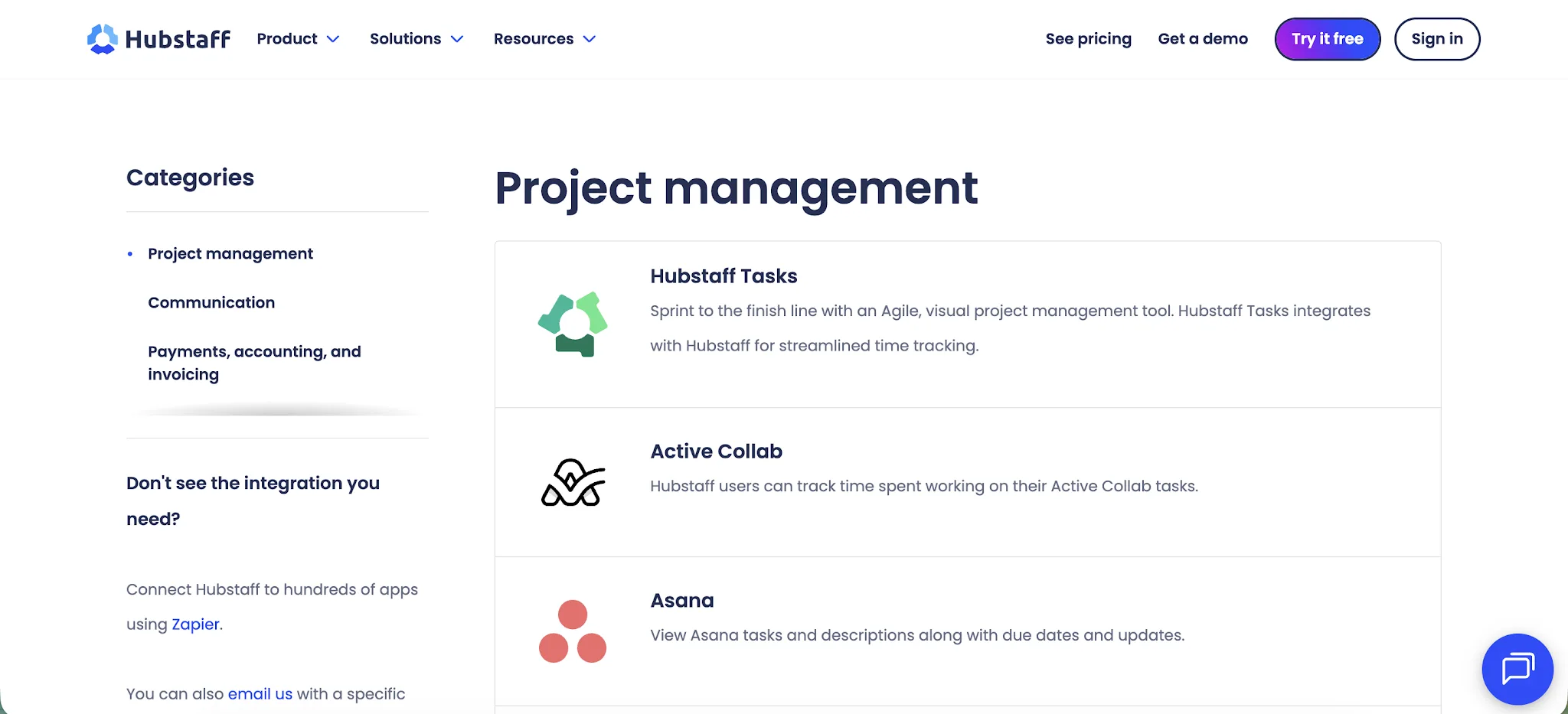
These connections are designed to give managers a wider view of team productivity. Time recorded against imported tasks flows into Hubstaff reports, budgets, activity data, and timesheets. Accounting and payment integrations include QuickBooks, Wise, PayPal, Deel, and Payoneer.
Hubstaff can also connect with hundreds of other apps through Zapier. However, administrators must link projects and users when setting up certain integrations. New projects added to an external platform may also need to be refreshed and linked before employees can use them.
Toggl Track offers more than 100 integrations, many through its browser extension. Users can start timers directly inside tools such as Asana, Notion, Todoist, Trello, GitHub, and Salesforce. This creates a more flexible experience, even for a workspace with one user.
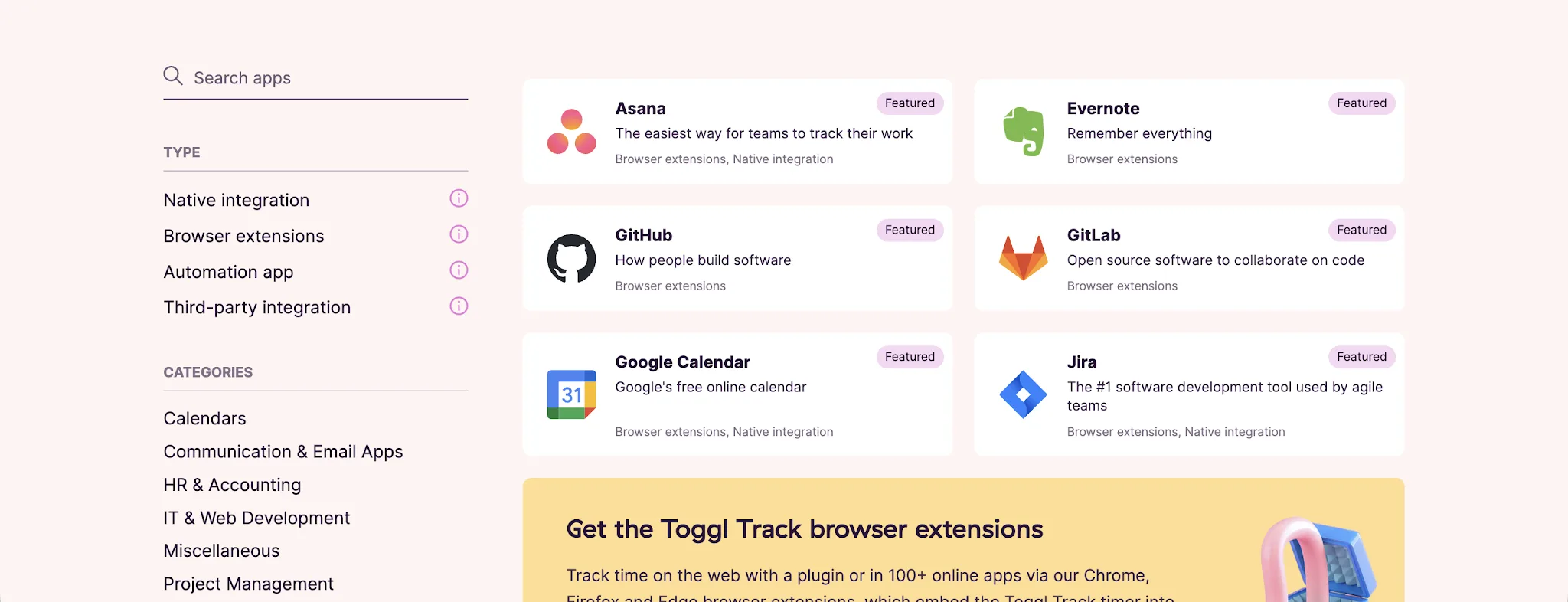
Toggl Track also provides native connections for Google Calendar, Outlook, Slack, Jira, QuickBooks Online, and Toggl Plan. Calendar events can become time entries automatically, while Slack channels can be linked to specific projects.
Its desktop and browser apps support auto tracking rules based on application names, window titles, or selected web pages. Toggl Track also offers a public API to every user, including those on the free plan.
In a detailed comparison, Hubstaff is stronger when integrations need to connect time with payroll, employee oversight, and project operations. Toggl Track is better for teams that want lightweight tracking inside the apps they already use.
Mobile and desktop apps
Both platforms let users track time without keeping a browser tab open, but their apps serve different working styles. Hubstaff uses its desktop and mobile apps to collect workforce data, while Toggl Track focuses on quick timers and flexible entry editing.
Hubstaff’s desktop app supports its employee monitoring features. Team members can start a timer against a project or task, while managers can choose to collect activity levels, application use, website activity, and periodic screenshots. These controls are mainly useful for businesses that want closer visibility into computer based work.
Hubstaff also offers a browser based timer for employees who do not need the full desktop client. Users can track hours through the web app or its Chrome extension, although the browser option does not provide the same monitoring depth as the installed desktop software.
The Hubstaff mobile app is designed for field work. It is available for iOS and Android, with GPS tracking that can record routes and job site attendance. Geofencing can also clock employees in or out when they enter or leave an assigned location.
Employees can start timers from their phones and assign recorded time to specific projects or tasks. They can also add notes and photos to entries, giving managers more context about work completed outside the office.
Toggl Track keeps its desktop experience lighter. Its native Windows and macOS apps include List and Calendar views, manual entry creation, editing controls, and keyboard shortcuts. Users can also continue tracking without an internet connection, with locally stored entries syncing once access returns.
Toggl Track also offers mobile apps for iOS and Android. Entries sync with the wider workspace, although background syncing can be delayed by battery settings or an unstable connection.
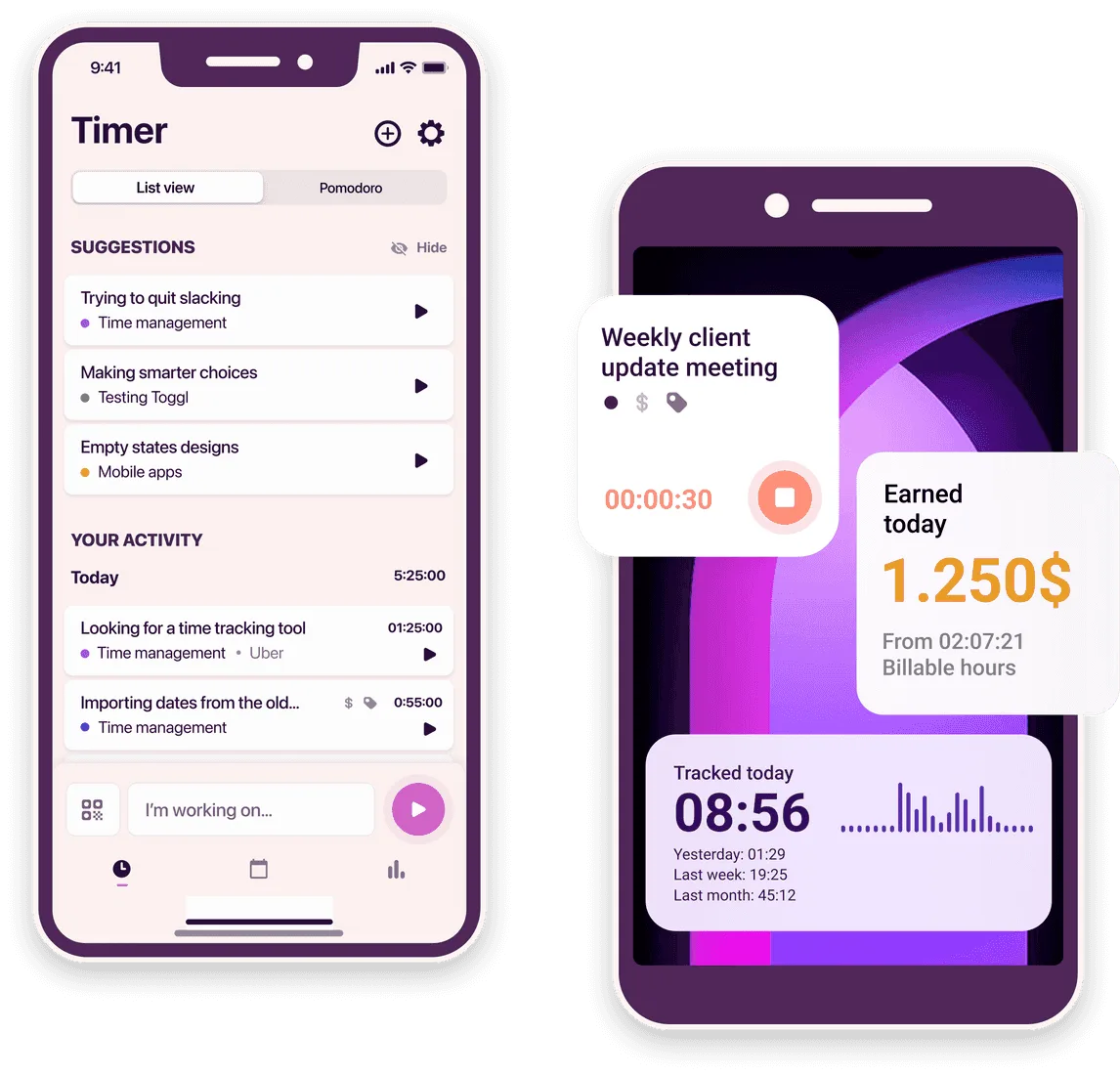
Hubstaff offers a stronger mobile app for businesses managing field employees. Toggl Track provides a cleaner choice for people who mainly need to start timers and correct entries across devices.
Ease of use
Toggl Track is easier to learn, while Hubstaff asks teams to configure more settings before they get full value from the platform. The difference reflects their scope, since Toggl Track focuses on recording time and Hubstaff also manages attendance and employee activity.
Toggl Track keeps the daily experience simple. Users can start and stop timers with one click, then add the project or client details before or after recording time. Desktop reminders and idle detection also help correct forgotten timers without requiring regular manager involvement.
Time entries can be created manually, edited later, or viewed through a calendar. This flexibility reduces the pressure to record every detail perfectly in the moment. It can also support a healthier work-life balance by helping users see when work extends beyond their usual schedule.
Hubstaff remains straightforward for employees once setup is complete. Team members select a project or task, then start and stop timers through the desktop, web, or mobile app. Recorded hours sync with timesheets, activity reports, and approval processes.
The manager experience requires more configuration. Administrators may need to set permissions, assign projects, configure activity tracking, and decide which monitoring features should run. Teams using Hubstaff Tasks can also compare recorded time with estimated hours.
Field teams face another layer of setup because the GPS location tracker and geofences need assigned job sites and mobile permissions. Once configured, Hubstaff can automatically start or stop tracking when an employee enters or leaves a location.
Toggl Track is easier for teams that want quick adoption and minimal administration. Hubstaff requires more initial work, but it gives managers greater control over scheduling, attendance, and monitored work.
Pricing plans
Pricing is another area where Hubstaff and Toggl Track target different buyers. Hubstaff offers lower entry prices, but some advanced functions require a higher plan or an optional add on. Toggl Track costs more per user once teams need billing and reporting controls.
Hubstaff starts at $4.99 per seat each month with annual billing. The Starter plan covers time tracking, timesheets, activity monitoring, invoices, and basic payments. Grow costs $7.50 per seat each month and adds project budgets, expenses, and stronger reporting.
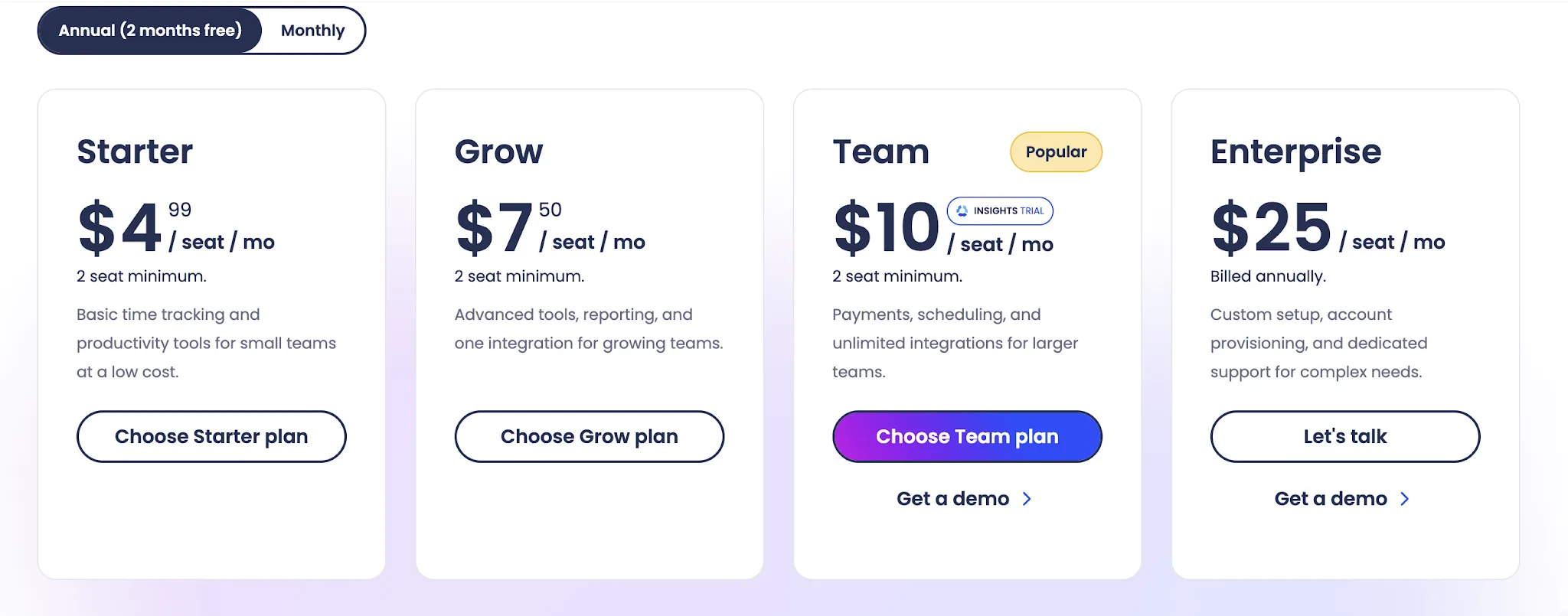
The Team plan costs $10 per seat each month and includes scheduling, attendance, payments, and unlimited integrations. Enterprise costs $25 per seat each month and adds account provisioning, advanced security controls, and dedicated support.
Hubstaff also charges per seat, even when a member only needs administrative access. It offers free Project Viewer roles for people who only need to review activity reports. New customers can test the platform through a 14 day trial without entering card details.
Toggl Track has the stronger free plan. It remains free for a limited number of users and includes tracking across web, desktop, and mobile apps. Free users also receive productivity reports and access to more than 100 integrations through the browser extension.
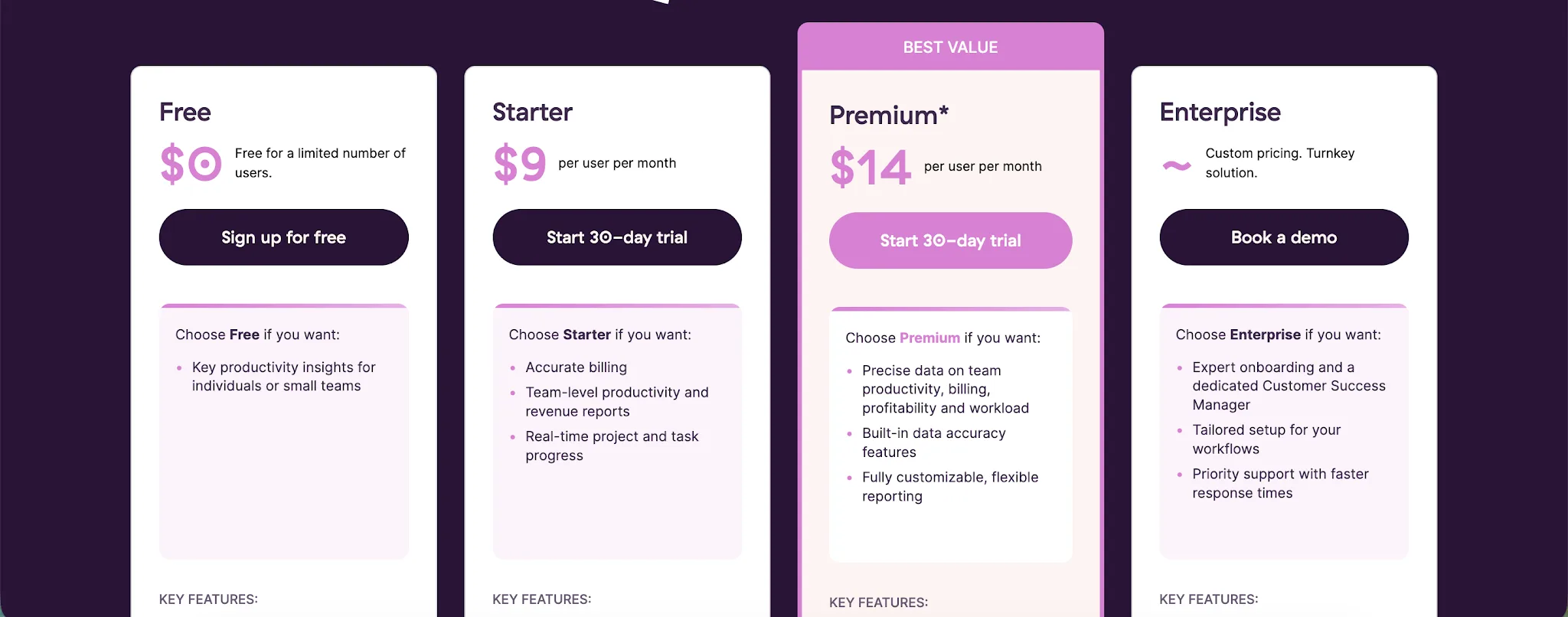
Starter costs $9 per user each month with annual billing. It adds billable rates, project estimates, tasks, and team-level reports. Premium currently costs $14 per user each month for the first annual term, then renews at $18. It adds profitability analysis, fixed-fee projects, timesheet approvals, and reporting controls.
We also have a complete guide on Toggl Track pricing on our blog.
Toggl Track offers better value for individuals and very small teams that can remain on its free plan. Hubstaff becomes more attractive when a business needs attendance, monitoring, and payroll features at a lower price per user.
However, Toggl Track can get very expensive as your team grows, and pricing is one of the most common reasons why businesses look at Toggl Track alternatives.
Hubstaff vs Toggl: which one should you get?
Hubstaff and Toggl Track serve different types of teams. Your choice depends on whether you need workforce oversight or a simpler way to record project time.
Get Hubstaff if you:
- Manage remote workers or field-based employees
- Need employee monitoring, screenshots, or activity tracking
- Want GPS tracking and geofenced job sites
- Need shift scheduling and attendance reports
- Want payroll automation connected to approved timesheets
- Prefer detailed visibility into employee productivity and work hours
Hubstaff works best for businesses that need to manage when, where, and how employees work. It combines time tracking with scheduling, monitoring, payroll, and project cost controls.
Get Toggl Track if you:
- Want a cleaner and less intrusive time tracking experience
- Need fast timers that employees can adopt with little training
- Track billable hours across clients and projects
- Need profitability reports for fixed-fee projects
- Prefer flexible time entry editing and calendar views
- Want a useful free plan for individuals or small teams
Toggl Track is the better choice for freelancers, agencies, and knowledge-based teams that mainly want accurate project data. It gives users more control over their records without introducing close employee surveillance.
Neither platform is perfect. Hubstaff can feel intrusive and requires more setup, while Toggl Track becomes expensive as teams add advanced reporting and billing features.
These limitations may leave you looking for a time tracking tool that offers accurate automation without placing extra pressure on employees.
Try Timely instead for automated time tracking
Hubstaff gives managers close oversight, while Toggl Track gives employees a simple timer. Timely offers a better middle ground by capturing work automatically and turning it into ready to review timesheets.
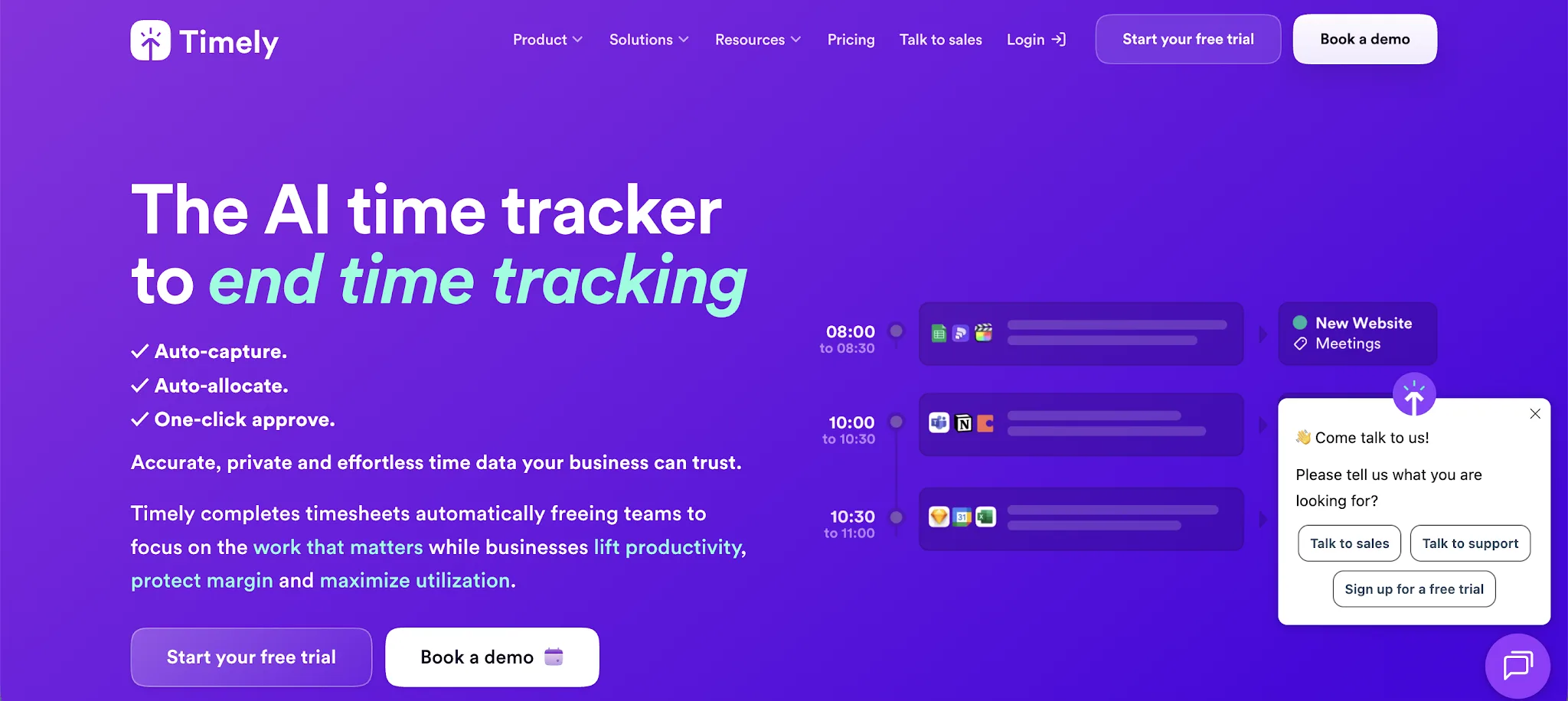
Timely removes the need to remember timers. Its Memory tracker records activity across web and desktop apps in the background. Timely then drafts time entries and assigns work to the relevant projects or clients, leaving users to review and approve the results.
This approach captures meetings and other work that employees may forget to enter manually. It also avoids the incorrect records created when someone forgets to start a Toggl Track timer or leaves one running.
Timely protects employee privacy. Captured activity remains private by default, and employees decide what information becomes part of their shared timesheet. Managers receive reliable project data without gaining direct access to each person’s private activity history.
This offers a more respectful alternative to Hubstaff’s monitoring-led approach. Teams can understand workloads and capacity without making surveillance part of the working relationship.
Timely also connects automatic tracking with project planning. Teams can review project dashboards, planned time, billable rates, reports, and workspace capacity in the same platform. This provides more business context than a basic timer while keeping time tracking easier for employees.
Timely is the better choice for businesses that want accurate timesheets without constant timer management or intrusive monitoring.
Start your free trial of Timely and let your work create the timesheet for you.