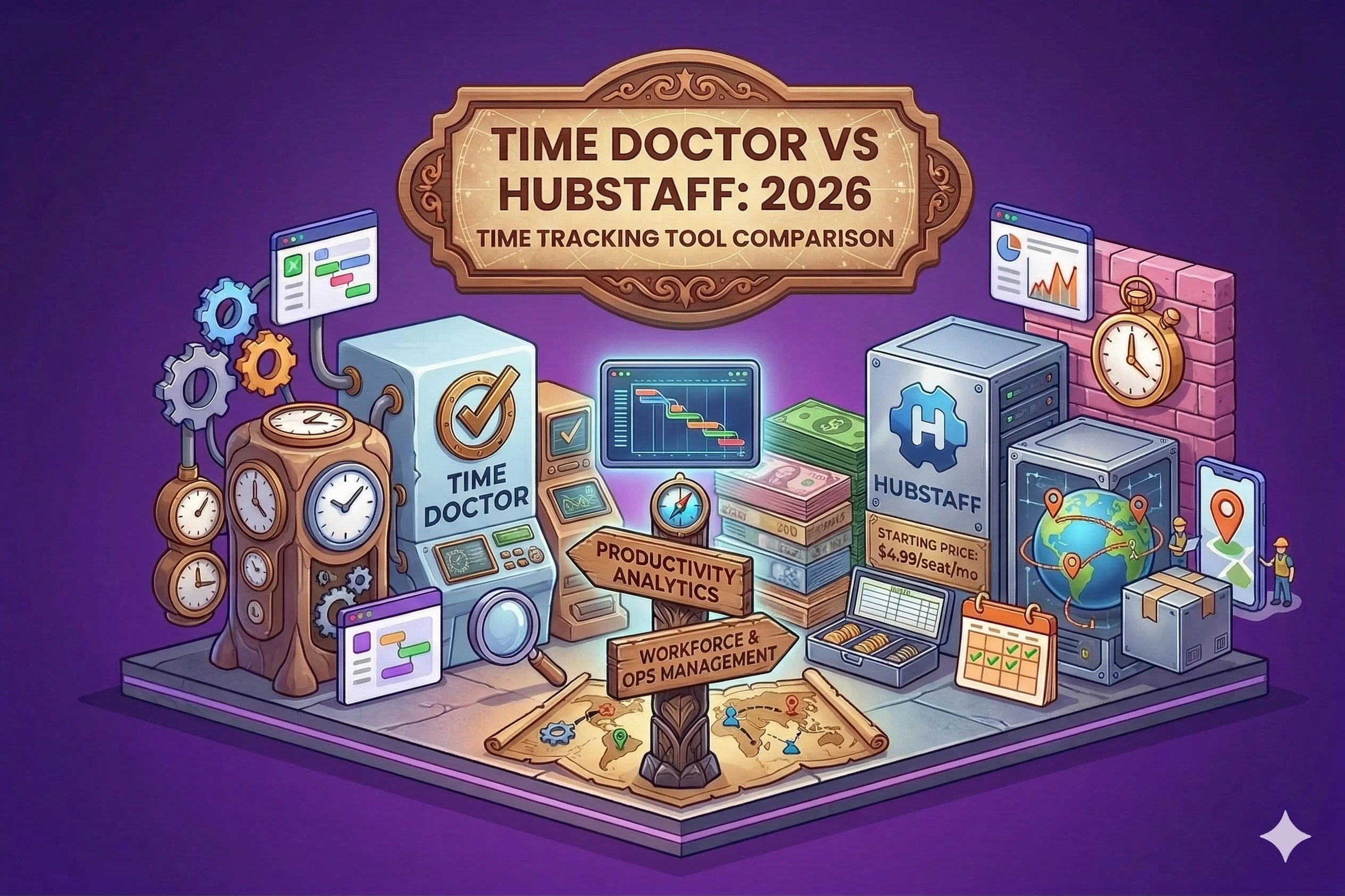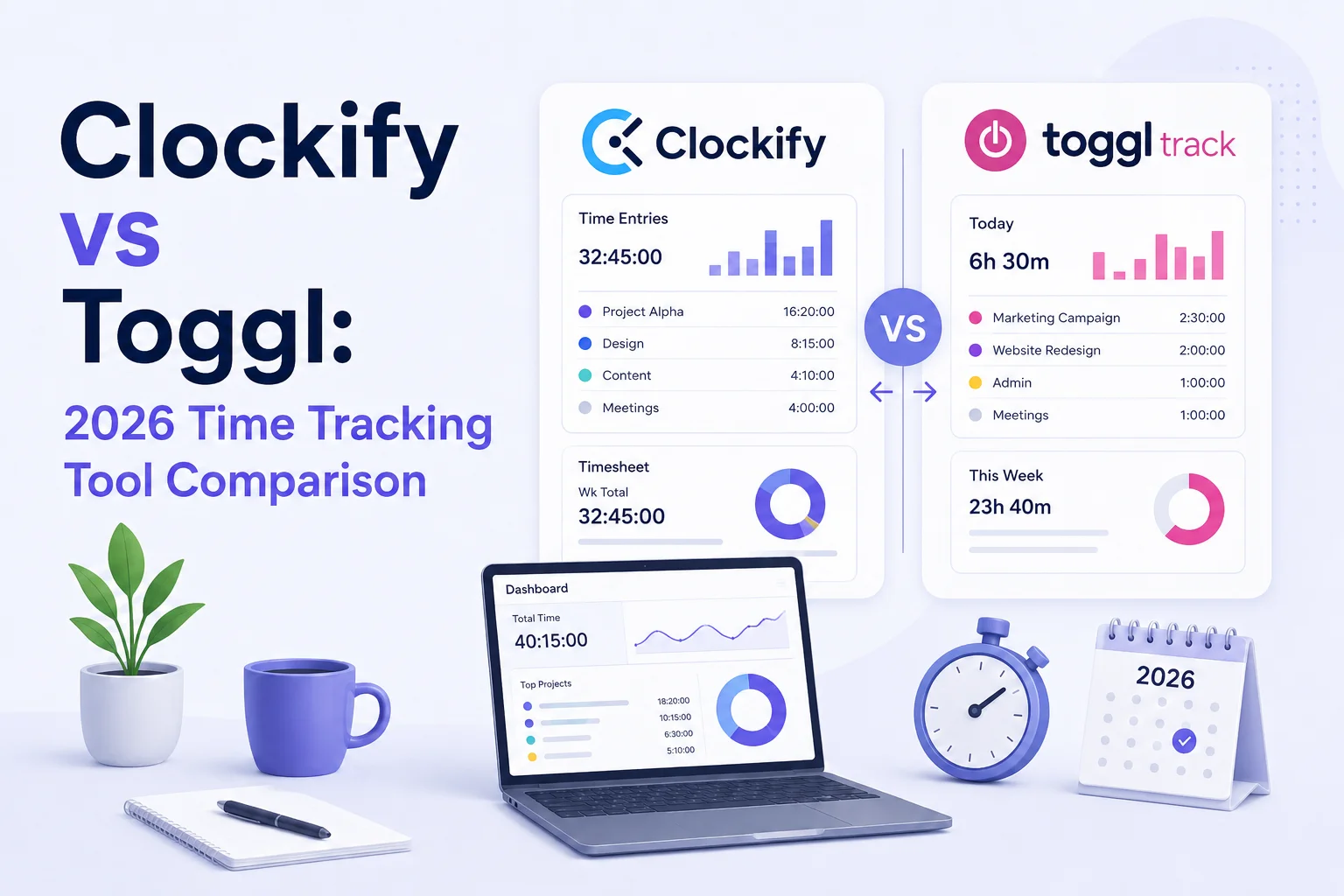
Choosing between Hubstaff and Clockify is not picking the better or more affordable of the two time tracking software options. It’s choosing a philosophy: do you want simple time tracking or detailed insights into every second of your employees’ days?
At their core, Hubstaff and Clockify are completely different. On the one hand, Clockify is a basic time tracking tool with a generous free plan and basic time tracking features. On the other hand, Hubstaff is an entire suite of tools for employee monitoring, project management, and payroll.
That should make choosing the right option easy, but the truth is you need to take a better look.
Today, we compare Hubstaff and Clockify to help you decide on the best way to track time for your team.
Tired of compromises and being forced to choose the lesser of the two incomplete time trackers? Try Timely today, completely free.
Clockify vs Hubstaff at a glance
Clockify and Hubstaff may look similar at first because both track time and help teams log billable hours. Once you actually start using them, though, the difference becomes obvious.
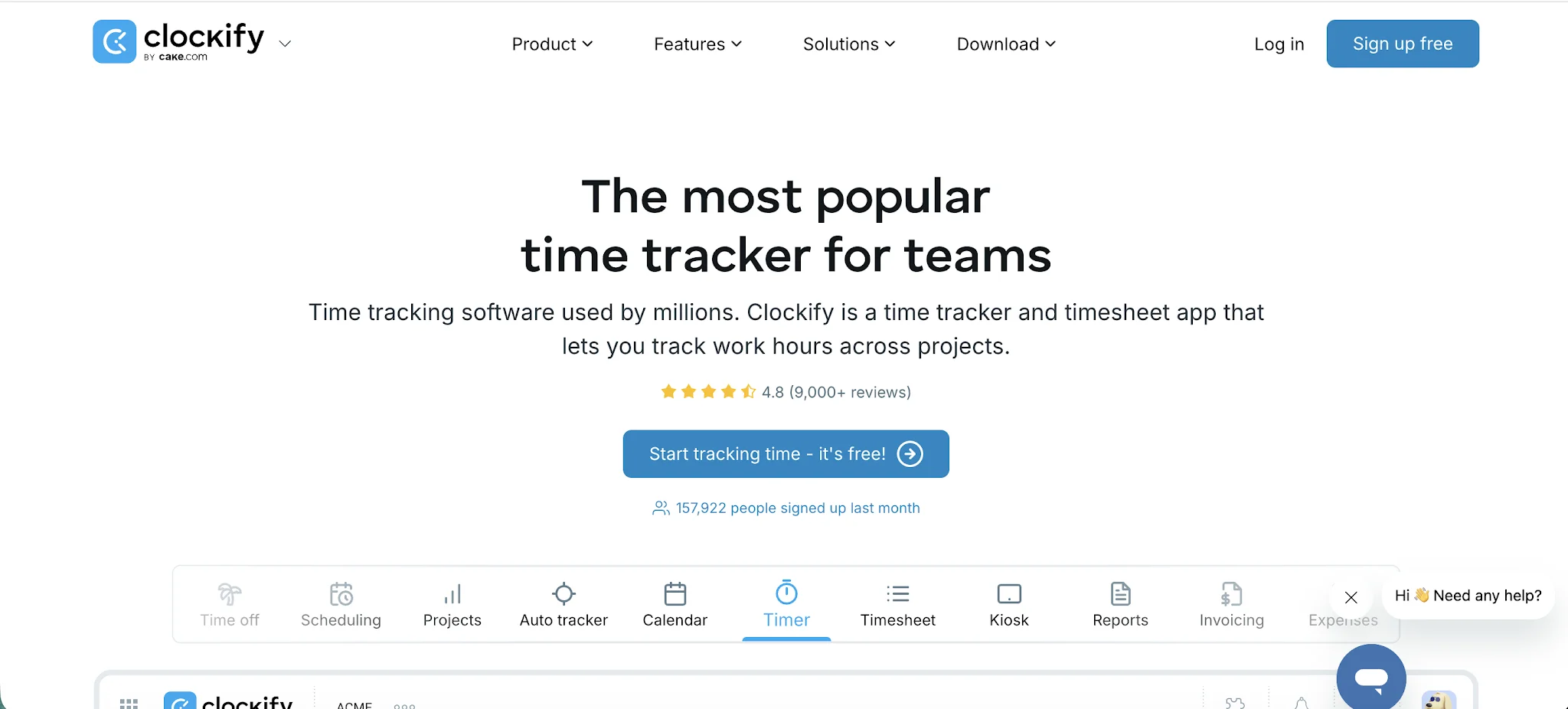
Clockify is primarily a time tracking platform with some workforce management features layered on top. It focuses heavily on affordability, reporting, budgeting, and giving teams a flexible way to track work across projects and clients. Clockify is popular with agencies, freelancers, consultancies, and businesses that want solid functionality without spending a fortune.
Hubstaff takes a much more management-focused approach. Time tracking is still the core product, but employee monitoring, workforce oversight, payroll support, GPS tracking, and productivity monitoring are a much bigger part of the experience. Hubstaff feels closer to workforce management software than a lightweight timer app once you start enabling screenshots, activity tracking, and attendance features.
The real difference comes down to your company culture.
Clockify feels better for teams that just want visibility into projects, budgets, billable hours, and reporting without making employees feel constantly monitored.
Hubstaff makes much more sense for businesses that need more accountability, GPS tracking, attendance systems, productivity monitoring, or proof of work tied directly to logged hours.
| Clockify | Hubstaff | |
|---|---|---|
| Best for | Agencies, freelancers, consultants, and service businesses that need affordable time tracking | Remote teams, field teams, contractors, and companies that need closer workforce oversight |
| Main focus | Time tracking, project visibility, budgeting, and reporting | Time tracking, employee monitoring, payroll, productivity tracking, and workforce management |
| Overall feel | Lighter, simpler, and easier to introduce to teams | More structured, more manager focused, and heavier during daily use |
| Time tracking | Strong timer tracking, manual time entries, timesheets, project tracking, and approvals | Strong time tracking tied to activity data, screenshots, GPS, payroll, and attendance |
| Manual time entries | Easy to add, edit, move, and approve time entries | Available, but admins can control and approve manual edits more tightly |
| Offline tracking | Supported through desktop and mobile apps, with syncing once connection returns | Supported, with stronger value for field teams because time can connect to GPS and job site data |
| Project tracking | Good for creating projects, assigning people, tracking tasks, setting rates, and reviewing budgets | Good for tracking projects, tasks, budgets, labor costs, payments, and team activity |
| Employee monitoring | Available on higher paid plans, but not central to the product | Core part of the platform, with screenshots, app usage, URL tracking, GPS, and activity levels |
| Reporting | Easier to scan for project budgets, billable hours, profitability, and team workload | Stronger for employee productivity, attendance, activity monitoring, payroll, and location reports |
| Mobile apps | Cleaner for basic time tracking, time entries, project switching, and simple reports | Stronger for GPS tracking, route visibility, field teams, attendance, and productivity insights |
| Team management | Good for user groups, permissions, approvals, billable rates, and team activity reports | Stronger for schedules, attendance, idle time, payroll, location tracking, and remote employee oversight |
| Payroll | Useful for preparing clean time records, but payroll usually happens in other tools | Built much more deeply into the platform, with automated payroll and payment features |
| Overtime tracking | Available on paid plans, useful for project visibility and attendance review | Stronger because overtime connects to schedules, payroll, attendance, and labor costs |
| Integrations | Good fit for project based stacks, including Jira, Asana, Trello, ClickUp, Monday, QuickBooks, Google Calendar, and GitHub | More operations focused, with integrations for project management, payroll, HR, accounting, and workforce tools |
| Ease of use | Easier for most teams to adopt because the core experience stays focused on time tracking | More powerful, but denser because monitoring, payroll, schedules, and activity tools appear throughout the product |
| Pricing | Cheaper overall, with a free plan and paid plans starting at $3.99 per user per month when billed annually | More expensive once you move up the plans, with paid plans starting at $4.99 per user per month when billed annually |
| Free plan | More generous for basic tracking and smaller teams | Less competitive if you want a free or very low cost setup |
| Security and admin | Paid plans add controls such as permissions, locked timesheets, audit logs, provisioning, and single sign-on | Strong admin controls across workforce data, payroll, monitoring settings, permissions, and compliance needs |
| Biggest advantage | Affordable time tracking with solid project, budget, and reporting features | Deeper productivity tracking, employee monitoring, payroll, and field team controls |
| Biggest drawback | Less useful if you need serious workforce monitoring or payroll automation | Can feel invasive and too heavy for teams that only need time tracking |
| Best choice if | You want affordable time tracking without making employees feel watched | You need proof of work, activity monitoring, GPS, payroll, and tighter control over remote or field employees |
PS. You may also want to read our comparison between Toggl and Clockify.
Time tracking features
Clockify and Hubstaff both cover the basic features you would expect from a modern time tracking tool. You can start timers, add time manually, assign work to projects, review reports, and manage team hours from one place.
The difference is in the layers that are tacked on to this basic feature set.
Clockify is better if you want flexible time tracking without too much pressure on employees. Hubstaff is better if time tracking needs to connect with broader monitoring, payroll, attendance, and productivity control.
Timer-based tracking
Both tools make timer-based tracking easy enough.
Clockify keeps the experience simple. Users choose a project, start the timer, stop it when they are done, and adjust the entry if needed. It works okay for agencies, freelancers, consultants, and teams that need clean records of how time is spent across clients and projects.
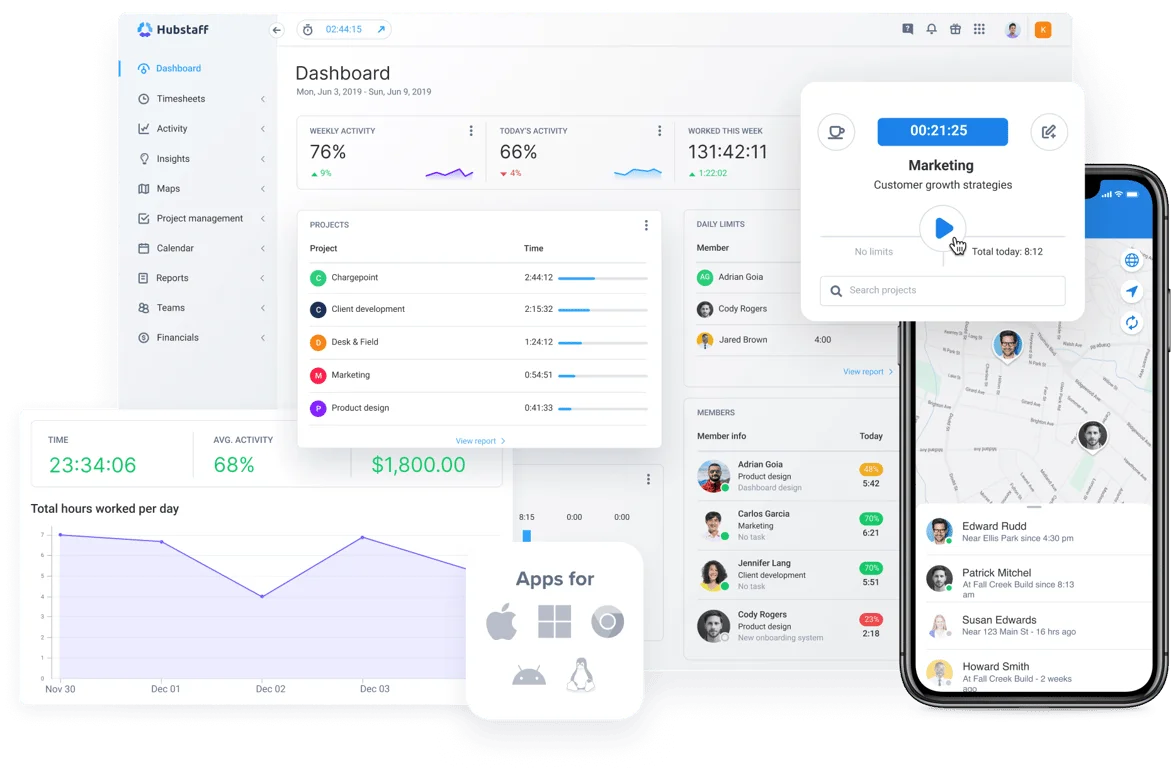
Hubstaff does the same thing, but the timer is tied more closely to activity data. Once a user starts tracking, Hubstaff can also record activity levels, apps used, websites visited, screenshots, and location data, depending on the settings.
That makes Hubstaff more powerful, but also heavier and much more intrusive for your team.
Manual time entries
Manual time entries matter more than most teams realize. People forget to start timers. Meetings run longer than expected. Client calls happen away from the desk. A good time tracking tool should make fixing those gaps easy without turning every edit into an admin task.
Clockify handles manual time entries very well. Users can add hours later, edit existing entries, move time between projects, and clean up their week before submitting a timesheet. Managers can also review entries before approval, which helps with billing accuracy.
Hubstaff allows manual entries, too, but they fit into a stricter system. Admins can limit who adds time manually, require approvals, and compare manual entries against tracked activity.
That makes sense for companies where time records directly affect payroll. It may feel too strict for teams that mostly need project visibility.
Project and task tracking
Clockify gives teams a clean way to break tracked time down by project, client, task, tag, and user. You can create multiple projects, assign team members, set hourly rates, and review where time is going.
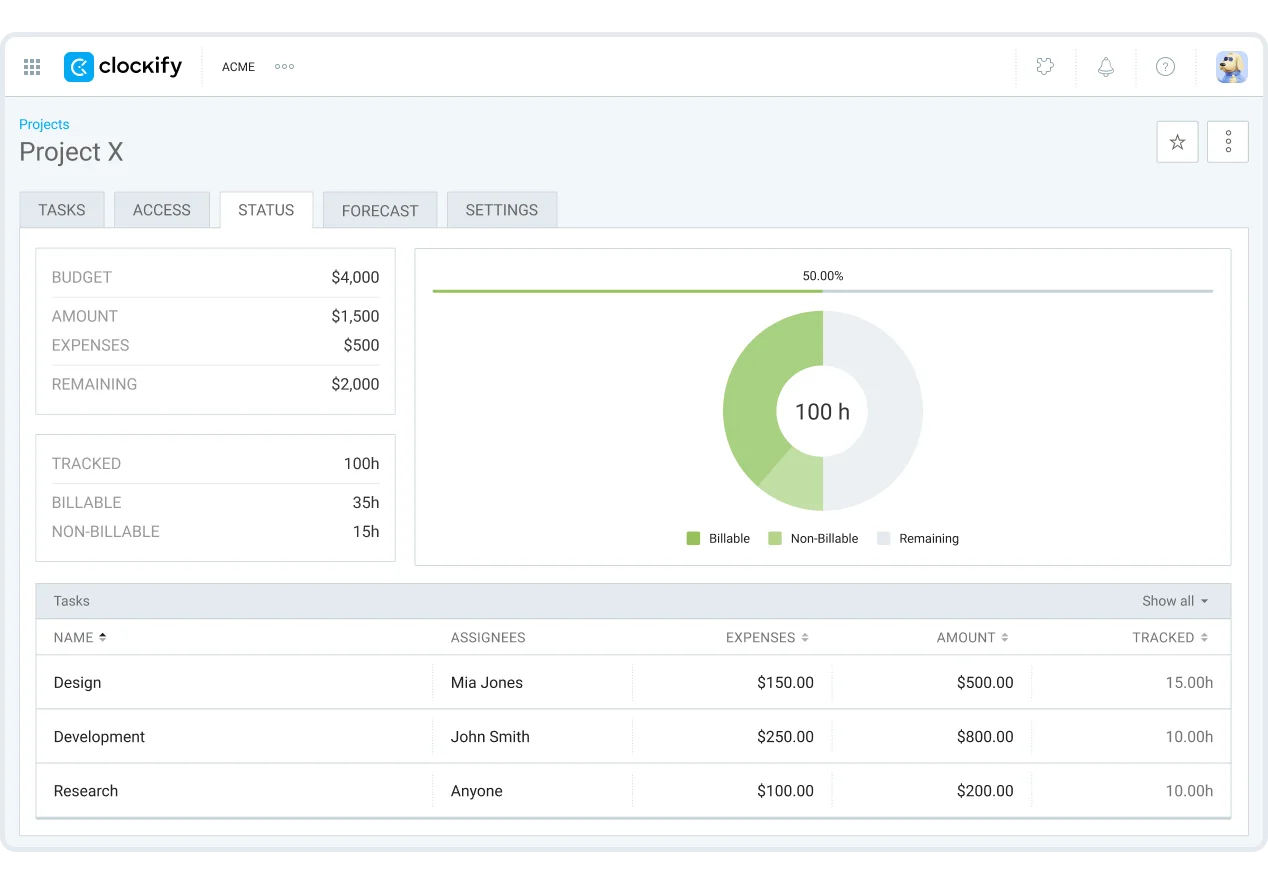
This works well for client services.
You can quickly answer questions like:
- How much time did we spend on this client?
- Which tasks consumed the most hours?
- Are we close to the project budget?
- Which team members worked on this project?
- How much of the work was billable?
Hubstaff also supports projects and tasks, but it connects them more closely with budgets, activity levels, payroll, and team performance. Managers can see tracked hours by project, then compare that against productivity data, expenses, and payments.
Clockify is better for clean project time tracking. Hubstaff is better when task management needs to sit next to employee monitoring and payroll.
Offline tracking
Both Clockify and Hubstaff support offline tracking, which matters for teams that work on the move or deal with unreliable internet access.
Clockify lets users continue tracking time offline through its apps, then sync entries once the connection returns. This is handy for consultants, field workers, freelancers, and anyone who does not spend the entire day inside a browser.
Hubstaff also supports offline tracking, but the experience is especially useful for field teams. Employees can continue tracking hours even when working from job sites, traveling between locations, or using mobile devices away from a stable internet connection.
The main difference is the data around the tracked time.
Clockify mainly cares that the time entry is saved correctly. Hubstaff can also connect that time to GPS data, activity levels, and job site records once everything syncs. You get more data, and more detailed data but many companies don’t need this.
Timesheets and approvals
Timesheets are where Clockify starts to feel more structured than a basic timer app.
Managers can review submitted time, approve or reject entries, lock older periods, and keep billing records cleaner. For teams that bill clients by the hour, this is one of the most useful parts of the platform.
Clockify’s timesheet tools help with:
- Weekly time reviews
- Client billing
- Project budgeting
- Team accountability
- Cleaner reporting
- Fewer billing disputes
Hubstaff takes timesheets further into workforce management.
Approvals can connect directly with payments, automated payroll, attendance, and employee schedules. That makes it more useful for companies where tracked time affects wages, contractor payments, or shift records.
Clockify works better for reviewing project time. Hubstaff works better for turning approved time into payroll and workforce records.
Overtime tracking
Overtime tracking is one of the bigger differences between the two platforms.
Clockify includes attendance and overtime tools on paid plans, which can help managers spot extra hours, review attendance patterns, and understand when projects are pushing teams beyond planned capacity.
That is useful for project-based teams, but Clockify still feels more focused on visibility than enforcement.
Hubstaff is stronger for overtime tracking because it connects tracked hours with schedules, payroll, attendance, and team limits. Managers can monitor when employees exceed expected hours, review overtime costs, and use that information for payments.
For companies with hourly workers, field teams, contractors, or strict labor cost controls, Hubstaff has the edge here.
Payroll and payments
Clockify can help teams prepare cleaner billing and time records, but payroll is not the main reason most companies choose it.
Hubstaff is much stronger in this area.
Its time tracking features connect directly with automated payroll, payments, invoices, approvals, and labor reports. Once tracked time is approved, businesses can use that data to pay employees or contractors through supported payment connections.
That makes Hubstaff a better fit for companies that want time tracking and payroll to live close together.
Clockify can still work well if your payroll happens in other tools. You can export reports, review time, and pass that data into accounting or payroll systems. Hubstaff reduces more of that handoff for teams that want tighter payment control.
Employee activity tracking
This is the clearest separation between the two platforms.
Clockify gives managers enough visibility to understand who tracked time, where time went, and how projects are progressing. It can support screenshots and GPS tracking on higher paid plans, but employee monitoring does not define the entire product.
Hubstaff goes much deeper than that.
Depending on the plan and settings, Hubstaff can track:
- Screenshots
- App usage
- Website usage
- Keyboard and mouse activity levels
- Idle time
- GPS location
- Job site attendance
- Productivity trends
That makes Hubstaff much stronger for companies that need proof of work or tighter oversight of remote and field employees.
It also makes the platform more sensitive from a team culture perspective. Some employees may accept that level of tracking. Others may see it as too invasive. You may even have team members leave your company because of the feeling that they’re being spied on.
Clockify is easier to introduce when you want time tracking without creating that kind of tension.
Security and admin controls
Clockify supports role permissions, project access, approvals, locked timesheets, and admin controls across paid plans. On higher tiers, it also adds advanced security features such as single sign-on, audit logs, and user provisioning.
Hubstaff also supports admin controls for permissions, teams, approvals, payroll, monitoring settings, and security. The higher tiers are built for companies that need more control over access, compliance, and workforce data.
The difference is the focus.
Clockify’s admin controls support time tracking, reporting, and project structure. Hubstaff’s controls support time tracking plus employee monitoring, payments, location data, and workforce oversight.
Reporting features
Clockify and Hubstaff both offer much more than basic tracking once teams start managing multiple projects, clients, and employees. The major difference is the type of reporting.
Clockify leans heavily into project visibility, budgeting, billable work, and operational reporting. Hubstaff focuses far more on workforce activity, employee behavior, and detailed productivity insights tied directly to tracked hours.
Clockify’s reporting system feels more approachable for agencies, consultancies, and service businesses. The dashboards stay relatively clean, and most reports are easy to understand without digging through layers of workforce data.
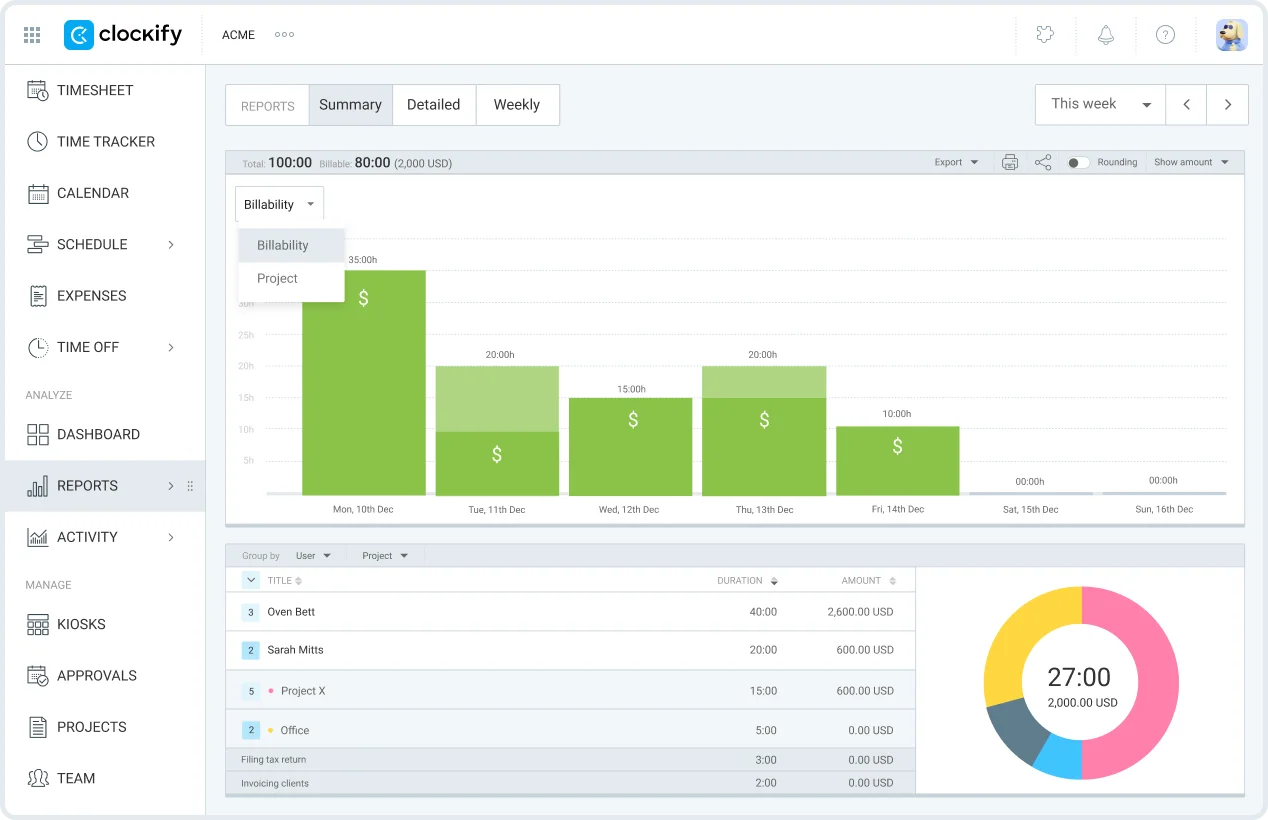
Clockify can handle reporting tasks like:
- Billable and non-billable hours
- Project profitability
- Budget tracking
- Team workload visibility
- Labor cost calculations
- Exportable detailed reports
- Shared dashboards and scheduled summaries
- Time allocation across clients and projects
Clockify also connects reporting closely to budgeting and task management, which helps managers understand where time and money are actually going across larger projects.
Hubstaff takes a much more workforce-focused approach.
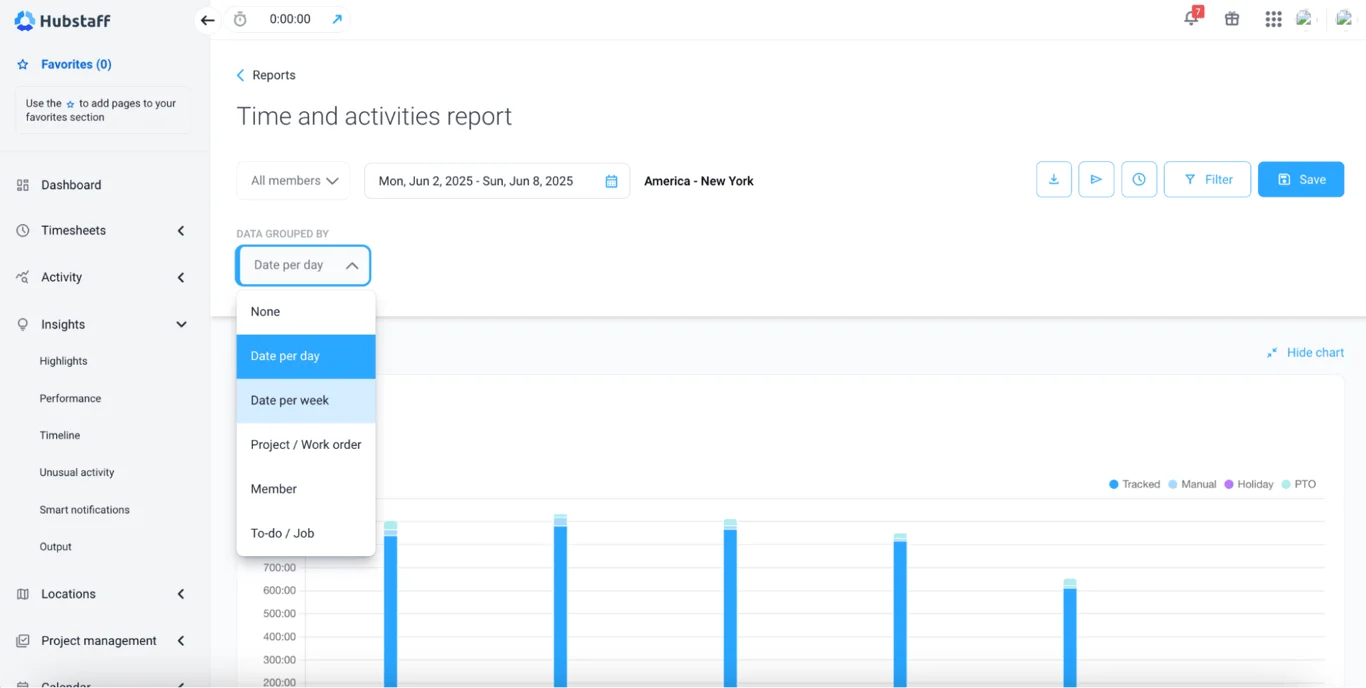
The reporting system revolves around employee activity, attendance, tracked productivity, and operational oversight. Once monitoring tools are enabled, managers can review screenshots, app usage, website activity, GPS movement, and shift history directly inside reports.
Hubstaff’s reporting tools include:
- Productivity and activity reports
- Attendance and shift summaries
- GPS and location history
- Payroll and labor reporting
- Application and URL tracking
- Employee activity levels
- Workforce utilization reports
- Detailed productivity insights for individual team members
That extra visibility can become very useful if you’re managing field workers, hourly staff, or if you have large remote teams where accountability matters heavily.
The reporting experience itself also feels different.
Clockify keeps most reports centered around projects, budgets, and tracked time. Hubstaff surfaces much more operational data, which naturally creates a denser reporting environment overall.
For companies that mainly want visibility into projects, budgets, and billable work, Clockify generally feels easier to work with day to day. Businesses that need closer oversight of employee performance and workforce activity will probably find Hubstaff’s reporting system more valuable.
Employee monitoring tools
This is where Clockify and Hubstaff start to feel like very different time tracking apps.
Clockify gives you employee monitoring as part of a broader time tracking and project management setup. Hubstaff puts monitoring much closer to the center of the product. You can feel that difference in the way both software tools are built.
Clockify covers essential time tracking first. Users can track hours, submit timesheets, assign time to projects, and give managers enough visibility to understand where work is going. Monitoring features exist, but they feel more like add ons for companies that need extra control.
Clockify’s monitoring-related features include:
- Screenshots
- GPS tracking
- Kiosk tracking
- Attendance tracking
- Timesheet approvals
- Idle time detection
- Project and task management visibility
- Billable and non-billable hour reports
That is enough for many teams. You can see who tracked time, which projects took the most time, and whether remote workers are logging hours properly.
Hubstaff goes much further.
Its key features are built around productivity tracking, activity monitoring, and employee accountability. Managers can review screenshots, app and URL usage, location data, work sessions, attendance, and activity levels from one place.
Hubstaff’s more advanced features include:
- Screenshot monitoring
- App and website tracking
- Keyboard and mouse activity levels
- GPS location tracking
- Geofenced job sites
- Attendance and shift tracking
- Payroll reports
- Productivity reports
- Employee activity monitoring
- Timesheet approvals
That makes Hubstaff a better choice for companies that need proof of work, especially when managing field teams, hourly workers, contractors, or large remote teams.
The tradeoff is obvious.
Hubstaff gives managers much deeper visibility, but it can feel invasive if the team does not expect that level of monitoring. Clockify feels lighter because the product still centers around tracking time, managing projects, and reviewing reports rather than watching employee behavior closely.
For businesses that only need essential time tracking with some oversight, Clockify will usually feel easier to introduce. For companies that want activity monitoring, productivity tracking, and tighter control over remote workers, Hubstaff is the stronger employee monitoring tool.
Mobile apps
Clockify’s mobile app feels closer to a traditional time tracker. You open the app, start the timer, create time entries, switch projects, and review reports without much friction. The experience is straightforward, which is part of the reason many freelancers, agencies, and smaller service businesses end up liking it long term.
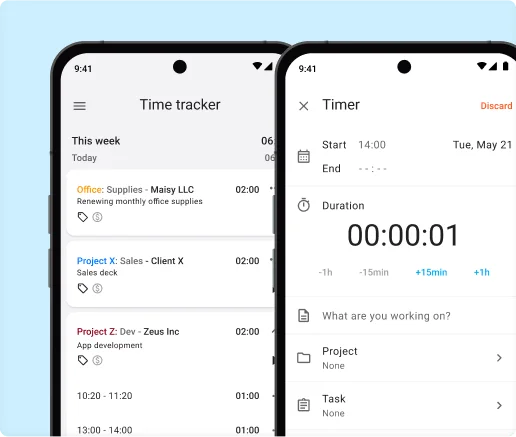
For teams that mainly need to track work hours across projects and clients, Clockify handles the basics very well.
The mobile app supports:
- Timer-based tracking
- Manual time entries
- Offline tracking
- Calendar view
- Project selection
- Billable hour tracking
- Basic reporting access
The interface is not flashy, but it stays fairly easy to navigate even once projects start piling up.
Hubstaff’s mobile experience is built around a very different type of company.
The app puts much heavier focus on workforce visibility, especially for remote teams and businesses managing employees in the field. GPS tracking, activity monitoring, attendance tracking, shift management, and route visibility are much more deeply integrated into the mobile experience.
That extra functionality makes sense for:
- Construction companies
- Cleaning businesses
- Field service teams
- Delivery operations
- Larger remote teams with hourly workers
Hubstaff’s mobile app also gives managers far more productivity insights directly from the dashboard. Supervisors can review employee movement, active hours, tracked locations, and overall activity levels without opening the desktop app.
The tradeoff is complexity.
Clockify generally feels lighter during day-to-day mobile use because the app stays focused on core time tracking. Hubstaff exposes far more operational functionality, which naturally creates a busier experience overall.
Project management features
Clockify and Hubstaff both help teams organize tracked time by project, client, task, and employee. Neither of them fully replaces dedicated project management software, but both give teams enough structure to manage work without relying on spreadsheets.
Clockify feels stronger for teams that want a simple way to create multiple projects, assign people, set budgets, and track progress against billable hours.
It works well for small teams because the setup is easy to understand:
- Create projects and clients
- Add tasks under each project
- Assign team members
- Set hourly rates
- Track billable and non-billable time
- Monitor project budgets
- Review time by task, user, client, or project
- Export reports for clients or internal reviews
The project management side of Clockify is practical rather than heavy. Agencies, freelancers, consultants, and service businesses can use it to see where hours go, which clients are taking up the most time, and whether projects are staying within budget.
Hubstaff offers a more operational setup.
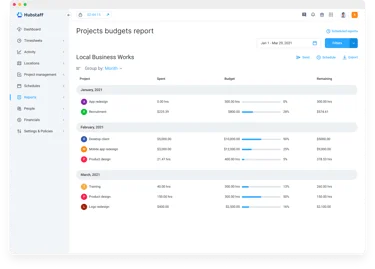
The platform connects project tracking with workforce management, productivity monitoring, payments, scheduling, and expense management. That makes it feel closer to an all-in-one platform for companies that need more than time logs.
Hubstaff’s project features include:
- Project and task tracking
- Team member assignments
- Budget limits
- Weekly hour limits
- Activity tracking by project
- Expense management
- Payroll connections
- Client invoicing
- Work orders for field teams
- Reports tied to productivity and attendance data
That extra structure can be useful for larger teams, especially when managers need to connect project hours with labor costs, payroll, productivity, and field work.
The tradeoff is that Hubstaff can feel heavier for everyday project tracking. There are more controls, more workforce features, and more management layers involved. Some teams will appreciate that. Others may only need a clean way to organize time entries by client and task.
Clockify is usually easier for simple project tracking and budget visibility. Hubstaff makes more sense when project management needs to connect with employee monitoring, field operations, payroll, and expense management.
Team management tools
Clockify and Hubstaff both help managers organize people, projects, hours, and approvals. The difference is how much control each platform gives managers over the team.
Clockify keeps team management closer to time tracking and project visibility.
Admins can invite team members, organize them into groups, assign them to projects, review timesheets, approve entries, and check reports. For agencies, consultancies, and service businesses, that is usually enough to understand who worked on what and how much time each project consumed.
Clockify’s team management features include:
- User groups
- Project assignments
- Timesheet approvals
- Billable rates by user
- Team activity reports
- Time off tracking
- Attendance tracking
- Project access controls
- Role-based permissions
The experience feels fairly straightforward. Managers can see team productivity across clients and projects without turning the platform into a full employee monitoring system.
Hubstaff gives managers much tighter control.
The platform is built for managing remote employees, field teams, contractors, and hourly workers. It connects time tracking with screenshots, activity levels, attendance, GPS tracking, payroll, schedules, and productivity reports.
Hubstaff’s team management features include:
- Team scheduling
- Timesheet approvals
- Attendance tracking
- Time off management
- Payroll integrations
- Budget and hour limits
- GPS location tracking
- Screenshot monitoring
- Activity level reports
- Alerts for missed shifts or late starts
Hubstaff can also detect idle time and separate active work from inactive sessions, which gives managers a clearer view of employee productivity during tracked hours.
That level of visibility can be useful when teams are spread across locations, shifts, and job sites. Managers can check who is working, where they are, which projects they are assigned to, and whether tracked time matches actual activity.
The tradeoff is that Hubstaff feels much more manager-driven.
Clockify works better when you want a clean way to organize people around projects and review tracked hours. Hubstaff makes more sense when team management needs to include productivity tracking, attendance enforcement, location visibility, and tighter oversight.
Ease of use
Clockify and Hubstaff both cover the core features most businesses expect from modern time tracking software. You can create projects, assign users, review reports, monitor time spent, and manage workloads without much setup on either platform.
The difference is how heavy the platforms feel once teams start using them every day.
Clockify keeps the experience fairly simple from the beginning.
The interface focuses heavily on timers, projects, reports, and dashboards without constantly surfacing management controls. Most users can figure out the basics quickly, even if they have never used time tracking software before.
Daily use feels pretty straightforward:
- Start and stop timers
- Add manual time entries
- Assign projects and tasks
- Review reports
- Check project progress
- Approve timesheets
- Export tracked hours
That simplicity is a big reason why Clockify is popular with freelancers, agencies, consultants, and smaller teams.
Hubstaff feels more structured from the start.
The platform exposes more settings, workforce controls, employee monitoring tools, payroll connections, scheduling systems, and productivity tracking features throughout the interface. Managers will probably appreciate the additional visibility. Employees may need more time to adjust to the platform overall.
Hubstaff’s interface includes:
- Activity monitoring dashboards
- Attendance controls
- Payroll tools
- Shift scheduling
- GPS tracking
- Productivity reports
- Screenshot settings
- Team management controls
- Workforce analytics
None of that makes Hubstaff difficult to use, but it definitely creates a denser experience compared to Clockify.
That becomes especially noticeable for teams that only need essential time tracking and basic project management. Clockify generally stays out of the way more effectively, while Hubstaff constantly reminds users that it is also a workforce management platform.
The mobile experience reflects the same difference.
Clockify feels lighter and easier to navigate during everyday tracking. Hubstaff gives managers more operational visibility, but there are more menus, more controls, and more administrative settings involved throughout the product.
For teams that mainly care about tracking time spent across projects and reviewing project progress, Clockify usually feels easier to adopt long-term. Companies managing larger operations, remote workers, or attendance-heavy environments may find Hubstaff’s extra structure worth the added complexity.
Integrations
Both platforms cover the essentials. You can connect them with project management tools, accounting software, calendars, CRMs, and collaboration apps without much trouble. Most businesses will probably find the basics they need on either side.
Clockify works well if your goal is fairly straightforward time tracking across existing tools. It integrates with platforms like Jira, Trello, Asana, ClickUp, Monday, QuickBooks, Google Calendar, and GitHub, which already covers a huge percentage of what agencies and service businesses use daily.
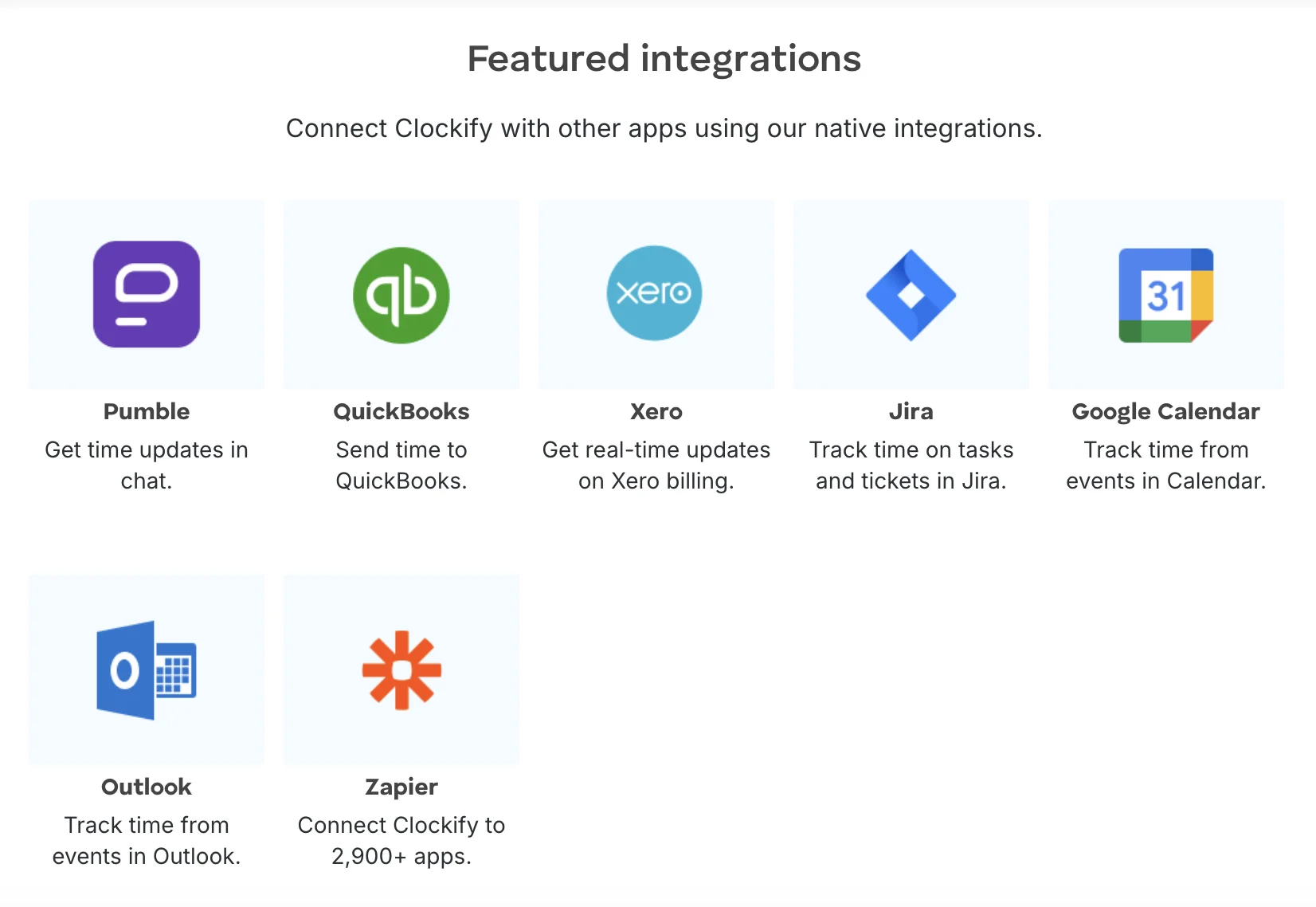
The integrations themselves feel practical. You start timers inside tasks, sync projects, connect reports to accounting platforms, and move on with your day.
Hubstaff’s ecosystem feels more operations-focused.
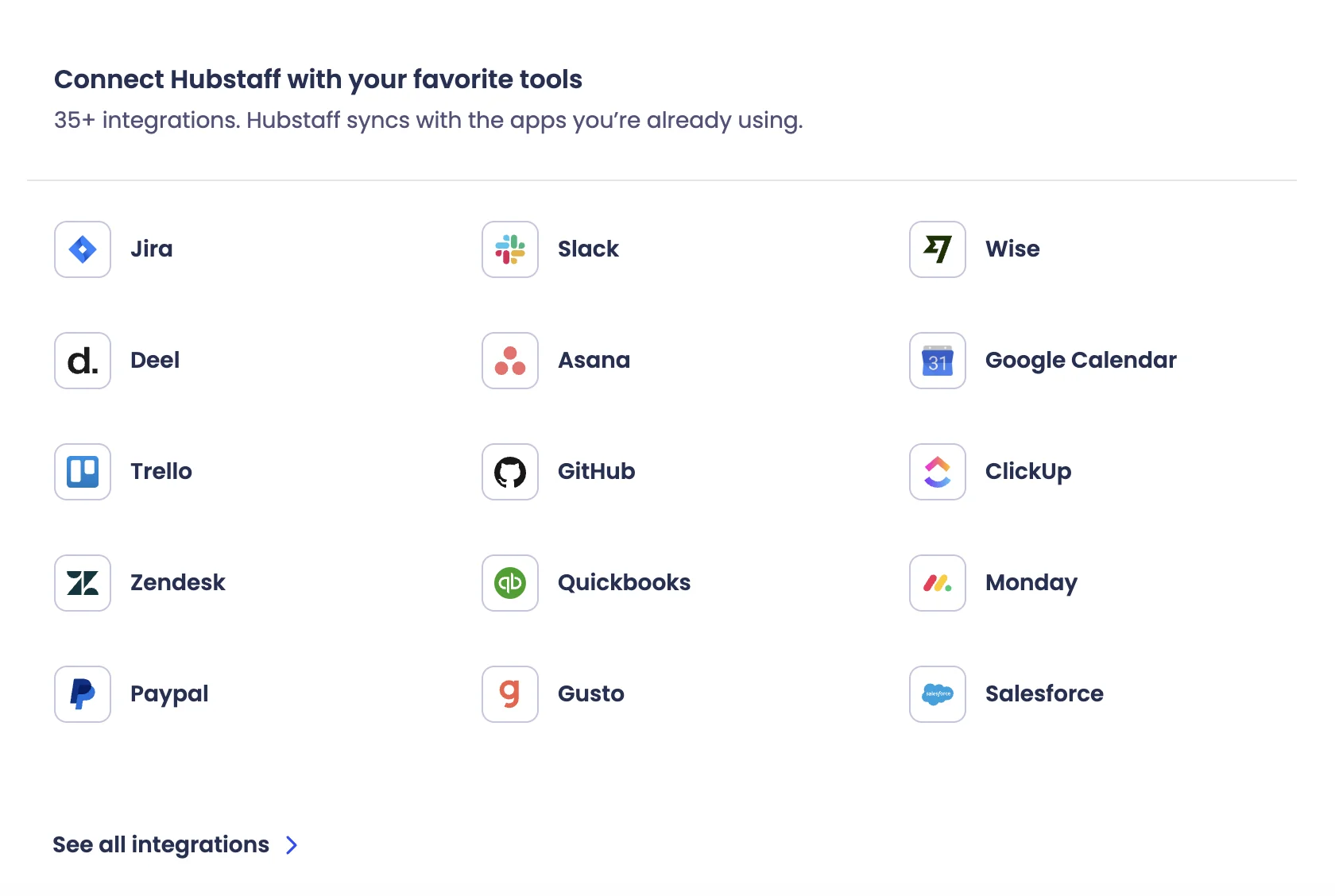
A lot of the integrations revolve around workforce management, payroll, scheduling, remote work oversight, and employee productivity. The platform connects with tools like:
- Asana
- Trello
- Jira
- ClickUp
- PayPal
- Wise
- QuickBooks
- Deel
- Rippling
- Salesforce
That payroll and HR angle matters more than people realize. Hubstaff clearly expects many customers to manage payments, attendance, contractors, and remote operations directly inside the platform.
There is also a difference in how deeply the integrations connect to the actual product experience.
Clockify mainly treats integrations as ways to make time tracking easier across apps. Hubstaff often ties integrations directly into employee management, productivity tracking, scheduling, and payroll automation.
That becomes especially noticeable for remote teams.
For example, Hubstaff can combine tracked hours, keyboard and mouse activity, attendance, payroll calculations, and invoicing into one connected system. Clockify stays much more focused on syncing projects, time entries, and reports between platforms.
Pricing plans
Clockify is the cheaper option if you mainly need time tracking, reporting, approvals, and project budgeting. Hubstaff costs more once you move past the entry plan, but it adds stronger workforce management, activity tracking, payroll tools, screenshots, GPS, and employee oversight.
| Plan | Annual price | Monthly price | Best for | What you get |
|---|---|---|---|---|
| Free | $0 | $0 | Individuals and small teams | Time tracking, timesheets, reports, project status, team activity, up to 5 users |
| Basic | $3.99/user/month | $4.99/user/month | Teams that need basic admin controls | Add time for others, required fields, bulk edits, kiosk, time audit, project templates, billable rates |
| Standard | $5.49/user/month | $6.99/user/month | Teams billing clients from tracked time | Time off, invoicing, recurring invoices, approvals, lock time, attendance and overtime, QuickBooks integration |
| Pro | $7.99/user/month | $9.99/user/month | Teams that need budgets and productivity controls | Scheduling, forecasting, expenses, labor cost and profit, budgets and estimates, GPS tracking, screenshots |
| Enterprise | $11.99/user/month | $14.99/user/month | Larger teams that need security controls | SSO, custom subdomain, SCIM provisioning, control accounts, audit log |
| CAKE.com Bundle | $12.99/user/month | $15.99/user/month | Teams that want the wider CAKE.com suite | Clockify Enterprise features plus other CAKE.com tools |
Clockify also offers kiosk-limited users for teams that only need workers to clock in and out through kiosk mode. Those seats start at $0.79/user/month on the annual Basic plan and go up depending on the plan.
Hubstaff’s pricing plans also include optional add-ons on lower-tier plans, such as Insights, Tasks, Data retention, More screenshots, Locations, and Silent app. These can raise the actual monthly cost if you need features that are not included in your chosen plan.
| Plan | Annual price | Seat minimum | Best for | What you get |
|---|---|---|---|---|
| Starter | $4.99/user/month | 2 users | Small teams that need basic time tracking | Time tracking, timesheets, limited reports, limited payments, activity levels, clients and invoices, limited screenshots, limited app and URL tracking |
| Grow | $7.50/user/month | 2 users | Growing teams that need project controls | Everything in Starter plus tasks, reports, 1 integration, idle timeout, project budgets, work breaks, expenses |
| Team | $10/user/month | 2 users | Teams that need payroll, scheduling, and stronger monitoring | Everything in Grow plus unlimited screenshots, unlimited app and URL tracking, auto discard idle time, teams, payments and payroll, unlimited integrations |
| Enterprise | $25/user/month | Custom | Larger companies with admin and compliance needs | Everything in Team plus silent app, locations, insights, higher API limits, ACH payment, HIPAA compliance, SOC 2 Type II compliance, SCIM provisioning |
Hubstaff vs Clockify: which one should you get?
Still not sure which of the two popular time tracking apps is better? Here is a simple breakdown.
Get Clockify if:
- You want a more affordable time tracking platform for a larger team
- You need strong basic time tracking without heavy employee monitoring
- You care more about projects, budgets, reports, and billable hours than activity tracking
- You want a generous free plan before moving to paid plans
- Your team needs to create multiple projects and track time across clients
- You want a simpler tool for agencies, consultants, freelancers, and service businesses
- You need approvals, invoicing, expenses, overtime tracking, and scheduling without going too deep into surveillance
- You prefer a lighter setup that feels easier for employees to accept
Clockify is the better choice for teams that want time tracking to stay focused on work hours, project progress, and reporting. It gives you enough structure to manage clients, budgets, and team activity without making the entire product feel like employee monitoring software.
Get Hubstaff if:
- You need stronger productivity tracking for remote workers
- Your business manages field teams, hourly staff, contractors, or distributed employees
- You want screenshots, GPS tracking, app usage, URL tracking, and keyboard and mouse activity levels
- You need automated payroll connected to approved timesheets
- You want deeper attendance tracking, shift scheduling, and overtime tracking
- Your managers need detailed productivity insights for each employee
- You want time tracking, monitoring, payroll, and workforce oversight in one platform
- You are comfortable with a more structured tool that gives managers more control
Hubstaff is the better choice for businesses that need proof of work, not just clean timesheets. It gives managers a much closer view of employee activity, which can be useful for operations-heavy teams, but it can feel too much for companies that only need essential time tracking.
For most agencies, consultancies, freelancers, and smaller service teams, Clockify will feel easier to adopt and cheaper to scale.
For companies managing remote employees, field operations, shift-based teams, or contractors paid by tracked time, Hubstaff gives you more control.
But for many businesses, neither option is ideal.
Get Timely for automatic time tracking instead
Clockify and Hubstaff are both solid tools, but they push teams in two very different directions.
With Clockify, you get affordable time tracking, project visibility, reporting, and budgeting.
With Hubstaff, you get stronger employee monitoring, productivity tracking, GPS, payroll, and workforce oversight.
Timely is different because it removes the biggest headache from both tools: constantly asking people to remember to track time.
The main reason to choose Timely is automatic time tracking.
Instead of relying on employees to start and stop timers all day, Timely records work activity quietly in the background and helps turn that activity into accurate timesheets. Users can review their timeline, adjust entries, and submit cleaner records without rebuilding their day from memory.
That changes the whole experience.
People stop chasing missing hours at the end of the week. Managers get better visibility into project work. Agencies and service teams get a clearer picture of billable time, without pushing employees into heavy surveillance software.
Timely brings together:
- Automatic time tracking
- AI-generated timesheets
- Project dashboards
- Budget and cost tracking
- Team planning
- Capacity management
- Overtime and undertime tracking
- Integrations with project management and accounting tools
- Cleaner reporting for billable work
Timely is especially good for:
- Agencies
- Consultancies
- SaaS teams
- Professional services firms
- Remote teams managing billable work
- Teams that forget to track time manually
Timely plans currently start at $9/user/month when billed yearly for Starter, $16/user/month for Premium, and $22/user/month for Unlimited. Monthly billing is $11/user/month, $20/user/month, and $28/user/month, respectively. Starter is capped at 5 users and 20 projects, while Premium supports up to 50 users and unlimited projects. Unlimited removes those user and project limits.
That price makes more sense when missed billable hours are already costing the team money.
Clockify is cheaper. Hubstaff gives managers more control. Timely wins when the real problem is that people hate timers, forget to log work, and submit messy timesheets after the fact.
If you are comparing Clockify and Hubstaff, there is a good chance basic time tracking is already starting to feel limited. Timely is worth a serious look if you want accurate timesheets, better project visibility, and less admin work around billable hours.