Choosing between Homebase and Clockify is like choosing between a car and a tractor as a means of transportation. Both will get you from A to B, but they have entirely different use cases. While Clockify is a simple time tracking software with a generous free plan, Homebase is an hourly, shift-based time tracking platform for brick-and-mortar locations.
While they are completely different at a glance, they do share some similarities that would make you consider either for time tracking. Today, we give you a detailed comparison of the two platforms so you can choose the best for your team and business operations.
Need a simple way to track time automatically? Try Timely for free today.
Homebase vs Clockify at a glance
Homebase and Clockify both help businesses track employee hours, but they are built for very different teams.
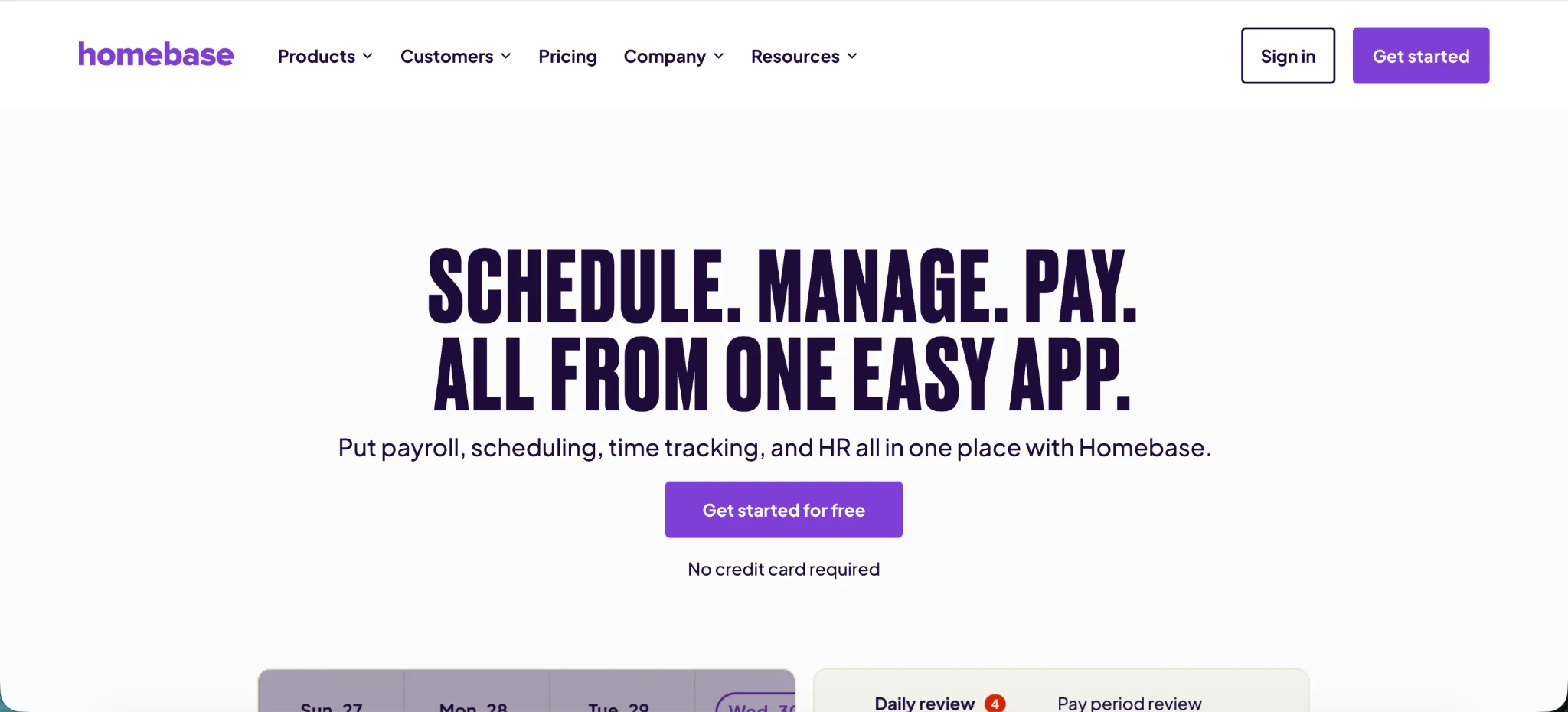
Homebase is built around hourly work. It combines employee scheduling, time clocks, timesheets, payroll, team communication, hiring, onboarding, and labor cost controls in one place. That makes it a stronger fit for restaurants, retail stores, salons, local services, hospitality businesses, and other companies where shifts matter more than projects.
Clockify is closer to a traditional time tracking platform. It helps teams track hours by project, client, task, and employee. It is better for agencies, freelancers, consultants, software teams, and service businesses that need accurate time tracking across billable work.
The real difference is the type of work you manage.
Homebase makes more sense if your biggest problem is running shifts. It helps managers build schedules, control labor costs, track breaks and overtime, communicate with staff, and prepare payroll from the same system. Homebase’s own product pages position it around scheduling, time clocks, payroll, HR, team communication, and labor cost controls for hourly teams.
Clockify makes more sense if your biggest problem is understanding where project time goes. It gives teams time trackers, timesheets, reports, project budgets, scheduling, capacity planning, and client-focused reporting. Clockify’s feature pages focus heavily on tracking time by projects and tasks, then using reports and schedules to compare planned work with tracked hours.
| Aspect | Homebase | Clockify |
|---|---|---|
| Best for | Hourly teams, shift-based businesses, restaurants, retail stores, salons, clinics, gyms, hospitality, and local services | Agencies, freelancers, consultants, software teams, marketing teams, and professional services businesses |
| Main focus | Employee scheduling, time clocks, payroll support, team communication, and labor cost control | Time tracking, projects, tasks, billable hours, reports, budgets, and client work |
| Overall feel | Staff management platform for hourly teams | Project-based time tracking platform |
| Time tracking style | Employees clock in and out for scheduled shifts | Users start timers or add time entries for projects, clients, and tasks |
| Best time tracking use case | Tracking attendance, breaks, overtime, and payroll-ready hours | Tracking billable hours, non-billable work, project time, and client budgets |
| Timer-based tracking | Less focused on project timers | Stronger for timer-based tracking across projects and tasks |
| Manual time entries | Manager-controlled, mainly for missed punches and payroll corrections | Easier for users to add, edit, and move time entries across projects |
| Billable hour tracking | Limited for client billing | Much stronger, with billable rates, project reports, and client-focused tracking |
| Time clocks | Stronger for physical workplaces, shared devices, phones, tablets, and location-based clock-ins | Has kiosk mode, but the time clock setup is less central to the product |
| Kiosk mode | Better for hourly employees clocking in from one workplace | Useful for basic clock-in and clock-out needs |
| Break tracking | Stronger, with break records, missed break visibility, and automated break rules | Available, but more basic and less tied to shift compliance |
| GPS tracking | Stronger for confirming employee clock-ins by location | Available on higher plans, better for project or field-based tracked time |
| Employee scheduling | Core part of the platform, with shifts, availability, time off, swaps, and alerts | Available, but more focused on project planning and capacity |
| Multiple locations | Stronger for businesses with different locations, teams, managers, and schedules | Better for workspaces, projects, clients, and departments |
| Reporting | Stronger for attendance, schedules, overtime, payroll, and labor cost management | Stronger for project reports, billable hours, budgets, utilization, and profitability |
| Labor cost management | Better for shift-based labor costs by employee, schedule, and location | Better for project cost tracking by client, task, and team member |
| Employee monitoring | Stronger for attendance, missed breaks, late arrivals, time off requests, and location-based clock-ins | Stronger for project activity, time entries, approvals, GPS, and screenshots on higher plans |
| Mobile apps | Better for checking schedules, clocking in, swapping shifts, requesting time off, and messaging managers | Better for starting timers, editing entries, switching projects, and tracking billable work |
| Project management | Limited because the platform is built around staff, shifts, and locations | Much stronger for clients, projects, tasks, budgets, estimates, and reports |
| Team management | Better for schedules, availability, shift swaps, time off, attendance, roles, and locations | Better for user groups, project assignments, permissions, billable rates, and approvals |
| Ease of use | Easier for hourly teams that already think in shifts and schedules | Easier for project-based teams that already think in clients, tasks, and budgets |
| Integrations | Stronger fit for payroll, POS systems, hiring, accounting, and staff management tools | Stronger fit for task management, project management, calendars, accounting, and developer tools |
| Pricing model | Charged per location on paid plans | Charged per user on paid plans |
| Free plan | Free for one location with up to 10 employees | Free plan for up to 5 users, with unlimited time tracking |
| Paid plan fit | Better value when many hourly employees work at the same location | Better value for small project-based teams that need low-cost time tracking |
| Biggest advantage | Combines scheduling, time clocks, breaks, payroll support, and labor cost visibility | Strong project-based time tracking with billable hours, reports, budgets, and client tracking |
| Biggest drawback | Weak fit for project-based client work | Weak fit for shift-heavy businesses that need scheduling, payroll, and staff communication |
| Best choice if | You manage hourly employees, schedules, breaks, locations, and payroll | You track time by client, project, task, and billable hour |
Time tracking features
Homebase and Clockify both help teams track hours, review timesheets, and understand where time is going. But they are solving two very different problems.
Homebase is time tracking software for hourly teams. Think restaurants, retail stores, healthcare clinics, salons, gyms, hospitality businesses, and local service companies. If you have accurate records, you can bill more accurately too and be fairer to your patients, which matters a lot when comparing health insurance in Australia, for example. The platform is built around clocking in, clocking out, tracking breaks, managing schedules, and keeping labor costs under control across one or multiple location.
Clockify is better for project-based teams. It helps agencies, freelancers, consultants, software teams, and service businesses track billable hours across clients, tasks, projects, and team members.
The difference becomes clearer once you break down the actual time tracking features.
Timer-based tracking
Clockify feels more natural if your team tracks time by project.
Users can start a timer, choose a project, add a task, mark time as billable, and stop the timer when the work is done. That makes it easy to see how much time went into a client, campaign, sprint, retainer, or internal project.
Clockify works well for teams that need to answer questions like:
- How many hours did we spend on this client?
- Which tasks took longer than expected?
- How much work was billable?
- Which projects are eating up the most time?
- Are we staying within the agreed budget?
Homebase handles time tracking differently.
Employees usually clock in for a shift instead of starting a timer for a specific project. That makes sense for hourly teams where the main goal is knowing who worked, when they worked, whether they took breaks, and how those hours affect payroll.
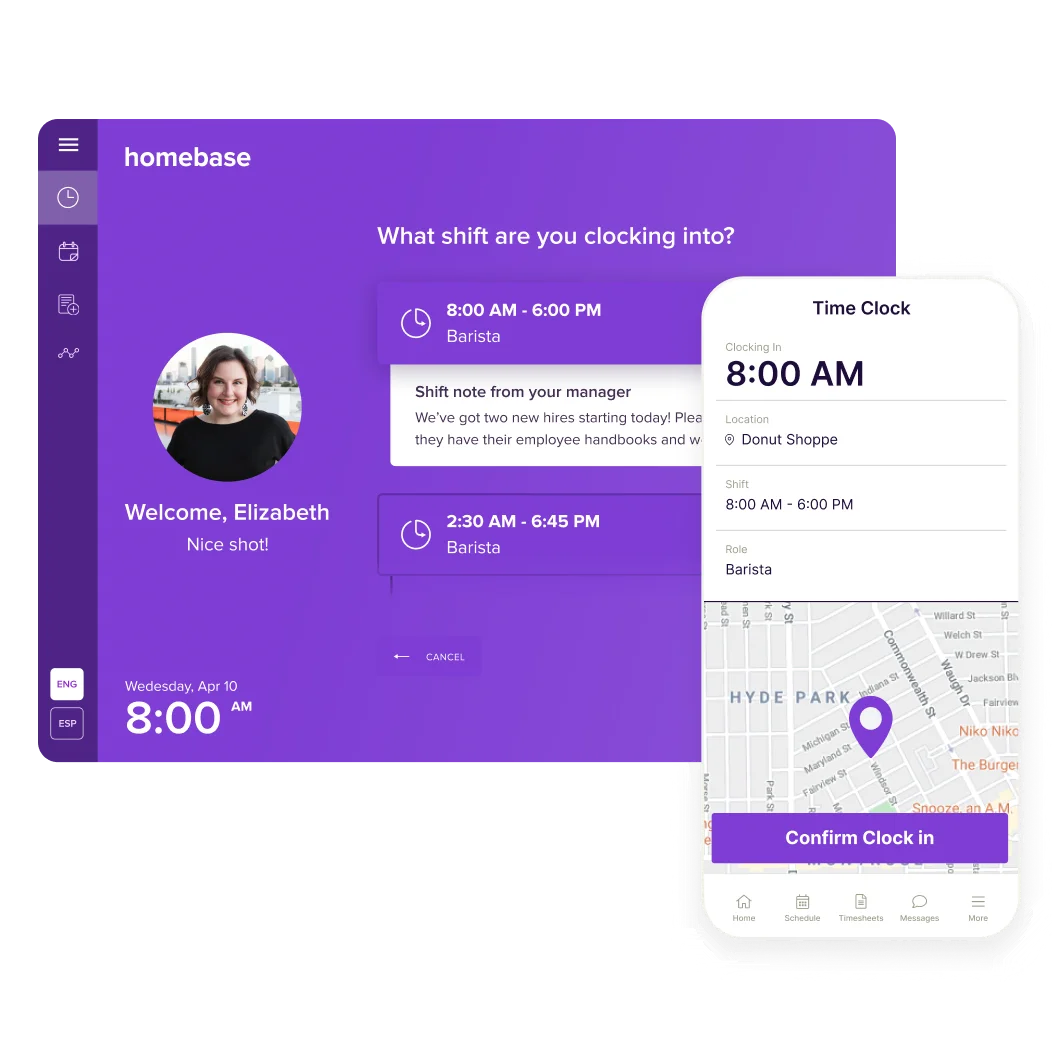
For project-based teams, Clockify’s timer feels more useful. For shift-based teams, Homebase makes more sense.
Manual time entries
Manual time entries are important because people forget things.
Someone forgets to clock in. A manager needs to fix a shift. A consultant forgets to start a timer before a client call. A designer finishes work on one project but logs the time later.
Clockify makes manual time entries very easy. Users can add time after the fact, edit previous entries, move hours between projects, and clean up their timesheet before submitting it. That is helpful for agencies and consultants because billable work rarely happens in perfectly tracked blocks.
There are no built-in automatic time tracking features, which is one of the most common reasons people look at Clockify alternatives.
Homebase also supports time edits, but the feature is more manager-controlled. That makes sense because Homebase time records often feed into payroll. Managers need to correct missed punches, approve changes, and keep clean records for hourly employees.
Clockify gives users more flexibility. Homebase gives managers more control.
Billable hour tracking
Clockify is much stronger if your company needs to track billable hours.
You can assign billable rates by workspace, project, task, or team member. Then you can separate billable and non-billable work in reports. That gives agencies, freelancers, consultants, and service businesses a much clearer view of where money is being made or lost.
Clockify is especially useful for:
- Client retainers
- Hourly consulting
- Agency projects
- Software development
- Design work
- Marketing campaigns
- Internal versus client work
Homebase is not really built around billable client work. It is built around employee hours, schedules, payroll, and labor costs. You can track employee time accurately, but you do not get the same client and project billing structure that Clockify offers.
So if billing clients is the priority, Clockify is the stronger choice.
Time clocks and kiosk mode
Homebase has a clear advantage for physical workplaces.
Employees can clock in from a shared device, phone, tablet, or computer. Kiosk mode is especially useful for businesses where multiple employees clock in from the same location, such as a restaurant, shop, front desk, warehouse, or salon.
Homebase also supports features that matter in shift-based environments:
- Clock in and clock out
- Break tracking
- Missed punch alerts
- Timesheet edits
- Manager approvals
- Schedule-based clock-in rules
- Location-based clock-in controls
Clockify also offers kiosk mode, and it can work well for basic clock-in and clock-out needs. But Homebase feels more purpose-built for teams where employees are physically showing up for shifts.
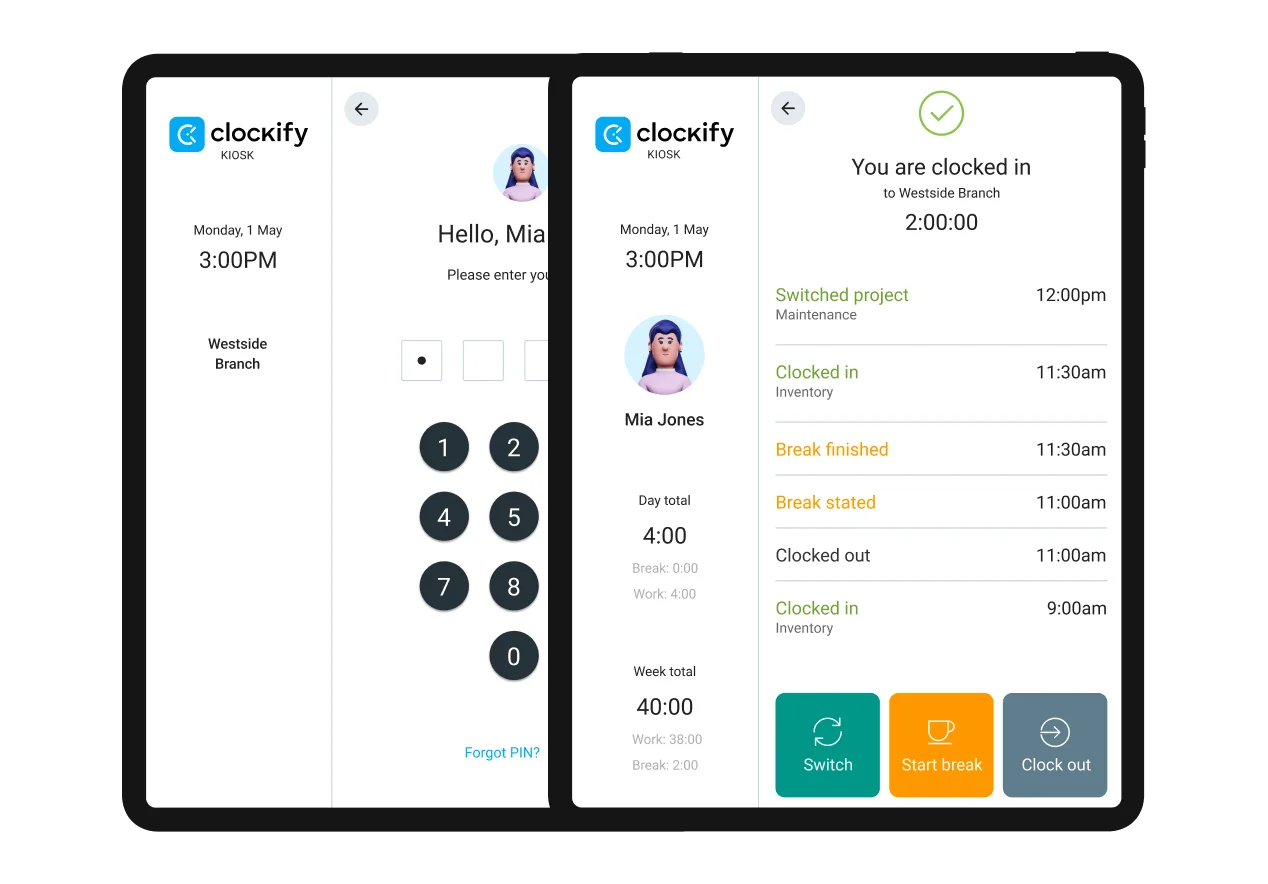
Clockify’s kiosk feature is useful. Homebase’s time clock system is more complete for hourly staff.
Break tracking and automated break rules
Break tracking is one of Homebase’s strongest areas because the platform is built for hourly teams.
Managers can track meal breaks, rest breaks, missed breaks, and break compliance from the same place they manage schedules and timesheets. Homebase can also support automated break rules, which help businesses apply break policies more consistently across employees and locations.
That matters a lot for restaurants, retail, hospitality, healthcare, and other shift-heavy businesses. Breaks affect payroll, labor rules, employee records, and manager accountability.
Clockify can track breaks, too, but it feels more basic in comparison. It works if you need simple time records, but it does not have the same hourly team focus that Homebase does.
For companies where breaks are tied directly to shifts, labor rules, and payroll, Homebase has the better setup.
GPS tracking
GPS tracking matters when employees clock in away from a desk.
Homebase uses location controls to help managers confirm that employees are clocking in from the right place. This is useful for businesses with multiple locations, mobile staff, or teams that work across different job sites.
For example, a manager can use GPS tracking to check whether employees are clocking in from the store, restaurant, clinic, or approved worksite. That helps reduce buddy punching and incorrect time records.
Clockify also offers GPS tracking on higher plans. It can be useful for field teams, mobile workers, and companies that need location data tied to tracked time.
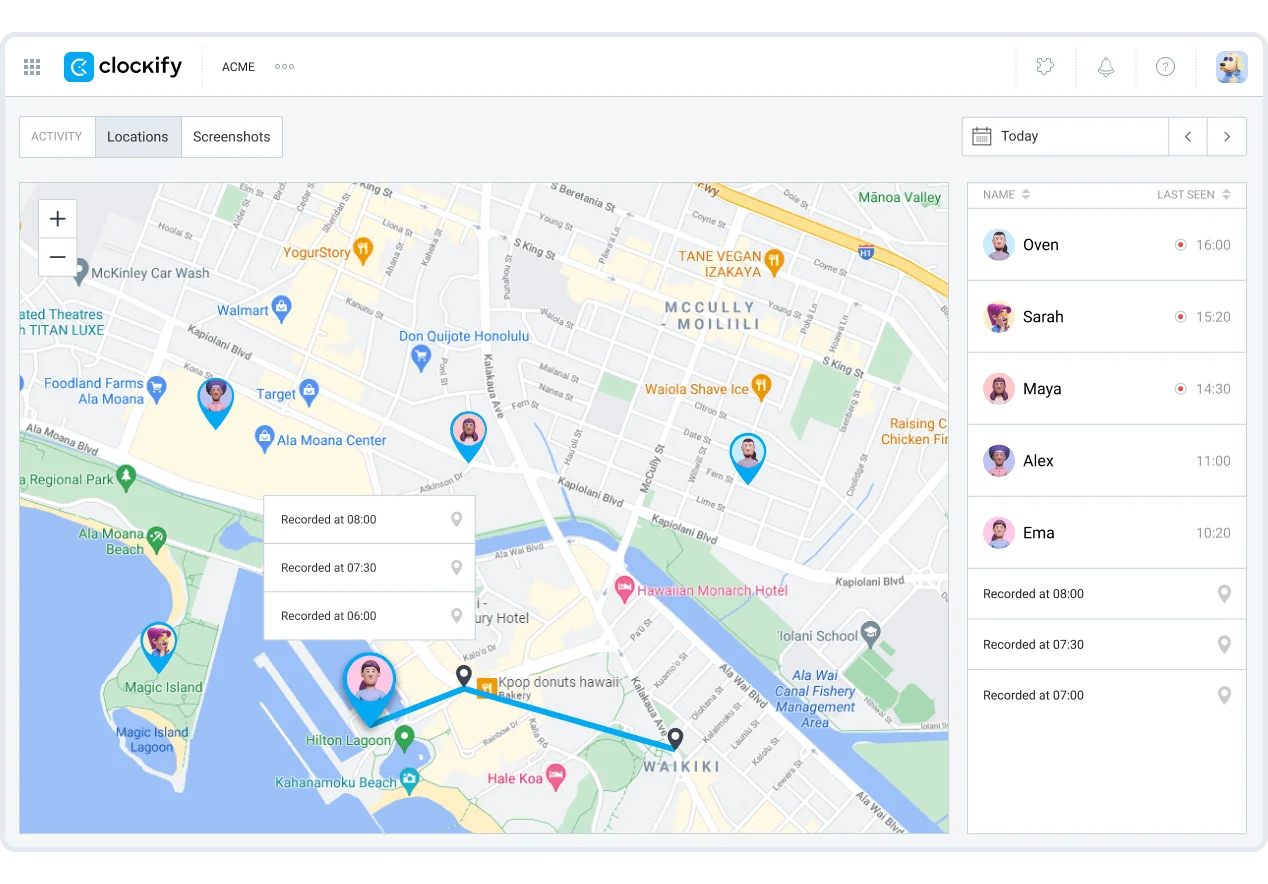
The difference is the context.
Homebase connects GPS to shifts, schedules, time clocks, and labor management. Clockify connects GPS more to tracked time, projects, and reports.
Homebase is better for location-based employee attendance. Clockify is better when location tracking needs to support project or client-based work.
Scheduling and time tracking together
Homebase has a stronger link between scheduling and time tracking.
That is a major difference.
Managers can build schedules, publish shifts, handle availability, review time off, track clock ins, compare scheduled hours against actual hours, and see labor costs in one place. That makes Homebase much more useful for businesses where staffing levels change daily.
The platform helps managers see:
- Who was scheduled
- Who actually showed up
- Who clocked in late
- Who missed a break
- Which shifts created overtime risk
- How actual hours compare with planned hours
- How schedules affect labor costs
Clockify has scheduling and capacity planning features, but they are more project-focused. They help managers plan work, assign people, and compare estimated time against tracked time.
Homebase is better for employee scheduling. Clockify is better for project planning.
Multiple locations
Homebase is much stronger for businesses with multiple locations.
A restaurant group, retail chain, gym franchise, or local service business can manage schedules, employees, labor costs, time clocks, and payroll across locations. The pricing model also reflects that because Homebase charges by location on its paid plans.
That matters when each location has its own staff, schedules, managers, and labor cost targets.
Clockify can support teams across different departments or workspaces, but it is not built around physical locations in the same way. It is better for grouping work by clients, projects, teams, and tasks.
Use Homebase if the business is organized around locations. Use Clockify if the business is organized around projects.
Free time tracking software
Both tools can work as free time tracking software, but the free plans are useful for different reasons.
Clockify’s free plan is better for people who want basic time tracking across projects and clients. It gives individuals and smaller teams a low-barrier way to track time, review reports, and organize work without paying right away.
Homebase’s free plan is better for small hourly teams that operate from one location. It gives businesses a starting point for scheduling, time clocks, timesheets, and basic team management.
The practical difference is simple.
Clockify’s free plan is stronger for project time tracking. Homebase’s free plan is stronger for shift-based teams at a single location.
Timesheets and approvals
Timesheets sit at the center of both tools, but they serve different users.
Clockify timesheets help project-based teams review where time went. Managers can approve entries, lock time periods, review billable hours, and export reports for invoicing or internal analysis.
Homebase timesheets are more payroll-focused. Managers can review clock-ins, breaks, overtime, missed punches, and edited time before payroll runs.
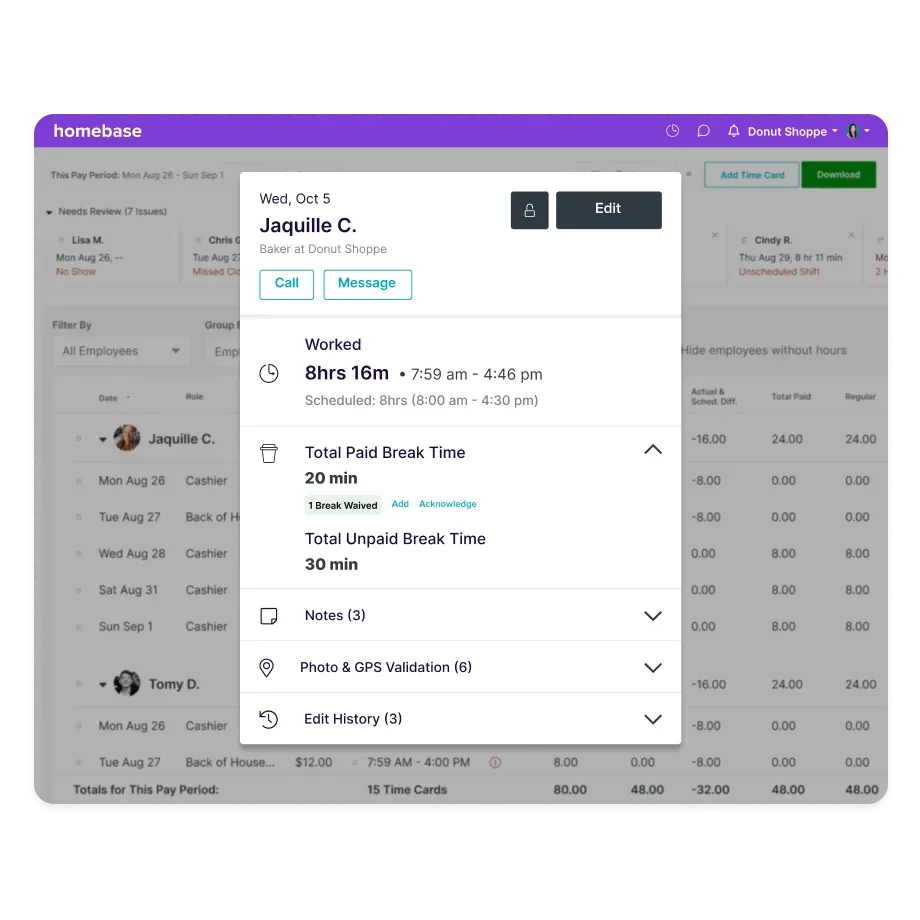
Homebase is stronger if timesheets need to become payroll-ready records. Clockify is stronger if timesheets need to explain project work, client billing, and team utilization.
Overtime and labor cost visibility
Homebase has a stronger setup for overtime and labor costs.
Because scheduling, time clocks, breaks, and payroll sit together, managers can spot overtime risks before they become expensive. That is especially useful for hourly businesses where labor costs can change quickly from one shift to the next.
Homebase helps managers compare scheduled hours against actual hours, track overtime, and understand how staffing decisions affect costs.
Clockify can track labor costs too, especially on paid plans. It is useful for project profitability and budget control. But it is less focused on shift-by-shift labor management.
Homebase helps control labor costs for hourly teams. Clockify helps control project costs for client work.
Reporting features
Reporting is where Homebase and Clockify start to separate properly.
Both tools can show who worked, how many hours were tracked, and where time went. But Homebase reporting is built around hourly teams, shifts, payroll, and labor cost management. Clockify reporting is built around projects, clients, billable hours, budgets, and team utilization.
So the better reporting tool depends on what you are trying to understand.
Homebase reporting
Homebase reports are strongest when managers need to understand staffing, attendance, schedules, and labor costs.
That makes sense because Homebase time tracking is built around hourly employees. Reports are tied closely to clock-ins, clock-outs, breaks, overtime, schedules, payroll, and team availability.
For restaurants, retail stores, hospitality businesses, clinics, salons, and local service companies, that is usually the information managers care about most.
Homebase can help answer questions like:
- Who clocked in late?
- Who missed a break?
- Which shifts created overtime?
- How do actual hours compare with scheduled hours?
- Are labor costs staying within target?
- Which location is overstaffed or understaffed?
- Which employees worked the most hours this week?
The strongest part is how reporting connects to employee scheduling.
Managers can compare planned hours with actual hours and see how schedule changes affect labor costs. That is much more useful for shift-based businesses than a generic time report.
Homebase also makes more sense for companies with multiple locations. A manager can look at labor patterns by location, review staffing needs, and spot cost problems before payroll becomes painful.
Clockify reporting
Clockify reports are stronger for project-based teams.
Clockify time tracking gives managers more visibility into clients, projects, tasks, billable hours, non-billable work, budgets, and team capacity. The reports are less about who showed up for a shift and more about where work time actually went.
That makes Clockify a better fit for:
- Agencies
- Freelancers
- Consultants
- Software teams
- Marketing teams
- Design teams
- Professional services businesses
Clockify can help answer questions like:
- How much time did we spend on this client?
- Which projects are over budget?
- How much work was billable?
- Which tasks took longer than expected?
- Which team members are overloaded?
- Which clients are taking up the most resources?
- Are project estimates accurate?
Clockify also gives you more features for breaking down time by project, client, task, tag, user, billable status, and date range. That level of filtering is useful when reports need to support invoices, retainers, project reviews, and profitability analysis.
For client work, Clockify has a clearer reporting setup.
Labor cost management
Homebase has the edge for labor cost management.
Because schedules, timesheets, breaks, overtime, and payroll sit close together, Homebase gives managers a more practical view of labor costs in hourly businesses. You can see how staffing decisions affect payroll before the week is over, which matters a lot in restaurants, retail, and hospitality.
Clockify can track labor costs, too, especially on paid plans. It is useful when you want to compare labor cost against project budgets or client revenue. But it is more project-focused than shift-focused.
The difference is simple.
Homebase helps you control labor costs by shift, employee, and location.
Clockify helps you understand labor costs by project, client, and task.
Report exports and approvals
Both platforms can support cleaner reporting through timesheet approvals and exports.
Clockify is better when reports need to become client invoices or internal project summaries. Managers can filter time entries, approve timesheets, export reports, and use the data for billing or budget reviews.
Homebase is better when reports need to support payroll and employee records. Managers can review timesheets, correct missed punches, check breaks, approve hours, and prepare payroll data.
Again, the use case decides the winner.
Clockify is stronger for client reporting.
Homebase is stronger for payroll reporting.
Employee monitoring tools
Homebase and Clockify both give managers visibility into employee hours, but neither platform is trying to be heavy surveillance software.
That is important.
If you need screenshots, app tracking, URL tracking, keyboard activity, or deep productivity monitoring, neither Homebase nor Clockify is the strongest choice compared with tools like Hubstaff. But if you want to track attendance, review timesheets, manage schedules, and keep better records of employee hours, both tools can work well.
The difference is the kind of monitoring they support.
Homebase is built around attendance and shift control. Clockify is built around tracked time, projects, and user activity inside the time tracker.
Homebase gives managers a much better setup for hourly teams. You can see who clocked in, who clocked out, who missed a break, who arrived late, and who forgot to punch out. For restaurants, retail stores, clinics, salons, gyms, and hospitality businesses, that is usually the monitoring that actually matters.
Homebase can help managers:
- Track attendance across shifts
- Review clock-ins and clock-outs
- See missed breaks
- Spot late arrivals
- Approve edited timesheets
- Manage time off requests
- Let employees request time from the app
- Handle time off management
- Review overtime risk
- Monitor attendance across one or more locations
That makes Homebase more useful for businesses where employees work scheduled shifts and managers need clean attendance records before payroll.
Clockify gives you a different kind of oversight.
Managers can see who tracked time, which projects they worked on, how many hours they logged, and whether their timesheets were submitted correctly. On higher-paid plans, Clockify also adds more advanced features such as screenshots, GPS tracking, attendance controls, overtime tracking, and approvals.
Clockify can help managers:
- Review time entries by user
- Check billable and non-billable hours
- Approve or reject timesheets
- Lock older time periods
- Track project activity
- Use GPS tracking on higher plans
- Use screenshots on higher plans
- Review attendance and overtime
- Compare planned hours with tracked hours
That works better for project-based teams where the manager wants to know how time was spent, rather than whether someone followed a shift schedule.
The biggest difference is context.
Homebase monitoring starts with the shift. Did the employee show up? Did they clock in from the right place? Did they take the required break? Did they request time off properly? Is payroll going to be clean?
Clockify monitoring starts with the project. What did the employee work on? How much time did they track? Was the work billable? Did the entry get approved? Is the project staying within budget?
For hourly businesses, Homebase gives managers more practical visibility. For agencies, consultants, and service teams, Clockify gives cleaner oversight of tracked work.
Neither tool is ideal if your goal is deep employee surveillance. But that may actually be a good thing. Most teams do not need invasive monitoring to manage time properly. They need accurate attendance, clean timesheets, clear approvals, and enough visibility to catch problems before they affect payroll or client billing.
Mobile apps
Mobile is where the difference between Homebase and Clockify becomes very obvious.
Homebase is built for employees who need to check schedules, clock in, request time off, swap shifts, message managers, and handle shift management from their phone.
Clockify is built for people who need reliable time tracking while moving between meetings, client work, projects, and tasks.
That sounds like a small difference. In practice, it changes the whole app experience.
Homebase’s mobile app feels more natural for hourly teams. Employees can open the app, check their next shift, clock in, clock out, view their hours, and send a message to the manager without needing a separate tool. For small businesses with shift workers, that matters a lot because employees are not sitting at a desk all day.
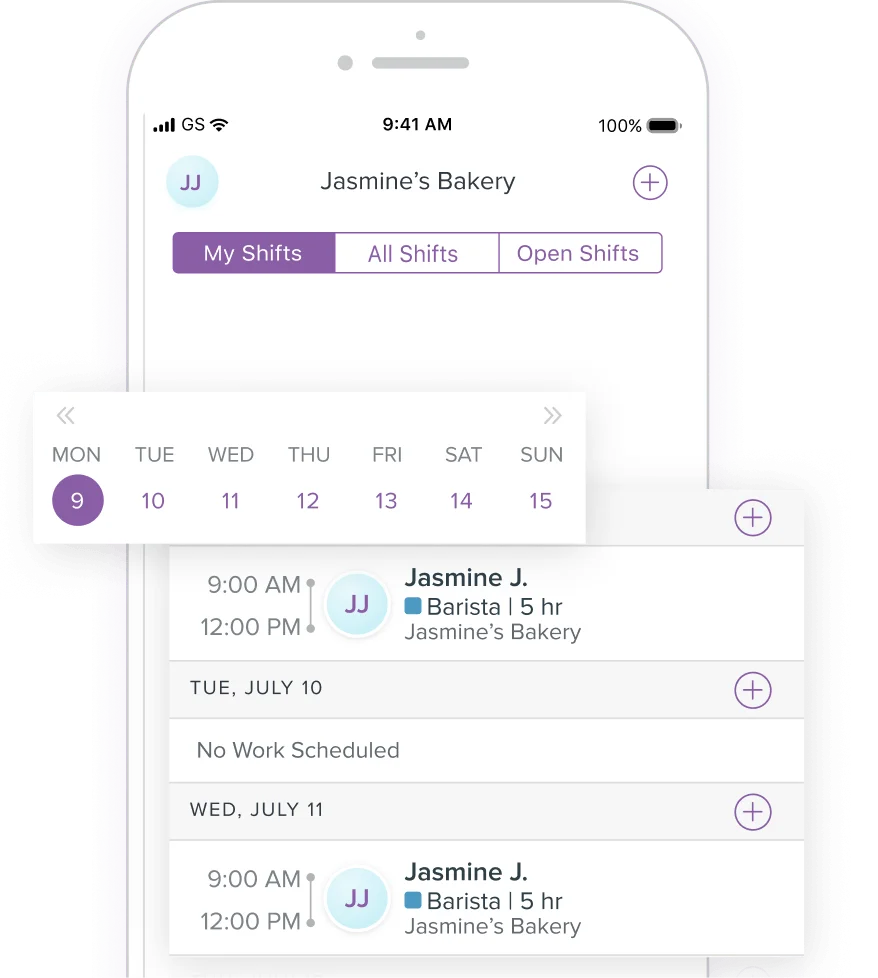
The app is useful for:
- Viewing schedules
- Clocking in and out
- Managing breaks
- Requesting time off
- Swapping shifts
- Messaging teammates
- Checking worked hours
- Getting schedule updates
- Handling basic team communication
That makes Homebase stronger for restaurants, retail stores, salons, gyms, clinics, hospitality businesses, and local services. The mobile app supports the way hourly teams actually work, where the schedule is often just as important as the timesheet.
Clockify’s mobile app has a different job.
It gives users a clean way to start timers, add manual entries, switch projects, mark time as billable, and review tracked hours. It works well for project-based teams that need to log time away from the desktop app, especially consultants, freelancers, agencies, and service teams.
Clockify’s mobile app is useful for:
- Starting and stopping timers
- Adding manual time entries
- Switching between projects
- Marking time as billable
- Reviewing tracked hours
- Editing timesheets
- Tracking work across clients
- Syncing time with the web and desktop app
The user-friendly interface helps here. Clockify does not try to turn the mobile app into a full staff management system. It stays focused on time entries, projects, clients, and reports.
Homebase gives employees more day-to-day workplace tools. Clockify gives project-based workers a simpler mobile time tracker.
The stronger app depends on what your team does.
For hourly teams, Homebase is better because the app connects time tracking with schedules, breaks, time off, messaging, and attendance.
For project-based teams, Clockify is better because the app keeps time tracking close to projects, tasks, clients, and billable hours.
Small businesses with hourly workers will probably get more value from Homebase. Agencies, freelancers, consultants, and service teams will probably find Clockify easier for reliable time tracking across project work.
Project management features
Homebase and Clockify both help teams organize work, but Clockify is much stronger if you actually need project management tied to time tracking.
Homebase is built around people, shifts, locations, and labor costs.
Clockify is built around projects, clients, tasks, budgets, and tracked hours.
That difference matters a lot.
Homebase can help managers understand who is working, when they are working, and how those hours affect staffing costs. But it is not really built for managing client projects, tracking task progress, or comparing estimated hours against actual project time.
Clockify is much closer to a project tracking tool.
You can create clients, add projects, break work into tasks, assign people, set billable rates, and review how much time each project consumes. That makes it more useful for agencies, consultants, freelancers, software teams, and service businesses.
Clockify’s project management features include:
- Client and project tracking
- Task tracking
- Project templates
- Billable and non billable hours
- Project budgets
- Project estimates
- Hourly rates by person, task, or project
- Time reports by project
- Team assignments
- Project status tracking
That setup makes Clockify much better for answering questions like:
- Are we going over budget?
- Which client is taking up the most time?
- Which tasks are slowing the team down?
- How much of the project was billable?
- Did our original estimate match the actual hours?
- Which team members worked on each project?
Homebase has a lighter project management setup because it is focused on shift-based teams. Managers can organize employees by departments, roles, locations, and schedules, but that is different from managing project work.
Homebase is more useful for:
- Assigning employees to shifts
- Managing departments
- Tracking labor by location
- Reviewing scheduled versus actual hours
- Managing availability
- Handling time off
- Controlling staffing costs
For a restaurant, salon, retail store, clinic, or hospitality business, that kind of structure is more useful than project boards or client budgets. Managers mostly need to know whether the right people are scheduled, whether employees showed up, and whether labor costs are staying under control.
For project-based teams, Clockify wins easily.
Homebase helps run the staff side of the business. Clockify helps manage the work side of the business.
If your team bills clients, works across multiple projects, tracks tasks, or needs to understand project profitability, Clockify is the better fit. If your business is built around shifts, locations, and hourly employees, Homebase gives you the structure you actually need.
Team management tools
Homebase is much stronger for managing employees as people on a schedule. Clockify is stronger for managing users as contributors to projects.
That sounds like a small distinction, but it changes the entire team management experience.
Homebase gives managers a proper staff management setup. You can build schedules, assign roles, track attendance, manage time off, message employees, approve shift swaps, and prepare payroll from the same system. For restaurants, retail stores, salons, gyms, clinics, hospitality teams, and field service businesses, those features are much more useful than a simple project timer.
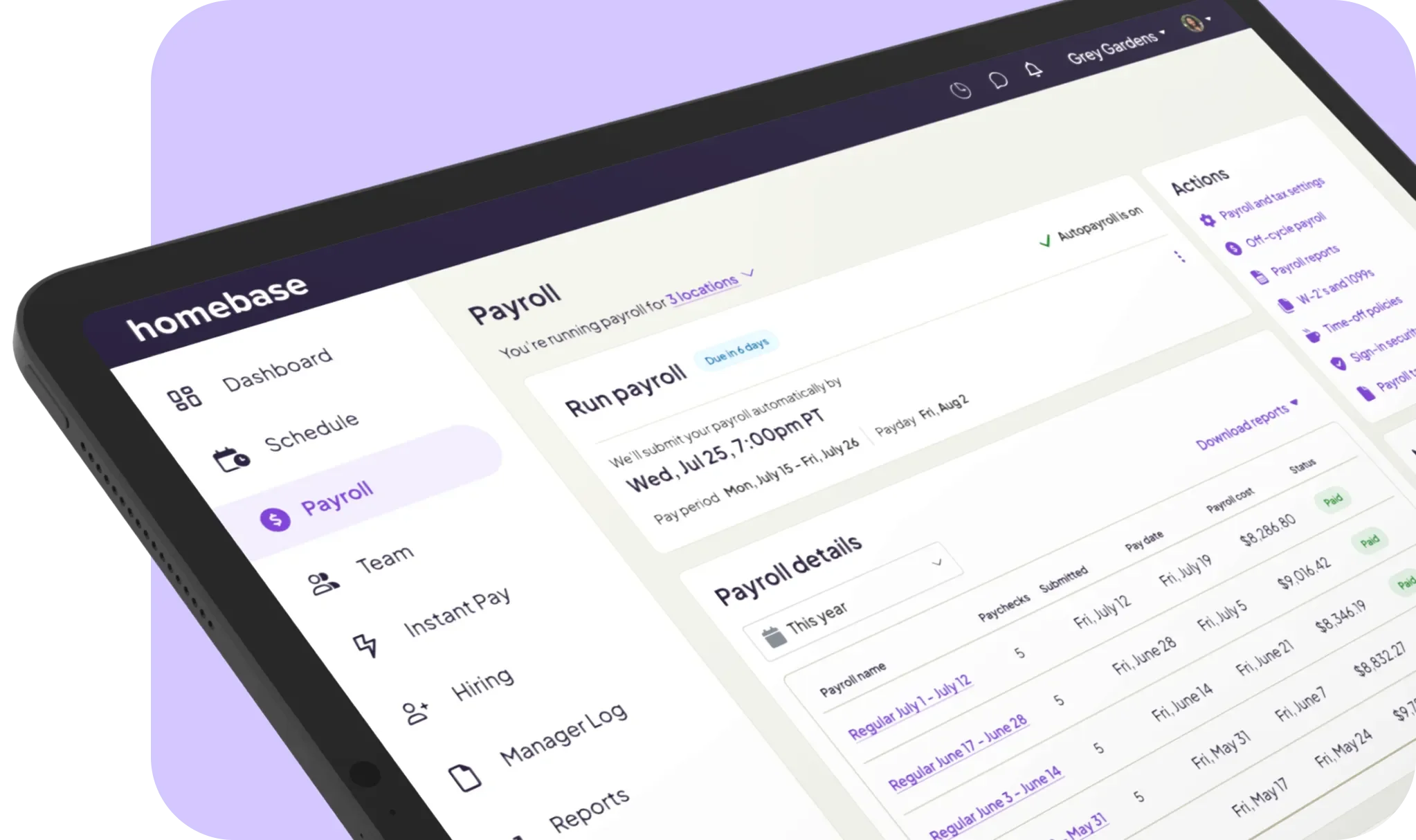
Homebase team management tools include:
- Employee scheduling
- Shift swaps
- Availability tracking
- Time off requests
- Team messaging
- Clock in controls
- Attendance tracking
- Break tracking
- Payroll preparation
- Roles and permissions
- Location-based management
The scheduling feature is the real center of the platform. Managers can see who is working, who is available, who requested time off, and whether the team has enough coverage for each shift.
That makes Homebase a better fit for businesses where staffing changes every day.
Clockify handles team management from a project and reporting angle.
Admins can invite users, assign them to projects, manage permissions, approve timesheets, set billable rates, and review team activity. It works well for budget-conscious teams that need visibility into hours without buying a heavier workforce management platform.
Clockify team management tools include:
- User groups
- Project assignments
- Team activity reports
- Timesheet approvals
- Billable rates by user
- Role-based permissions
- Workspace admin tools
- Attendance and overtime on paid plans
- Project access controls
- Capacity planning on higher plans
Clockify makes more sense when managers need to understand who worked on which project, how many hours they tracked, and whether those hours were billable.
Homebase gives managers more control over schedules and staff coverage.
Clockify gives managers more control over project time and team reporting.
For hourly teams, Homebase is easier to run day to day because employees can check schedules, request time off, swap shifts, and clock in from one app. For agencies, consultants, freelancers, and service businesses, Clockify is easier because the team management layer stays close to time tracking, budgets, and client work.
Ease of use
Homebase and Clockify are both easy enough to learn, but they feel simple for different reasons.
Homebase feels easy if your team already thinks in shifts. Managers build a schedule, employees clock in, breaks are tracked, timesheets are reviewed, and payroll gets prepared. The product matches the way hourly teams already work.
Clockify feels easy if your team thinks in projects. Users start a timer, choose a client or project, add a task, and review where their hours went later.
That difference matters more than the interface itself.
Homebase gives small businesses one place to manage the basics of hourly work:
- Creating schedules
- Tracking clock ins
- Managing breaks
- Reviewing timesheets
- Handling time off
- Messaging employees
- Preparing payroll
- Monitoring labor costs
For restaurants, retail stores, salons, gyms, clinics, and hospitality businesses, this feels practical. Employees do not need to understand client budgets or project reports. They just need to know when they work, where to clock in, and how to request changes.
Clockify is easier for teams that need flexible time tracking across clients, projects, and tasks.
The day-to-day experience is simple:
- Start a timer
- Pick a project
- Add a task
- Mark time as billable
- Edit entries later
- Review reports
- Export hours for invoicing
That makes Clockify easier for freelancers, agencies, consultants, marketing teams, developers, and service businesses. The platform does not force users into shift management features they do not need.
Homebase can feel heavier if you are a project-based team because so much of the product is built around employees, locations, schedules, and payroll. Clockify can feel limited if you manage hourly workers because it does not give you the same scheduling, communication, and payroll-ready setup.
The cleaner choice depends on the team.
Homebase is easier when managers need to run shifts and keep hourly staff organized.
Clockify is easier when users need to track time across multiple clients, projects, and tasks without dealing with employee scheduling tools.
Integrations
Integrations are less about quantity here and more about what each platform expects you to connect.
Homebase is built to connect employee scheduling, payroll, hiring, point of sale systems, and team communication. Clockify is built to connect time tracking with task management, project tools, calendars, accounting apps, and developer platforms.
So the integration gap comes down to the type of business you run.
Homebase makes more sense if your tools revolve around hourly employees. Restaurants, retail stores, salons, gyms, and local service businesses usually care about payroll, POS systems, hiring, and staff communication more than Jira tickets or project budgets.
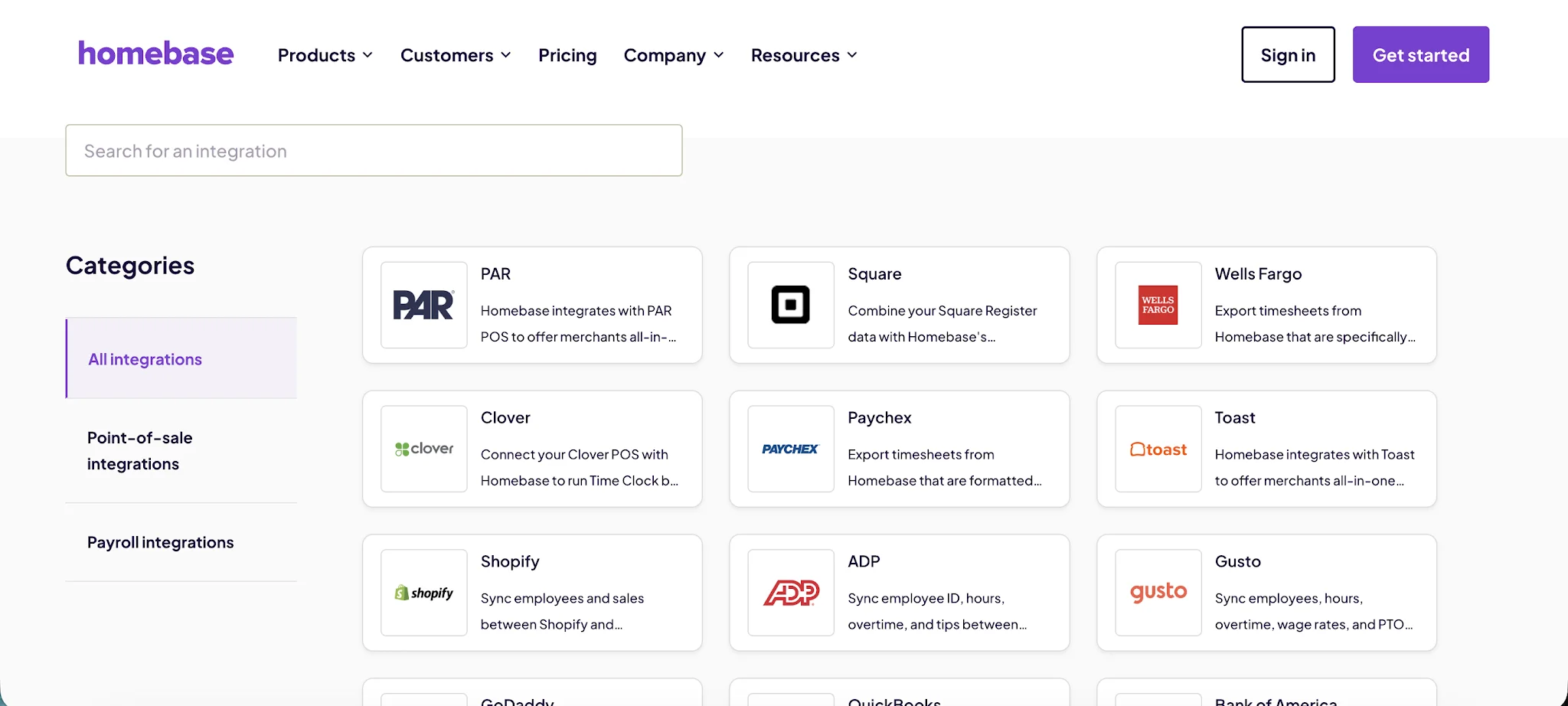
Homebase connects with tools for:
- Payroll
- Point of sale systems
- Job boards
- Accounting
- Team communication
- Employee management
- HR and onboarding
That makes it useful when schedules, clock ins, timesheets, and payroll need to stay connected. For example, a restaurant can use Homebase to build schedules, track attendance, approve hours, and push payroll data forward without forcing managers to move between too many systems.
Clockify fits a different stack.
A Clockify workspace is usually connected to tools where project work already happens. That means platforms like Asana, Trello, Jira, ClickUp, Monday, GitHub, Google Calendar, QuickBooks, and similar apps.
Clockify is stronger when your team needs to:
- Track time from project management tools
- Connect time entries to multiple tasks
- Log hours against clients and projects
- Sync tracked time with calendars
- Send reports into accounting tools
- Track billable hours from task management apps
- Use browser extensions to start timers inside other software
For agencies, consultants, freelancers, software teams, and marketing teams, that matters more than payroll or POS integrations. People do not want to open a separate timer every time they switch tasks. They want time tracking to sit inside the tools they already use.
That is where Clockify has a better integration experience for project-based work.
Homebase helps hourly businesses connect scheduling, time clocks, payroll, and staff management. Clockify helps project-based teams connect time tracking with clients, tasks, budgets, reports, and accounting.
The phrase seamless integrations gets thrown around too often, but in this case, the practical meaning is simple: the best integration setup is the one that matches how your team already works.
If your day starts with a shift schedule, Homebase is the better fit.
If your day starts inside a project board, calendar, or task management tool, Clockify makes more sense.
Pricing plans
Homebase and Clockify price their products in completely different ways.
Homebase charges by location, which makes more sense for restaurants, retail stores, salons, clinics, and other businesses with hourly teams. Clockify charges by user, which makes more sense for project-based teams where each person tracks time across clients, tasks, and budgets.
Homebase pricing
Homebase has a free plan, but it is built for one location with up to 10 employees. After that, paid plans include unlimited employees and charge per location, which can be a better deal for businesses with larger hourly teams in one place.
- Basic: $0 per location per month, for 1 location and up to 10 employees. Includes basic scheduling, basic time tracking, point of sale integration, and payroll as an optional add on.
- Essentials: $24 per location per month with annual billing, or $30 per location per month when billed monthly. Includes unlimited employees, advanced scheduling, advanced time tracking, team communication, and payroll as an optional add-on.
- Plus: $56 per location per month when billed annually, or $70 per location per month when billed monthly. Includes unlimited employees, scheduling assistant, PTO and time off controls, departments, permissions, and payroll as an optional add-on.
- All-in-One: $96 per location per month when billed annually, or $120 per location per month when billed monthly. Includes unlimited employees, employee onboarding, labor cost management, HR, compliance tools, and payroll as an optional add-on.
- Payroll add-on: $39 per month, plus $6 per month per employee paid.
Homebase pricing is easier to justify if you manage hourly staff, shifts, breaks, multiple locations, and payroll. The per-location model means a 20-person restaurant can pay one location fee instead of paying for 20 separate seats. That is where Homebase starts looking much more practical than standard time trackers.
Clockify pricing
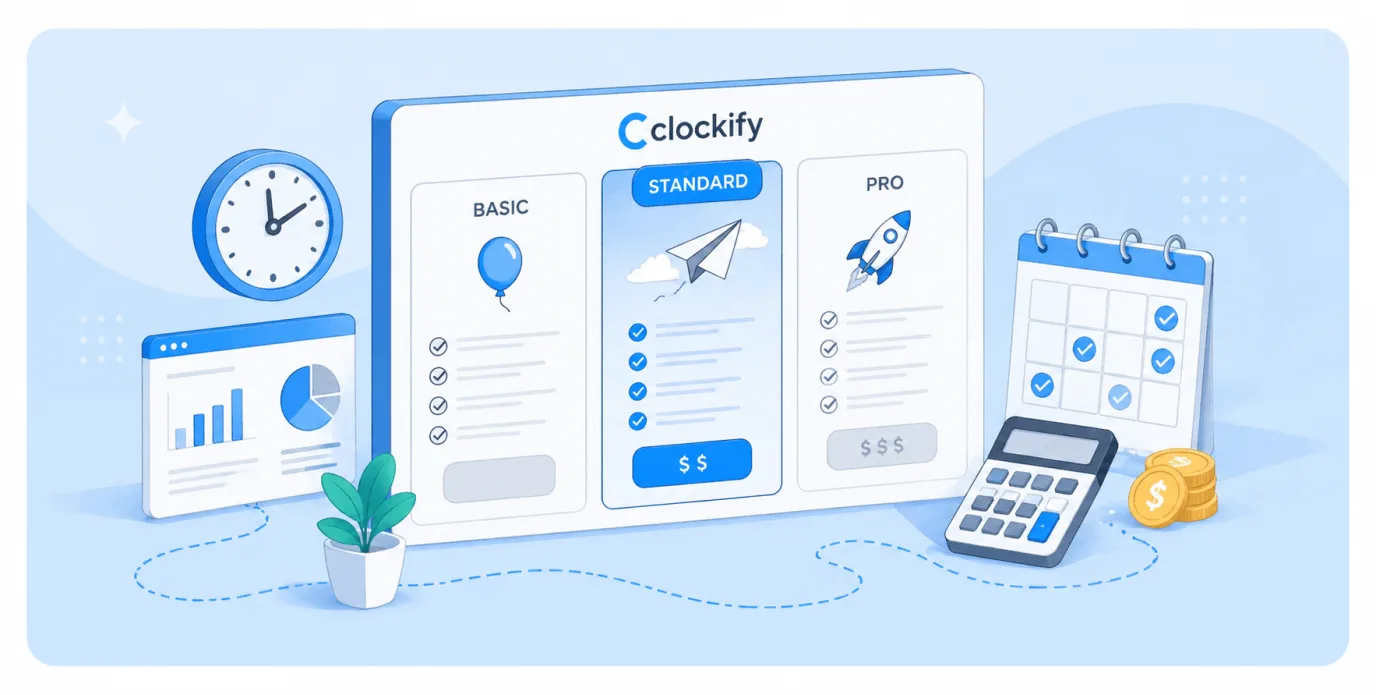
Clockify pricing is built around users. The free forever plan is still useful for basic time tracking, but based on the current Clockify pricing page, it is listed as free for up to 5 users. That means older mentions of an unlimited free plan or unlimited users need to be treated carefully if you are writing for 2026.
Clockify does still offer unlimited time tracking, meaning users can track as much time as they need without a time cap. Paid plans add more admin controls, approvals, invoicing, labor cost tracking, scheduling, GPS tracking, screenshots, and security features.
- Free version: $0, for up to 5 users. Includes time tracking, timesheets, calendar, reports, projects, team activity, apps, and basic project tracking.
- Basic: $3.99 per seat per month when billed annually, or $4.99 per seat per month when billed monthly. Adds admin controls, bulk edits, kiosk, time audit, project templates, billable rates, and related controls.
- Standard: $5.49 per seat per month when billed annually, or $6.99 per seat per month when billed monthly. Adds time off, invoicing, recurring invoices, approvals, locked time, attendance, overtime, task rates, and QuickBooks integration.
- Pro: $7.99 per seat per month when billed annually, or $9.99 per seat per month when billed monthly. Adds scheduling, forecasting, expenses, labor cost and profit, budgets, alerts, GPS tracking, and screenshots.
- Enterprise: $11.99 per seat per month when billed annually, or $14.99 per seat per month when billed monthly. Adds single sign on, custom subdomain, SCIM provisioning, control accounts, audit log, and higher security controls.
- CAKE.com Bundle: $12.99 per seat per month when billed annually, or $15.99 per seat per month when billed monthly. Includes Clockify Enterprise features plus other CAKE.com products.
Clockify also has lower-priced limited kiosk seats for workers who only need to clock in from kiosk mode. These start at $0.79 per limited seat per month when billed annually on the Basic plan.
The pricing difference is pretty simple. Homebase is better priced for hourly businesses that want scheduling, time clocks, payroll support, and labor cost management by location. Clockify is cheaper for small project-based teams, but the cost grows per person once you move into paid plans.
Homebase vs Clockify: Which one should you get?
Still not sure which of the two time tracking tools is better? Here is a simple breakdown.
Get Homebase if:
- You run an hourly team that works in shifts
- You manage a restaurant, retail store, salon, gym, clinic, hospitality business, or field service company
- You need employee scheduling, time clocks, breaks, and payroll support in one place
- You care more about attendance, coverage, and labor costs than project profitability
- Your team needs to request time off, swap shifts, and check schedules from a mobile app
- You manage one or multiple locations with different staff, managers, and schedules
- You want stronger team communication features for hourly employees
- You prefer paying per location instead of per user
Homebase is the better fit for businesses where the schedule drives everything. If your main problem is knowing who is working, who showed up, who missed a break, and how those hours affect payroll, Homebase makes much more sense than a project-based time tracker.
Get Clockify if:
- You need time tracking for client work, projects, and tasks
- You run an agency, consultancy, software team, freelance business, or professional services company
- You need to track billable hours across multiple clients
- You care about project budgets, estimates, reports, and team utilization
- Your team works across Asana, Trello, Jira, ClickUp, Monday, GitHub, or similar tools
- You want flexible time entries, timers, approvals, and exportable reports
- You are a budget-conscious team that wants strong free time tracking software
- You do not need full employee scheduling, payroll, or shift management
Clockify is the better fit for project-based teams that need to understand where work time goes. If your main problem is tracking hours by client, task, team member, and budget, Clockify gives you more useful reporting and cleaner project visibility.
For most hourly businesses, Homebase will feel more practical because it handles the messy parts of managing people on shifts.
For most project-based teams, Clockify will feel more natural because it keeps time tracking tied to clients, tasks, budgets, and billable work.
Track time automatically with Timely instead
Homebase and Clockify are both useful tools, but they still ask teams to think about time tracking too much.
Homebase works well when you need schedules, clock ins, breaks, payroll support, and labor cost controls for hourly teams.
Clockify works well when you need timers, projects, tasks, billable hours, reports, and client work tracking.
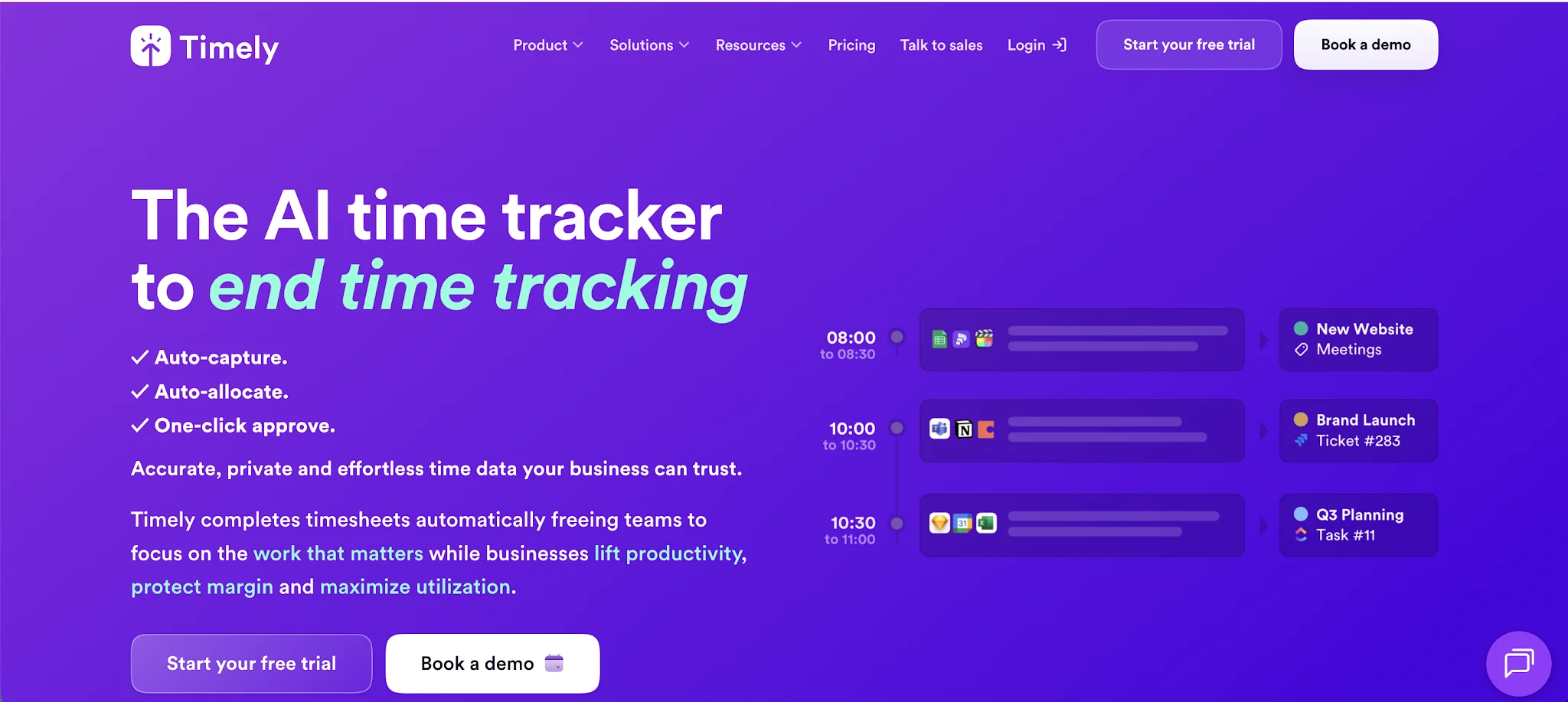
Timely takes a different route. It tracks work automatically in the background, then helps users turn that activity into accurate timesheets. Instead of asking people to remember every timer, every task, and every project switch, Timely gives them a private timeline they can review and approve.
For agencies, consultants, SaaS teams, and professional services companies, it solves one of the biggest problems with traditional time tracking: messy timesheets filled in at the end of the day or week.
Timely gives teams:
- Automatic time tracking
- AI-generated timesheets
- Project dashboards
- Budget and cost tracking
- Team planning
- Capacity management
- Overtime and undertime tracking
- Billable rate tracking
- Reporting for client work
- Integrations with project management and accounting tools
It is especially useful when your team needs accurate project visibility, but does not want to live inside timers all day.
So the choice is pretty simple.
Use Timely if your team wants accurate timesheets without constantly starting and stopping timers.
Try Timely today and make time tracking feel less like admin work.