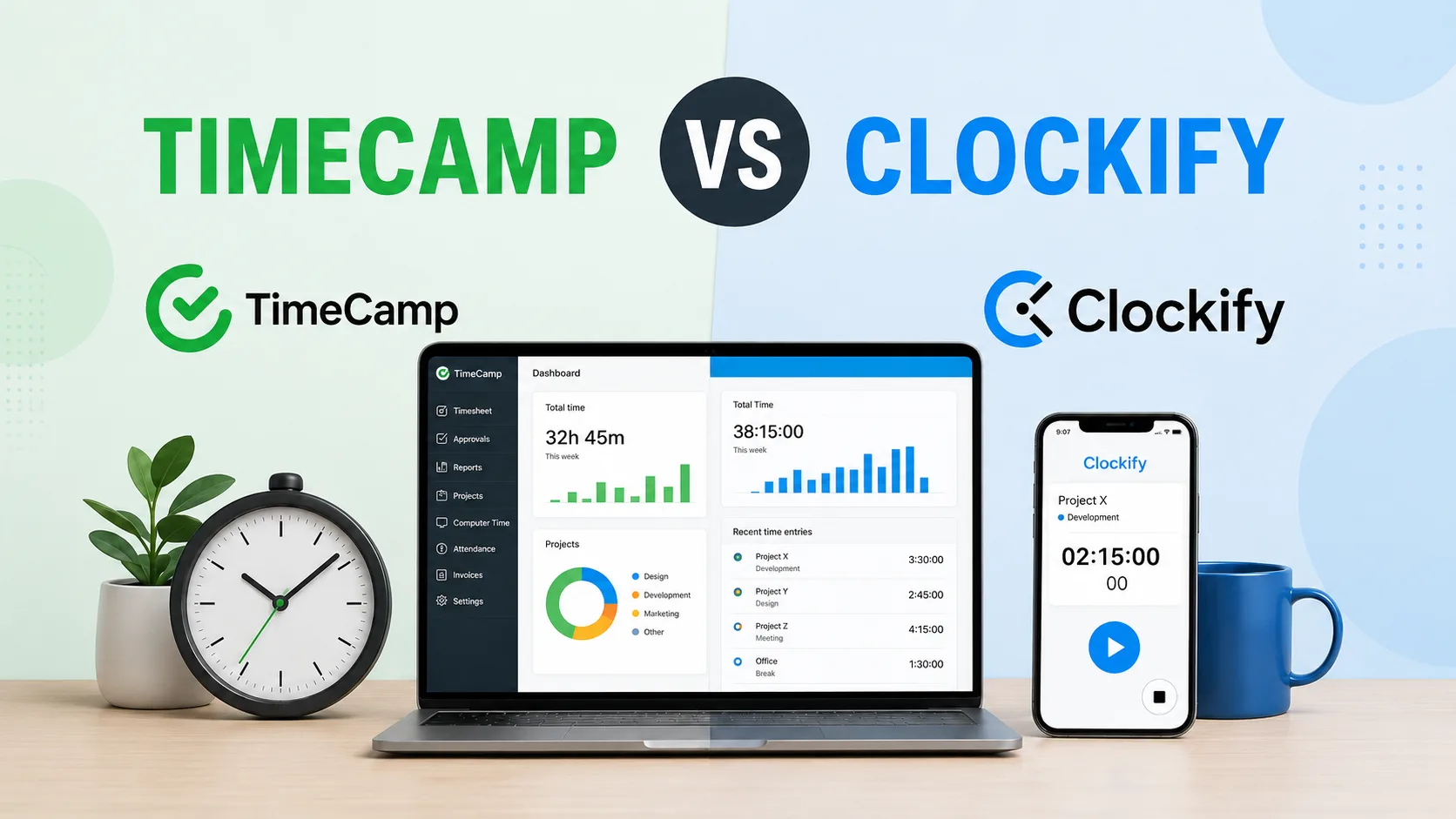
Choosing between TimeCamp and Clockify can get confusing because they look similar on the surface.
Both tools track time. Both support projects, reports, billable hours, teams, and timesheets. Both can work for agencies, consultants, freelancers, software teams, and remote teams that need a better way to understand where work hours go.
But they solve the problem from different angles.
Clockify is the more flexible manual time tracker. It works well when users are comfortable starting timers, adding entries, choosing tasks, and keeping their timesheets clean. It gives teams strong project reporting, useful free features, and plenty of control over clients, budgets, approvals, and billable work.
TimeCamp leans more into automatic tracking. It can capture work activity, app usage, website usage, attendance, billable hours, and productivity data with less input from employees. That makes it useful for teams that want more visibility into how time is spent, but do not want to rely only on people remembering every timer.
So the better choice depends on what problem you are really trying to fix.
In this guide, we compare TimeCamp and Clockify across time tracking, reporting, pricing, employee monitoring, mobile apps, ease of use, integrations, and more, so you can choose the tool that actually fits how your team works.
TimeCamp vs Clockify at a glance
TimeCamp and Clockify are both popular time tracking tools for teams that need to understand where work hours go. But they are not trying to win the same buyer in the exact same way.
Clockify is the broader and more flexible option.
It gives teams a simple way to track time across projects, clients, tasks, reports, budgets, approvals, schedules, and invoices. It works well for agencies, consultants, freelancers, software teams, marketing teams, and service businesses that want a low-cost time tracker with plenty of room to grow.
TimeCamp leans more heavily into automatic time tracking, attendance, productivity monitoring, invoicing, and project profitability. It is built for teams that want time data captured with less manual effort, then turned into reports, budgets, invoices, and attendance records.
The main difference is how much the tools expect users to do manually.
Clockify works best when team members are comfortable starting timers, filling timesheets, choosing tasks, and keeping time entries clean. It gives managers a lot of control over how time is categorized and reported.
TimeCamp makes more sense when teams want more automatic tracking in the background. It can help capture work activity, track apps and websites, monitor attendance, and connect time data to productivity and profitability reports.
Clockify is usually the better fit if your team wants flexible project time tracking, detailed reports, task-based entries, budget controls, approvals, and a strong free version.
TimeCamp is usually the better option if your team wants automatic time tracking, attendance reports, employee monitoring features, invoicing, and clearer project profitability data with less dependence on people remembering every timer.
Neither tool is as clean as Timely if the goal is automatic time tracking without employee surveillance. Clockify still depends heavily on manual tracking. TimeCamp automates more, but some teams may find its monitoring features too much.
| TimeCamp | Clockify | |
|---|---|---|
| Best for | Teams that want automatic tracking, attendance, productivity reports, and project profitability | Teams that want flexible, low-cost time tracking for projects, clients, and tasks |
| Main use case | Capturing time automatically and connecting it to productivity, attendance, billing, and profitability | Tracking time manually across projects, clients, tasks, budgets, and reports |
| Time tracking style | More automatic, with app and website activity tracking | More manual, with timers, timesheets, and manual entries |
| Best fit | Remote teams, agencies, consultants, software teams, and service businesses that need more visibility | Agencies, freelancers, consultants, software teams, and small businesses that need affordable project tracking |
| Basic time tracking | Good, but the real value is in automation and reporting | Strong, simple, and easy to start with |
| Manual time tracking | Available, but less central to the product | Stronger fit for teams that track time manually |
| Automatic tracking options | Stronger automatic tracking, including app and website activity | Has automatic tracking features, but still feels more timer-based |
| Billable hour tracking | Strong, especially when tied to invoicing and profitability | Strong, especially for reports, rates, budgets, and approvals |
| Project tracking | Good for projects, budgets, profitability, and productivity context | Stronger for flexible project, client, task, tag, and rate setup |
| Project progress | Useful when paired with automatic activity and budget data | Stronger for tracking project progress through tasks, estimates, and reports |
| Expense tracking | Available on higher plans | Available on higher plans |
| Invoicing | Stronger fit when billing is tied to tracked time | Available on paid plans, but not the main focus |
| Reporting | Better for productivity, attendance, app usage, websites, and profitability | Better for flexible time reports by client, project, task, user, and billable status |
| Employee monitoring | Stronger, with app usage, website usage, idle time, screenshots, and productivity categories | Lighter, with time entries, approvals, GPS, screenshots, attendance, and overtime on higher plans |
| Attendance tracking | Stronger attendance and payroll-ready time records | Available on paid plans, but less central |
| GPS tracking | Less central to the product | Available on higher plans |
| Kiosk mode | Not the main use case | Available |
| Mobile app | Better when mobile tracking supports attendance and automatic time records | Better for simple project timers and manual entries |
| Ease of use | Easier if the team wants tracking to happen with less manual input | Easier if the team wants a familiar timer-based workflow |
| Integrations | Better when integrations need to support automatic tracking, productivity, and profitability | Better when integrations need to connect with project management software and task management tools |
| Team management | Better for productivity visibility, attendance, and workload context | Better for project access, user groups, approvals, rates, and permissions |
| Free plan | Useful for testing automatic time tracking and basic reports | Stronger for basic time tracking and small project based teams |
| Pricing | Paid plans start at $3.99 per user per month annually | Paid plans start at $3.99 per seat per month annually |
| Main advantage | More automation and visibility into how work time is spent | More flexible and affordable project time tracking |
| Main drawback | Can feel too close to employee monitoring for some teams | Still relies heavily on people starting timers and cleaning timesheets |
| Choose it if | You want automatic tracking, attendance, productivity reports, and project profitability | You want flexible, affordable time tracking for clients, projects, tasks, and billable hours |
Tired of tracking time manually? Get Timely for free today and start tracking time automatically.
Time tracking features
TimeCamp and Clockify both cover the basics of time tracking, but they do not feel the same in daily use.
Clockify is a flexible time tracking solution for teams that want timers, timesheets, projects, tasks, approvals, budgets, reports, and admin controls. It works well when users are comfortable choosing the right project, starting a timer, and cleaning up entries later.
TimeCamp puts more weight on automatic tracking options. It can track working hours, app and website activity, breaks, clock-ins, clock-outs, attendance, billable hours, invoices, and productivity patterns. That makes it more useful for teams that want less manual time tracking and more background data.
Timer-based tracking
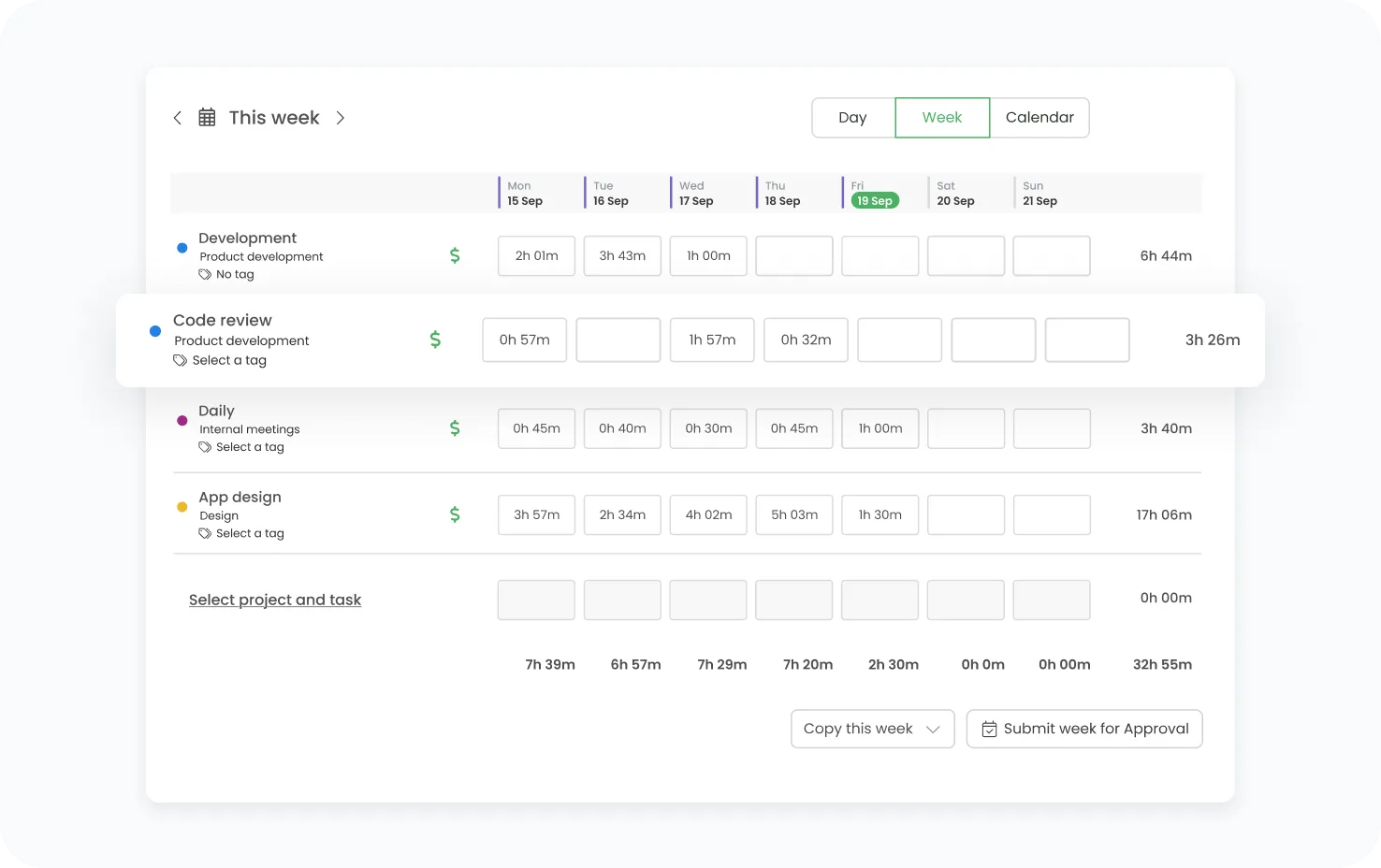
Clockify has a clean timer setup.
Users can start a timer from the web app, desktop app, mobile app, browser extension, or connected project management tools. They choose a project, choose a task, add notes or tags, and mark time as billable when needed.
Clockify is useful for teams that need to track project progress across clients, tasks, and team members.
Clockify works well when managers need to answer questions like:
- How many hours did this client take?
- Which task took longer than expected?
- How much time was billable?
- Which team members worked on each project?
- Which project is close to going over budget?
Manual time entries
Manual time entries still matter because no time tracking app can fix every real-life scenario automatically.
Someone forgets to start a timer. Someone joins a client call before opening the app. Someone works offline. Someone switches tasks quickly and cleans up the timesheet at the end of the day.
Clockify is very good for manual time tracking. Users can add time after the fact, edit old entries, move time between projects, and adjust timesheets before approval.
That flexibility helps remote teams, agencies, consultants, freelancers, software teams, and marketing teams that work across many projects in one day.
TimeCamp also supports manual entries, but the product is less dependent on them. Because TimeCamp can capture app and website activity, users may have more context when correcting or confirming their time later.
Billable hour tracking
Both tools work well for tracking billable hours.
Clockify lets teams mark entries as billable or non-billable, set rates, review project costs, and create reports by client, task, project, user, or date range. That makes it useful for agencies and consultants that need to understand what work can be billed and what work is eating into margins.
Clockify helps teams see:
- Which clients are profitable
- Which tasks take too long
- Which projects are going over budget
- Which team members spend the most time on billable work
- Which internal work is reducing paid capacity
TimeCamp also supports tracking billable hours and connects them to invoicing. That gives service businesses a cleaner path from tracked time to client billing.
The difference is the workflow.
Clockify is better if teams want more flexible reporting around billable and non-billable time.
TimeCamp is better if teams want billable time to connect more directly with automatic tracking and invoicing.
Project and task tracking
Clockify is stronger when the team needs more structure around projects and tasks.
Teams can create clients, projects, tasks, tags, estimates, rates, budgets, and assignments. Every time entry can be connected to the right piece of work, which makes reports easier to trust.
That helps managers follow project progress without guessing.
Clockify can show how much time was spent on each project, which tasks are taking too long, and how actual hours compare with estimates. This is useful for project management because managers can spot problems before a project gets out of control.
TimeCamp also supports projects and tasks, and it can connect tracked activity to project budgets and billing. It is especially useful when managers want to compare time data with productivity patterns and profitability.
Project costs and budgets
Clockify is strong for tracking project costs.
Managers can connect tracked time with hourly rates, billable rates, labor costs, estimates, and budgets. That helps teams understand whether a project is still profitable or slowly becoming a problem.
Clockify helps answer questions like:
- Are we still within budget?
- Which tasks are hurting profitability?
- Did we estimate enough hours?
- Are project costs higher than expected?
- Which clients need a pricing change?
TimeCamp can also track project budgets in hours or financial costs. Teams can set billing rates and monitor budget use as work progresses.
This makes TimeCamp useful for teams that want project profitability data without depending entirely on users remembering every timer.
Clockify is better for detailed budget control and reporting.
TimeCamp is better when project cost tracking needs to sit next to automatic activity data, attendance, and productivity reporting.
Expenses and expense reports
Clockify has expense tracking on higher plans.
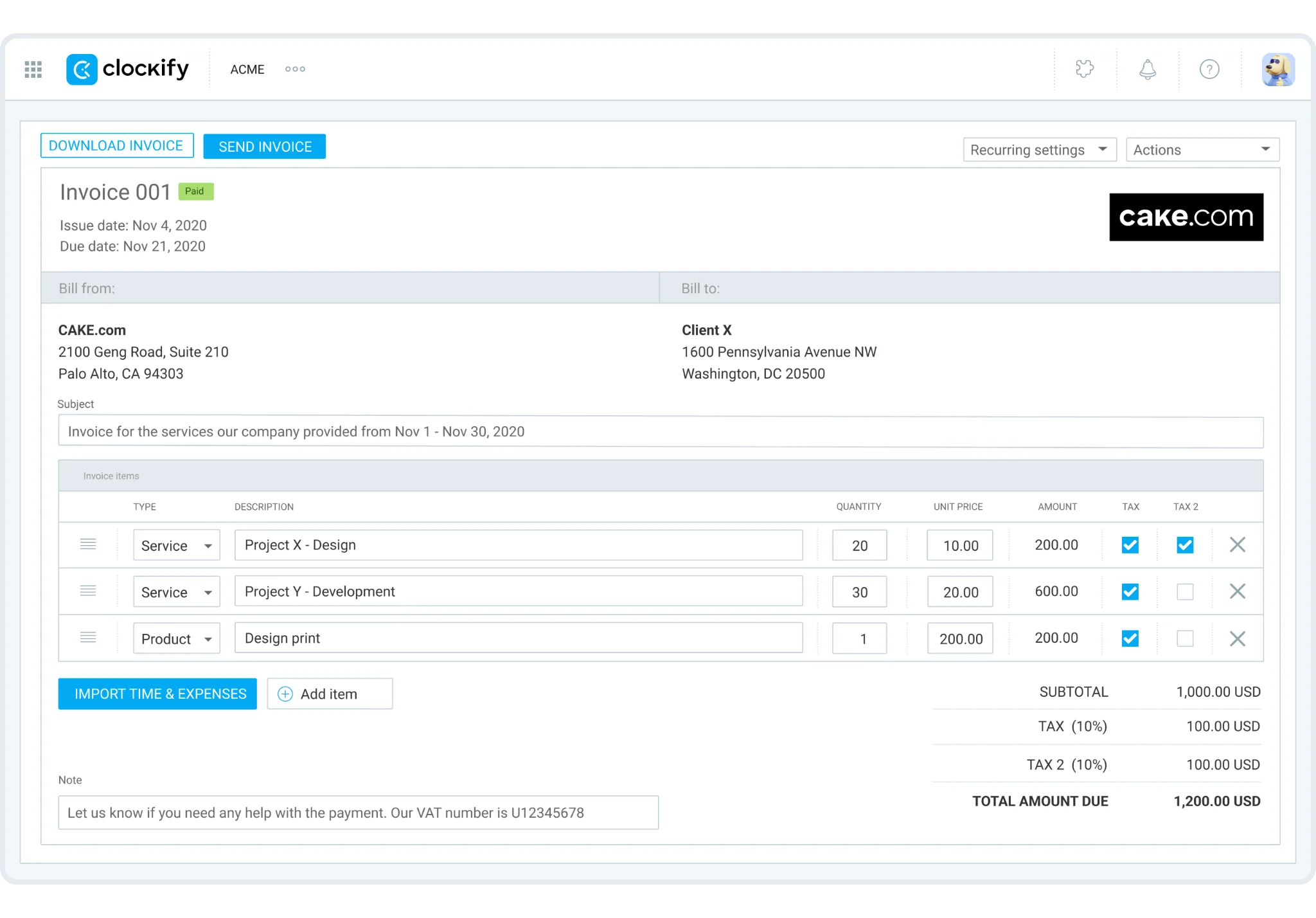
That helps teams connect tracked hours, project costs, labor costs, and expenses in one reporting setup. For agencies, consultants, and professional services teams, this can make client work easier to review.
Clockify is useful when teams need expense reports for:
- Client projects
- Internal reviews
- Reimbursable costs
- Project profitability
- Finance exports
- Invoice support
TimeCamp is stronger when expenses need to sit closer to invoicing and billing. Teams can track billable time, manage invoices, and keep project financials connected to the time tracking process.
The better option depends on how your team handles money.
Invoicing and billing
Both tools can help teams turn tracked time into invoices, but TimeCamp leans harder into this workflow.
TimeCamp can generate invoices from tracked billable hours, which makes it useful for freelancers, consultants, agencies, and service businesses that bill clients based on time spent.
Clockify also supports invoicing on paid plans. Teams can create invoices from tracked entries, add expenses, and use time reports to support client billing.
The practical difference is focus.
Clockify treats invoicing as one part of a larger project time tracking platform.
TimeCamp makes invoicing feel more connected to automatic tracking, billable hours, and project profitability.
Choose Clockify if invoicing is useful but not central.
Choose TimeCamp if billing clients from tracked time is a major part of the workflow.
Automatic tracking options
TimeCamp has the stronger automatic tracking options.
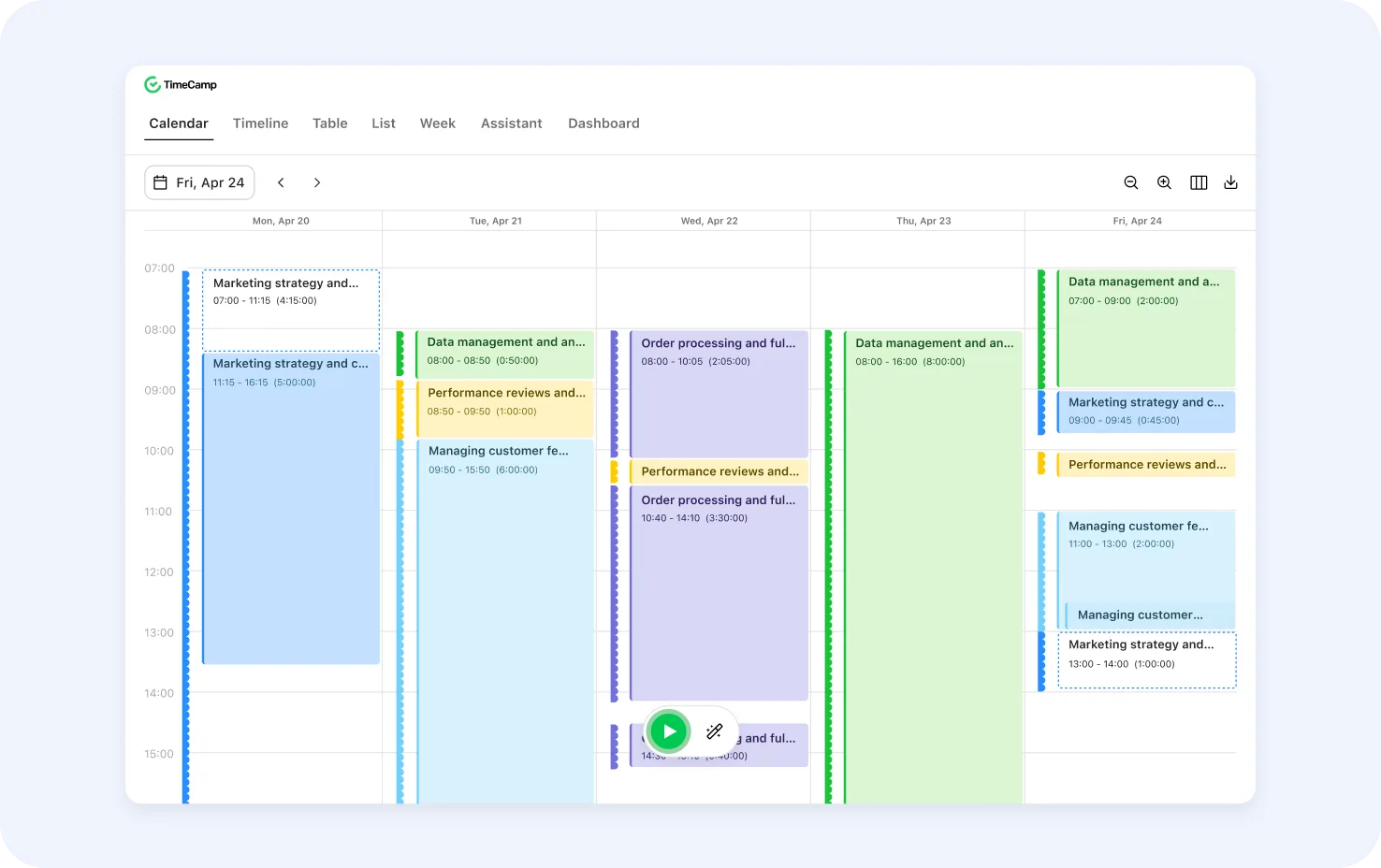
This can be helpful for remote teams, agencies, software teams, and service businesses that struggle with incomplete timesheets.
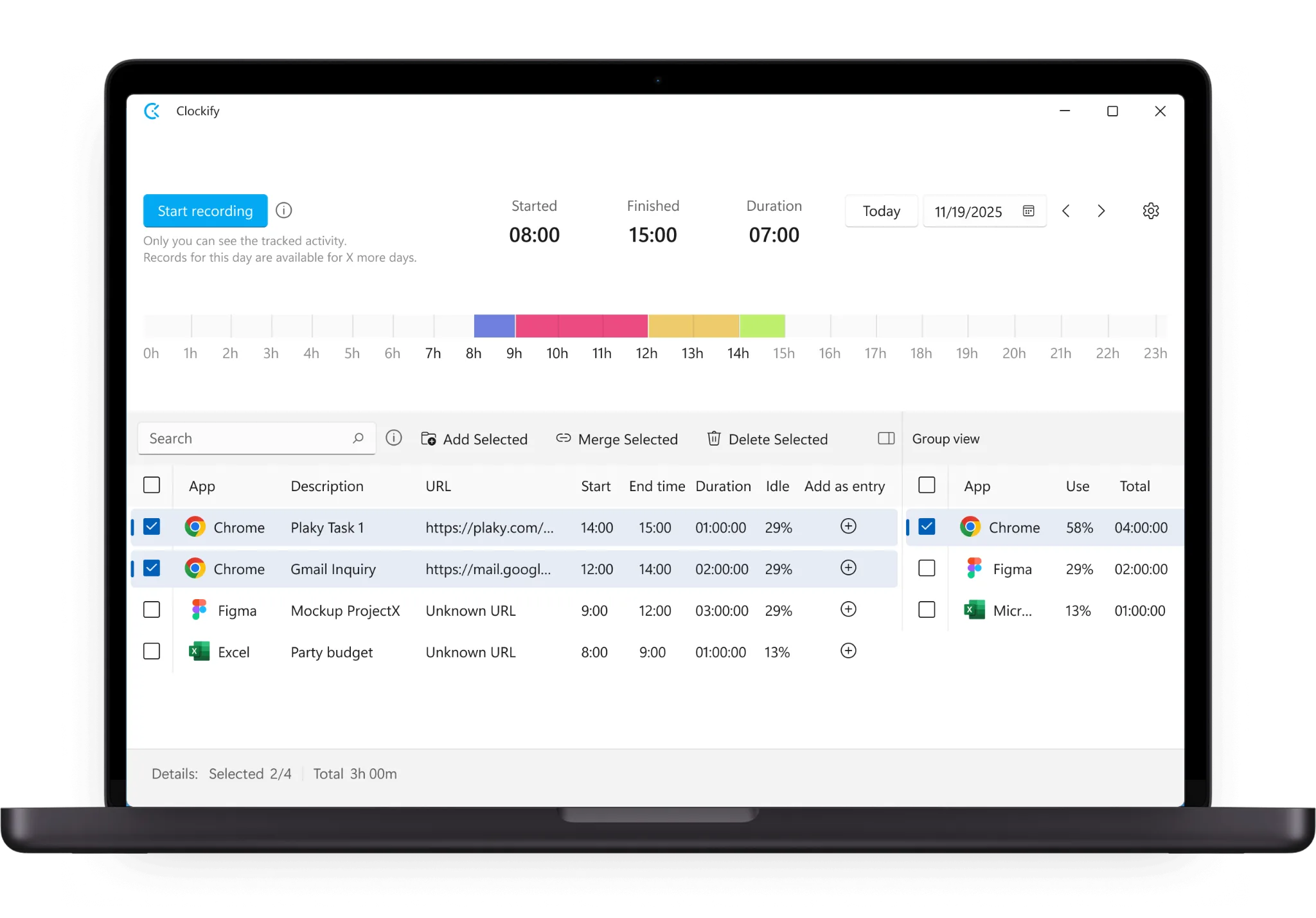
The difference is important.
Clockify gives users automatic support around a manual workflow.
TimeCamp builds more of the workflow around automatic activity capture.
That makes TimeCamp the better option if missed timers are a major issue.
GPS tracking and field work
Clockify offers GPS tracking on higher plans.
That can help companies with remote teams, field workers, mobile employees, or people who need location data connected to tracked time. It is useful when managers need to confirm where time was tracked from or understand work across job sites.
TimeCamp is less focused on GPS-style field tracking and more focused on desktop activity, attendance, productivity, and project profitability.
So the choice is fairly clear: Clockify is better if location-based time tracking matters.
Kiosk mode and attendance
Clockify offers kiosk mode, which lets teams use a shared device for clock-ins and clock-outs.
That can work for simple attendance scenarios where several people need to track time from the same place. Clockify can also support attendance, time off, overtime, and approvals on paid plans.
TimeCamp has stronger attendance tracking for teams that want clock-ins, clock-outs, breaks, working hours, absence records, and payroll-ready attendance data.
The difference is how each tool uses attendance.
Clockify treats attendance as one feature inside a broader time tracking platform.
Scheduling and planned hours
Clockify includes scheduling and forecasting on higher plans.
Managers can plan work, assign people to projects, compare planned hours with actual tracked hours, and spot workload issues before they turn into missed deadlines.
That makes Clockify useful for project management, especially when managers need to compare estimates with actual tracked time.
TimeCamp is less focused on scheduling work and more focused on tracking what actually happened. Its value is in time capture, attendance, productivity reports, billable hours, and project profitability.
Advanced features
Both tools have advanced features, but they serve different needs.
Clockify’s advanced features are useful for teams that want more control over time tracking. That includes approvals, locked time, required fields, time audits, project templates, expenses, scheduling, forecasting, GPS tracking, screenshots, kiosk mode, single sign on, and admin controls.
TimeCamp’s advanced features are more focused on automation and visibility. That includes automatic tracking, app and website tracking, idle time detection, productivity categories, screenshot capture, attendance, invoicing, budget tracking, and project profitability.
Timesheets and approvals
Clockify timesheets are built for project-based work.
Managers can review time by client, project, task, user, billable status, and date range. On paid plans, approvals and locked time help keep timesheets clean before reports or invoices go out.
TimeCamp timesheets are useful when automatic data needs to become a clean record of work. Users can review tracked activity, correct entries, confirm time, and connect hours to projects, attendance, billing, or payroll.
Basic time tracking
Clockify is one of the easier choices for basic time tracking.
Users can start a timer, add manual entries, assign time to projects, and run simple reports without much setup. That makes the free plan useful for freelancers, small teams, and companies testing time tracking for the first time.
TimeCamp can also handle basic time tracking, but using it only for simple timers misses much of the point. Its value grows when teams use automatic tracking options, attendance, billable hours, invoicing, and productivity reports.
The bottom line on time tracking
Clockify and TimeCamp both track employee time, billable hours, projects, tasks, and work activity. The better choice depends on how much control or automation your team wants.
Clockify is better for teams that need flexible timers, manual time tracking, project management, project progress, expense tracking, approvals, reports, budgets, GPS tracking, kiosk mode, and basic time tracking across many clients.
TimeCamp is better for teams that want automatic tracking options, attendance records, app and website tracking, productivity reports, invoicing, project profitability, and less dependence on people remembering every timer.
If your team wants a low-cost, flexible time tracker, Clockify makes more sense.
If your team wants more automatic visibility into tracking time spent, TimeCamp is the stronger option.
Reporting features
Reporting is one of the clearer differences between TimeCamp and Clockify.
Both time tracking apps can show hours, projects, tasks, users, billable time, and team activity. But they are built around different reporting habits.
Clockify reports are better when managers want flexible time data across clients, projects, tasks, users, tags, billable status, and date ranges.
TimeCamp reports are better when managers want time data connected to automatic activity tracking, productivity management, attendance, project profitability, and employee productivity.
TimeCamp reporting
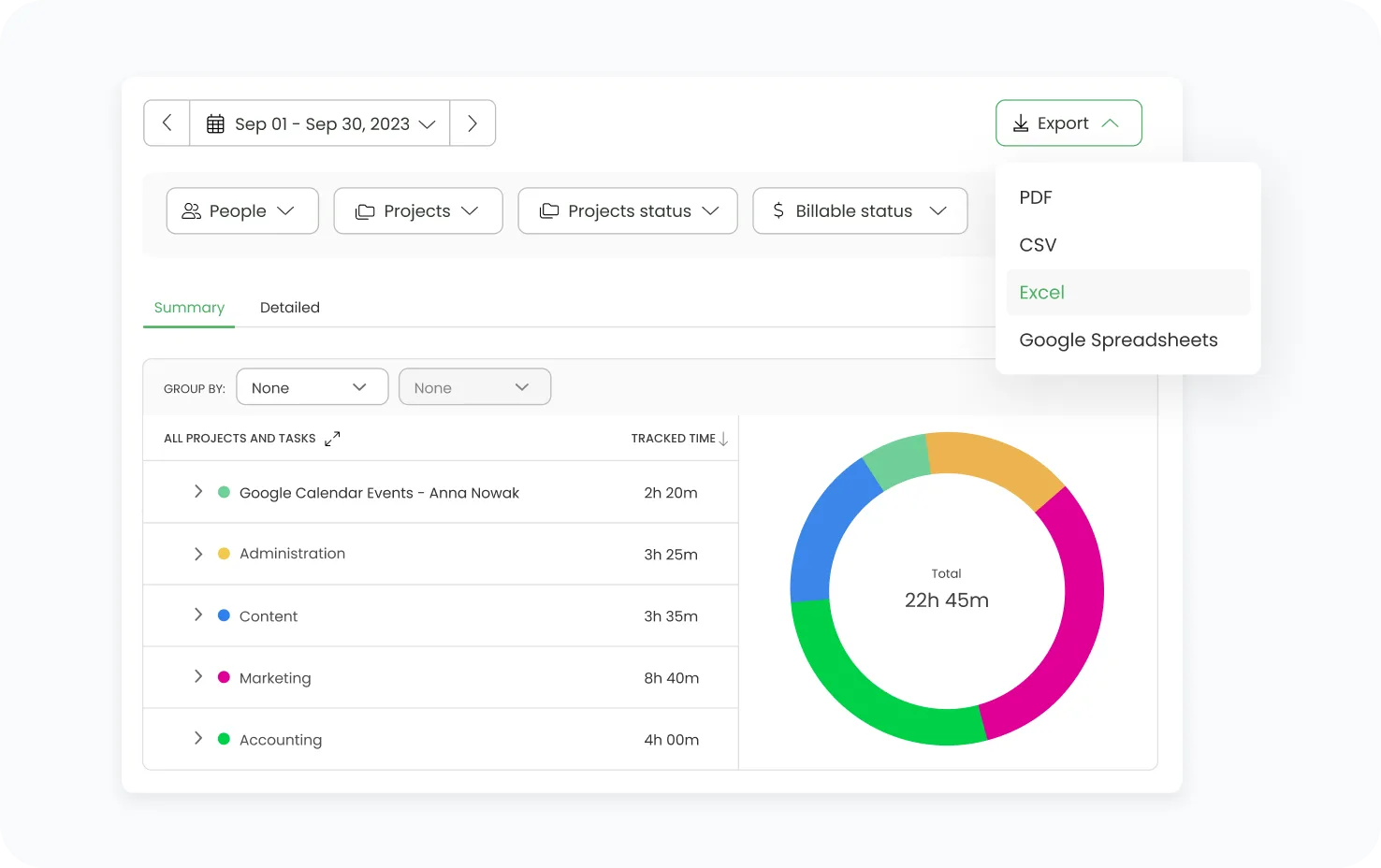
Because TimeCamp can track work activity in the background, reports can show more than manually entered hours. Managers can review working time, apps and websites, idle time, attendance, project time, billable hours, and productivity patterns.
That makes TimeCamp useful for teams that want a clearer view of employee productivity without relying only on people remembering to start and stop timers.
TimeCamp reports can help answer questions like:
- What did the team spend time on this week?
- Which projects used the most hours?
- Which activities were productive or distracting?
- How much work was billable?
- Which clients or projects are profitable?
- Who forgot to confirm their timesheet?
- How much time was spent away from active work?
- Are attendance records accurate?
One of TimeCamp’s key features is the way reporting connects time tracking with productivity management. The product is not just showing raw hours. It helps teams understand work habits, project costs, budget use, and profitability.
That can be useful for agencies, consultants, remote teams, software teams, and service businesses that need more context behind each time tracking report.
Clockify reporting
Clockify reporting is more flexible for project-based teams.
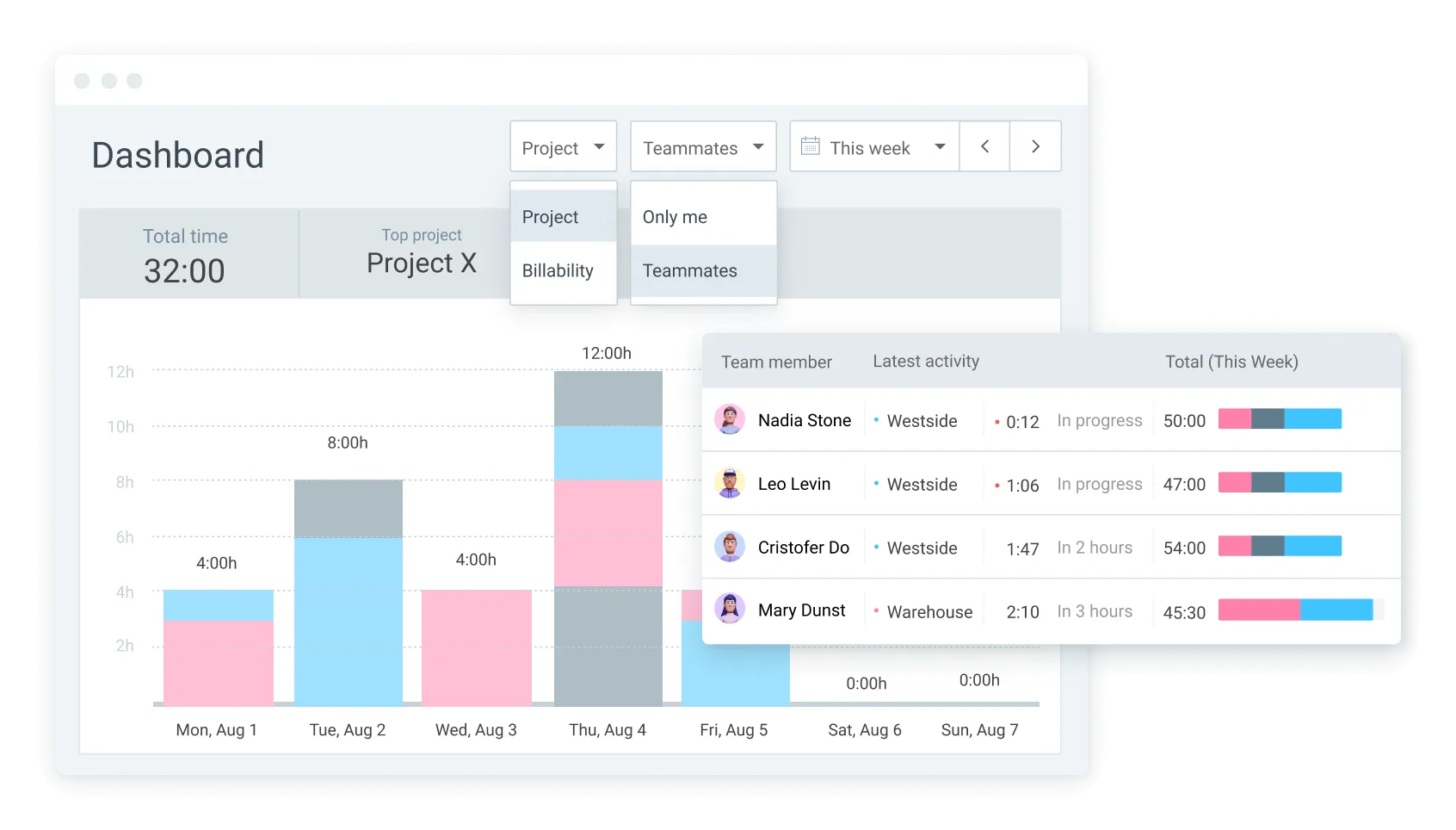
Clockify reports can help answer questions like:
- How many hours did this client take?
- Which project went over budget?
- Which tasks took longer than planned?
- How much work was billable?
- Which team members tracked the most hours?
- Which projects need more people?
- How did actual hours compare with estimates?
- Are project costs still under control?
Clockify is especially useful when reporting needs to support project management, client reviews, budget checks, timesheet approvals, and billable hour tracking.
The reports are detailed, but they depend heavily on clean time entries. If users forget timers, choose the wrong project, or leave gaps in timesheets, the report quality drops.
Budget and profitability reporting
Both tools can help teams understand budgets, but TimeCamp has the stronger productivity and profitability angle.
TimeCamp can connect tracked time with billable rates, project budgets, invoicing, and profitability. That helps managers see whether projects are using too much time, whether client work is still profitable, and whether internal work is reducing paid capacity.
Clockify can also track project costs, estimates, labor costs, budgets, and profit on paid plans. It is useful when managers want detailed time data tied to tasks, users, clients, and projects.
Team productivity reporting
TimeCamp has the stronger employee productivity reporting setup.
It can show how people spend time across apps, websites, projects, and activities. For remote teams, that gives managers more visibility into work patterns without asking everyone to manually explain their day.
That visibility can be useful, but it also needs careful handling. Productivity reports should help teams spot workload issues, missing time, unclear priorities, or poor project estimates. They should not turn into a reason to micromanage every minute.
Clockify looks at team productivity through project time.
Managers can review how much time each person spends on clients, tasks, and projects. They can compare billable and non-billable hours, check project progress, and see whether estimates match actual hours.
Automated reports and exports
Both tools help teams get time data out of the system.
Clockify reports can be filtered, saved, shared, scheduled, and exported. That helps managers create client reports, weekly summaries, project budget reviews, payroll checks, and internal audits without rebuilding the same view every time.
Common Clockify report uses include:
- Weekly client reports
- Billable hour summaries
- Project budget reviews
- Team workload reports
- Invoice support
- Internal time audits
- Excel files for finance teams
TimeCamp also offers a broad reporting setup, with reports for projects, people, attendance, productivity, time entries, and profitability.
That makes it useful when managers want recurring insight into how work time is being used across the entire team. TimeCamp is especially useful when the report needs to include automatically captured activity, not just submitted time entries.
AI powered time tracking and reporting
Neither TimeCamp nor Clockify fully removes the need to review time data.
Clockify still depends on users starting timers, adding manual entries, choosing the right project, and keeping timesheets clean. TimeCamp automates more of the capture process, but users and managers still need to review entries, confirm time, and make sure reports are used fairly.
That is why Timely can be a better fit for teams that want automatic time tracking without turning reporting into employee surveillance.
Timely records work activity in the background and gives each person a private timeline to review. From there, users can create accurate timesheets without rebuilding the day from memory.
For teams that need reliable project reports, billable hours, and cleaner time data, this can make reporting easier without putting managers in the role of watching every click.
The bottom line on reporting
Clockify has better reporting for teams that need flexible project reports, client filters, task data, budget checks, team activity, billable hours, and exports.
TimeCamp has better reporting for teams that want automatic activity data, attendance reports, productivity management, employee productivity insights, project profitability, and broader context behind each time tracking report.
If your reports need to explain project work, Clockify gives you more control.
If your reports need to explain work patterns and productivity, TimeCamp gives you more context.
Pricing plans
TimeCamp and Clockify both offer a free plan, then charge per user or seat once teams need more advanced features.
At first glance, the pricing looks similar. Both tools can work as free time tracking software for small teams, and paid plans start at $3.99 per user or seat per month when billed annually.
But the plans are packaged differently.
Clockify is usually better if you want a lower cost time tracking software tool with generous free features, basic time tracking, reports, apps, and project time records.
TimeCamp is usually better if you want automatic time tracking, attendance, productivity reports, invoicing, screenshots, labor costs, and project profitability in one setup.
The free plans are useful, but both come with limited features. The real decision starts when you compare what each product adds after the free tier.
TimeCamp pricing
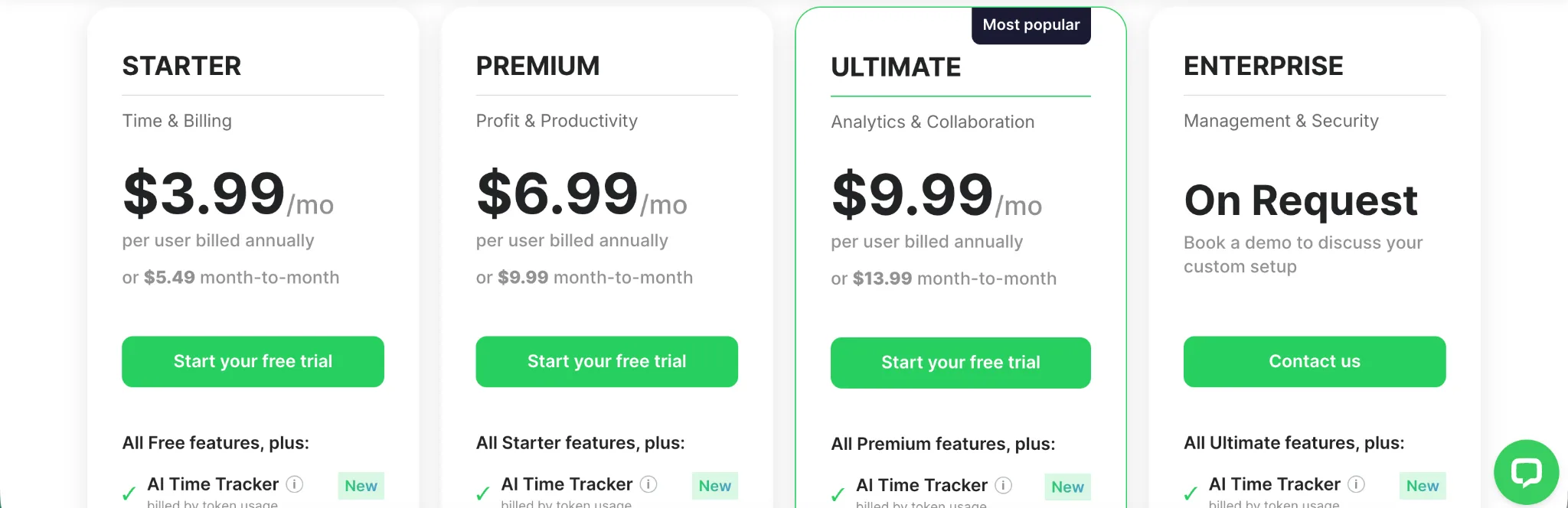
The free plan is useful for basic time tracking, especially if you want to test TimeCamp’s automatic tracking style before paying. It gives small teams a starting point, but the more useful business features sit behind paid plans.
| Plan | Monthly price | Annual price | Best for | Key features |
|---|---|---|---|---|
| Free | $0 | $0 | Individuals and small teams testing automatic time tracking | Time tracking, timesheets, web, desktop and mobile apps, unlimited projects |
| Starter | $5.49 per user per month | $3.99 per user per month | Teams that need time and billing basics | All free features, plus invoicing, attendance calendar, Excel reports export, attendance, time off, unlimited tasks, overtime tracking, bulk edit, project templates |
| Premium | $9.99 per user per month | $6.99 per user per month | Teams that need productivity and profitability features | All Starter features, plus billable time, budget and estimates, apps and websites tracking, management roles, one integration, scheduled email reports, budgeting alerts, time rounding |
| Ultimate | $13.99 per user per month | $9.99 per user per month | Teams that need advanced controls and deeper reporting | All Premium features, plus data export, custom fields, remote work detection, timesheet approvals, billing rates, expenses, pivot table, screenshots, unlimited integrations, labor costs, SSO login, custom user roles |
| Enterprise | Custom | Custom | Larger teams that need custom setup and security | All Ultimate features, plus custom activity categories, enterprise support, custom integrations, onboarding, audit log, custom invoice templates, and custom deployment options |
TimeCamp paid plans start at the same annual entry price as Clockify, but the value shows up in different places.
Starter is useful if you want time tracking, invoicing, attendance, and basic admin features without jumping into the more expensive plans.
Premium is the more serious TimeCamp plan for teams that care about productivity reports, billable time, budgets, app and website tracking, and scheduled reports.
Ultimate is where TimeCamp becomes more useful for managers who need approvals, expenses, screenshots, labor costs, unlimited integrations, billing rates, and custom roles.
The tradeoff is that some important features arrive later. If you need expenses, screenshots, timesheet approvals, billing rates, unlimited integrations, or labor costs, the lower plans may feel limited quickly.
Clockify pricing
Clockify also has a free plan and paid plans charged per seat.
The free plan is strong for basic time tracking. It supports up to 5 users and includes unlimited tracking, timer, timesheet, auto tracker, calendar, mobile and desktop apps, reminders, team activity, and reports.
| Plan | Monthly price | Annual price | Best for | Key features |
|---|---|---|---|---|
| Free | $0 | $0 | Individuals and small teams that need basic time tracking | Unlimited tracking, time tracker, timesheet, auto tracker, calendar, mobile and desktop app, idle detection, reminders, team activity, reports |
| Basic | $4.99 per seat per month | $3.99 per seat per month | Teams that need more admin control | All free features, plus add time for others, required fields, bulk edit, kiosk, time audit, project templates, billable rates |
| Standard | $6.99 per seat per month | $5.49 per seat per month | Teams that need timesheeting and billing | All Basic features, plus time off, invoicing, recurring invoices, approvals, locked time, attendance, overtime, task rates, QuickBooks integration |
| Pro | $9.99 per seat per month | $7.99 per seat per month | Teams that need profit and productivity features | All Standard features, plus scheduling, forecasting, expenses, labor cost and profit, budgets and estimates, custom fields, email reports, alerts, GPS tracking, screenshots |
| Enterprise | $14.99 per seat per month | $11.99 per seat per month | Larger teams that need stronger security and admin tools | All Pro features, plus single sign on, custom subdomain, control accounts, audit log, custom domain, and advanced security controls |
| CAKE.com Bundle | $15.99 per seat per month | $12.99 per seat per month | Teams that want Clockify with the wider CAKE.com suite | Clockify Enterprise features plus other CAKE.com products |
Clockify is usually the better value if the team wants low-cost project time tracking with useful free features.
The free plan is enough for basic time tracking, especially for small teams that need timers, timesheets, reports, and apps. But the paid plans become necessary once you need approvals, invoicing, time off, expenses, budgets, GPS tracking, screenshots, stronger admin controls, or security features.
Clockify’s pricing is easier to understand if your team mainly needs a time tracker. You start free, then upgrade when the team needs more control.
TimeCamp pricing makes more sense if automatic tracking, attendance, productivity reports, screenshots, invoicing, and project profitability are part of the reason you are buying the tool.
The bottom line on pricing
Clockify is the cheaper and safer starting point for most small teams.
The free plan is useful, the paid plans start low, and the upgrade path is easy to follow. It is a better fit if your team wants affordable time tracking software for projects, clients, tasks, reports, and billable hours.
TimeCamp is better when the team wants more automatic tracking and productivity visibility.
The free plan can help you test the product, but the better TimeCamp features sit in the paid plans. If you need attendance, invoicing, budgets, app and website tracking, screenshots, expenses, labor costs, and profitability reporting, TimeCamp may justify the higher tiers.
Employee monitoring tools
TimeCamp and Clockify both give managers visibility into how employees spend time, but TimeCamp goes further into monitoring.
Clockify is mainly built around tracked work. Managers can review time entries, projects, tasks, billable hours, approvals, attendance, overtime, GPS tracking, and screenshots on higher plans. That gives teams enough oversight to check whether time records are accurate without turning the whole product into surveillance software.
Clockify helps managers monitor:
- Time entries
- Project activity
- Billable and non-billable hours
- Timesheet approvals
- Attendance and overtime
- GPS tracking on higher plans
- Screenshots on higher plans
- Edited time records
- Project budget risk
This works well for agencies, consultants, remote teams, software teams, and service businesses that need better control over tracked work.
TimeCamp is more focused on productivity monitoring.
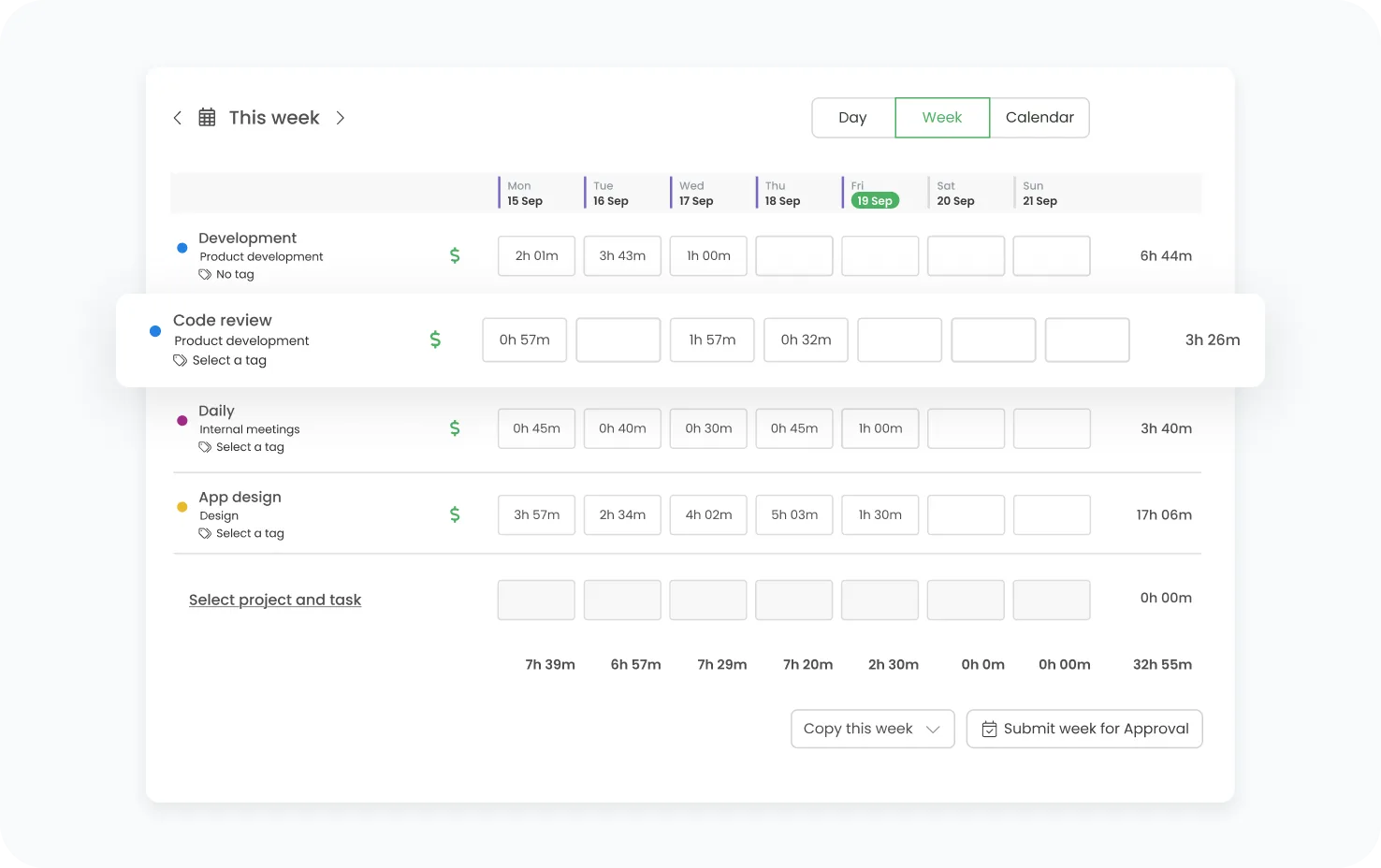
It can track apps, websites, idle time, computer activity, attendance, screenshots, and productivity categories. That gives managers a clearer view of employee productivity, especially when teams work remotely or across multiple projects.
TimeCamp helps managers monitor:
- App usage
- Website usage
- Idle time
- Attendance
- Breaks
- Productive and unproductive activity
- Screenshots
- Project time
- Billable hours
- Payroll-ready time records
That extra visibility can be useful, but it needs to be handled carefully. TimeCamp can help spot missing time, poor estimates, workload problems, and distracting work patterns. Used badly, it can feel invasive.
Mobile apps
TimeCamp and Clockify both have mobile apps for tracking time away from the desk, but they are useful in different situations.
Clockify’s mobile app is better for simple timer-based work. Users can start and stop timers, add manual entries, choose projects and tasks, mark time as billable, and review tracked hours from their phone.
That makes Clockify useful for consultants, agencies, remote teams, software teams, and service businesses that need quick mobile access to project time.
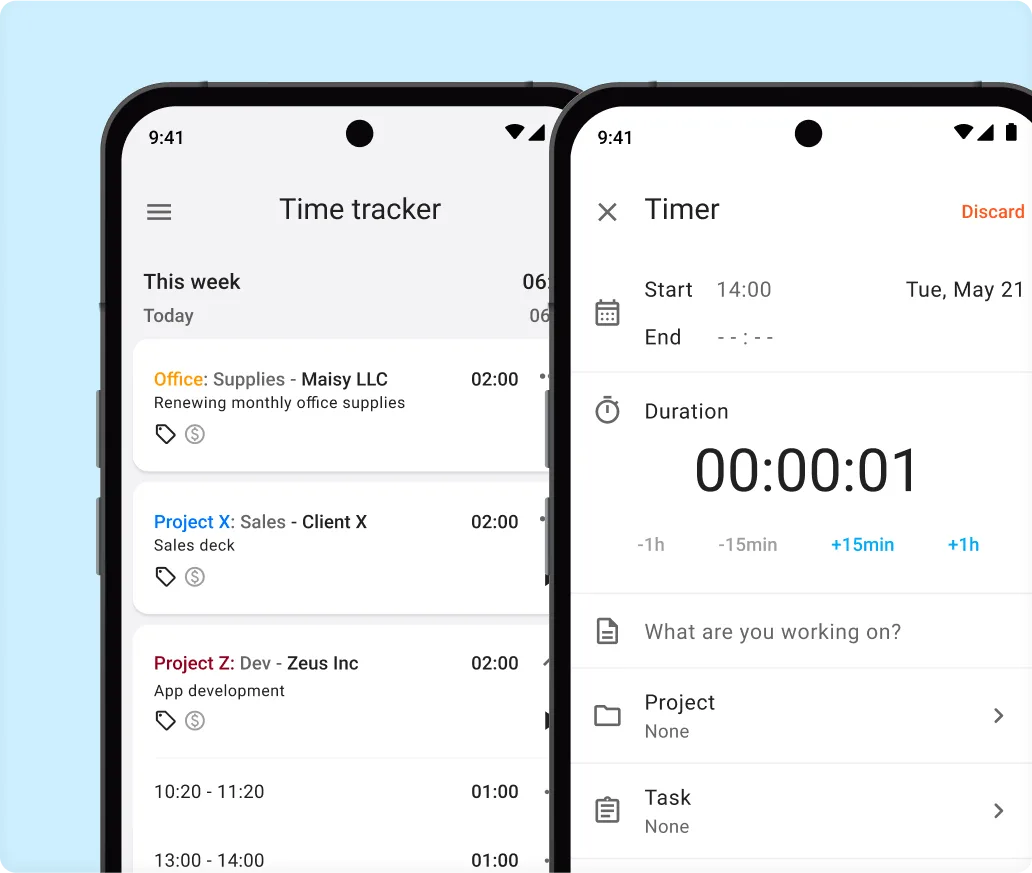
Clockify’s mobile app helps with:
- Starting and stopping timers
- Adding manual time entries
- Choosing projects and tasks
- Tracking billable hours
- Reviewing timesheets
- Editing time entries
- Checking reports
- Tracking time across clients
The app is especially useful when people move between meetings, client calls, and focused work during the day.
TimeCamp’s mobile app is better when mobile time tracking needs to connect with attendance, location-based work, and automatic tracking. Users can track time, manage entries, review projects, and keep work records updated outside the desktop app.
TimeCamp is useful for:
- Tracking work time
- Adding manual entries
- Reviewing projects
- Checking attendance
- Tracking billable time
- Managing timesheets
- Supporting field or remote work
- Keeping project records updated
Clockify feels more direct if the main need is basic time tracking from a phone.
TimeCamp makes more sense if the team already uses its automatic tracking, attendance, productivity reports, and project profitability features.
Ease of use
Clockify and TimeCamp are both easy enough to learn, but they feel simple for different reasons.
Clockify is easier if your team already thinks in projects, clients, tasks, and billable hours. Users start a timer, pick the right project, add a task, and clean up entries later if needed.
The daily workflow is simple:
- Start a timer
- Choose a project
- Add a task
- Mark time as billable
- Edit entries later
- Review timesheets
- Run reports
That makes Clockify a good fit for agencies, consultants, freelancers, software teams, and service businesses that want a direct time tracker without too much setup at the start.
TimeCamp feels different because more of the tracking can happen in the background. Users still need to review and confirm time, but the app can capture activity automatically and give them more context when filling out their timesheets.
That helps teams that struggle with forgotten timers or missing time entries.
TimeCamp is useful when the team wants:
- Automatic activity tracking
- App and website records
- Attendance data
- Productivity reports
- Billable time
- Invoicing
- Project profitability
- Payroll ready time records
The tradeoff is that TimeCamp can feel heavier. Automatic tracking, screenshots, productivity categories, and attendance tools add more visibility, but they also add more settings and more decisions for managers.
Integrations
TimeCamp and Clockify both connect with popular work tools, but the integration logic is slightly different.
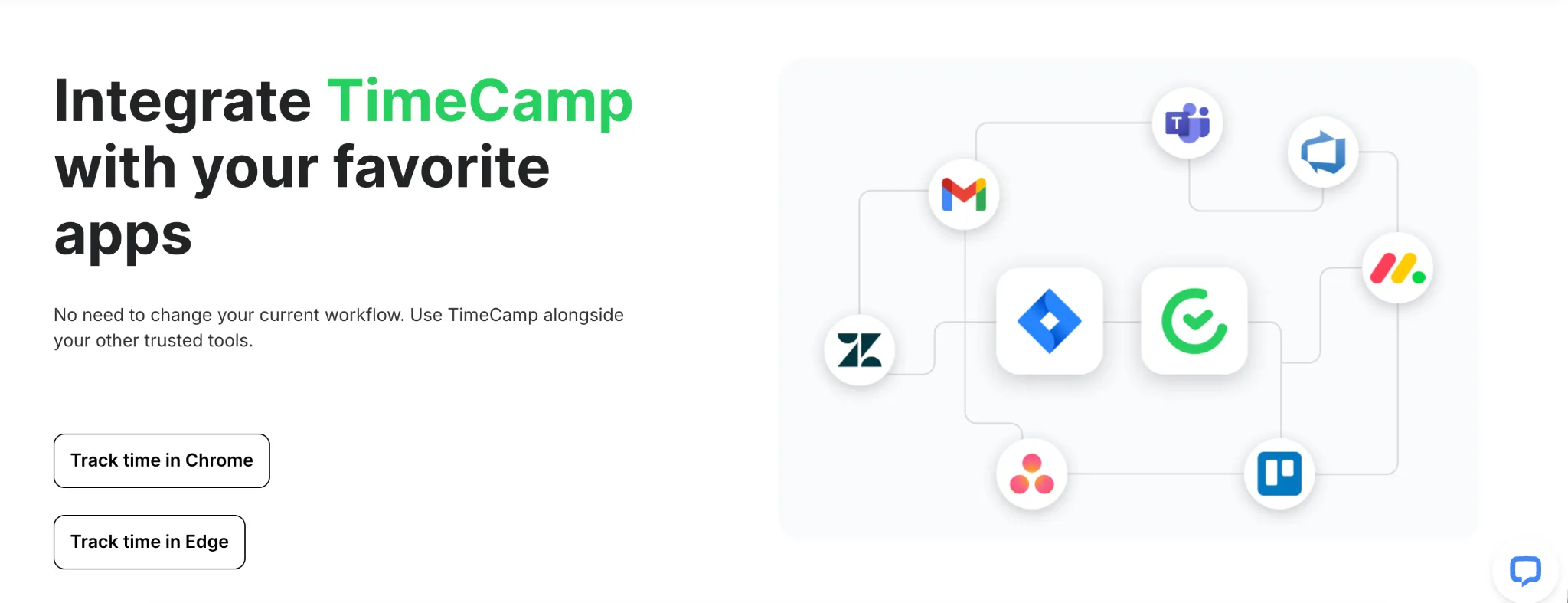
Clockify is better if your team lives inside project management software. It connects with tools like Asana, Trello, Jira, ClickUp, Monday, GitHub, Google Calendar, and QuickBooks, so users can track time closer to where the actual task management happens.
That makes Clockify useful for teams that want time tracking inside existing project workflows.
Clockify integrations are especially useful for:
- Project management software
- Task management tools
- Developer workflows
- Calendar-based work
- Accounting software
- Client reporting
- Team management
TimeCamp is useful when integrations need to support:
- Automatic activity tracking
- Project management features
- Team management
- Budget tracking
- Invoicing
- Attendance
- Productivity reports
- App and website tracking
The difference is what you want the integration to do.
Clockify is stronger when users need to start timers from tasks, organize work by project, and keep time entries tied to project management software.
TimeCamp is stronger when teams want connected tools to feed a broader picture of work activity, attendance, productivity, and project profitability.
TimeCamp vs Clockify: which one should you get?
Still not sure whether TimeCamp or Clockify is the better choice? Here is the simple breakdown.
Get TimeCamp if:
- You want automatic time tracking options
- Your team forgets to start and stop timers
- You need app and website tracking
- You care about attendance reports
- You want stronger productivity reporting
- You need employee productivity data
- You want time tracking connected with invoicing
- You need screenshots or idle time detection
- You care about project profitability
- Your managers need more visibility into how work time is spent
TimeCamp is the better choice when manual tracking is already causing problems.
It gives teams more automatic context around work activity, attendance, billable hours, productivity, and project costs. That makes it useful for remote teams, agencies, consultants, software teams, and service businesses that need cleaner time records without relying only on people remembering every timer.
The tradeoff is visibility. TimeCamp gives managers more data, but that also means teams need clear rules around privacy and how productivity reports are used.
Get Clockify if:
- You want flexible project time tracking
- You need a strong free plan for basic time tracking
- Your team is comfortable using timers and manual entries
- You care about project management, tasks, clients, and budgets
- You need approvals, reports, exports, and billable hour tracking
- You want GPS tracking, kiosk mode, or scheduling on higher plans
- You need a lower cost time tracking tool
- You prefer a simpler setup for tracking client work
- You want more control over projects, tasks, tags, and rates
- You do not need deep productivity monitoring
Clockify is the better choice when your team mainly needs affordable time tracking for projects and clients.
It gives managers a clear way to track project progress, review billable hours, approve timesheets, and understand where work is going. For agencies, freelancers, consultants, and service businesses, Clockify offers a practical mix of flexibility and price.
For most teams, the decision comes down to this:
Choose Clockify if you want a flexible, low cost time tracker.
Choose TimeCamp if you want more automation, attendance visibility, and productivity data.
Track time automatically with Timely instead
TimeCamp and Clockify both work well when they match the way your team wants to track time.
Clockify is the better choice if you want flexible, low cost time tracking for projects, clients, tasks, reports, budgets, approvals, and billable hours.
TimeCamp is the better choice if you want more automatic tracking, attendance reports, app and website data, screenshots, productivity insights, and project profitability.
But both tools still come with tradeoffs.
Clockify gives you flexibility, but it still depends heavily on people starting timers, adding manual entries, choosing the right project, and cleaning up their timesheets.
TimeCamp captures more automatically, but that extra visibility can feel too close to employee monitoring for some teams.
Timely gives teams a cleaner middle ground.
It tracks work activity automatically in the background, then gives each person a private timeline they can review. From there, users can turn their day into accurate timesheets without trying to remember every task, meeting, document, or client call.
That makes Timely a better fit for agencies, consultants, SaaS teams, professional services companies, and remote teams that need accurate project data without making time tracking feel like surveillance.
Timely helps teams with:
- Automatic time tracking
- AI generated timesheets
- Billable hour tracking
- Project dashboards
- Budget and cost tracking
- Team planning
- Capacity management
- Overtime and undertime tracking
- Reports for client work
- Integrations with project management and accounting tools
Get Timely if your team wants accurate timesheets without starting timers all day or turning work tracking into employee monitoring.
Try Timely today and make time tracking feel less like admin work.