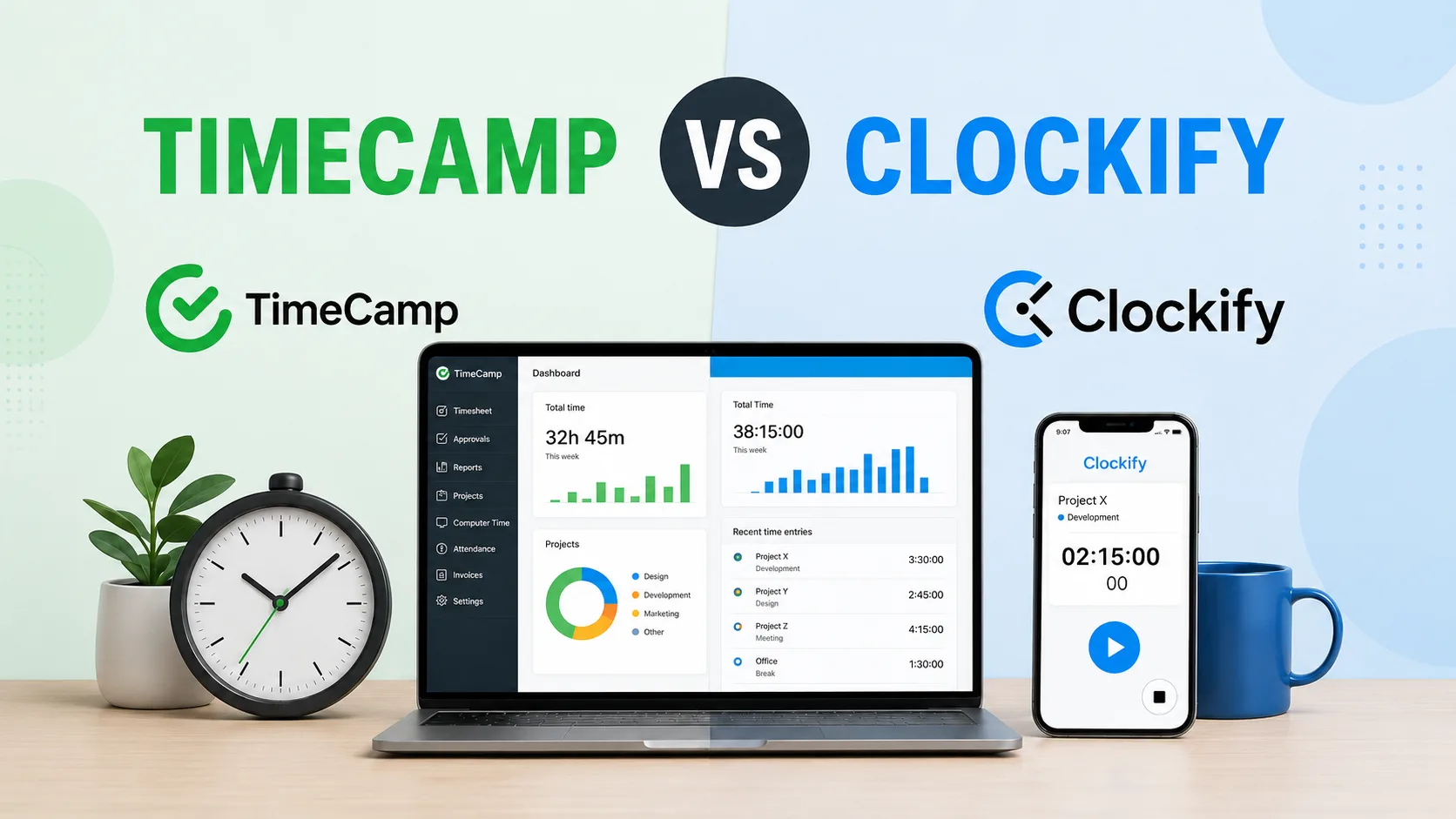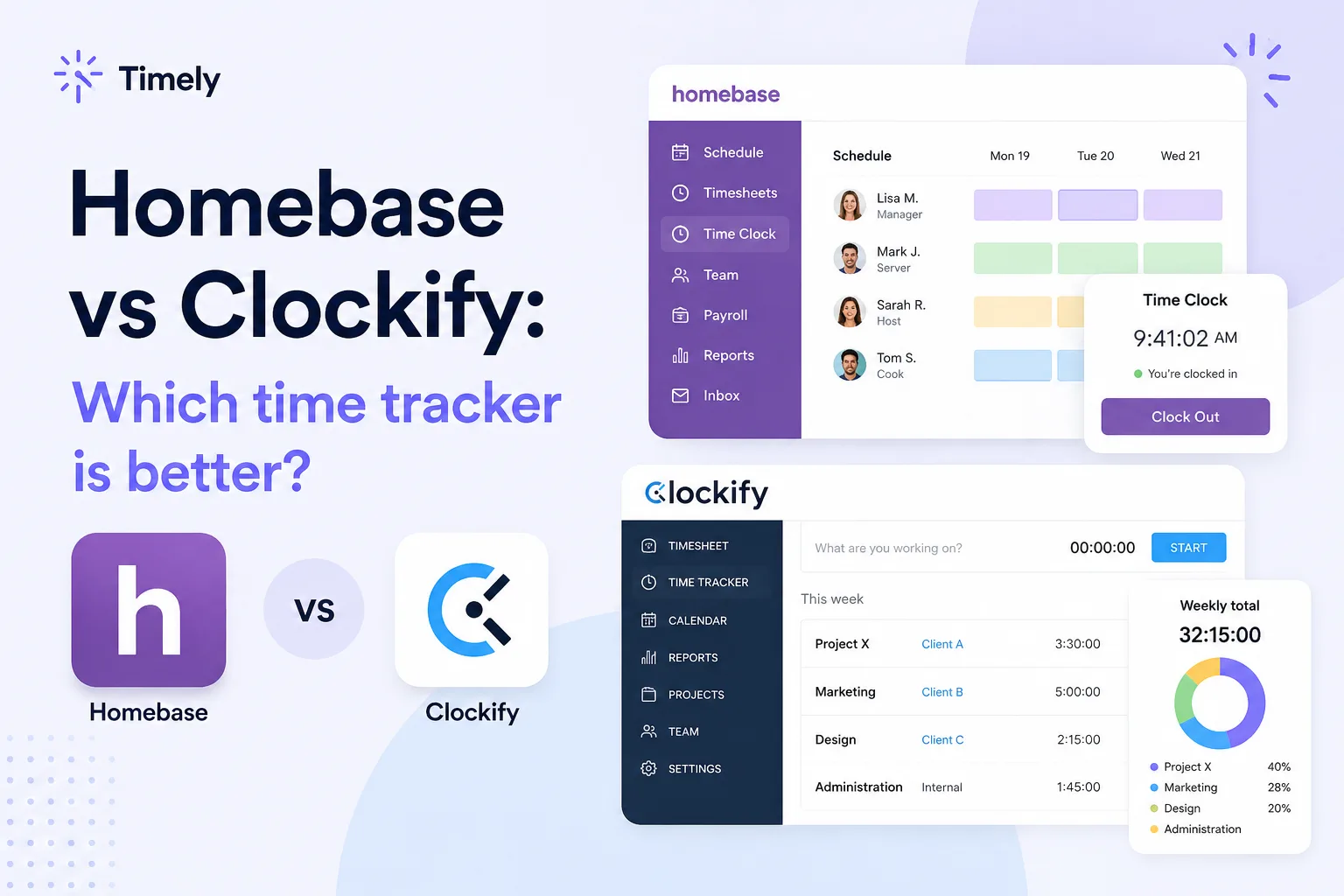
Choosing between Clockify and Harvest sounds easy until you realize they solve different parts of the same problem.
Both tools track time. Both help teams understand where hours go. Both are popular with agencies, consultants, freelancers, software teams, and professional services companies.
The difference is what happens after the time is tracked.
Clockify is built as a flexible time tracker for projects, clients, tasks, reports, budgets, and team activity. It gives teams a lot of control at a lower price, which makes it attractive for small teams, budget-conscious teams, and companies that need to organize work across many clients.
Harvest is built closer to the money side of client work. It connects time tracking with invoicing, payments, expense tracking, project budgets, team reporting, and client billing.
In this guide, we compare Clockify and Harvest across time tracking, reporting, pricing, employee monitoring, integrations, ease of use, team management, and more, so you can choose the tool that actually fits how your team works.
| Clockify | Harvest | |
|---|---|---|
| Best for | Agencies, freelancers, consultants, software teams, and service businesses that want affordable time tracking | Agencies, consultants, studios, and professional services teams that bill clients from tracked time |
| Main use case | Tracking time across projects, clients, tasks, users, and budgets | Tracking time, invoicing clients, managing expenses, and reviewing project budgets |
| Time tracking style | Users start timers or add time manually by project and task | Users track time by project and task, then connect that time to invoices and budgets |
| Best fit | Teams that want flexible setup, deeper reports, and lower pricing | Teams that care about billable hours, expenses, invoices, payments, and client-ready records |
| Billable hours | Strong billable hour tracking with rates, reports, and approvals | Strong billable hour tracking tied closely to invoices and payments |
| Project tracking | Stronger for custom project setup, tasks, tags, rates, budgets, and reports | Stronger when project tracking needs to connect with budgets, invoices, and profitability |
| Invoicing | Available on paid plans | Core part of the product |
| Expense tracking | Available on higher plans | Built into the product, even on the free plan |
| Reporting | More flexible for time reports, user reports, project reports, and exports | Cleaner for budgets, invoices, team reporting, and profitability on higher plans |
| GPS tracking | Available on higher plans | Not a major part of the product |
| Kiosk mode | Available | Not a major part of the product |
| Employee scheduling | Available, but aimed more at project planning | Available through Harvest Forecast, not the main Harvest app |
| Employee monitoring | Optional screenshots, GPS tracking, attendance, and activity features on higher plans | Lighter monitoring focused on time entries, approvals, and activity logs on higher plans |
| Mobile app | Better for timer-based tracking, manual entries, project switching, and approvals | Better for quick time entries, expenses, receipts, and client billing workflows |
| Team management | Better for groups, permissions, approvals, billable rates, schedules, and admin tools | Better for team capacity, billing, budgets, roles, and approvals on higher plans |
| Integrations | Better fit for project management tools, task management, Google Calendar, accounting software, and developer tools | Better fit for accounting software, payment tools, invoicing, expense management, and client billing |
| Pricing model | Free version plus paid plans charged per user | Free version plus paid plans charged per seat |
| Free plan | Free for basic time tracking | Free for 1 seat and 2 projects |
| Main advantage | Flexible and affordable time tracking with lots of reporting and admin controls | Time tracking, invoicing, payments, and expenses in one cleaner client billing workflow |
| Main drawback | Can feel busy once advanced features are enabled | Gets more expensive quickly, especially for teams that need advanced reporting |
| Choose it if | Your team needs low-cost time tracking across many projects and tasks | Your team wants tracked hours to turn into invoices and budget records more easily |
There's a better way to track your time, and it is automatic. Try Timely today for free.
Clockify vs Harvest at a glance
Clockify and Harvest are two of the most popular time trackers for project-based work, but they are not identical tools.
Clockify is the broader and more affordable option. It gives team members a way to track time, manage projects, review reports, approve timesheets, track project progress, and organize work across clients. It is a good fit for teams that want lots of basic time tracking features without a high monthly cost right away.
Harvest is more focused on billable work.
It combines time tracking, invoicing, expense tracking, payments, and budget visibility in a cleaner package. That makes it popular with agencies, consultants, design studios, developers, and professional services teams that want tracked hours to connect directly with client billing.
The main difference is what each tool does after the time is recorded.
Clockify helps you understand where time goes across team members, clients, projects, and tasks. Harvest helps you turn tracked time into invoices, expense records, payments, and client-ready reports with less cleanup.
Clockify makes more sense if your team needs flexible time tracking across many projects, clients, tasks, and users. It gives you more room to set up work your way, especially if you care about reporting depth and keeping costs under control.
Harvest makes more sense if time tracking is directly tied to billing clients. The product feels cleaner when you need to track hours, add expenses, monitor budgets, send invoices, and collect payments from one place.
Neither tool gives you true automatic time tracking in the same way Timely does. Both still rely heavily on users starting timers, editing entries, choosing the right project, and keeping timesheets clean. That works for some teams.
For others, the manual side of time tracking becomes the problem pretty quickly.
Time tracking features
Clockify and Harvest both cover time tracking, but they are built around different priorities.
Clockify is a flexible time-tracking software product for teams that want control over projects, tasks, rates, reports, budgets, approvals, scheduling, and admin settings. It works well for teams that track many clients, many tasks, and many types of work.
Harvest focuses on tracking time for billable work. It gives teams an easier path from hours to invoices, expenses, and payments. That makes it especially useful when tracked time needs to support client billing rather than internal reporting alone.
The overlap is clear. Both tools let users track time manually, start timers, submit timesheets, track billable hours, and review project activity.
The difference is what surrounds those features.
Timer-based tracking
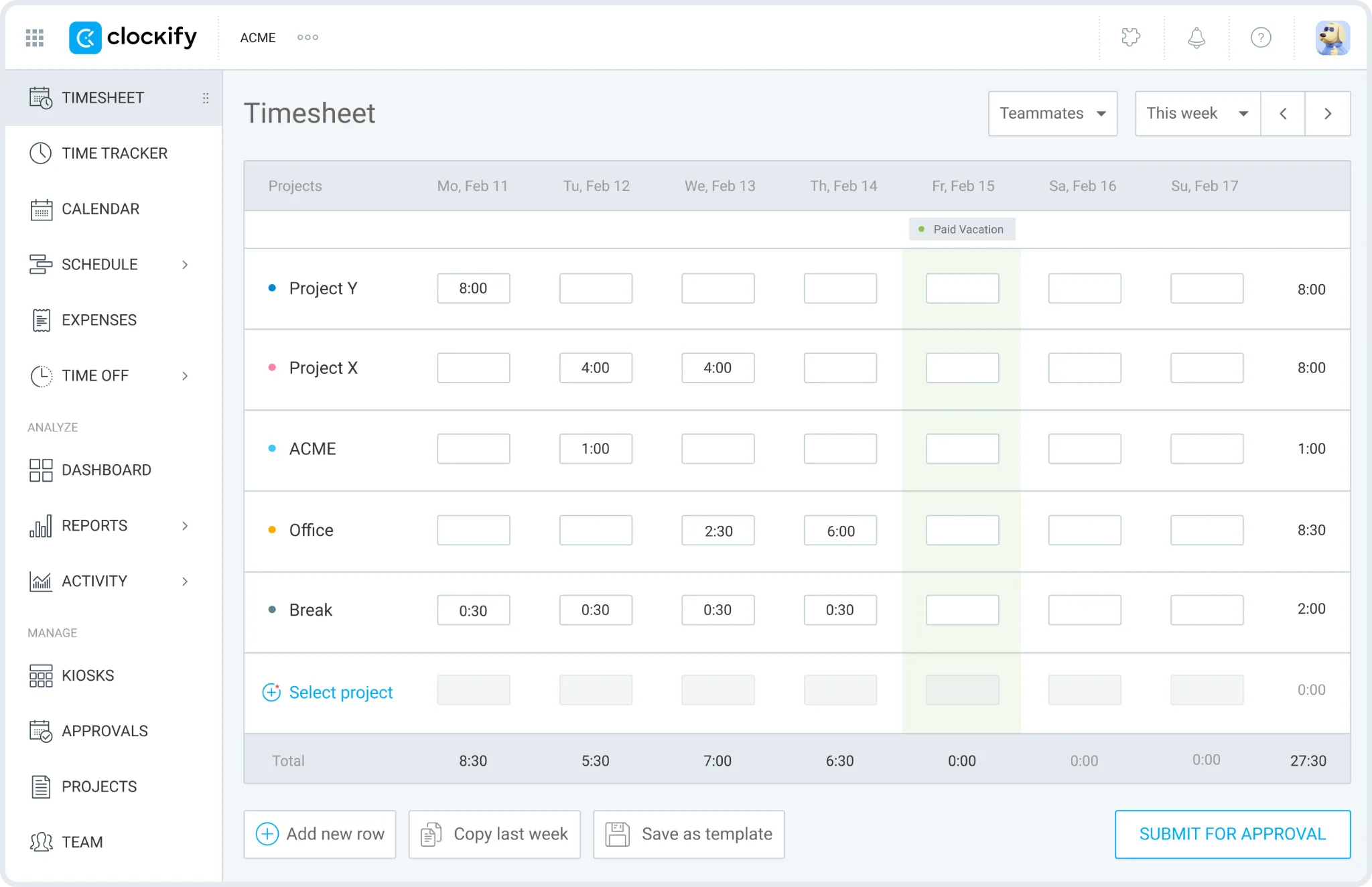
Users can start a timer from the web app, desktop app, mobile app, browser extension, or connected project management tools. They can choose a project, choose a task, and press start, then add tags, notes, and billable status where needed.
That gives managers a clearer view of project progress because every time entry can be connected to the actual work.
Clockify works well when teams need to answer questions like:
- How many hours did this client take?
- Which task took longer than expected?
- How much of the work was billable?
- Which project is getting close to the budget?
- Which team members worked on each client?
- How much time was spent on internal work?
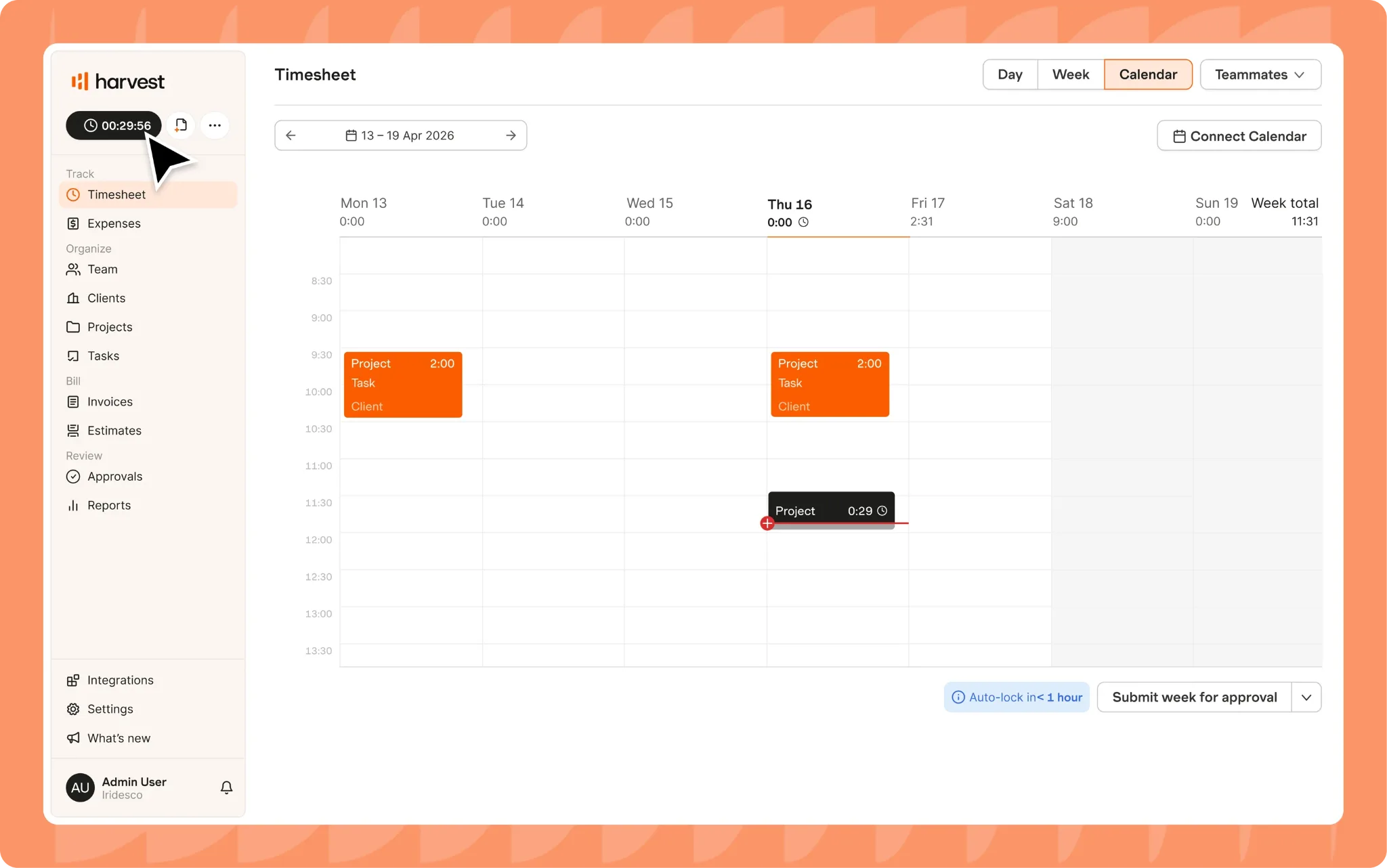
Users select a project and task, start the timer, and later use that data for invoices, budget tracking, and client reports. The timer itself is simple, which many teams will like.
Clockify gives more setup flexibility, while Harvest gives a cleaner path from timer entries to client billing.
Manual time entries
Perfect tracking rarely happens for any team.
Someone forgets to start a timer. A consultant jumps into a call before opening the app. A designer switches tasks without updating the timer. A manager needs to clean up the week before sending invoices.
Clockify makes it easy to track time manually. Users can add entries after the fact, edit old entries, move time between projects, and clean up timesheets before approval.
That flexibility is useful for project-based teams because billable work rarely happens in perfect blocks.
Harvest also supports manual entries, and the experience is very simple. Users can add time from daily or weekly views, assign the right project and task, then leave notes for billing context.
The difference is control.
Clockify gives more admin options around approvals, locked time, required fields, time audits, and manager review. Harvest keeps the experience lighter and closer to invoicing.
Clockify is better when managers need tighter timesheet control. Harvest is better when users need to enter time quickly and move it into billing.
Billable hour tracking
Both tools are good for billable hours, but Harvest has the cleaner billing workflow.
Clockify lets teams set billable rates by user, project, task, or workspace. Managers can separate billable and non-billable hours in reports, compare tracked time against budgets, and export data for client work.
Clockify helps teams see:
- Which clients are profitable
- Which tasks take too much time
- Which projects are over budget
- Which team members spend the most time on billable work
- Which internal tasks are pulling people away from paid work
Harvest also lets teams track billable hours, but it connects that work more directly with invoices, expenses, and payments. That is the main reason many agencies and consultancies still use it.
With Harvest, billable hours are not just data in a report. They are part of the billing process.
Clockify is stronger when billable time needs deeper filtering and reporting.
Harvest is stronger when billable time needs to become an invoice quickly.
Project and task tracking
Clockify is stronger if your team needs to create multiple projects, organize tasks, and track work across many clients.
Teams can create clients, projects, tasks, tags, hourly rates, estimates, budgets, and assignments. Every entry can be tied to the right piece of work, which makes reports more useful for agencies, consultants, and service businesses.
Clockify helps managers follow project progress without guessing. You can see how much time was spent on each project, which tasks are taking too long, and how actual hours compare with estimates.
Harvest also supports projects, tasks, roles, budgets, and billable rates. The setup feels cleaner, but it is not as flexible as Clockify for teams that want more detailed time categories.
Harvest works best when the project structure is simple and tied to billing.
Clockify works better when the team needs more control over how work is grouped, filtered, approved, and reported.
Project costs and budgets
Clockify gives teams more room to track project costs in detail.
Managers can connect tracked time with hourly rates, billable rates, labor costs, estimates, and budgets. That helps teams understand whether a project is profitable or slowly turning into a problem.
Clockify can help answer questions like:
- Are we still within budget?
- Which tasks are hurting profitability?
- Did we estimate enough hours?
- Are project costs higher than expected?
- Which clients need a pricing change?
- Which team members are spending the most time on low value work?
Harvest is also strong here, especially for client work. Budgets are central to the product, and teams can track project health based on hours, fees, and expenses.
Harvest feels cleaner for budget conversations with clients because the same data can connect to invoices and payment records. Clockify gives more reporting depth and admin control.
Expenses and expense reports
Harvest has the stronger expense workflow.
Users can track expenses, attach receipts, mark expenses as billable, and include them on client invoices. That makes the product useful for consultants, agencies, studios, and field based service teams that need to recover costs from clients.
Harvest is especially useful for:
- Travel expenses
- Contractor costs
- Reimbursable client costs
- Materials
- Project related purchases
- Receipt tracking
- Client billing
Clockify supports expenses on higher plans, and it can work well when expense reports need to sit next to project time and labor costs.
For example, an agency can review tracked hours, billable work, project costs, and expenses from one reporting setup. That gives managers a better view of the full cost behind client delivery.
Harvest is better if expense management is part of the billing workflow.
Clockify is better if expenses are one part of broader project reporting.
Invoicing and payments
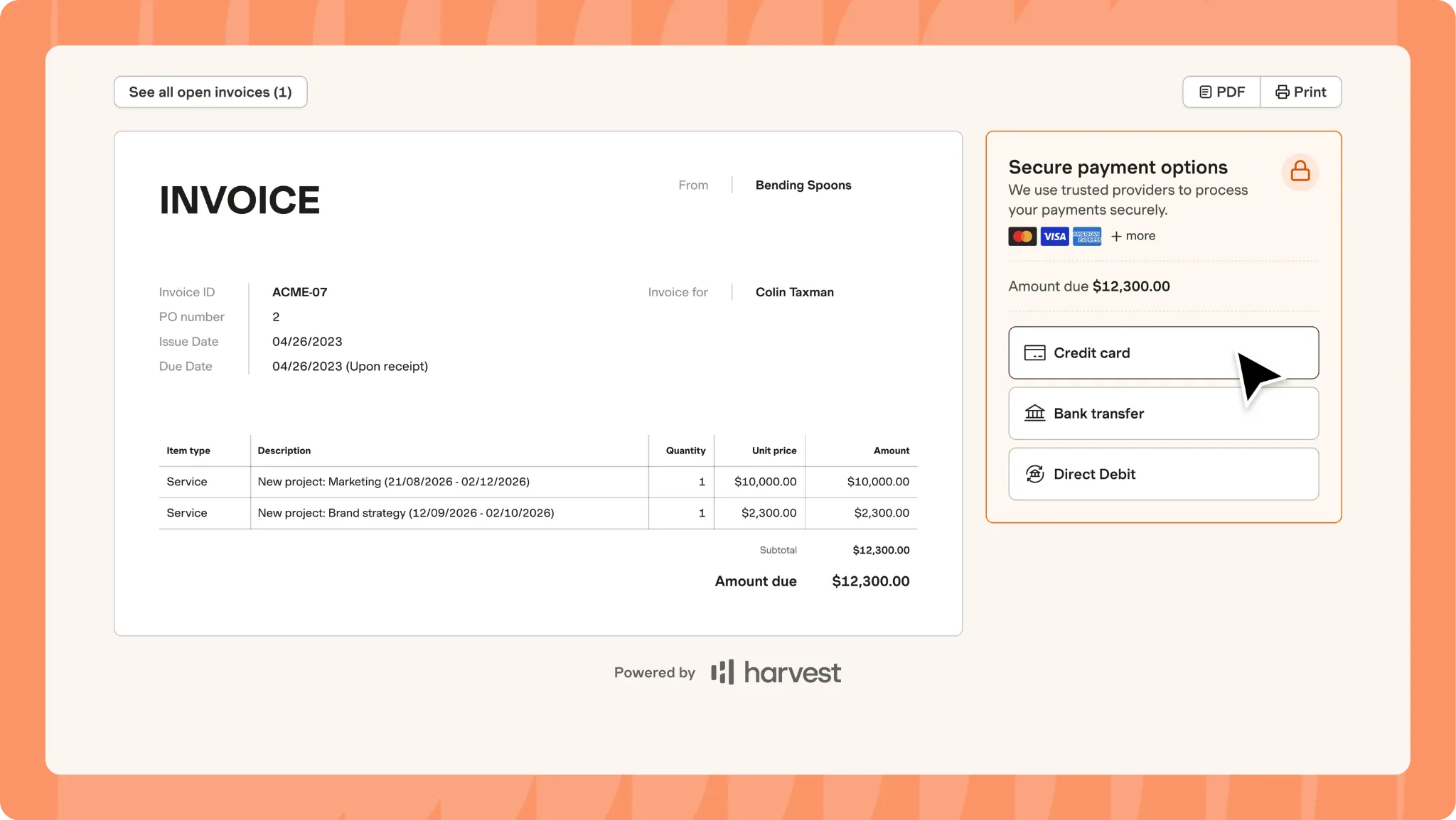
The product was clearly built for teams that track time and send client invoices from the same system. You can turn tracked hours and expenses into invoices, send them to clients, and connect payment tools so clients can pay faster.
Clockify also supports invoicing on paid plans. Teams can create invoices from tracked time, add expenses, and share billing records. That can be enough for small teams that want time tracking and billing in one place without paying Harvest prices.
The difference is the polish.
Harvest feels more natural when invoices are a normal part of the week. Clockify treats invoicing as one of many advanced features.
GPS tracking and field work
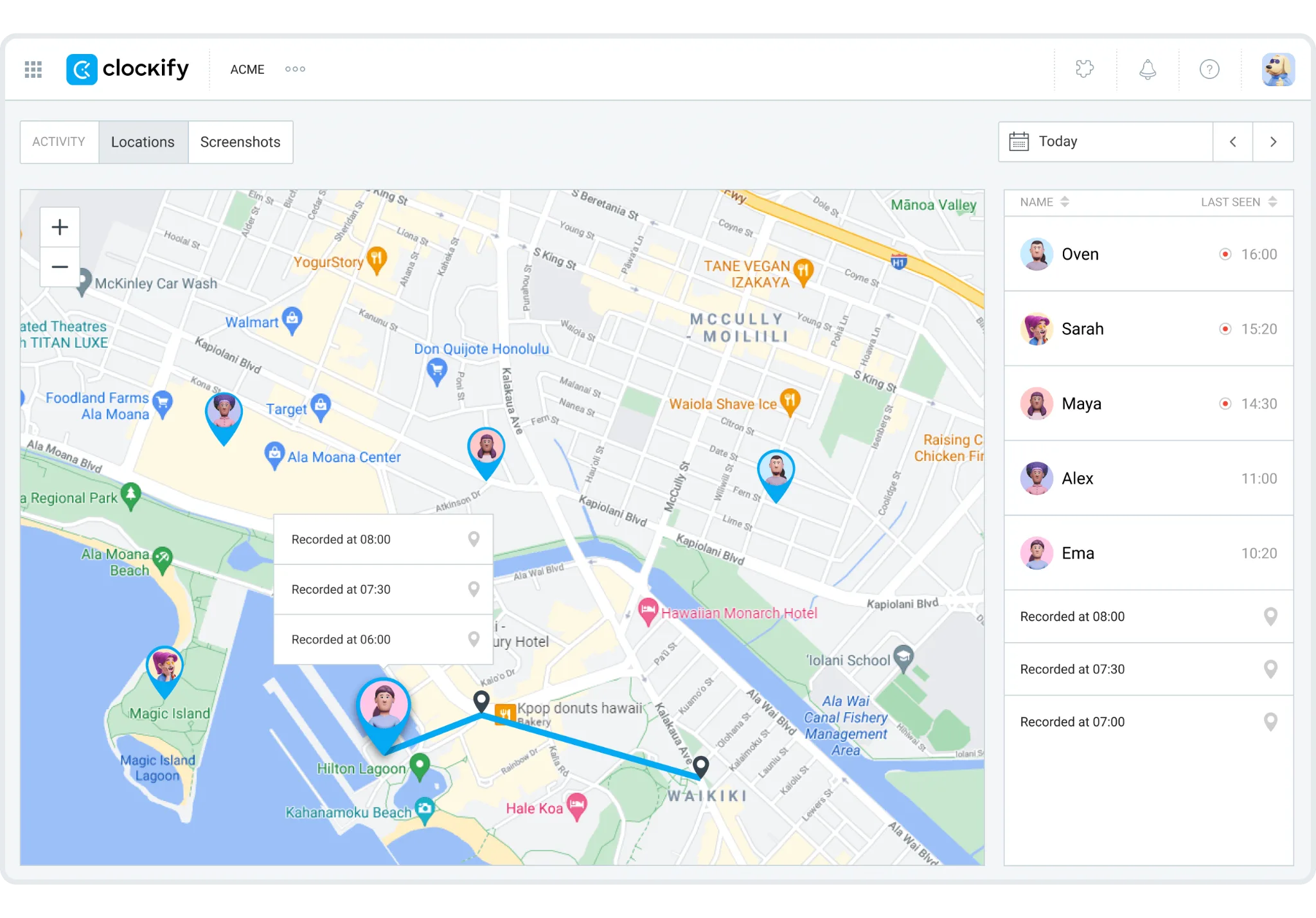
It can be useful for mobile workers, field teams, or companies that need location data connected to tracked time. It is not the main reason most agencies choose Clockify, but it is useful when the team works away from a desk.
Harvest does not focus on GPS tracking. It is built much more around client work, invoicing, project budgets, time reports, expenses, and team capacity.
Kiosk mode and attendance
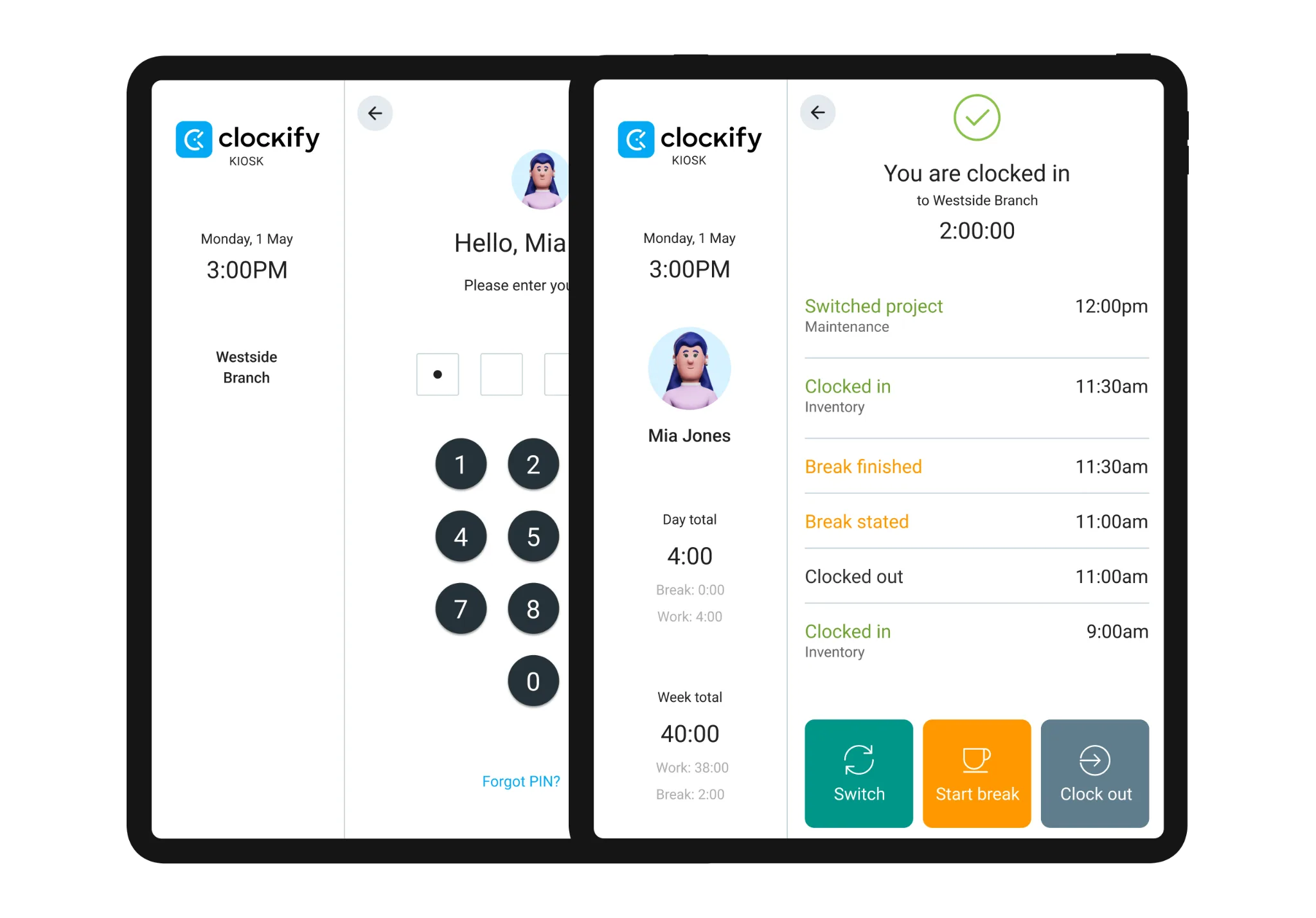
That can help businesses where several people need to track attendance from one location. It is not as central to Clockify as project tracking, but it gives the platform more range than Harvest.
Harvest does not focus on kiosk mode, automated break rules, or attendance-style time clocks. It is built for professional services teams that track project work, not businesses that need shift-based clock-ins.
Clockify also has attendance and overtime tools on paid plans. Harvest keeps the product closer to project time, budget tracking, and billing.
Clockify is better when time tracking needs to include attendance-style controls.
Harvest is better when time tracking needs to support invoices and project budgets.
Scheduling and planned hours
Clockify includes scheduling and forecasting on higher plans. Managers can plan work, assign team members, compare planned hours with actual tracked hours, and spot workload problems before projects slip.
That helps project-based teams understand capacity.
Harvest does not include full scheduling inside the main product in the same way. It connects with Harvest Forecast for resource planning, which can help teams plan capacity, project timelines, and people availability.
Clockify keeps scheduling closer to time tracking.
Harvest keeps resource planning in a connected planning tool.
The better option depends on how much planning structure your team needs.
Advanced features
Both tools have advanced features, but they are aimed at different buyers.
Clockify adds more value when advanced features need to support reporting, admin control, project tracking, and team management. That includes approvals, locked time, required fields, time audits, GPS tracking, screenshots, kiosk mode, expenses, scheduling, forecasting, single sign-on, and role-based permissions.
Harvest adds more value when advanced features need to support billing, profitability, approvals, expenses, custom reports, activity logs, and SAML-based SSO on higher plans.
Clockify gives managers more operational control.
Harvest gives client service teams a smoother path from time to money.
The bottom line on time tracking
Clockify and Harvest both track time well, but they do it for different reasons.
Clockify is better for teams that need flexible time tracking, GPS tracking, project management tools, project progress, project costs, expense reports, advanced features, and detailed reporting by client, task, and team member.
Harvest is better for teams that need time tracking to connect directly with invoicing, payments, expense management, budgets, and client billing.
If your team wants control and lower costs, Clockify is the better fit.
If your team wants tracked hours to move into invoices with less cleanup, Harvest makes more sense.
Reporting features
Reporting is one of the biggest differences between Clockify and Harvest.
Both time tracking apps show hours, projects, tasks, budgets, and team activity. But the reports are built for different decisions.
Clockify reporting
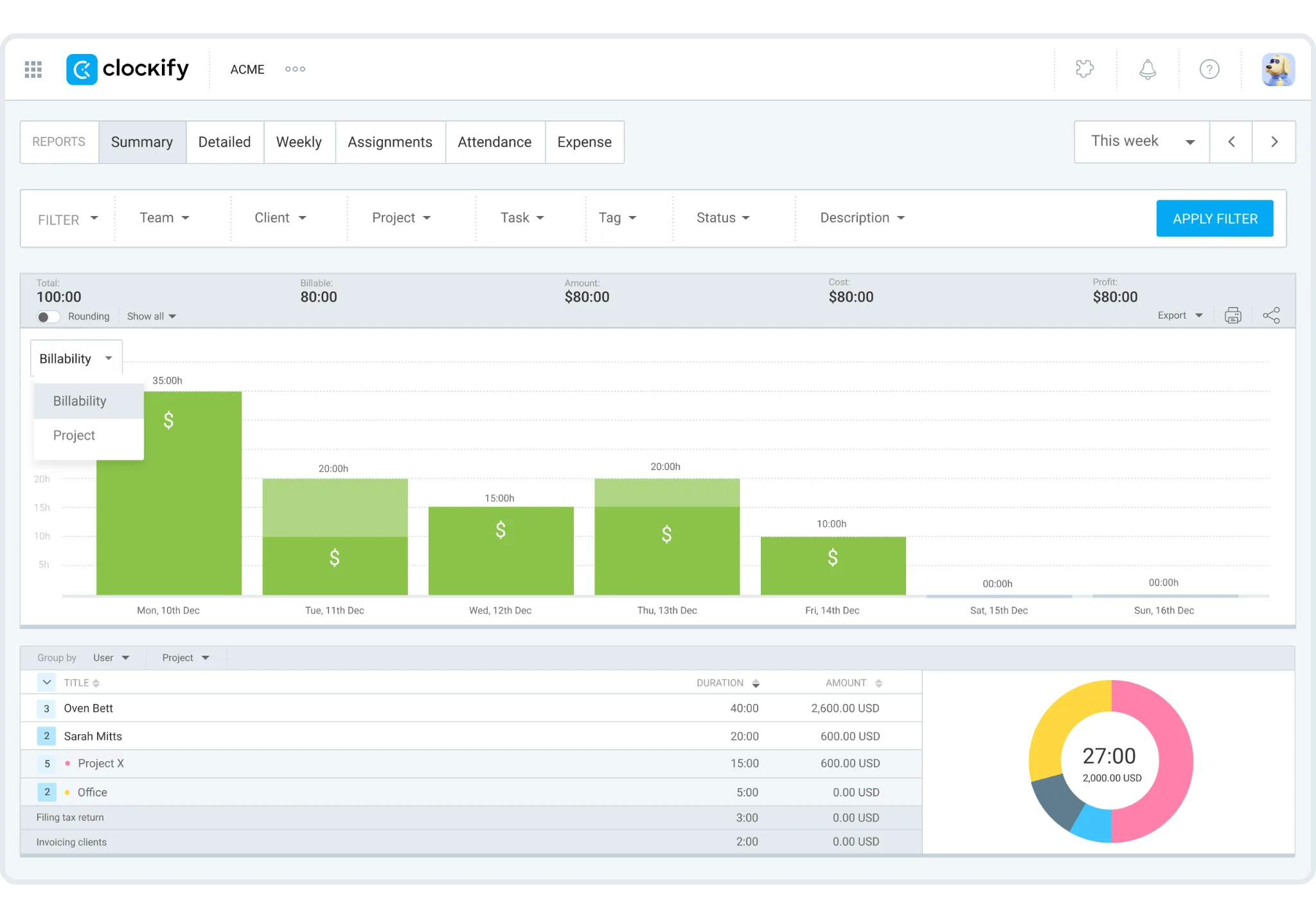
Managers can break down time reports by client, project, task, user, tag, billable status, date range, and team. That gives teams a detailed view of where work actually goes.
Clockify helps answer questions like:
- How many hours did this client take?
- Which project went over budget?
- Which tasks consumed the most time?
- How much work was billable?
- Which team members tracked the most hours?
- Which clients are taking up too much capacity?
- How did actual hours compare with the estimate?
- Are project costs still under control?
That makes Clockify a better time tracker for agencies, consultants, freelancers, marketing teams, software teams, and professional services firms that need deeper reporting filters.
The reports are especially useful when time tracking needs to support client reviews, retainers, project budgets, and internal workload checks.
Clockify can also export reports into Excel files, CSV, or PDF, which helps when teams need to share time data with clients, finance teams, or managers outside the platform.
Harvest reporting
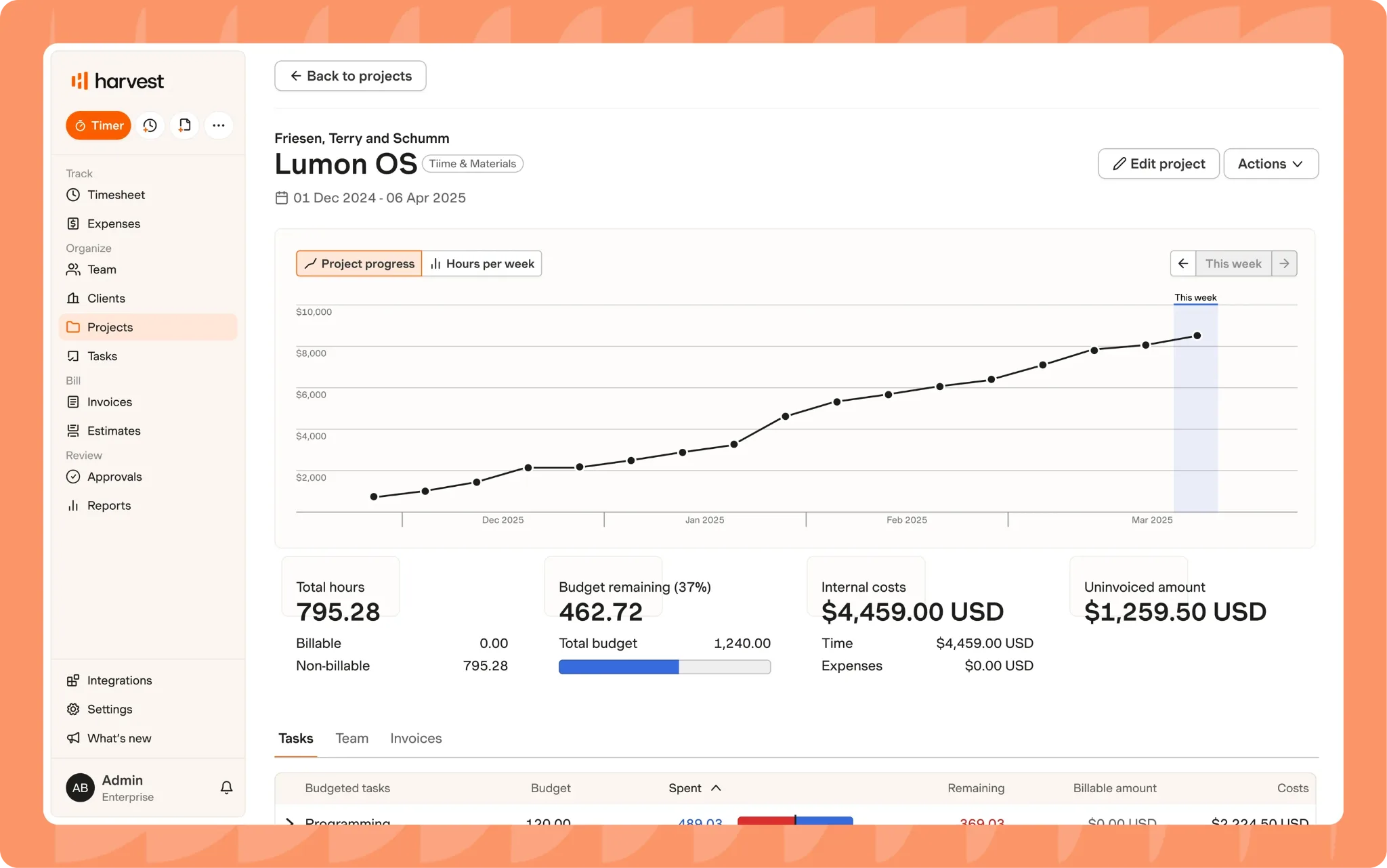
Managers can review tracked hours, project budgets, uninvoiced time, billable amounts, expenses, team capacity, and invoices from one place. That makes it very useful for client service teams that need quick answers about money.
Harvest helps answer questions like:
- How much time has not been invoiced yet?
- Which projects are close to budget?
- Which clients owe money?
- Which expenses should be billed?
- Which team members are over capacity?
- Which projects need a budget conversation?
- Which work was tracked during the entire week?
Harvest also feels less busy than Clockify in many reporting workflows. It does not always give the same filtering depth, but the reports are easier to connect to invoices and client billing.
That makes Harvest practical for teams that want fewer steps between tracked time and paid invoices.
Budget and profitability reporting
Both tools handle budgets, but Harvest has a cleaner link between budgets and billing.
Harvest lets managers compare tracked time and expenses against project budgets. On higher plans, profitability reporting gives teams a clearer view of clients, projects, tasks, and teams.
Clockify also handles budgets, labor costs, estimates, and profit tracking on paid plans. It is useful when managers need to analyze project costs in more detail.
Team productivity reporting
Clockify is better for team productivity when managers want detailed time data by user, project, task, and date range.
You can see how much time team members spend on different clients and tasks. You can compare billable and non billable work, review estimates against actual hours, and understand which projects are taking more effort than expected.
Harvest also shows team reporting and capacity, but the focus is more tied to billing, budgets, and utilization.
Automated reports and exports
Clockify gives project based teams more reporting flexibility.
Reports can be filtered, saved, shared, scheduled, and exported. That helps managers create a detailed time report for clients, payroll checks, internal reviews, or budget analysis without rebuilding the same view every time.
Common Clockify report uses include:
- Weekly client reports
- Billable hour summaries
- Project budget reviews
- Team workload reports
- Invoice support
- Internal time audits
- Excel files for finance teams
Harvest exports are more useful when the goal is billing, invoices, expenses, or profitability. Managers can review time, check expenses, create invoices, and share client ready records.
AI-powered time tracking and reporting
Neither Clockify nor Harvest fully removes the need to review and clean up tracked time.
Clockify still depends on users starting timers, adding entries, choosing the right project, and keeping timesheets accurate. Harvest still depends on users tracking time correctly before that data can become invoices, expenses, and budget reports.
That is why AI-powered time-tracking tools like Timely can be a better fit for teams that want cleaner reporting without asking people to rebuild their day from memory.
Timely tracks work activity in the background, then helps users turn that activity into accurate timesheets. That gives managers cleaner time reports with less effort from employees.
For teams that care about client work, project costs, and billable hours, that can make reporting much easier.
The bottom line on reporting
Clockify has better reporting for teams that need detailed reporting tools, flexible filters, project progress, team productivity, budgets, time reports, and exports.
Harvest has better reporting for teams that need tracked time, expenses, budgets, invoices, payments, and profitability to stay close together.
Pricing plans
Clockify and Harvest use different pricing models.
Clockify is cheaper at the entry level and gives small teams more room to start with a free version. Harvest costs more, but it combines time tracking, invoicing, expense tracking, payments, and budget reporting in a cleaner client billing workflow.
So the better value depends on what you need to pay for.
A team that needs low-cost time tracking across many projects will probably prefer Clockify.
A team that wants an all-in-one solution for time, invoices, expenses, and payments may justify Harvest more easily.
Clockify pricing
Clockify pricing is built around users.
The free version is useful for basic time tracking, especially for individuals and small teams that want to track project time without paying right away.
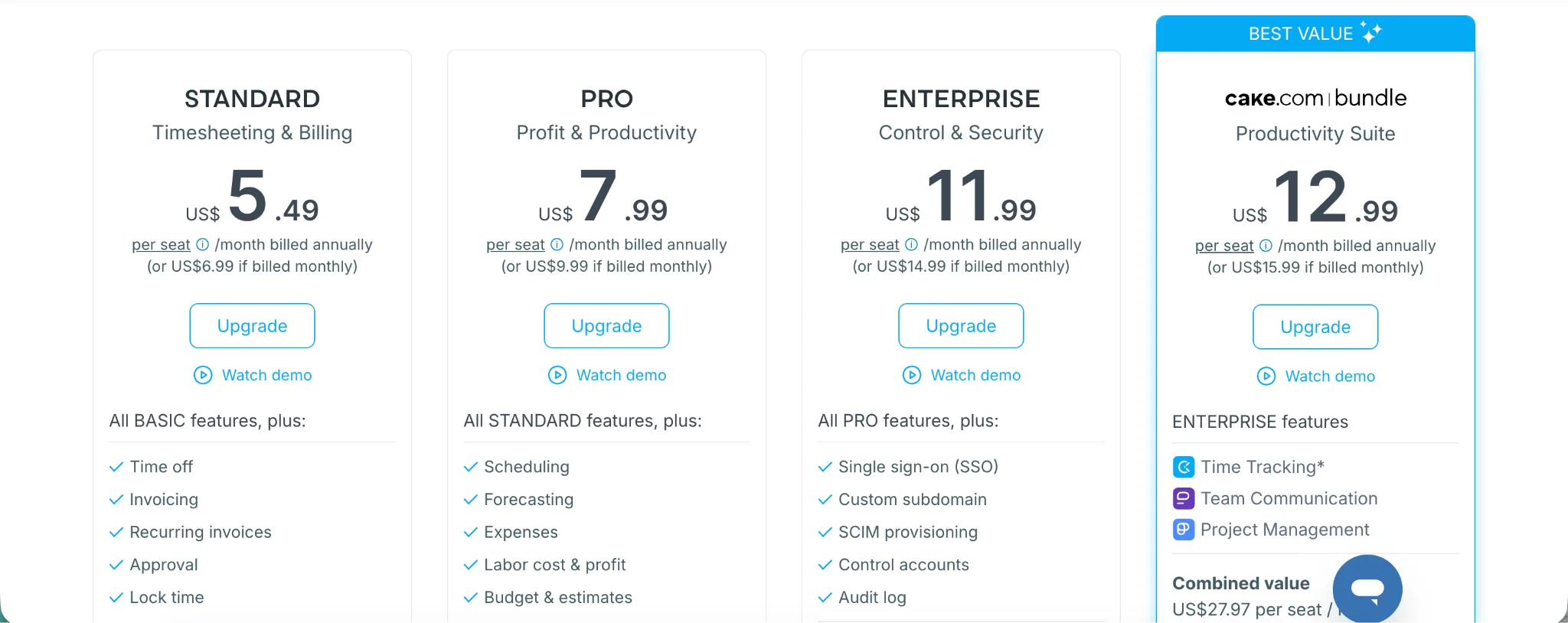
Clockify also offers unlimited time tracking, so users can track as many hours as they need. The paid plans add admin controls, approvals, invoicing, expenses, labor cost tracking, scheduling, GPS tracking, screenshots, and security features.
| Plan | Monthly price | Annual price | Best for | Key features |
|---|---|---|---|---|
| Free | $0 | $0 | Individuals and small teams that need basic time tracking | Time tracking, timesheets, calendar, reports, projects, team activity, apps, basic project tracking |
| Basic | $4.99 per user per month | $3.99 per user per month | Teams that need admin controls | Add time for others, required fields, bulk edits, kiosk, time audit, project templates, billable rates |
| Standard | $6.99 per user per month | $5.49 per user per month | Teams that bill clients from tracked time | Time off, invoicing, recurring invoices, approvals, locked time, attendance, overtime, task rates, QuickBooks integration |
| Pro | $9.99 per user per month | $7.99 per user per month | Teams that need budgets, expenses, and planning | Scheduling, forecasting, expenses, labor cost and profit, budgets, alerts, GPS tracking, screenshots |
| Enterprise | $14.99 per user per month | $11.99 per user per month | Larger teams that need stronger security and admin tools | Single sign-on, custom subdomain, SCIM provisioning, control accounts, audit log |
| CAKE.com Bundle | $15.99 per user per month | $12.99 per user per month | Teams that want Clockify with the wider CAKE.com suite | Clockify Enterprise features plus Plaky and Pumble |
Clockify is the better pricing fit if your team is small, budget-conscious, and mainly needs time tracking, reports, billable rates, budgets, and approvals.
It also works better if you need to create unlimited projects without paying Harvest-level prices. Private projects, advanced admin controls, expenses, scheduling, and security features sit behind paid plans, so the free version will not be enough forever for most growing teams.
Harvest pricing
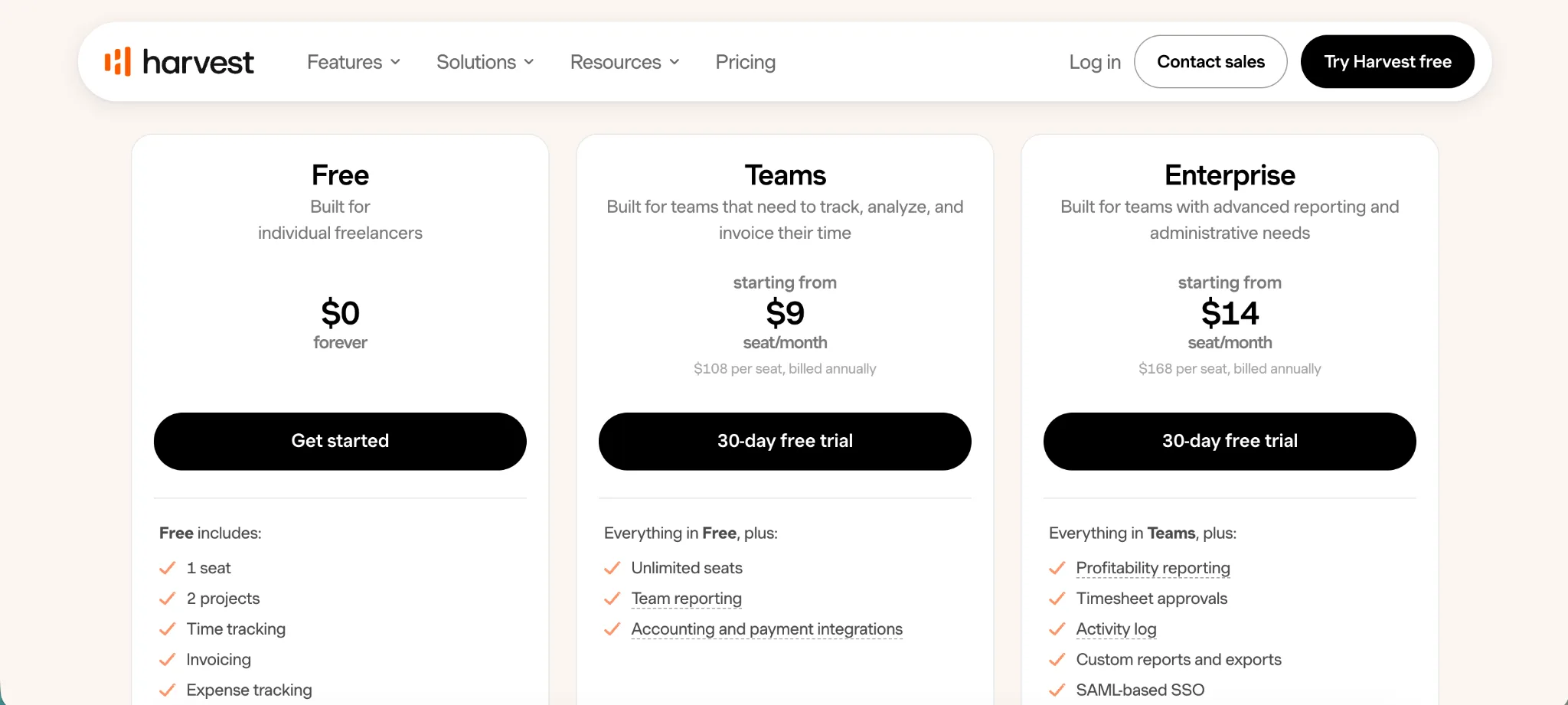
The free version is limited to 1 seat and 2 projects. That is fine for a solo freelancer testing the product, but it will not work for most agencies or consultants managing multiple clients.
The paid plans focus more on time tracking, invoicing, expenses, payments, team reporting, and profitability.
| Plan | Monthly price | Annual price | Best for | Key features |
|---|---|---|---|---|
| Free | $0 | $0 | Solo freelancers with very limited needs | 1 seat, 2 projects, time tracking, invoicing, expense tracking, Mac and iOS apps |
| Teams | $11 per seat per month | $9 per seat per month | Teams that need time tracking, invoicing, and reporting | Unlimited seats, time tracking, team reporting, invoicing, accounting and payment integrations |
| Enterprise | $17.50 per seat per month | $14 per seat per month | Larger teams with advanced reporting and admin needs | Everything in Teams plus profitability reporting, timesheet approvals, activity log, custom reports and exports, SAML-based SSO, required notes, onboarding support for 50 plus seats |
Harvest also notes that the base rate includes core features, while additional invoices, projects, clients, and tasks can be billed based on usage as the team grows.
That makes Harvest harder to compare against Clockify on price alone.
Clockify is clearly cheaper for standard project time tracking.
Employee monitoring tools
Clockify and Harvest both give managers visibility into tracked work, but neither platform is built for heavy employee surveillance.
Clockify gives managers more monitoring-style features than Harvest. On higher plans, Clockify can support screenshots, GPS tracking, attendance, overtime, approvals, locked time, and activity tracking. Those advanced features can help managers check whether time records match actual work.
Clockify helps managers monitor:
- Time entries by user
- Billable and non-billable hours
- Timesheet approvals
- Project activity
- Attendance and overtime
- GPS tracking on higher plans
- Screenshots on higher plans
- Edited time records
- Budget risk by project
That works better when managers need more control over how team members track time.
Harvest takes a lighter route.
Managers can review who tracked time, which project the time belongs to, which hours are billable, which entries need approval, and which work can be invoiced. On higher plans, Harvest adds timesheet approvals and activity logs, which help teams review changes without turning the product into monitoring software.
Harvest helps managers monitor:
- Time entries
- Project budgets
- Billable hours
- Expenses
- Timesheet approvals
- Invoice status
- Activity logs on higher plans
- Team capacity
- Profitability on higher plans
Clockify is better for project oversight with optional monitoring features.
Harvest is better for billing oversight and cleaner approval flows.
Neither tool is ideal if you need deep employee monitoring with app usage, URL tracking, or keyboard and mouse activity. But if you need clean timesheets, approvals, activity records, budget visibility, and better oversight of tracked work, both tools cover the basics without feeling too invasive.
Mobile apps
Clockify and Harvest both have mobile apps, but the everyday experience feels different.
Clockify is better when users need reliable time tracking across clients, projects, and tasks while moving between meetings or working away from the desktop app. Users can start timers, track time manually, switch projects, mark entries as billable, and review tracked hours from their phone.
Clockify’s mobile app is useful for:
- Starting and stopping timers
- Adding manual time entries
- Switching between projects
- Marking time as billable
- Reviewing tracked hours
- Editing timesheets
- Tracking work across clients
- Syncing time with the web and desktop app
The user-friendly interface helps. Clockify does not try to turn the mobile app into a billing platform. It stays focused on time entries, projects, clients, reports, and approvals.
Harvest’s mobile app is better when time tracking needs to stay close to expenses and billing.
Users can track time, add notes, submit expenses, attach receipts, and keep project records updated while away from the desk. That is useful for consultants, agencies, and service businesses where billable work does not always happen inside a browser.
Harvest’s mobile app is useful for:
- Tracking time
- Adding expenses
- Capturing receipts
- Reviewing projects
- Adding notes for invoices
- Updating time away from the office
- Keeping billable work current
The stronger app depends on the work you do every day.
Project management features
Clockify and Harvest both help teams manage project work, but they do it from different angles.
Clockify is stronger when the team needs more structure around clients, projects, tasks, budgets, rates, tags, assignments, and reports.
Harvest is stronger when project management needs to stay close to budgets, invoices, expenses, and payments.
Clockify gives teams a practical way to create multiple projects, assign team members, set rates, track tasks, review budgets, and measure project progress.
Clockify’s project management features include:
- Client and project tracking
- Task tracking
- Project templates
- Billable and non-billable hours
- Project budgets
- Project estimates
- Hourly rates by person, task, or project
- Time reports by project
- Team assignments
- Project status tracking
- Private projects on paid plans
That setup helps managers answer questions like:
- Are we going over budget?
- Which client is taking up the most time?
- Which tasks are slowing the team down?
- How much of the project was billable?
- Did our original estimate match the actual hours?
- Which team members worked on each project?
Harvest keeps project management more focused on client delivery and money.
Teams can set projects, tasks, budgets, rates, and expenses. Then they can use tracked time to create invoices, review budget progress, and understand whether a client or project is financially healthy.
Harvest offers a cleaner workflow for:
- Project budgets
- Billable hours
- Expense management
- Invoicing
- Payment tracking
- Profitability on higher plans
- Client-ready reports
- Team capacity
Clockify is better for project structure and reporting depth.
Harvest is better when project work needs to flow into invoices and budget reviews.
Team management tools
Clockify and Harvest both help managers understand what people are working on, but they support different management styles.
Clockify gives managers more admin tools.
Admins can invite team members, organize users into groups, assign people to projects, set billable rates, approve timesheets, lock time periods, review team activity, and manage permissions. On higher plans, Clockify also adds scheduling, forecasting, attendance, overtime, screenshots, GPS tracking, and security controls.
Clockify team management tools include:
- User groups
- Project assignments
- Team activity reports
- Timesheet approvals
- Billable rates by user
- Role-based permissions
- Workspace admin tools
- Attendance and overtime on paid plans
- Project access controls
- Capacity planning on higher plans
- Scheduling feature on higher plans
Clockify is useful for budget-conscious teams that need control over tracked time without buying a heavier project operations platform.
Harvest gives managers a cleaner view of team capacity, utilization, billable hours, project budgets, and approvals.
Harvest team management tools include:
- Team reporting
- Time approvals on higher plans
- Billable and cost rates
- Project budget tracking
- Team capacity reporting
- Roles and permissions
- Activity logs on higher plans
- Profitability reporting on higher plans
- Forecast integration for planning
Harvest is better when managing the team means understanding workload, budget usage, and billing status.
Clockify is better when managing the team means controlling how people track time across projects.
For employee productivity, Clockify gives more detail about tracked time and project activity. Harvest gives cleaner context around utilization, billable work, and budget health.
Neither tool is built mainly for managing remote employees through surveillance. Clockify can detect idle time and offer more monitoring-style controls on higher plans. Harvest stays closer to trust-based time tracking, approvals, and client billing.
Ease of use
Clockify and Harvest are both easy to learn, but they feel simple for different reasons.
Clockify feels familiar if your team already works across clients, projects, and tasks. Users start a timer, choose a project, add a task, mark time as billable, and review their hours later.
Harvest feels familiar if your team thinks about time through billing. Users track time, add notes, attach expenses, review budgets, and send invoices from the same general workflow.
Clockify gives teams one place to manage core features like:
- Timers
- Manual entries
- Projects
- Tasks
- Reports
- Approvals
- Budgets
- Expenses on higher plans
- Scheduling on higher plans
The product is simple at first, but it can feel busier once more advanced features are enabled. That is the tradeoff with Clockify. You get a lot of control, but managers may need to spend more time setting up projects, rates, permissions, and reports properly.
Harvest feels cleaner during daily use.
The main flow is easy to understand:
- Track time
- Add expenses
- Review budgets
- Create invoices
- Collect payments
- Check reports
That makes Harvest easier for teams that want time tracking and billing to stay close together.
Clockify can feel too broad for teams that only need time, expenses, and invoices.
Harvest can feel too limited for teams that want deeper admin controls, GPS tracking, kiosk mode, screenshots, or more detailed reporting filters.
The easier tool depends on the work.
Clockify is easier when users need flexible time tracking across many clients, projects, and tasks.
Harvest is easier when users need to turn tracked time into invoices and budget records without digging through a larger feature set.
Integrations
Clockify and Harvest both connect with outside tools, but their integration ecosystems serve different workflows.
Clockify is built for project-based work, so its integrations lean toward project management tools, task management, calendars, accounting software, and developer platforms.
A Clockify workspace can connect with tools like Asana, Trello, Jira, ClickUp, Monday, Google Calendar, GitHub, QuickBooks, and other apps where project work already happens. That makes it easier to start timers from tasks, track hours against projects, and keep billable work connected to reports.
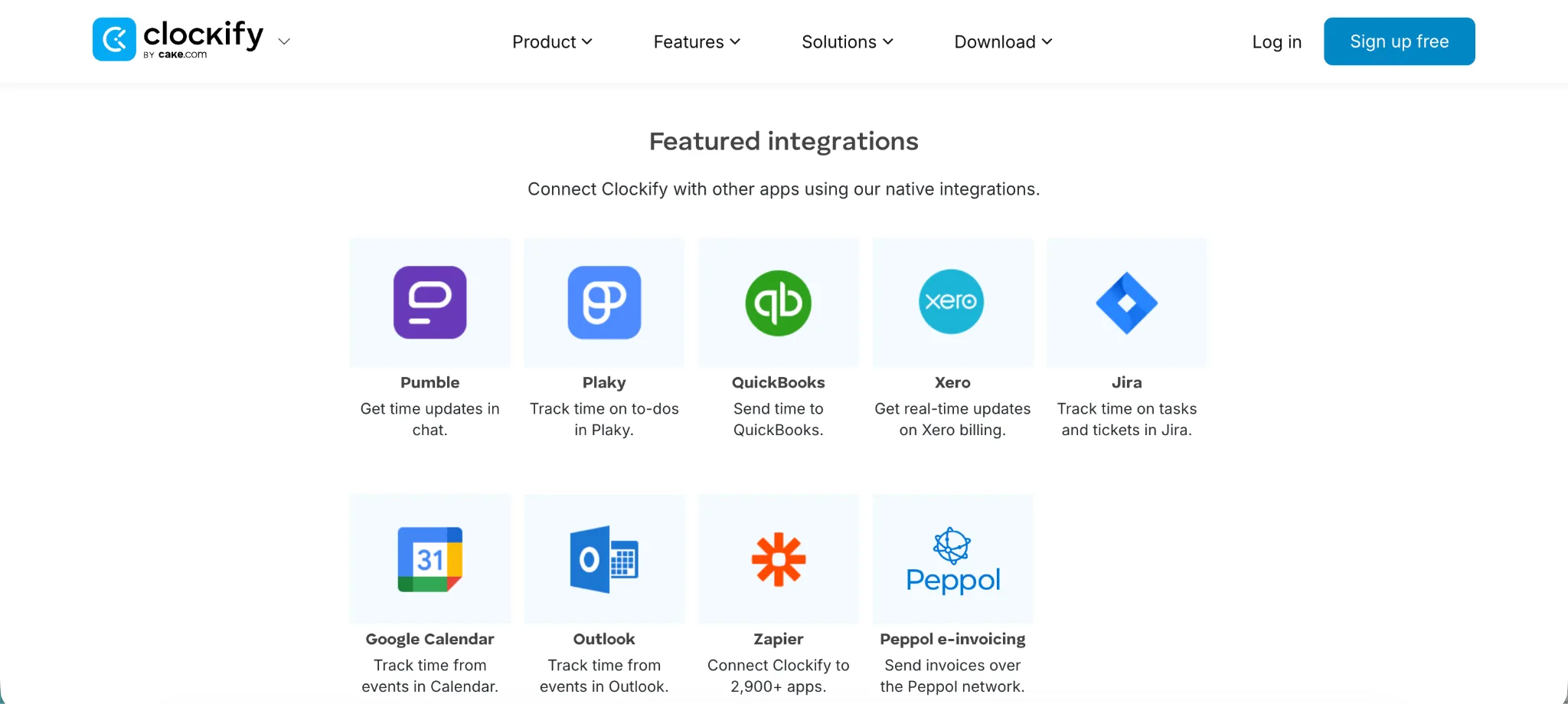
Clockify also makes sense when expense tracking and expense management need to sit next to project time. Teams can connect time, costs, tasks, and client work in a way that feels useful for agencies, consultants, and professional services businesses.
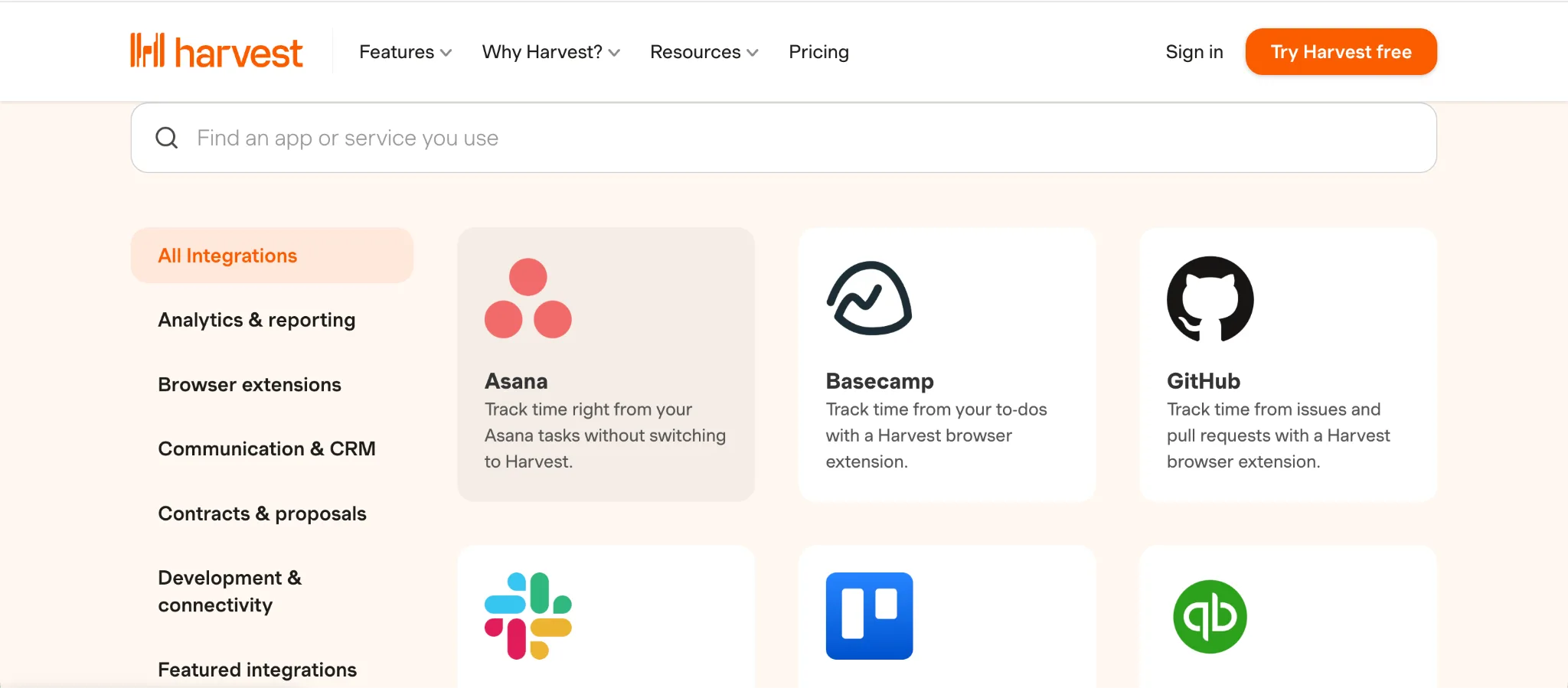
Its integrations are useful when teams need tracked time to move into invoices, expenses, accounting software, and payment tools. Harvest connects with tools like Asana, Slack, Stripe, QuickBooks Online, Xero, and more, which makes it practical for teams that want time data closer to the money.
Harvest is better for:
- Accounting software
- Payment tools
- Expense management
- Client invoicing
- Team communication
- Project billing workflows
Clockify has better integrations for task management, project tools, Google Calendar, developer workflows, and flexible time tracking.
Harvest has better integrations for billing, payments, accounting, expenses, and client finance workflows.
The best integration setup is the one that matches how your team already works.
If the day starts in a task board, Clockify makes more sense.
If the day ends with invoices and expenses, Harvest is easier to justify.
Clockify vs Harvest: which one should you get?
Still not sure whether Clockify or Harvest is the better choice? Here is the simple breakdown.
Get Clockify if:
- You need flexible time tracking for projects, clients, and tasks
- You run an agency, consultancy, freelance business, software team, marketing team, or professional services company
- You need to track billable hours across different clients
- You care about project budgets, estimates, reports, and team utilization
- Your team works inside task management and project management tools
- You need flexible timers, manual entries, approvals, and exports
- You want a free version for basic project time tracking
- You need more admin controls than Harvest gives on lower plans
- You want GPS tracking, kiosk mode, screenshots, or attendance options on higher plans
- You need a lower cost tool for small teams
Clockify is the better choice when work is organized around clients and projects. It gives teams a cleaner way to see where time goes, which tasks take too long, and whether projects are staying within budget.
Get Harvest if:
- You need time tracking tied closely to invoicing
- You want to track expenses and bill them to clients
- You care more about billing workflows than advanced admin controls
- You want a cleaner product for client service teams
- You need payments, invoices, expenses, and time in one workflow
- You want simple budget visibility for client projects
- You need profitability reporting on higher plans
- You prefer a lighter time tracker with stronger billing features
- Your team does not need GPS tracking, screenshots, or kiosk mode
- Your client billing process currently feels too scattered
Harvest is the better choice when tracked hours need to become invoices, expenses, payments, and budget records. It is easier to live with if client billing is the main reason you track time.
For most budget-conscious teams, Clockify will feel more practical because it gives more features at a lower price.
But if your team is already tired of starting timers and fixing messy timesheets, neither tool fully solves that problem. That is where an automatic time tracking tool like Timely makes more sense.
Track time automatically with Timely instead
Clockify and Harvest both work well when they match the way your team operates.
Clockify is the better choice if your team needs flexible, low-cost time tracking across clients, projects, tasks, budgets, and team members.
Harvest is the better choice if your team needs tracked time to connect with invoices, expenses, payments, and client billing.
But both tools still depend on people remembering to track time properly.
Someone has to start the timer. Someone has to choose the right project. Someone has to fix missed entries, clean up the timesheet, add notes, and submit everything at the end of the week.
Timely removes most of that friction with automatic time tracking.
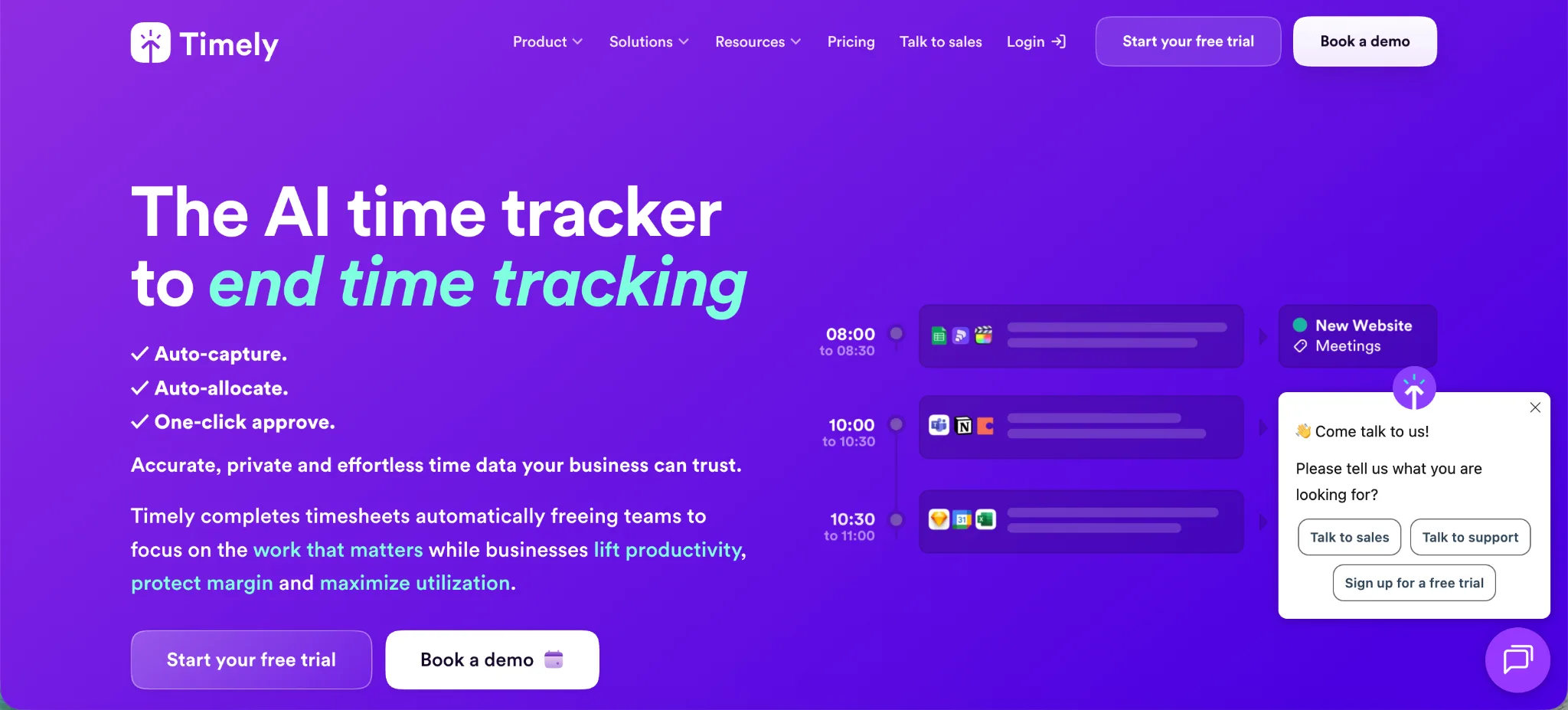
Instead of asking users to rebuild their day from memory, Timely records work activity in the background and gives each person a private timeline they can review. From there, they can turn their work activity into accurate timesheets without living inside timers all day.
That makes Timely a better fit for agencies, consultants, SaaS teams, professional services companies, and remote teams that need accurate project data without adding more admin work.
Timely helps teams with:
- Automatic time tracking
- AI-generated timesheets
- Billable hour tracking
- Project dashboards
- Budget and cost tracking
- Team planning
- Capacity management
- Overtime and undertime tracking
- Reports for client work
- Integrations with project management and accounting tools
The monthly cost is higher than Clockify, but that becomes easier to justify when missed billable hours are already costing the team money. With annual billing, Timely plans are cheaper than monthly billing and give teams a better long-term price.
Get Timely if your team wants accurate timesheets without constantly starting and stopping timers.
Try Timely today and make time tracking feel less like admin work.