
New Features
-
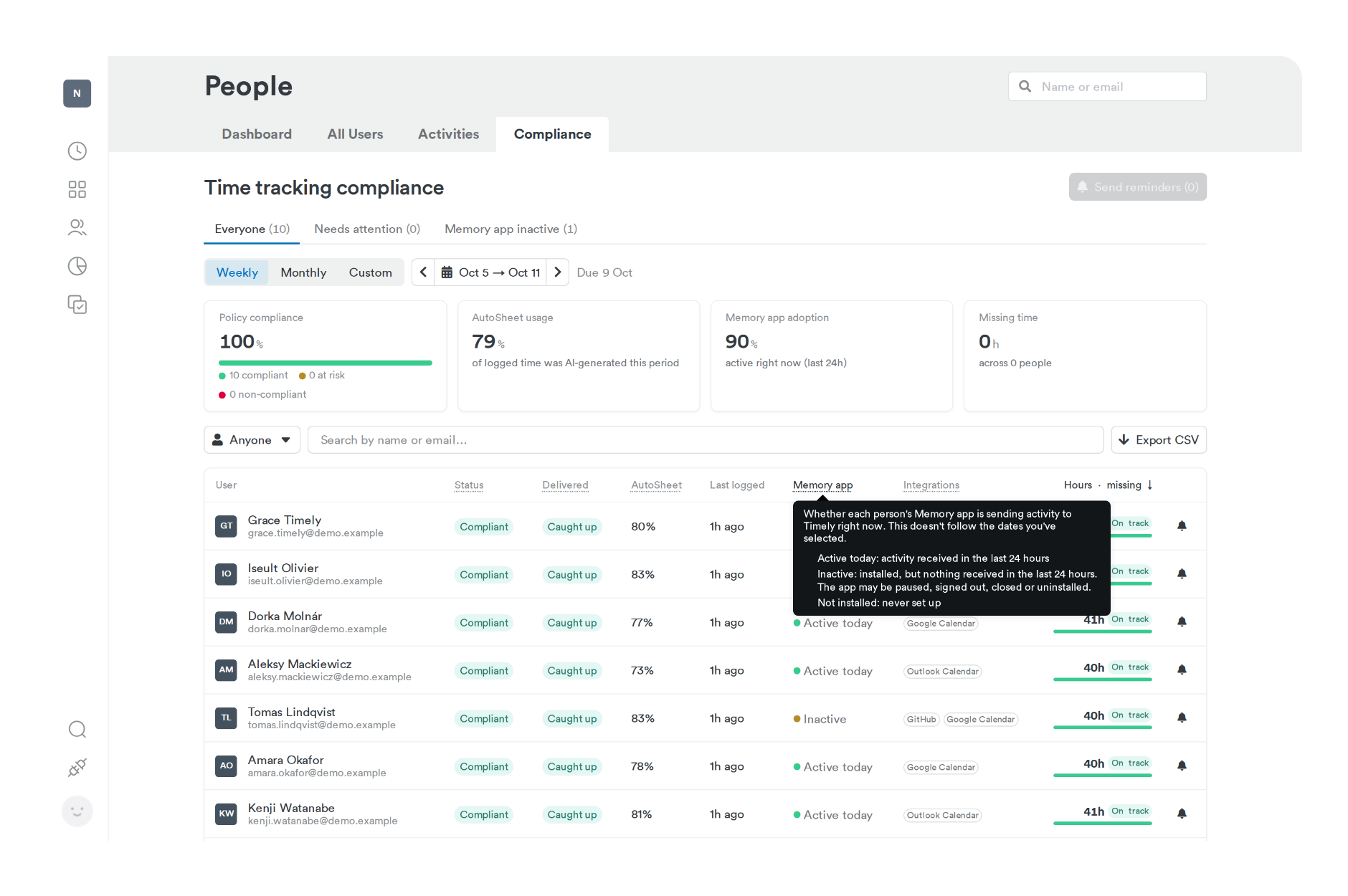
See what each Memory app status means. On the Compliance dashboard, click the Memory app column label to see what Active today, Inactive, and Not installed mean. Hover an Inactive status to see when activity last came in. Learn about reviewing your team’s compliance
-
Reconnect integrations before time goes missing. When a calendar, email, or workspace integration disconnects, such as Google Calendar, Outlook, Microsoft Teams, or Zoom, Timely now emails the right people so they can reconnect it. Admins also get a weekly digest of disconnects across the workspace. Learn about integration notifications
Improvements
- Know what’s at stake when a payment needs attention. If a subscription renewal fails, the payment modal now shows the deadline and what happens if the payment isn’t resolved, including that integrations will be disconnected. It only mentions integrations on plans that include them. Learn about managing your subscription
Bug Fixes
-
Outlook calendars that stop importing now show as disconnected. When none of your Outlook calendars can import, Timely now shows the connection as disconnected so you know to reconnect it. A connection with at least one working calendar stays connected. Learn about the Office 365 Calendar integration
-
Failed seat purchases no longer block plan changes. If a card fails authentication while you’re adding seats, Timely now cancels the unpaid purchase automatically. You keep your original seats and can switch plans or try again straight away.