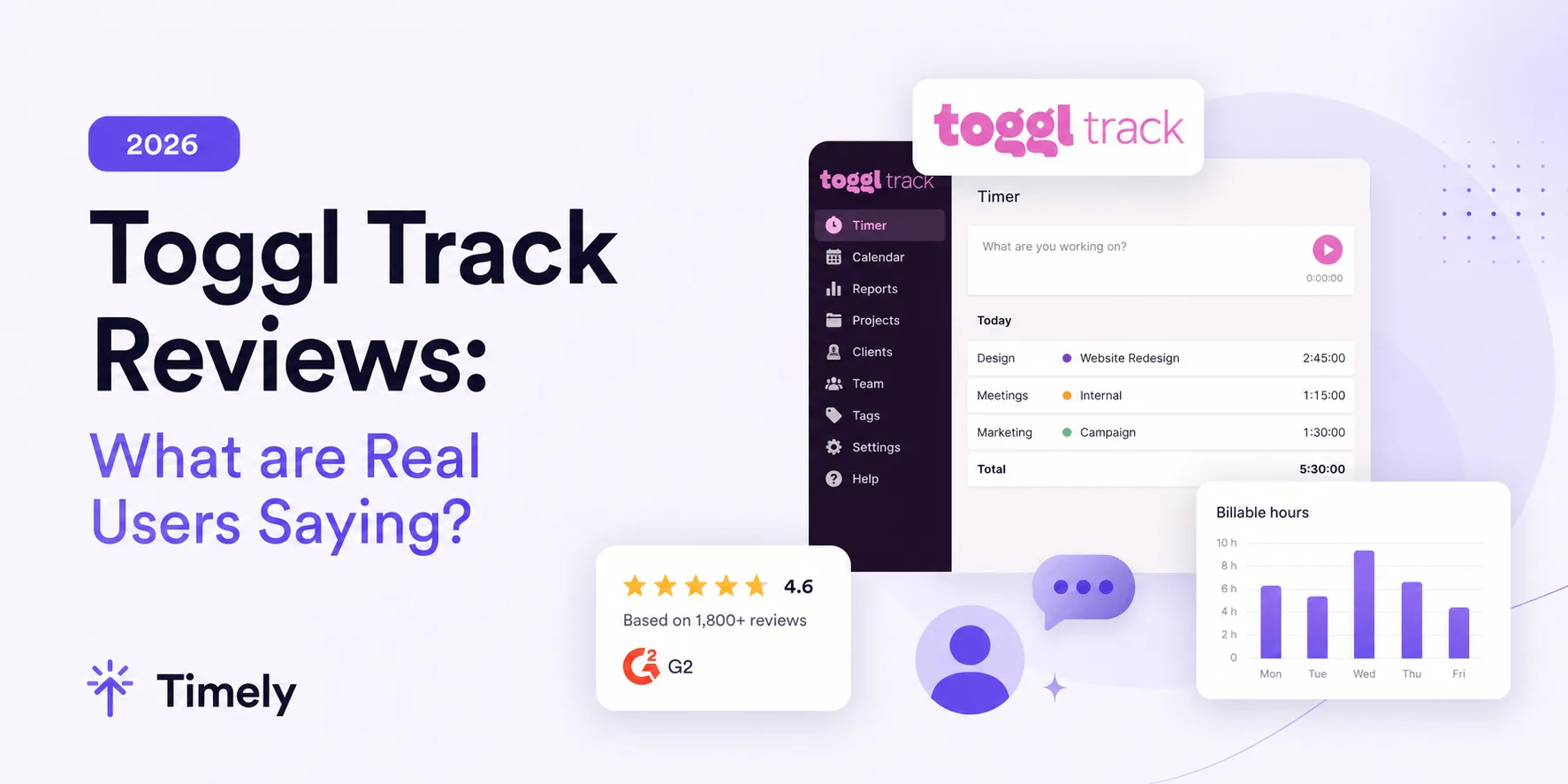
TimeCamp and Toggl Track are two popular options for tracking employee and project hours, but they approach time tracking quite differently. TimeCamp puts more emphasis on automatic tracking, attendance, and workforce visibility, while Toggl Track focuses more on simple time entry and flexible reporting.
This detailed comparison looks at how TimeCamp and Toggl Track handle automatic time tracking, project profitability, reporting, billable hours, integrations, team management, and pricing to help you decide which one fits your needs better.
TL;DR
| TimeCamp | Toggl Track | Better option | |
|---|---|---|---|
| Best for | Agencies, professional services teams, and businesses that want automatic tracking plus workforce visibility | Freelancers, agencies, and teams that want simple time tracking with flexible reporting | Depends on use case |
| Automatic time tracking | Background activity tracking with keyword based project assignment | Private Activity Timeline with suggestions and user controlled conversion into time entries | TimeCamp |
| Timers and manual entry | Web, desktop, and mobile timers, plus manual entries | Web, desktop, and mobile timers, manual entries, Calendar view, and Favorites | Toggl Track slightly |
| Project and task tracking | Projects, tasks, budgets, and automatic project assignment | Clients, projects, tasks, tags, estimates, and flexible project organization | Tie |
| Offline tracking | Tracks offline through desktop and mobile apps, then syncs later | Stores desktop time locally and syncs when connectivity returns | Tie |
| Desktop and mobile tracking | Windows, macOS, Linux, iOS, and Android | Windows, macOS, iOS, and Android | TimeCamp slightly |
| Idle time detection | Detects away time and lets users assign legitimate offline work | Detects inactivity and lets users discard or keep the idle period | Tie |
| Project profitability | Budgets, billing rates, labor costs, and profitability reports | Estimates, forecasts, fixed fee projects, labor costs, and profitability analysis | Toggl Track |
| Reporting and analytics | More than 20 report types covering time, attendance, projects, and financial data | Flexible filtering, grouping, workload reporting, and profitability analysis | Toggl Track slightly |
| Billable hours and budgeting | Billable rates, hourly and monetary budgets, alerts, and invoicing | Granular billable rates, historical rates, fixed fee projects, and budgets | Toggl Track |
| Integrations | More than 100 integrations with strong project management connections | More than 100 integrations, browser extensions, API, and Zapier support | TimeCamp slightly |
| Timesheet approvals | Approvals, reminders, locked timesheets, attendance, and overtime tracking | Weekly approvals, team controls, and tracking reminders | TimeCamp |
| Employee monitoring | App and website tracking, activity levels, screenshots, attendance tracking | No screenshots or manager access to private activity history | TimeCamp |
| Ease of use | More automation, but more settings and configuration | Cleaner interface and simpler day to day tracking | Toggl Track |
| Pricing | Lower priced paid plans and a free plan | Higher paid plan pricing with a free plan | TimeCamp |
| Overall positioning | Automatic tracking, workforce visibility, attendance, and project profitability | Simple time tracking, privacy, reporting, and project profitability | Depends on priorities |
Get the better alternative to TimeCamp and Toggl. Try Timely today, completely free.
TimeCamp and Toggl Track at a glance
TimeCamp and Toggl Track are both time tracking platforms, but they approach the category from different angles.
TimeCamp is best for agencies, professional services teams, and businesses that want to connect employee time with project costs and billing. It is known for automatic time tracking, timesheets, invoicing, attendance, and project profitability reporting. Its desktop app can record activity in the background and automatically assign time to projects using keywords.
TimeCamp also includes workforce visibility features, giving managers information about employee activity and how working hours are distributed, as well as expense tracking that shows profitability data. This gives it a broader scope than a straightforward time tracker.
Toggl Track is best for freelancers, agencies, and teams that prioritize straightforward time tracking and detailed reporting. It is known for its simple timer, flexible time entry options, project tracking, and customizable reports. Users can track time through web, desktop, and mobile apps, with more than 100 integrations available for connecting tracking with other work tools.
Toggl Track also supports project estimates, billable rates, labor costs, and profitability tracking. Its reporting tools can break down recorded hours by project, client, user, or billability, making it useful for teams that want detailed analysis without heavier employee monitoring.
It's an all-around great time tracking tool, but not ideal for all use cases and many users look at Toggl Track alternatives.
In simple terms, TimeCamp combines time tracking with broader workforce and attendance features, while Toggl Track puts more emphasis on straightforward tracking and flexible reporting.
Time tracking features
TimeCamp and Toggl Track both provide several ways to record working hours, from traditional timers to automated tracking. The biggest difference is how each time tracking solution handles automatic tracking and turns recorded activity into usable time entries.
TimeCamp leans further into background automation, while Toggl Track gives individual users more control over what captured activity eventually becomes part of their timesheet.
Automatic time tracking
TimeCamp has one of its clearest advantages here. Its desktop time tracking app can automatically record activity across websites and applications. Users can create keywords for specific projects or tasks, and TimeCamp can start tracking against the relevant work when it detects those keywords in window titles or URLs.
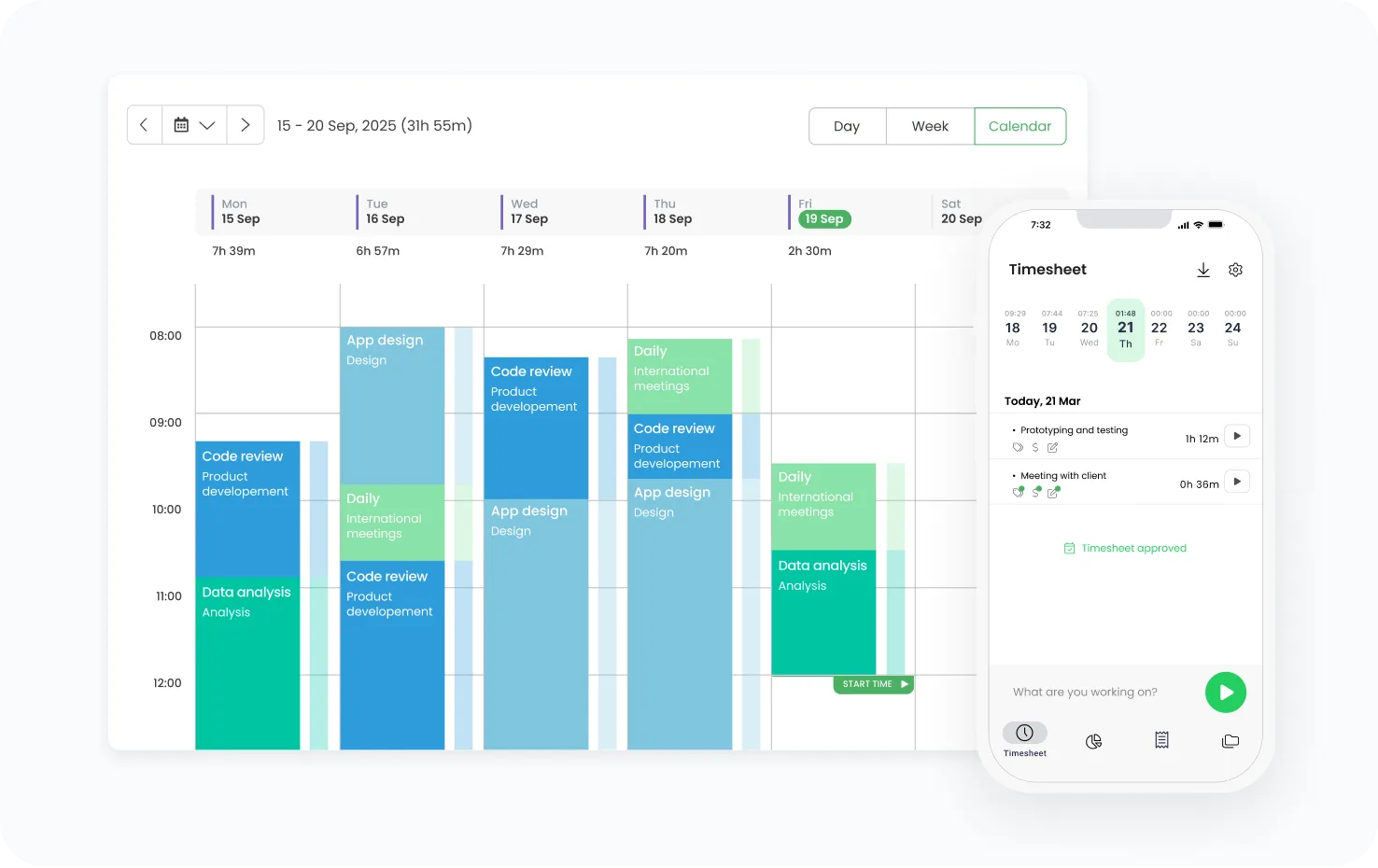
This means automatic tracking can go beyond creating a history of what happened during the day. TimeCamp can use those rules to assign recorded work directly to the relevant project.
Toggl Track also provides automated tracking through its desktop Activity Timeline. When enabled, it records applications and websites used for more than 10 seconds and creates a private timeline of the user's day. The user can then convert selected activities into time entries. That activity remains private until the user chooses to log it.
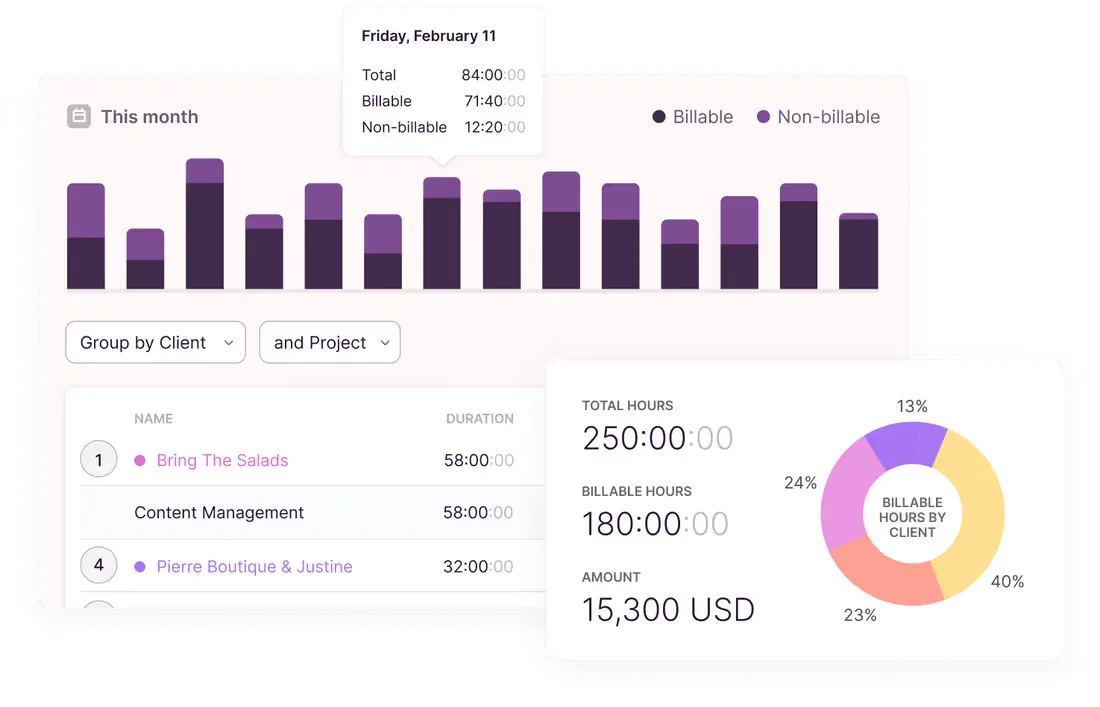
Toggl Track also supports keyword rules, although these are primarily used to trigger suggestions or notifications to start tracking the relevant project rather than automatically assigning every captured activity.
For automatic time tracking, TimeCamp is the stronger option because its automated tracking can assign work to projects with less user input.
Timers and manual time entry
Both platforms work well as a traditional time tracking tool when employees prefer to control their entries themselves.
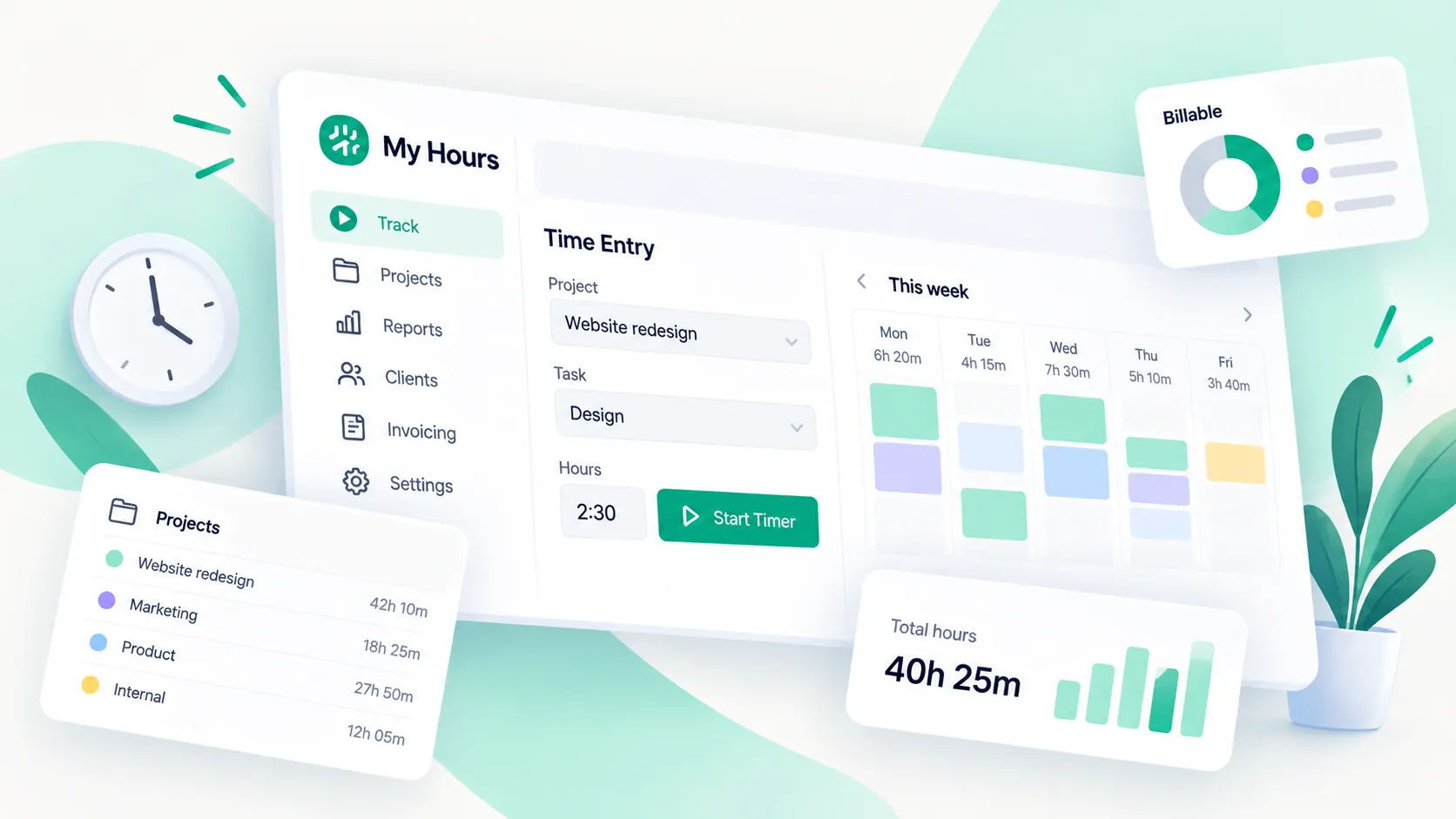
TimeCamp lets users select a project or task and start a timer through its web interface or desktop app. Hours can also be entered manually through the timesheet when someone forgets to start the timer. Its mobile app supports timers and manual entries as well.
Toggl Track takes a similarly flexible approach. Users can start a timer and add completed work manually. It also supports duration only entries for teams that care about the total number of hours worked without requiring exact start and finish times.
Toggl Track's Favorites feature can make repetitive tracking quicker by keeping commonly used time entries easily accessible. Calendar and list views provide additional ways to review and edit recorded work.
There is little separating the two for timers and manual entry, although Toggl Track offers slightly more flexibility in how users view and enter their time.
Project and task tracking
Both platforms connect recorded hours with projects, allowing businesses to move beyond simply measuring total working time.
TimeCamp lets teams create project structures and assign time to individual tasks. Automatic keywords can also connect desktop activity with the appropriate project, which is particularly useful for businesses tracking project time across multiple clients.
Toggl Track organizes entries around clients and projects, with tasks available for more detailed tracking. Users can assign a project while creating a time entry or add one later. This project data then feeds into reports and billing information.
Toggl Track also lets users add descriptions and tags to time entries, which provides another way to organize work without creating an overly complicated project structure.
Both are capable choices for accurate time tracking across client work. TimeCamp has a slight advantage for tracking project time automatically, while Toggl Track keeps project organization particularly straightforward.
Offline tracking
Both TimeCamp and Toggl Track can continue recording work when an internet connection is unavailable.
TimeCamp's desktop app supports offline tracking and stores recorded data until a connection becomes available again. It then synchronizes those entries with the user's account. Its mobile time tracking app can also record work during temporary connection problems and sync the data later.
Toggl Track provides similar functionality. Its desktop app stores time data locally while offline and sends it to the server once connectivity returns. Parts of the web app also support offline tracking, although offline functionality there is limited to the Timer page. Reports and project management require a connection.
For employees who regularly work with unreliable internet access, either time tracking software can preserve hours until they reconnect.
There is no clear winner for offline tracking, as both platforms can record time without a connection and synchronize it afterward.
Desktop and mobile tracking
TimeCamp offers desktop software for Windows, macOS and Linux. The desktop application is particularly important because this is where its background activity recording and automatic project assignment take place.
Its mobile time tracking app is available for iOS and Android. Users can start timers, add entries and work with existing projects while away from their computer. Mobile tracking can also connect with TimeCamp's location features when those are enabled.
Toggl Track provides desktop apps for Windows and macOS, alongside mobile apps for iOS and Android. Its mobile experience includes timers, manual entries and calendar based tracking. Users can also review reports and use suggestions based on previous activity.
Toggl Track also supports browser based tracking and extensions, giving users plenty of options when they do not want to keep a separate desktop application open.
Both provide flexible time tracking across devices, while TimeCamp has an advantage for Linux users and background desktop automation.
Idle time detection
Idle time tracking helps prevent a running timer from counting an extended period when the user is no longer working.
TimeCamp's desktop application detects periods without computer activity and records them as away time. That time is treated as unpaid by default, although users can assign it to a task when the inactivity represented legitimate work away from the computer, such as an offline meeting.
Toggl Track handles idle periods through notifications. When the time tracking app detects inactivity while a timer is running, it prompts the user to decide what should happen to that period. The idle time can be discarded or turned into a separate time entry when appropriate.
Both approaches help keep timesheets accurate without automatically assuming that every minute away from a keyboard was unproductive.
For idle time detection, the two are closely matched, although Toggl Track gives users particularly clear control over how each detected idle period is handled.
Overall, TimeCamp has the advantage when automatic tracking and automatic project assignment are the main priorities. Toggl Track is a strong alternative for teams that want accurate time tracking with more individual control over what activity gets added to their timesheets.
Project management and profitability
TimeCamp and Toggl Track both connect recorded hours with projects, budgets, and financial data, but Toggl Track offers somewhat stronger project planning and profitability features.
TimeCamp lets teams organize work into projects and tasks, set budgets in either hours or monetary value, and assign billing rates to projects or individual users. Managers can monitor project progress against those budgets, while alerts notify them when consumption reaches 80% and 100%.
Its profitability reports connect time spent with revenue, labor costs, and margins. This is particularly useful for companies handling multiple projects at once, since managers can compare profitability without relying on manual time tracking or separate spreadsheets.
Toggl Track covers similar ground, but adds several useful project controls:
- Estimates and forecasts: Compare estimated hours with recorded hours and forecast project completion dates or future budget usage.
- Flexible profitability tracking: Set billable rates and labor costs, then analyze profitability by project, client, task, or team.
Toggl Track also supports fixed fee projects and recurring projects, which can be useful for agencies working with retainers or repeat client engagements. Its project dashboards show project progress alongside estimated and actual effort, helping managers spot scope issues before they become expensive.
Neither platform replaces dedicated task management software. Both can connect with third party tools such as Asana, Jira, Trello, and ClickUp when more advanced task management is required.
For teams using time data to support pricing decisions and business growth, both provide useful financial visibility.
For project management and profitability, Toggl Track has a slight advantage because of its stronger forecasting, fixed fee project support, and deeper profitability analysis.
Reporting and analytics
TimeCamp and Toggl Track both offer strong reporting capabilities, but Toggl Track gives teams more flexibility in how they analyze and present tracked time.
TimeCamp includes more than 20 report types covering time, people, attendance, projects, and financial data. Managers can filter reports by project, user, billability, tags, and date range to see where teams track time spent. Finance reports can also compare tracked hours against budgets, revenue, costs, and margins.
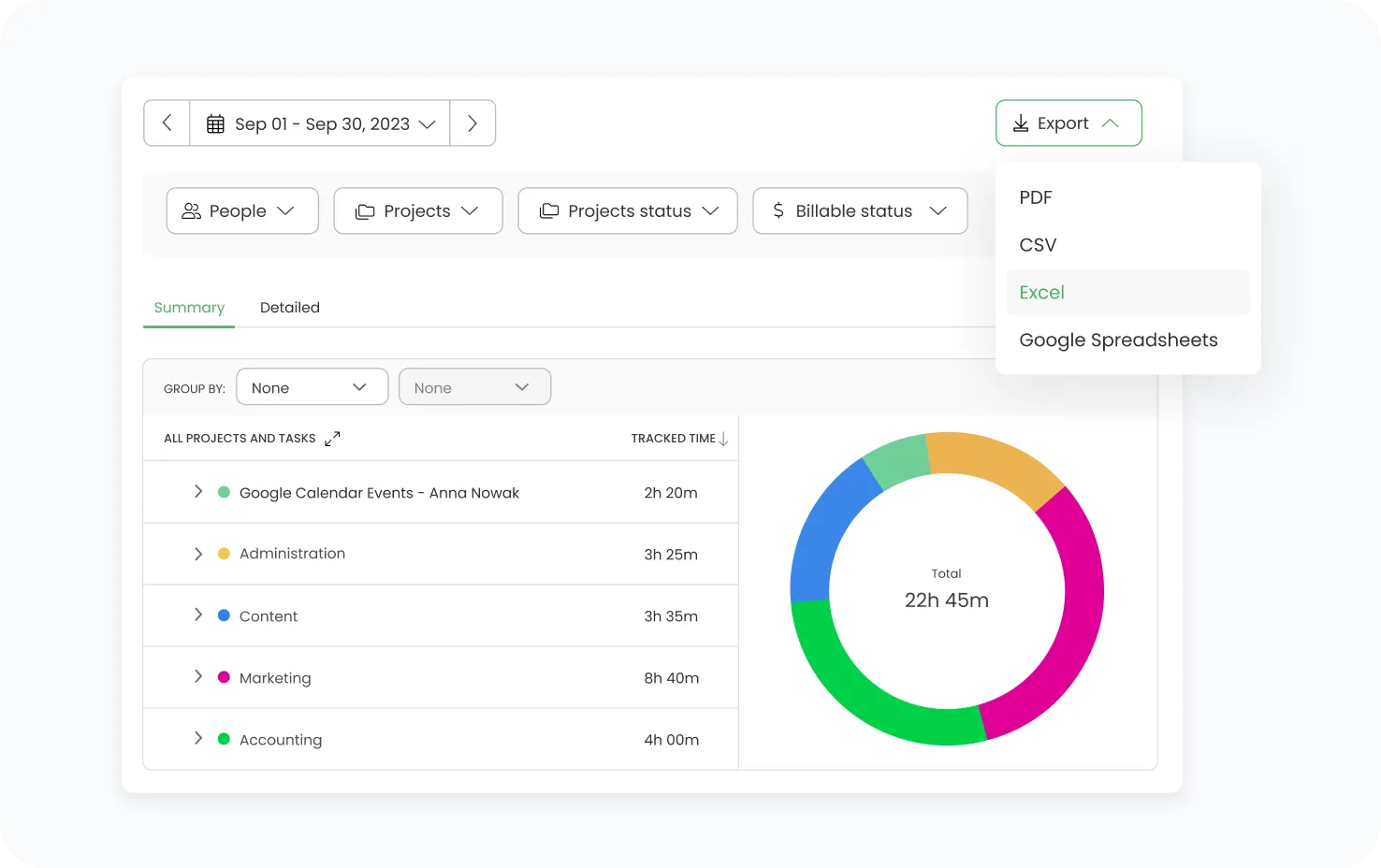
Reports can be exported as PDF, CSV, Excel, or Google Sheets. TimeCamp also supports scheduled report emails, which is useful when managers or clients need the same information regularly.
Toggl Track puts more emphasis on customizable analysis. Its key features include:
- Multiple report views: Summary and Detailed reports cover overall time data and individual entries, while Workload reports focus on team capacity and utilization.
- Flexible filtering: Reports can be filtered and grouped by client, project, task, user, billability, and other properties.
Toggl Track also includes dedicated profitability reporting that combines revenue, labor costs, and profit. Managers can analyze results across projects, clients, and team members, while Workload reports can compare tracked hours against scheduled hours and billable utilization.
Both platforms provide enough reporting for project oversight and client billing. TimeCamp offers a wider range of predefined operational reports, while Toggl Track provides more freedom to build custom views around the data that matters.
For reporting and analytics, Toggl Track has a slight advantage because of its stronger filtering, grouping, and profitability analysis.
Billable hours and budgeting
TimeCamp and Toggl Track both connect tracked hours with billing rates and project budgets, but Toggl Track gives teams more control over rate structures and fixed fee work.
TimeCamp lets businesses mark entries as billable or non billable, then apply billing rates at the user or project level. Billable time can feed directly into invoices, while budgeting features let managers set limits based on either estimated hours or an estimated fee. TimeCamp can also send alerts when a project approaches or exceeds its budget.
Because TimeCamp combines automatic tracking with billing data, teams can use more accurate data when calculating project costs and client charges. This can be useful for businesses that want intuitive time tracking without separating time capture from financial reporting.
Toggl Track provides more granular billing controls. Billable rates can be configured at the workspace, project, team member, project member, or individual task level. Premium and Enterprise plans also support historical billable rates, allowing companies to change rates without rewriting previous reporting periods.
Its budgeting tools also support both hourly estimates and monetary budgets. Teams can create fixed fee projects for retainers or flat rate engagements, compare billable hours against those budgets, and receive alerts when tracked work approaches the agreed limit.
Toggl Track also connects labor costs with billable revenue, giving managers visibility into profitability across projects, clients, and individual team members.
For billable hours and budgeting, Toggl Track has a slight advantage because of its more granular billing rates, fixed fee project support, and historical rate controls.
Team management and timesheet approvals
TimeCamp and Toggl Track both provide tools for managing team time, but TimeCamp goes further into attendance and overtime tracking, while Toggl Track focuses more on keeping submitted time accurate and controlled.
TimeCamp lets administrators organize employees into groups, assign supervisors, and control who can view or approve specific timesheets. Approval periods can be configured daily or weekly. Once submitted, managers can approve or reject a timesheet, leave comments, and send reminders when submissions are missing. Approved entries are locked until an administrator reopens them.
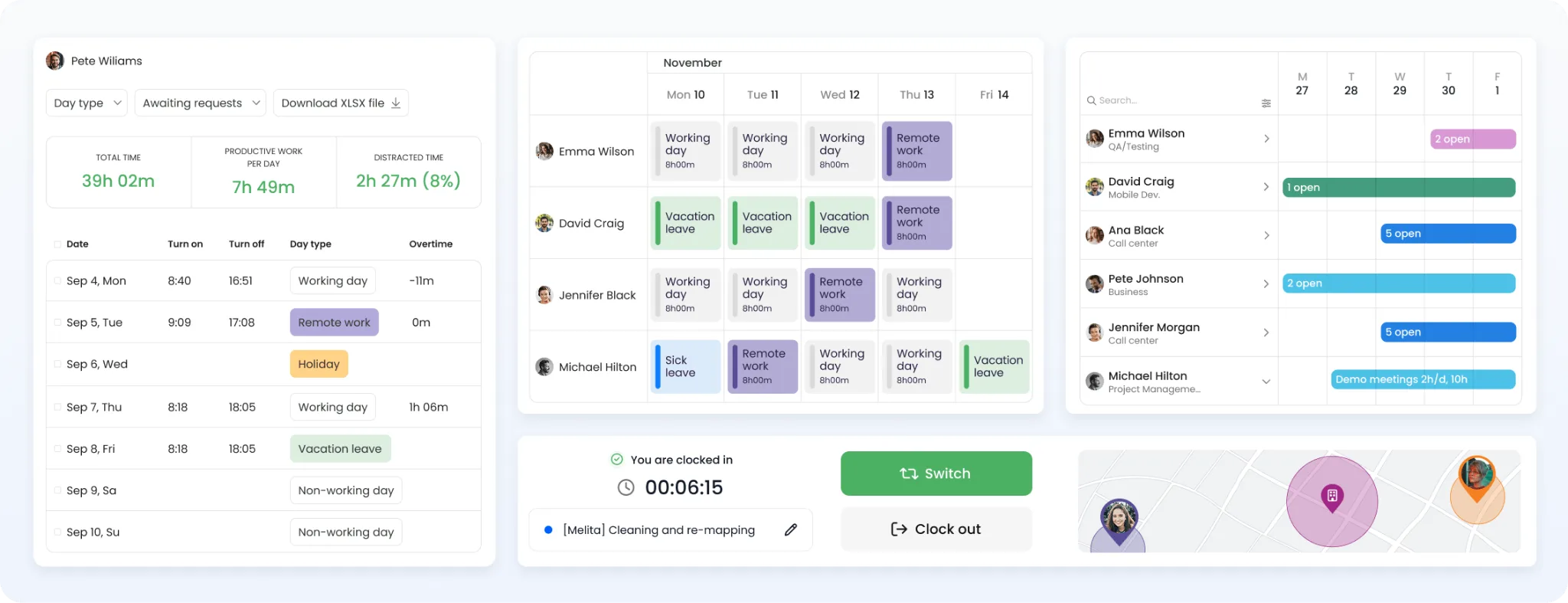
TimeCamp also has a dedicated Attendance module. Managers can compare recorded hours with expected working hours, monitor days off, and use overtime tracking to identify employees who exceed their defined workday or weekly limits.
Toggl Track offers several useful team controls:
- Timesheet approvals: Premium and Enterprise users can submit weekly timesheets for managers to approve or reject. Submitted entries are locked while awaiting review.
- Team controls: Administrators can create teams, assign access levels, require specific time entry fields, and send reminders when employees fall below their daily or weekly tracking targets.
Toggl Track can also audit team members who have recorded unusually little or unusually much time, but it does not provide the same dedicated attendance and overtime management features as TimeCamp.
Neither product is primarily designed for shift scheduling. Businesses that need detailed shift creation and rota management may still need separate scheduling software.
For team management and timesheet approvals, TimeCamp has the advantage because it combines approval workflows with stronger attendance and overtime tracking.
Integrations
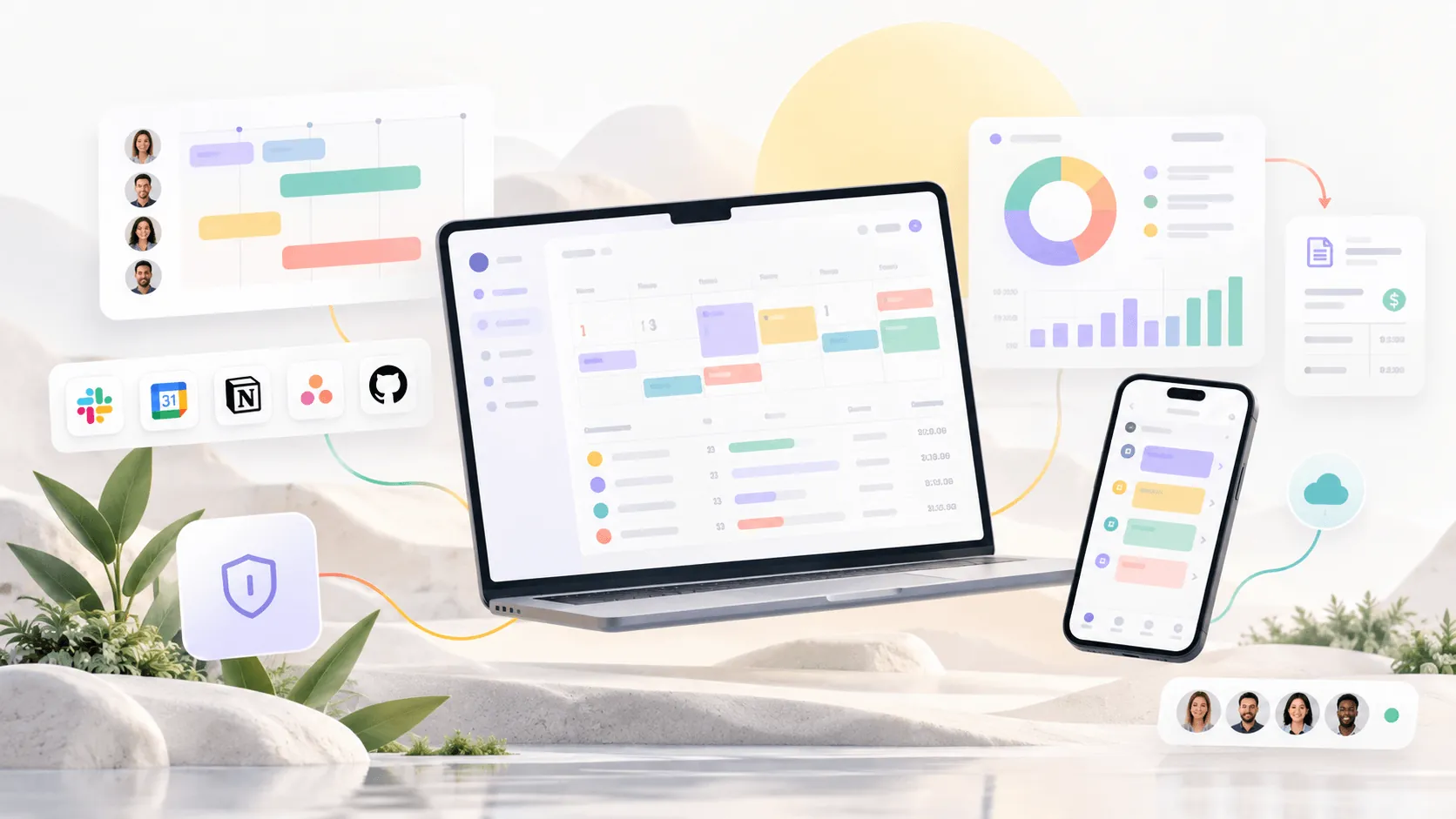
TimeCamp and Toggl Track both integrate with major project management, accounting, communication, and calendar tools. The main difference is how those integrations work in practice.
TimeCamp connects with more than 100 tools and can import tasks and project structures from platforms such as Asana, Trello, ClickUp, monday.com, Jira, and Wrike. Imported work appears inside TimeCamp, allowing users to start tracking work hours without rebuilding the same project structure manually.
Some of its most important integrations include:
- TimeCamp: Asana, ClickUp, Jira, monday.com, Trello, Wrike, QuickBooks Online, Xero, Slack, Salesforce, Zendesk, and Google Calendar.
- Toggl Track: Asana, Jira, Google Calendar, Outlook, QuickBooks Online, Salesforce, Slack, Trello, GitHub, Todoist, and Toggl Plan.
Toggl Track also supports more than 100 tools, although many connections work through its browser extensions rather than native integrations. Its current integration directory lists native connections with platforms including Asana, Jira, Slack, QuickBooks Online, Salesforce, Google Calendar, and Outlook.
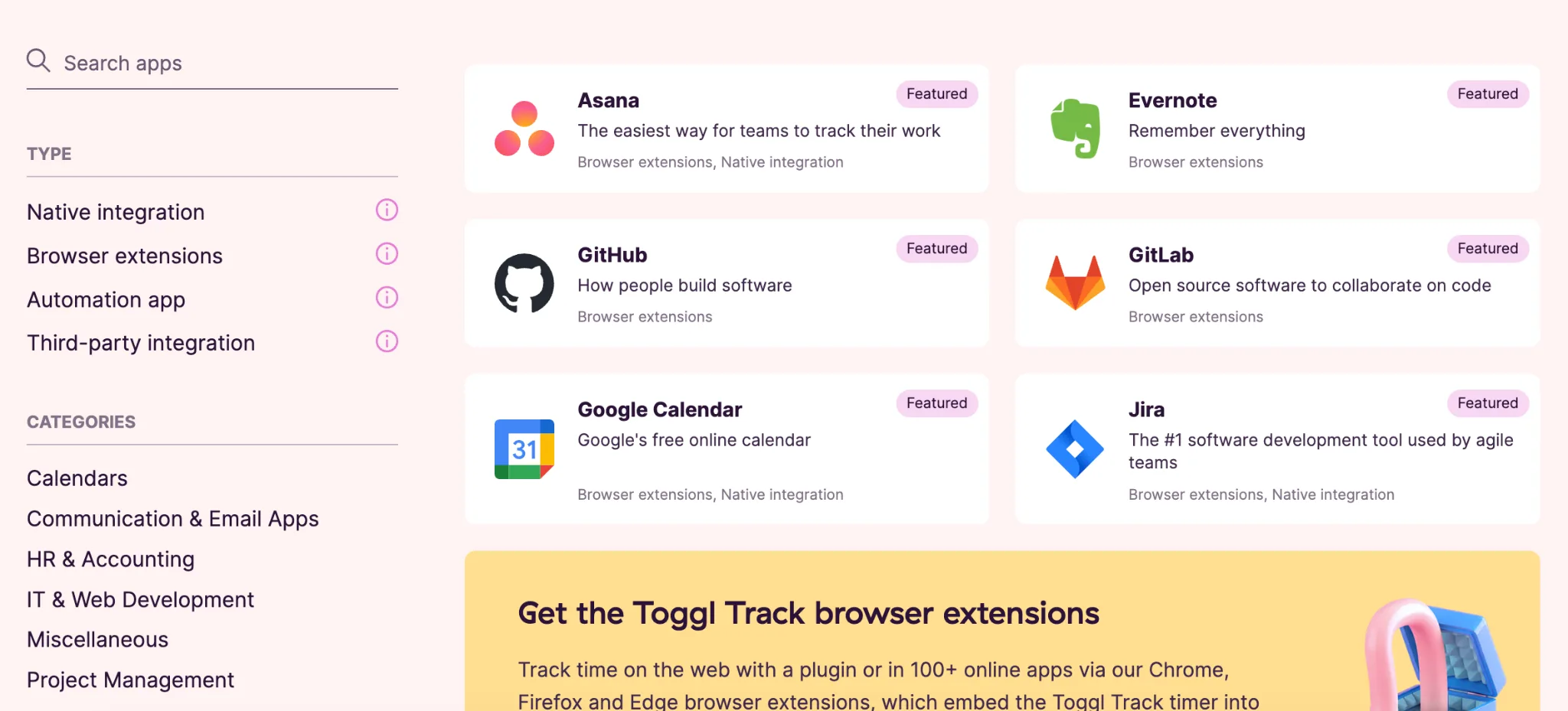
Both platforms also provide APIs and Zapier support for connecting with additional software. Toggl Track says its Zapier integration can connect with more than 6,000 applications.
This is especially useful because neither platform is intended to replace dedicated project management software. Their basic project management features can handle projects and tasks internally, while integrations let teams keep their existing systems and add time tracking on top.
For integrations, the two are closely matched overall, although TimeCamp has a slight advantage for teams that want deeper connections with a wider range of project management tools.
Productivity tracking and employee monitoring features
TimeCamp and Toggl Track differ significantly here. TimeCamp includes dedicated employee monitoring and productivity management features, while Toggl Track intentionally avoids workplace surveillance.
TimeCamp's desktop app can record websites and applications employees use, along with how much time they spend in each one. Managers can categorize activities as productive or unproductive, review away time, and use efficiency reports to measure productivity across individual employees or teams.
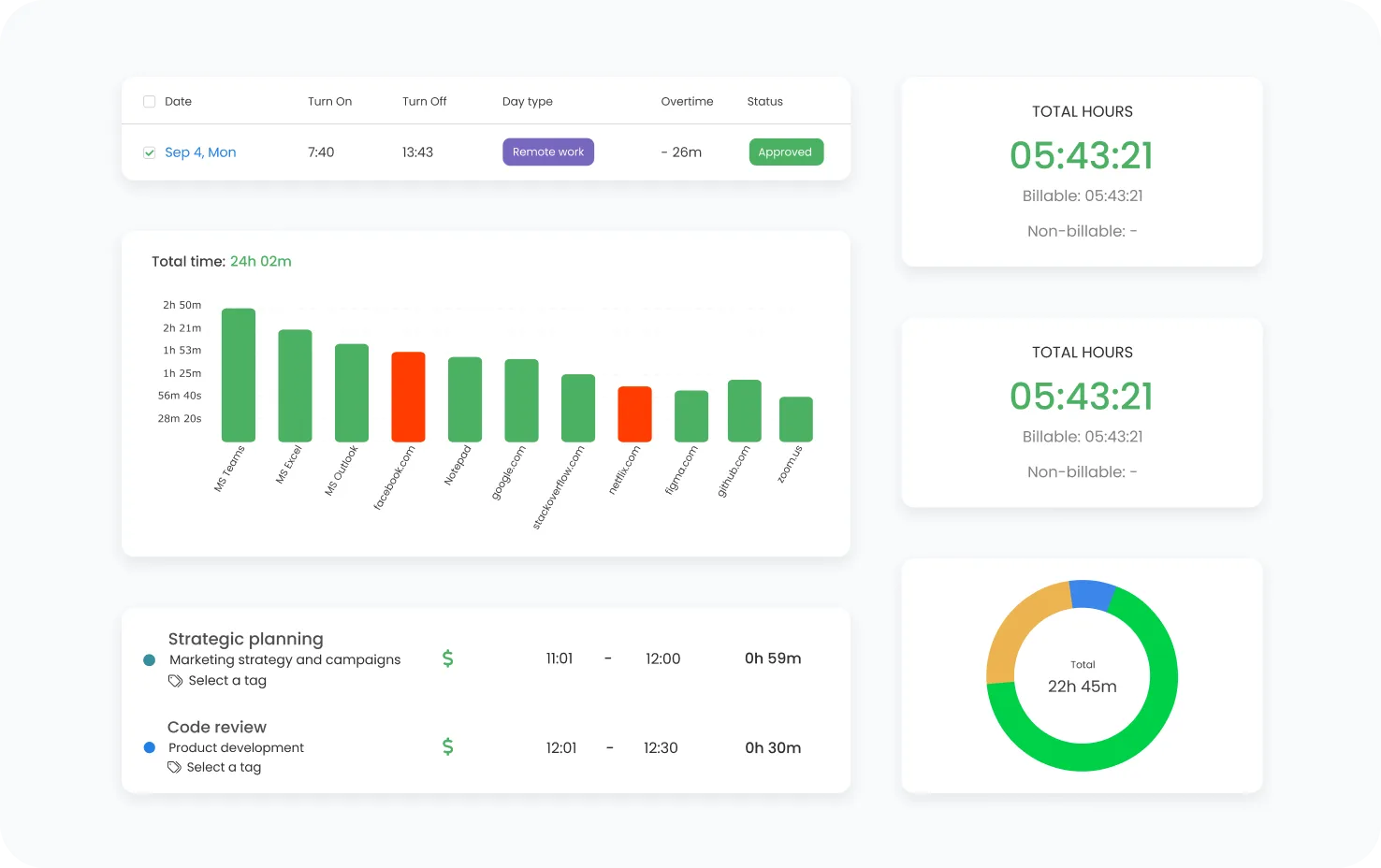
TimeCamp also offers:
- Screenshots: Administrators can enable automatic screenshots, which are currently available on the Ultimate plan.
- Activity reports: Managers can review application usage, website activity, computer time, and productivity categories.
- Attendance tracking: TimeCamp connects recorded hours with workdays, leave, remote work, and expected hours.
Toggl Track takes a different approach. It does not support employee screenshots or app usage monitoring, and its private Activity Timeline cannot be viewed by managers or other users. Toggl explicitly positions this as an intentional policy rather than a missing feature.
Instead, Toggl Track helps managers measure team productivity through time and project data. Reports can show how employees distribute their hours, while workload and utilization views help identify overworked or underused team members.
This means Toggl Track works better for companies that want productivity insights without monitoring what employees do on their computers. TimeCamp provides much deeper visibility when employee activity itself needs to be reviewed.
For productivity tracking and employee monitoring features, TimeCamp is the clear winner because it includes activity monitoring, screenshots, productivity categorization, and stronger attendance tracking.
Ease of use
Both TimeCamp and Toggl Track are relatively easy to use, although Toggl Track has the simpler overall experience, while TimeCamp can require less effort once its automatic tracking rules are configured.
TimeCamp gives users several ways to record work through its web app, desktop software, mobile app, and browser extensions. Employees can start timers manually or allow the desktop app to record activity in the background. Keyword rules can also assign activity to projects automatically.
That automation can reduce daily interaction with the tracker, but TimeCamp has more settings to configure. Activity tracking, productivity categories, screenshots, attendance, and automatic project assignment all add options that administrators may need to set up before rolling the platform out across a team.
Toggl Track keeps the core tracking experience more straightforward. Users can start a timer with one click, continue a previous entry, switch to manual entry, or add time directly from Calendar view. Desktop entries can also be edited from the same interface.
The main usability differences are:
- TimeCamp requires less ongoing input: Automatic tracking and keyword rules can reduce how often employees need to operate a timer.
- Toggl Track has a cleaner tracking experience: Timer mode, manual entries, Calendar view, and editing controls are kept close together without the additional monitoring settings found in TimeCamp.
For employees who simply need to record project hours, Toggl Track is easier to pick up. TimeCamp becomes more convenient when a business wants much of that tracking handled automatically.
For ease of use overall, Toggl Track has a slight advantage because its core time tracking experience requires less setup and configuration.
Pricing plans
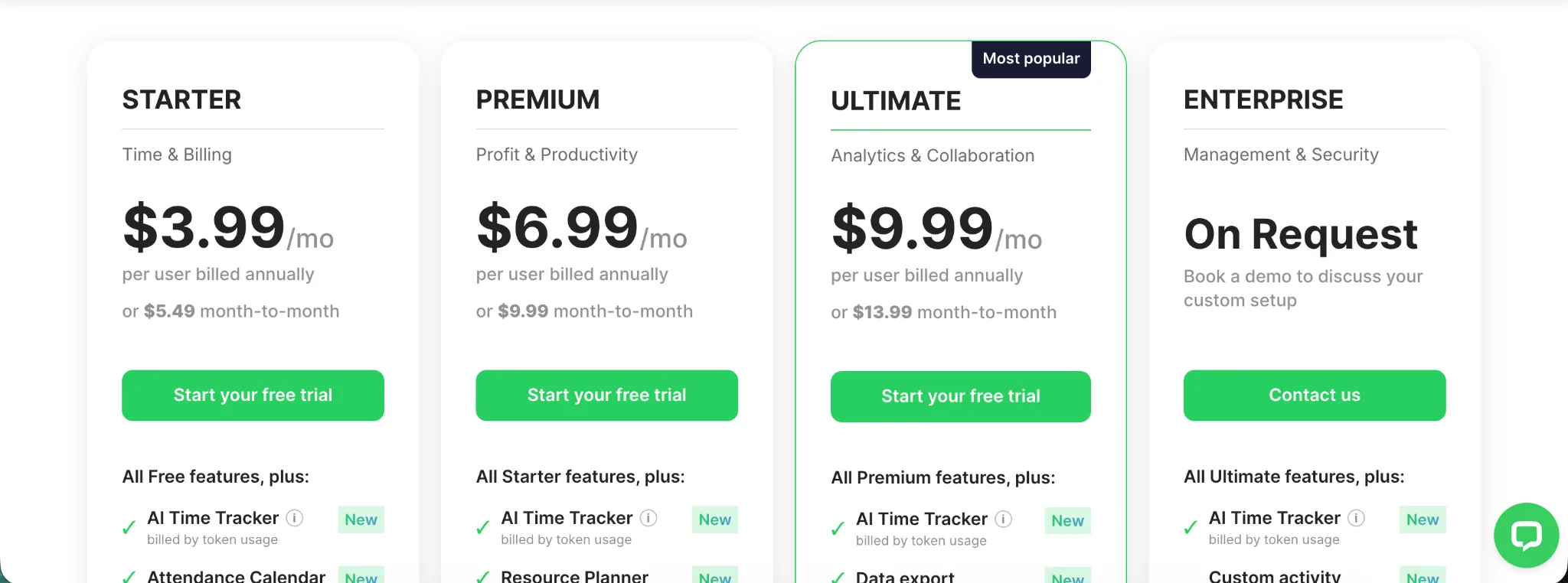
TimeCamp is considerably cheaper than Toggl Track across its paid plans. Both also offer a free plan, although the features included and the target audience differ.
| Plan | TimeCamp | Toggl Track |
|---|---|---|
| Free | $0 | $0 |
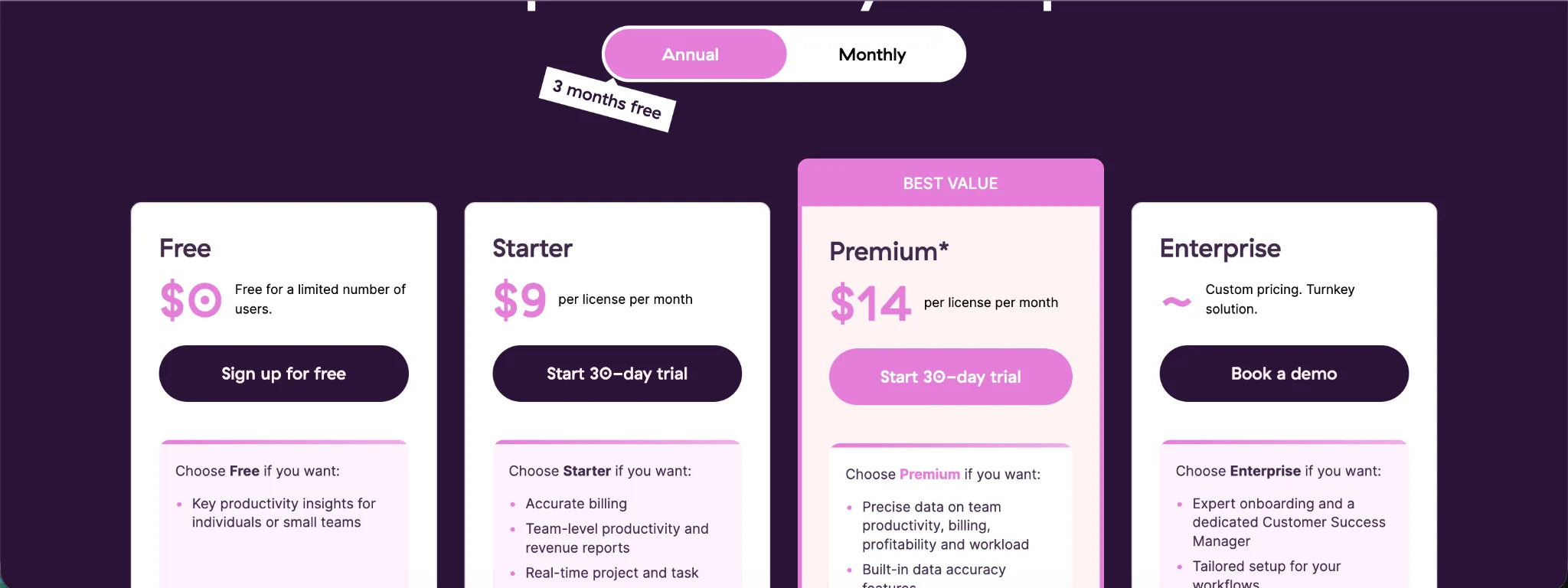
| Entry plan | Starter, $3.99 per user per month annually, or $5.49 monthly | Starter, $9 per user per month annually, or $12 monthly |
| Mid tier | Premium, $6.99 per user per month annually, or $9.99 monthly | Premium, $14 per user per month for the first annual term, then $18 at renewal, or $20 monthly |
| Higher tier | Ultimate, $9.99 per user per month annually, or $13.99 monthly | No equivalent standard tier |
| Enterprise | Custom pricing | Custom pricing |
TimeCamp's free plan includes timers, automatic tracking, idle time tracking, desktop and mobile apps, and unlimited projects. Starter adds attendance features and invoicing. Premium introduces billable time, budgeting, apps and website tracking, and activity levels, making it the first TimeCamp tier with meaningful employee productivity monitoring. Ultimate adds screenshots, timesheet approvals, labor costs, and fixed fee projects. Our full guide to TimeCamp pricing breaks each tier down in more detail.
Toggl Track's free plan includes time tracking across web, desktop, and mobile apps, productivity reports, and access to more than 100 tools through its browser extension. Starter adds billable rates, project estimates, tasks, and team level reporting.
Toggl Track Premium adds profitability analysis, fixed fee projects, timesheet approvals, scheduled reports, and more advanced reporting controls. Its advertised $14 annual price currently applies to the first year, after which Premium renews at $18 per user per month.
One important distinction is that paying more for Toggl Track does not unlock screenshots or employee surveillance features. Toggl Track deliberately focuses on time and project data rather than employee productivity monitoring.
For pricing, TimeCamp offers better value for most teams, with lower prices across comparable paid plans and more workforce management functionality included.
Which one should you get?
The better choice depends on whether you want more automation and workforce visibility or a simpler time tracking experience with strong reporting.
Get TimeCamp if you:
- Want automatic time tracking that can assign activity to projects using keywords.
- Need employee monitoring features such as app usage, website tracking, activity levels, and screenshots.
- Want attendance tracking and overtime tracking alongside project time.
- Care about project profitability, billable hours, and invoicing.
- Want a lower priced option across most paid plans.
Get Toggl Track if you:
- Want a simpler time tracking experience with less setup.
- Prefer employees to control what gets added to their timesheets.
- Need strong reporting, filtering, and profitability analysis.
- Work with fixed fee projects or need flexible billable rate controls.
- Do not want screenshots or employee surveillance features built into the platform.
TimeCamp is the better choice for businesses that want automatic tracking, broader workforce controls, and lower pricing. Toggl Track makes more sense for teams that value ease of use, flexible reporting, and privacy focused time tracking.
Choose TimeCamp for automation and workforce visibility, and Toggl Track for simplicity and reporting flexibility.
Get the better alternative to TimeCamp and Toggl Track for automatic time tracking
TimeCamp and Toggl Track both offer ways to reduce reliance on manual timers, but Timely is built much more directly around automatic time tracking.
Timely uses its Memory Tracker to capture the apps, websites, and documents you work in throughout the day. This creates a private record of your activity that can then be turned into accurate time entries. Employees do not have to remember to start a timer every time they switch projects or tasks.
Unlike employee monitoring software, Timely keeps individual activity data private. Managers see the time employees choose to log rather than screenshots, browsing histories, or keyboard activity.
Timely also connects automatic tracking with the features teams need to manage project work:
- Automatic timesheets: Timely can turn captured activity into draft time entries that users review before submitting.
- Project tracking: Recorded hours can be connected with clients, projects, budgets, and billable work.
- Billable time: Automatically captured activity helps account for smaller pieces of client work that can easily disappear when employees rely on timers.
- Capacity planning: Teams can compare planned work with recorded hours and see how workloads are distributed.
TimeCamp offers stronger automatic tracking than Toggl Track, but Timely goes further by making automatic capture the foundation of the entire product.
If automatic time tracking is your main priority, Timely is the better alternative to both TimeCamp and Toggl Track. Try Timely for free and see how automatic tracking works with your own projects.
Get the better alternative to TimeCamp and Toggl. Try Timely today, completely free.