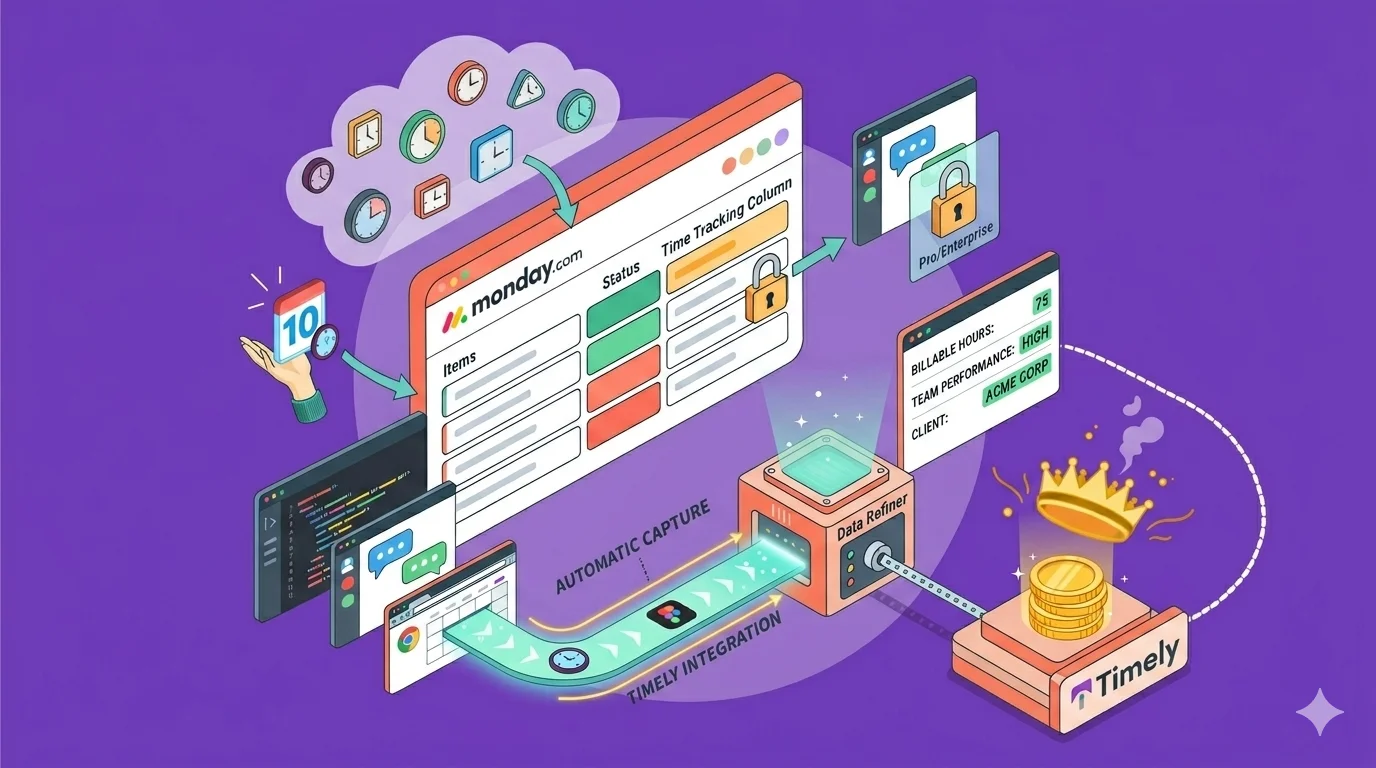
Monday.com offers project management capabilities with a native time tracking feature. The tool allows teams to monitor tasks, projects, deadlines, and related activities across workflows.
But native time tracking in Monday has real limits — and depending on your plan, you may not even have access to it. This guide covers how Monday.com time tracking works, what it costs, where it falls short, and how Timely's Monday.com integration fills the gaps.
How it works
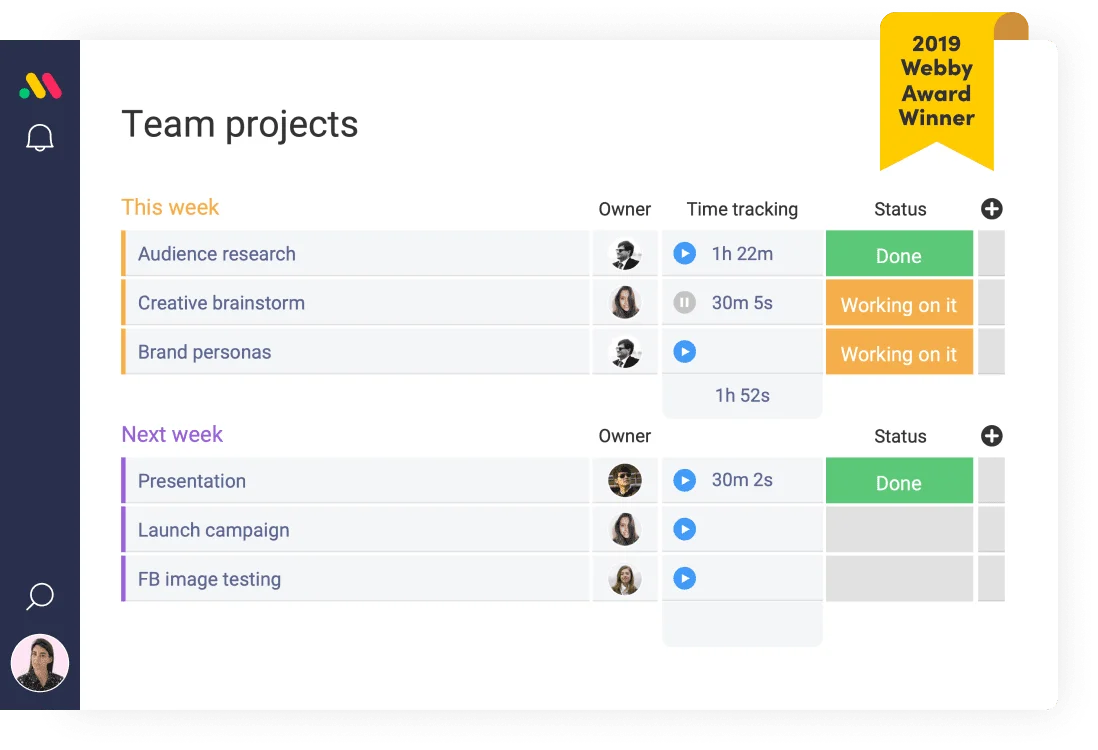
Once the Time Tracking column is added to a board, each item receives a start and stop timer. Users can:
- Start the timer when work begins
- Pause or stop it anytime
- Log multiple sessions on the same item
- View total time spent automatically
A manual option exists for retroactive time entry if someone forgets to start the timer initially.
How to set it up
Setting up native time tracking involves straightforward steps:
- Open your board
- Click “+ Add column”
- Select Time Tracking
- Add it to your workflow
Board members gain immediate access to track time on items.
Where you can see the data
Time data visualization options include:
- Dashboards for aggregated tracking data
- Time tracking widgets showing time by team member or project
- Board views displaying total tracked time
How much does Monday.com time tracking cost?
Time tracking availability varies by plan tier, which can create surprises for teams who upgrade expecting the feature to be included.
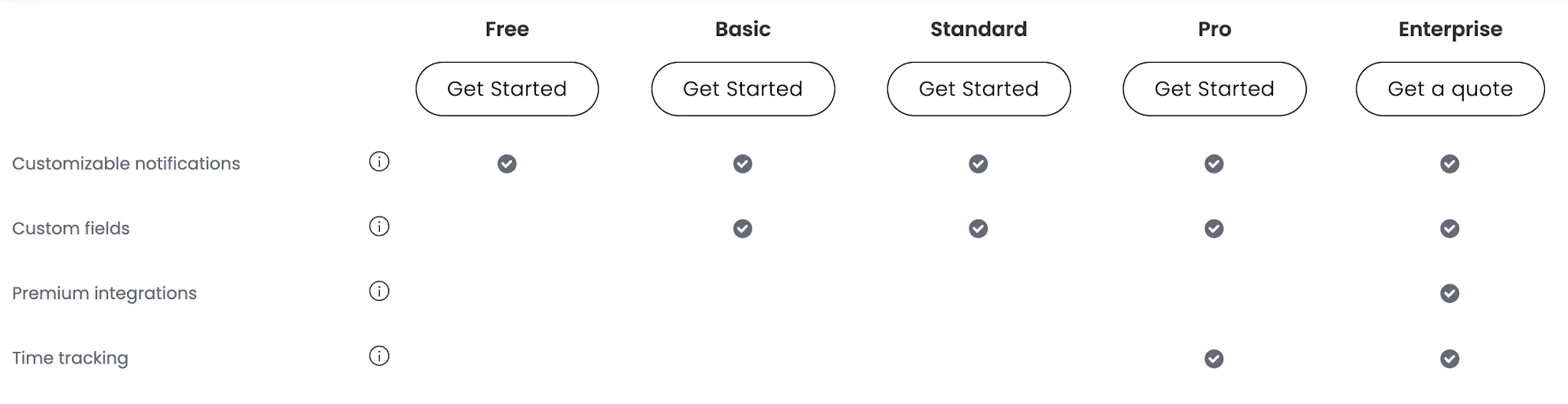
Not available on the Free plan
Monday’s Free plan includes up to 2 users, basic boards and columns, and no advanced features. The Time Tracking column is excluded from this tier entirely.
Also missing from Basic and Standard plans
Even after upgrading, time tracking remains restricted:
- Basic plan (around $9 per seat monthly) — no time tracking
- Standard plan — no time tracking widget
The feature is classified as advanced and unavailable at these lower tiers.
Monday.com time tracking is available only on Pro and Enterprise
To access native time tracking, teams need:
- Pro plan (approximately $19 per seat monthly, billed annually)
- Enterprise plan (custom pricing)
These are the only tiers where Time Tracking columns are fully supported.
The downsides of tracking time in Monday natively
Native Monday time tracking shows its limitations once teams need consistency, reporting, or broader visibility across projects and people.
Locked behind higher-tier plans
Time tracking access creates barriers for many teams:
- Free, Basic, or Standard plan users cannot use it at all
- Teams end up paying for advanced plans even if time tracking is their only reason to upgrade
- The feature carries relatively high costs compared to dedicated time tracking alternatives
No real timesheets or approval workflows
Monday tracks time per item but lacks proper timesheet systems. Users do not get:
- Weekly or daily timesheet views
- Submission and approval flows
- Structured hour review processes
This becomes a real problem for payroll or client billing scenarios where managers need to approve logged hours before processing.
Limited reporting and insights
While dashboards exist, reporting capabilities remain basic. Teams run into difficulty when trying to:
- Break down time by client or billable work
- Obtain detailed project insights
- Analyze trends without building custom dashboards
Teams often need to assemble multiple widgets to get even partial visibility into where time is actually going.
Tracking is tied to individual items only
Item-level tracking creates friction for anyone doing work that spans multiple tasks. Users cannot easily:
- Track time across multiple items in one session
- Log time against projects or clients directly
- See a complete workday timeline
This causes fragmented tracking for busy teams juggling many tasks at once.
Fully manual tracking leads to inconsistent data
Relying on manual timers and logging results in:
- Missed time entries
- Incomplete logs
- Inconsistent data across the team
- Untracked non-billable hours
- Multiple team members logging the same tasks differently
- Poor visibility into time management across entire teams
Over time, this reduces the reliability of any reports or billing that depends on this data.
Not built for deeper time tracking use cases
Monday treats time tracking as supporting functionality rather than a core capability. It lacks:
- Billable rate management
- Invoicing workflows
- Advanced team-level analytics measuring performance and productivity
This limits its usefulness for agencies, consultancies, or any team whose revenue depends on accurate hour tracking.
How Timely helps you track time in Monday.com
Adding Timely to Monday.com workflows creates a more complete system without replacing the processes teams already rely on. The integration enhances what Monday does natively rather than disrupting it.
Automatic time tracking without timers
The primary upgrade is automatic time tracking. Rather than requiring manual timer starts, Timely records background activity and builds private workday timelines that teams can review and assign later. That means:
- No missed sessions
- No guessing how long something took
- A complete work history log with minimal effort
Track hours across boards, tasks, and tools
Since real work spans multiple boards and activities, Timely captures a more complete picture:
- Hours tracked across different boards and items
- Work done outside Monday, like meetings or research
- Time assigned to the correct projects after the fact
This gives teams a realistic view of how work time is actually being spent.
Built for multiple users and growing teams
Timely supports team-scale tracking with individual timelines for every user, shared projects, team reporting, and consistent tracking across departments. Everyone tracks time consistently without relying on manual habits.
Clear visibility into billable hours
For client-facing work, Timely significantly improves the picture:
- Separate billable hours from internal work
- Set per-project or per-team-member rates
- Generate invoice-ready reports
Monday doesn’t handle this natively, so Timely fills a significant gap for agencies and professional services teams.
Structured timesheets and clean reporting
Timely converts tracked time into usable formats automatically:
- Timesheets built from tracked activity, not manual entry
- Clean reports across projects and teams
- Clear breakdowns of where time is actually going
Instead of scattered item-level entries, teams get structured, actionable data they can act on immediately.
Works alongside Monday, not against it
Timely doesn’t replace Monday workflows. Teams continue using Monday for task and project management while Timely handles background time tracking in parallel. There is no workflow disruption and no need to change how work gets done.
Integrate Timely with Monday.com today. Try it completely free.