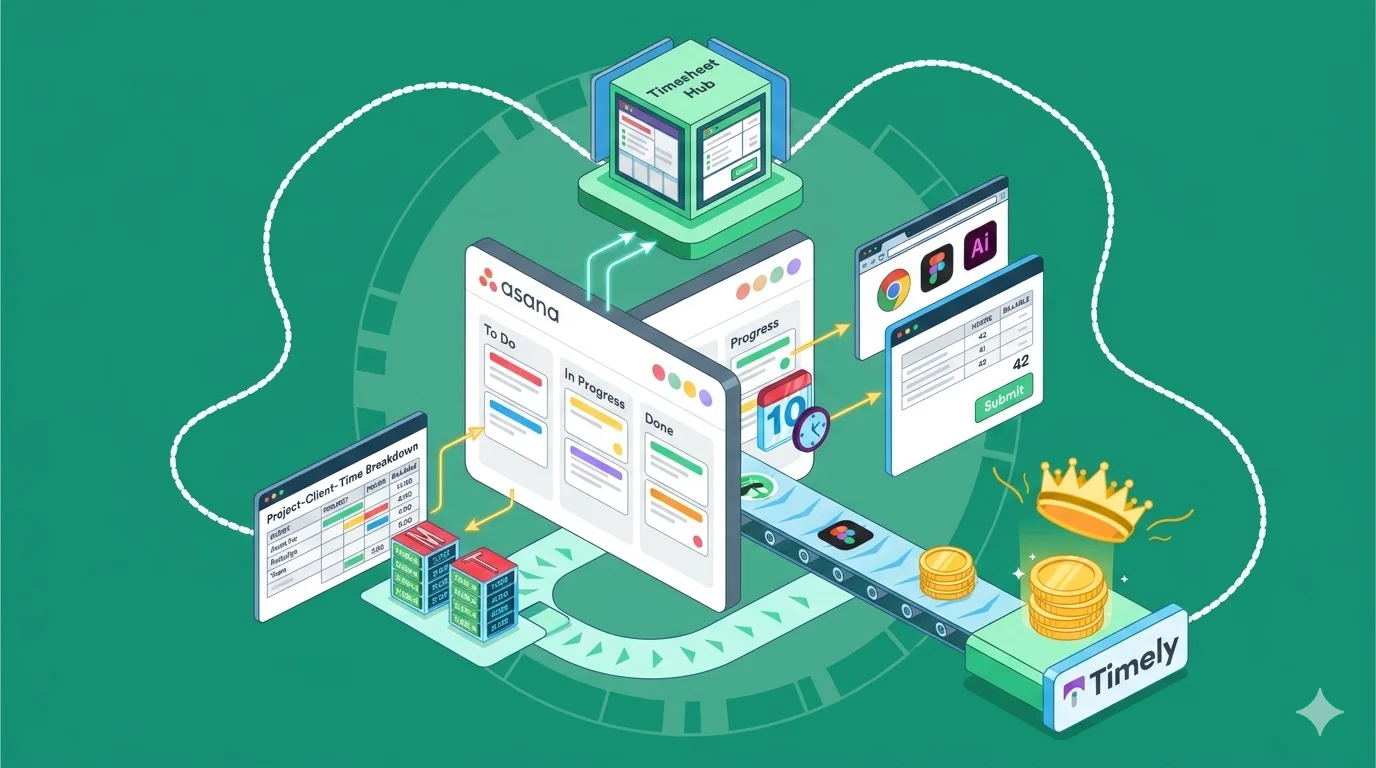
Asana is one of the most popular project management tools for a good reason. The user experience is great, the free plan is more than generous, and it integrates with just about any tool under the sun. It also allows you to track time natively so you know who spent time doing what, which improves productivity and makes billing more accurate. But there are some issues with Asana time tracking that may cause you to look at alternatives. Today, we look at Asana’s native time tracking, where it falls short and what you can use instead.
There’s a better way to track time in Asana. Try Timely’s Asana integration today.
Who can access time tracking features in Asana?
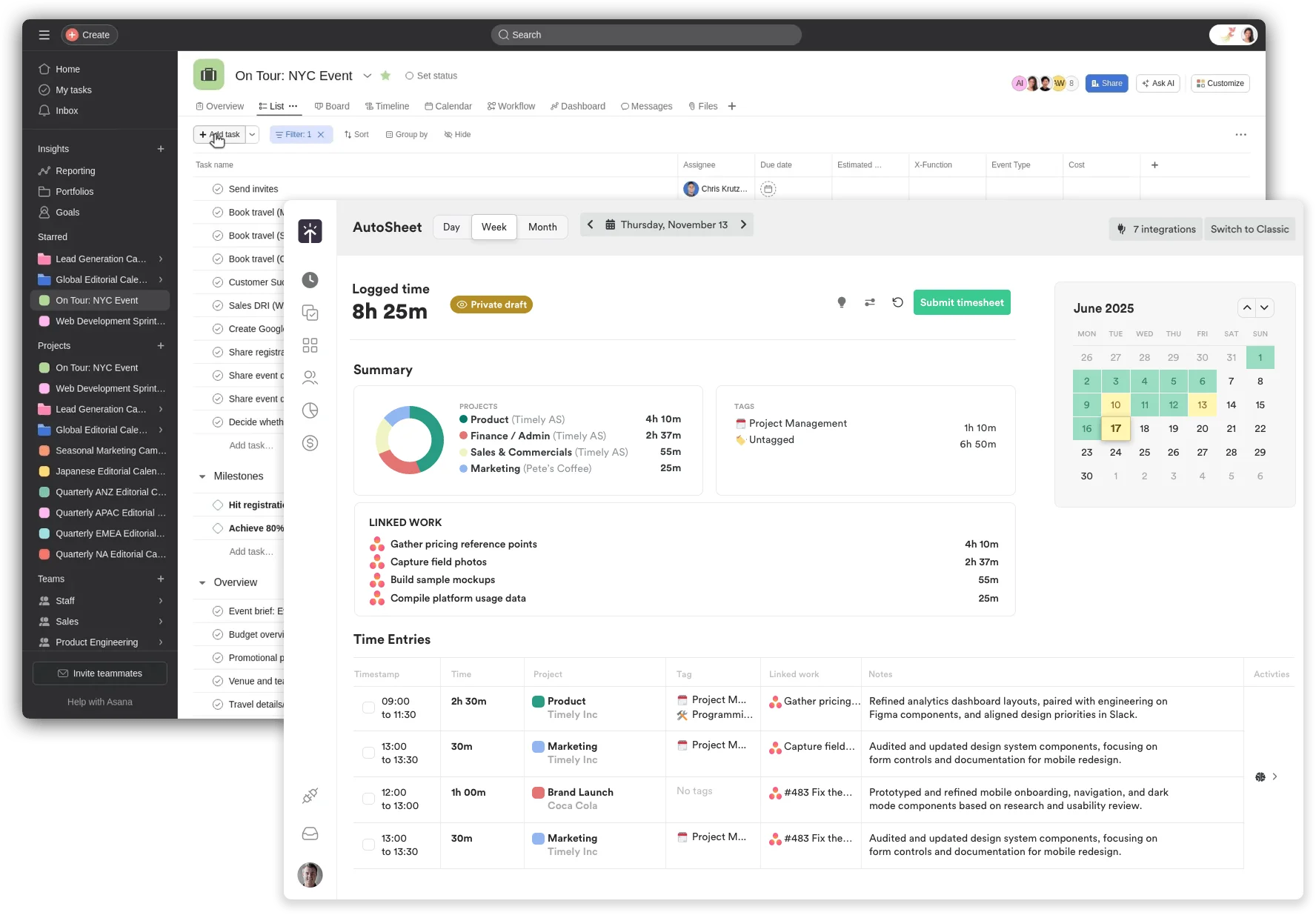
You can enable time tracking in Asana on the Advanced, Enterprise, and Enterprise Plus plans. In other words, you’ll have to spend at least $24.99 per user per month to see the actual time spent on Asana tasks for each user. The only way to track time in Asana on the free plan is through a third-party integration with tools such as Timely.
How does native Asana time tracking work?
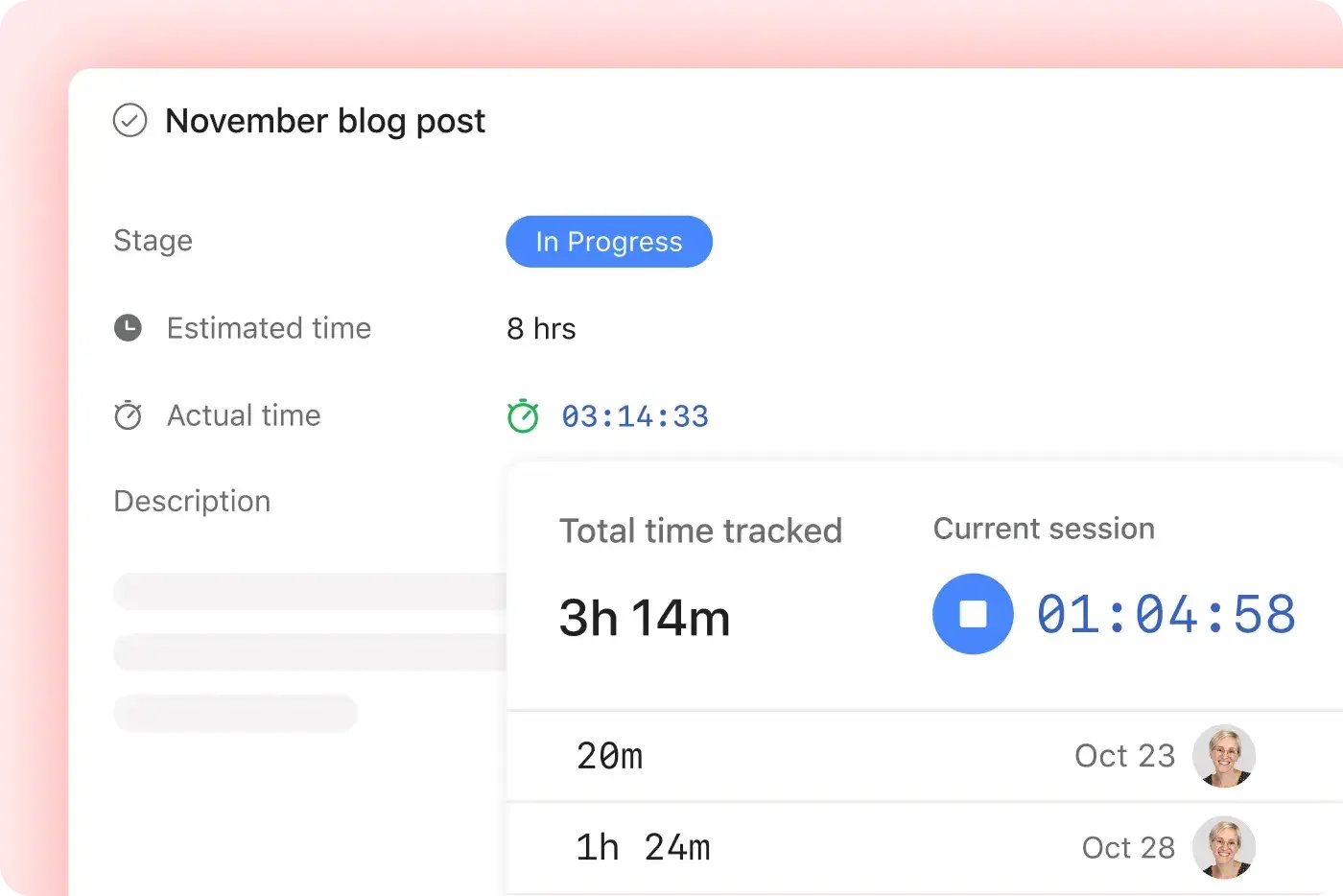
Asana includes built-in time tracking through its “Time tracking” field, available on tasks. It’s not a full-time tracking system like dedicated tools, but it covers basic needs for logging hours and estimating effort. Here’s how it works in practice:
1. Add the time tracking field
You can enable the time tracking field in any project. Once added, each task gets two key inputs:
- Estimated time
- Actual time spent
The comparison of estimated and actual time spent helps teams compare planned vs actual effort directly inside tasks.
2. Log time manually or with a timer
Users can:
- Enter time manually after completing work
- Or use a built-in timer to track time live while working on a task
The timer runs inside the task view and updates the “actual time” field automatically.
3. Track time at the task level
Time is logged per task, not across multiple tasks or projects at once. That means:
- No global timer across your workspace
- No automatic task tracking based on activity
Everything is tied to specific tasks, which keeps things structured but slightly limited.
4. View time in reports and dashboards
You can pull time data into:
- Project dashboards
- Workload views
- Custom reports
This helps managers see where time is going and whether projects are staying within estimates. You can export time entries and show them to your manager, clients or whoever else wants to track time spent on their project. It may sound like effortless time tracking and a good way to track progress, but there are a few downsides that you should be aware of.
The limitations of tracking time natively in Asana
Asana’s built-in time tracking works fine for quick estimates and basic visibility, but it starts to break down once you rely on time data for decisions, billing, or performance tracking.
No real timesheets or approvals
You can log time on tasks, but there’s no proper timesheet view where you can review a full week or submit hours for approval. For teams that need structure, especially agencies or client work, this becomes a problem fast.
Limited reporting and insights
You can pull time data into dashboards, but reporting is fairly shallow. There’s no deep breakdown by team member, client, or billable vs non-billable work without heavy customization. It’s hard to answer simple questions like “Where did our time go this month?” without exporting data.
No billing or invoicing support
Asana doesn’t connect time entries to rates, invoices, or revenue. If you bill clients based on hours, you’ll need another tool to handle that workflow.
Task-level tracking only
Time is tied strictly to individual tasks. There’s no easy way to:
- Track time across multiple tasks in one session
- Log time against a client or project without drilling into tasks
- See a clean timeline of your day across all work
This makes day-to-day tracking feel fragmented.
No automatic or background tracking
Everything is manual unless you start the timer inside a task. There’s no idle detection, no app tracking, and no way to capture work that happens outside Asana.
Weak accuracy of time tracking data for serious use cases
Because tracking is manual and lightweight, it’s easy for data to become inconsistent. Teams forget to log time, estimates go stale, and reports stop reflecting reality.
Bottom line: Asana gives you just enough to track time at a surface level. Once you need reliable data for planning, billing, or team performance, you’ll quickly hit its limits.
Why third-party time tracking integrations are better
Native tracking in Asana is fine for quick inputs, but it starts to fall apart when you need accurate data, structured workflows, and real visibility. Third-party tools like Timely handle time tracking as a core function, not just a field inside a task.
Automatic tracking instead of manual input
The biggest upgrade is removing the need to remember anything. Instead of timers and guesswork, Timely builds a private timeline of your workday by tracking activity in the background. You review it later and assign time properly. This means:
- No forgotten entries
- No reconstructing your day at 6 PM
- Far more accurate logs
Proper timesheets and approval workflows
Time tracking becomes manageable when it follows a clear structure. Dedicated tools introduce weekly timesheets, submission flows, and approvals, which are essential for teams dealing with payroll or client billing. Timely gives managers a clean view of submitted hours, without digging through tasks one by one.
Accurate reporting across projects and clients
Once your data is consistent, reporting actually becomes useful. With Timely, you can break down time by:
- Client
- Project
- Team member
- Billable vs non-billable work
This makes it easy to spot things like:
- Projects going over budget
- Clients taking more time than expected
- Teams that are overloaded
Billable rates and invoicing support
Tracking time without tying it to money creates extra work. Third-party tools let you:
- Set hourly rates per project or team member
- Separate billable and non-billable time
- Generate clean reports ready for invoicing
Timely builds this directly into the workflow, so you are not exporting data just to figure out what to charge.
Track work across tools, not just tasks
Work does not happen in one place, and your time data should reflect that. Timely tracks activity across:
- Calendars
- Browsers
- Design tools
- Communication apps
So even if work happens outside Asana, it still gets captured and accounted for.
Better accuracy and less human error
Manual tracking always creates gaps.
- People forget to start timers
- Entries get filled in later from memory
- Data becomes inconsistent over time
Automatic tracking fixes this by capturing time as it happens, leading to cleaner data and more reliable reporting.
Start tracking time in Asana with Timely
If you’re already using Asana, adding Timely is one of the easiest ways to turn basic task tracking into reliable, usable time data. Instead of forcing your team to manually log hours inside tasks, Timely works alongside Asana and fills in the gaps automatically. Here’s what that looks like in practice:
- Automatic time capture: Timely records your team’s activity in the background, so time is tracked even when no one starts a timer
- Direct task mapping: You can assign tracked time to Asana projects and tasks, keeping everything aligned with your existing workflow
- Accurate project insights: See exactly how much time is spent on each task, project, or client, without relying on estimates
- Clean timesheets: Turn tracked time into structured timesheets that are ready for review, approvals, or reporting
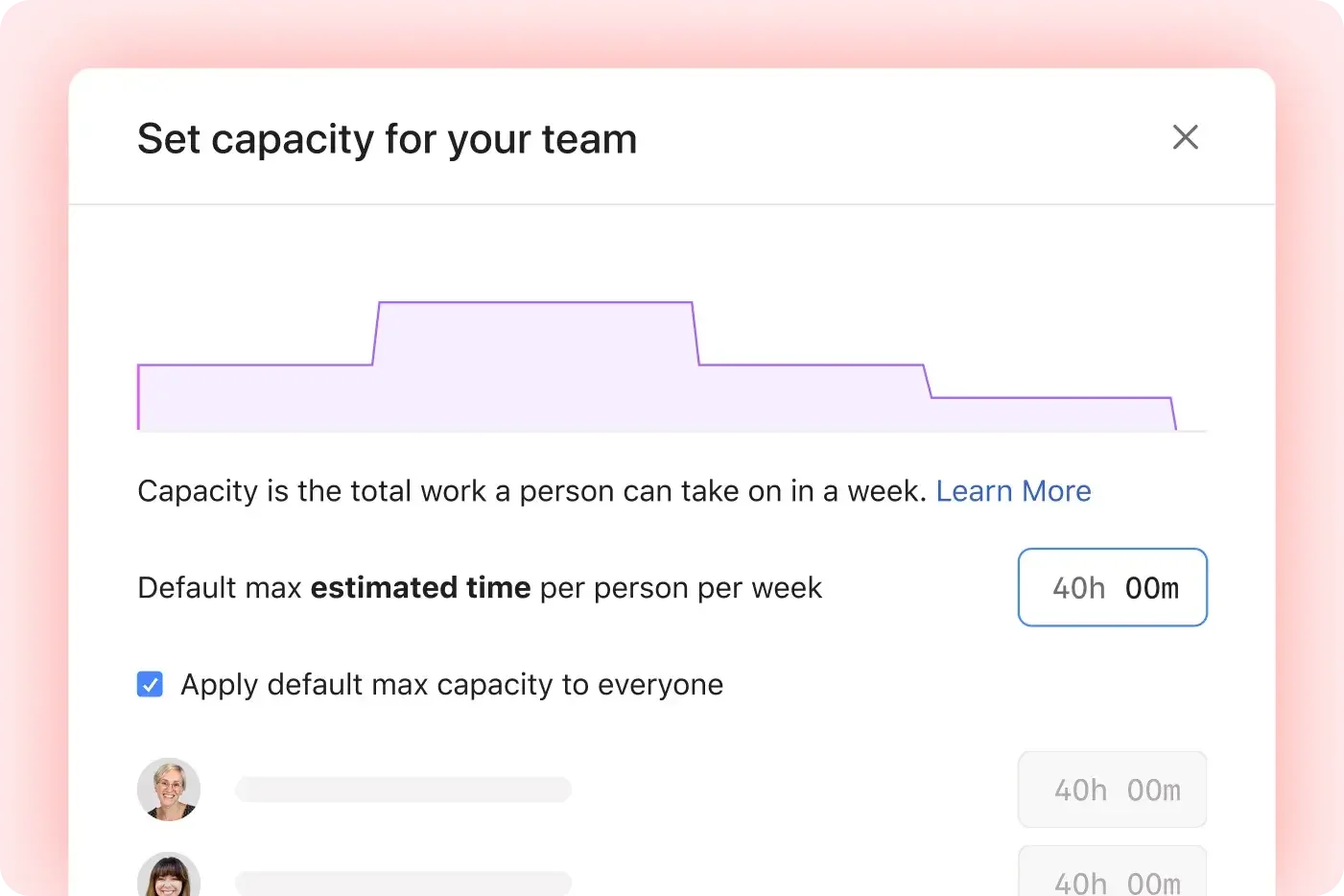
- Better planning: Use real data, not guesses, to understand workloads, team capacity, and project profitability
The integration is simple to set up and does not change how your team uses Asana day to day. It just adds a layer of accuracy on top of it.