FreshBooks and Toggl Track both help businesses record working hours, but they are built for very different purposes. FreshBooks is an accounting platform with time tracking included, while Toggl Track is a dedicated time tracking tool with deeper reporting and project controls.
That difference affects nearly every part of the experience, from how users log time to how managers handle billing and project data. FreshBooks keeps recorded hours close to invoices and expenses, while Toggl Track gives teams more flexibility over entries and reports.
This FreshBooks vs Toggl Track comparison looks at their core features, pricing, ease of use, and overall value. It will also help you decide whether either platform is the right fit or whether automated time tracking with Timely is the better option.
| FreshBooks | Toggl Track | |
|---|---|---|
| Best for | Freelancers and small businesses that want time tracking, invoicing, and accounting in one platform | Agencies and service teams that need deeper time tracking and reporting |
| Time tracking | Timers and manual entries linked to clients, projects, and invoices | Timers, manual entries, Calendar view, Timesheet view, and private Timeline activity |
| Automatic tracking | Limited automatic tracking options | Timeline records private activity and helps users create accurate entries |
| Project management | Projects, estimates, shared files, billing rates, and profitability tracking | Projects, clients, tasks, estimates, billable rates, and timesheet approvals |
| Employee monitoring | No screenshots or keystroke logging | No screenshots, keystroke logging, or access to private Timeline data |
| Reporting | Reports focused on billing status, client income, and accounting | Detailed reports for time, revenue, profitability, projects, and team members |
| Scheduling and attendance | Basic review of recorded hours, with no shift scheduling | Weekly targets, Calendar planning, entry editing, and timesheet approvals |
| Invoicing | Full invoicing with online payments, taxes, expenses, and payment tracking | Basic PDF invoices created from time reports |
| Payroll | Payroll integrations through Gusto and Wagepoint | No direct payroll processing |
| Mobile apps | Time tracking, invoices, receipts, expenses, and mileage tracking | Timers, manual entries, Calendar view, and entry editing |
| Desktop apps | Browser based, with a Chrome timer extension | Native Windows and macOS apps with idle detection and offline tracking |
| Integrations | Strong accounting, payroll, payment, and customer management connections | More than 100 timer integrations, plus calendar and project tools |
| Free plan | No permanent free plan | Free plan for individuals and small teams |
| Pricing model | Monthly plans based on client limits, with extra charges for team members | Per user pricing on paid plans |
| Main drawback | Time analysis is basic, while adding team members becomes expensive | Separate accounting and payroll software is still required |
Get the best alternative to Freshbooks and Toggl Track today. Start tracking your time automatically with Timely. Try it today for free.
FreshBooks and Toggl Track at a glance
FreshBooks and Toggl Track both record billable hours, but time tracking plays a very different role in each platform. FreshBooks uses time data to support accounting and client payments. Toggl Track treats time data as the main product.
FreshBooks is primarily accounting software for freelancers and small businesses. Its features cover invoicing, expenses, bank reconciliation, and financial reporting. Time tracking sits within this wider system, helping users record billable work and add those hours directly to a client invoice.
This structure works well for service businesses that want to manage their finances and recorded hours in one place. However, teams looking for deeper time reports or flexible productivity analysis may find its tracking tools fairly basic.
Toggl Track is a dedicated time tracking platform. It gives individuals and teams more ways to record work, organize entries, and analyze how time is distributed. Its reports cover productivity and workload, with higher plans adding project profitability analysis.
Toggl Track also offers more flexibility around how users capture time. People can use timers, manual entries, calendar views, or private activity records that they later convert into timesheet entries.
The main difference is accounting versus time analysis. FreshBooks is the better starting point when invoices and business finances are the priority. Toggl Track is better when a team needs clearer insight into project hours, employee workloads, and profitability.
FreshBooks can replace several basic finance tools alongside a simple timer. Toggl Track goes much further with time tracking, but businesses still need separate accounting software to manage their wider finances.
Key features
FreshBooks and Toggl Track overlap in several areas, but their features are built for very different workflows. FreshBooks connects tracked work with invoicing and accounting, while Toggl Track focuses more closely on how teams record and analyze time.
The comparison below looks at how both tools handle their core features in practice, starting with time tracking.
Time tracking
FreshBooks and Toggl Track both cover timer-based and manual tracking, but their priorities differ. FreshBooks connects recorded work directly with client billing, while Toggl Track offers a broader time tracking tool for analyzing how individuals and teams spend their working hours.
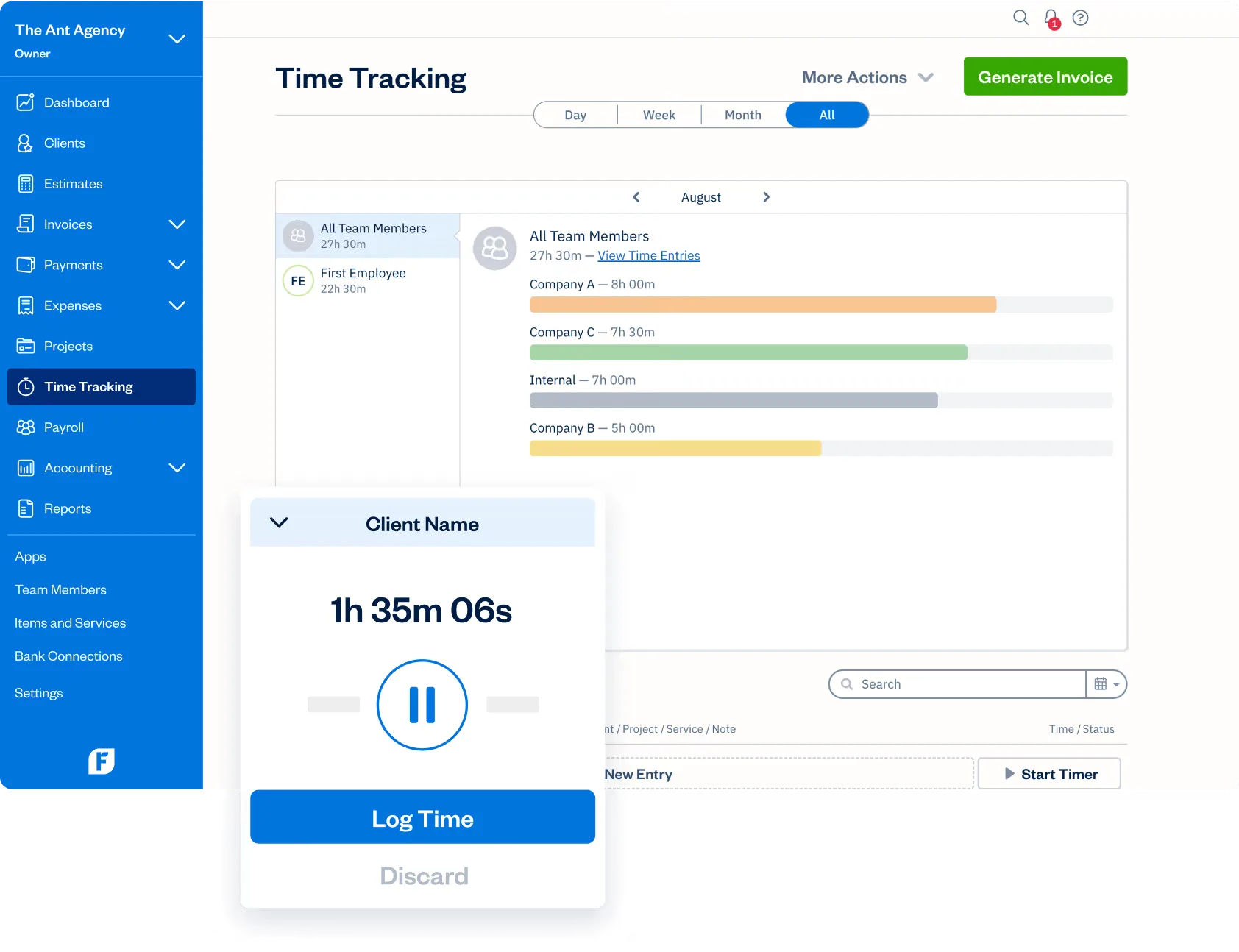
Users can mark entries as billable or nonbillable, then edit or delete them later. When it is time to invoice a client, FreshBooks can pull unbilled time from one or several projects into the invoice and mark those entries as billed.
FreshBooks also supports logging time through its mobile apps and Chrome extension. However, it does not offer the same automatic time tracking and entry analysis features as dedicated time tracking software.
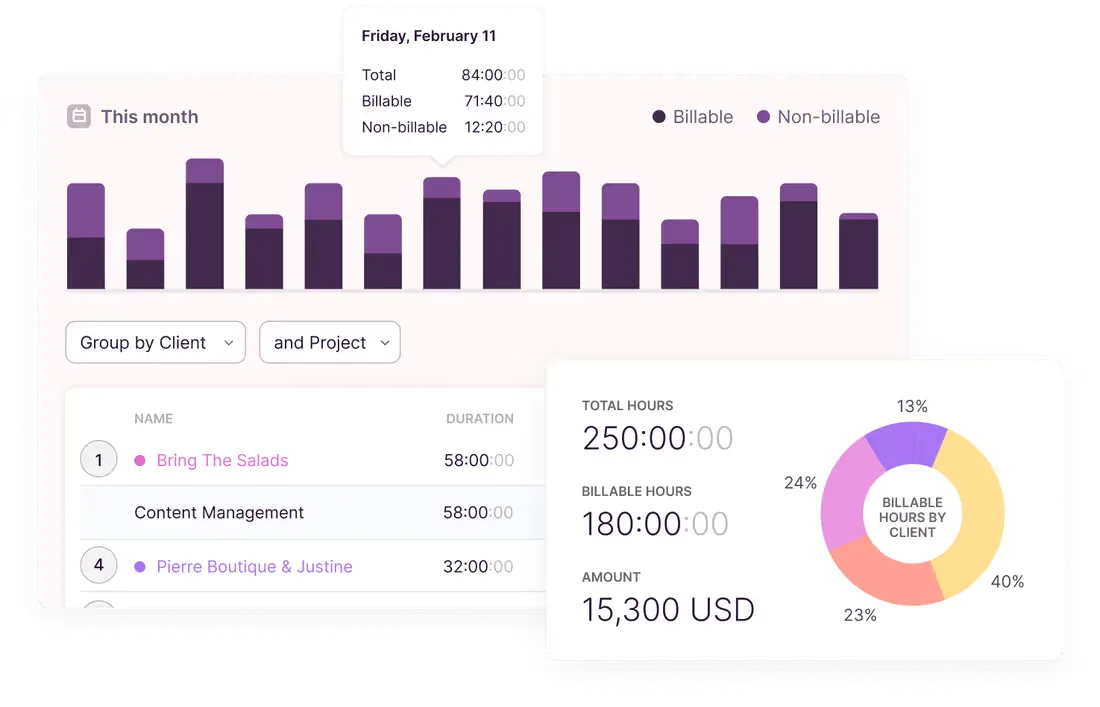
Its desktop Timeline records the websites and programs a user views when the feature is enabled. This private activity history can support automatic time tracking by suggesting logs that the user can review before adding them to a timesheet.
Toggl Track also gives paid users more control over billable hours through project and entry-level rates. FreshBooks is better when logging time mainly supports invoicing, while Toggl Track is the stronger choice when detailed time capture and analysis are the main priorities.
Employee monitoring
FreshBooks and Toggl Track are both built around employee-reported time rather than close workplace surveillance. Managers can review recorded hours and project progress, but neither platform tries to measure effort through constant observation.
FreshBooks gives account owners visibility into team time entries. Managers can open the Time Tracking page to review hours by employee or project. They can also check whether entries are billable and see which records have already been added to an invoice.
FreshBooks does not advertise surveillance features such as screenshots or keystroke logging. Based on its documented feature set, oversight remains focused on the hours employees submit and the clients connected to those records.
This gives managers enough information to review project progress without collecting detailed activity data in the background. However, it also means FreshBooks cannot show whether someone remained active or focused during the recorded period.
Toggl Track takes an explicit stance against employee surveillance. It does not support screenshots or app usage monitoring, while private Timeline data cannot be viewed by managers or other workspace users.
Toggl Track also states that it does not include keystroke logging or productivity scoring. Managers can see hours logged by project and client, but they cannot inspect how employees used their computers during that time.
Its Timeline feature can record viewed apps and websites in the background to help users reconstruct their day. This information remains private until the individual decides to convert part of it into a shared time entry.
Neither platform is designed for businesses that want close employee monitoring. FreshBooks offers basic oversight through submitted entries, while Toggl Track provides stronger privacy protections and gives individuals more control over what managers can see.
Project and task management
FreshBooks and Toggl Track both organize time around clients and projects, but neither is a full project management platform. FreshBooks connects project work with accounting, while Toggl Track provides more control over how recorded hours are categorized and reviewed.
FreshBooks keeps project management closely connected to billing. Users can create projects for new FreshBooks clients, invite team members, share files, and assign billing rates. Each person can then record time against the project, giving the business a clear record of work that can later be added to an invoice.
Projects can use total hour estimates or separate estimates for each service. FreshBooks compares recorded time with those estimates and shows project profitability based on income and costs. This works well for freelancers and smaller professional services teams that mainly need to watch budgets and prepare invoices.
FreshBooks also lets account owners review project time in one place and check whether entries are billed, unbilled, or nonbillable. However, its documentation focuses on reviewing entries rather than moving submitted timesheets through a formal approved entries workflow.
Toggl Track offers a more flexible project structure. Every time entry can be assigned to a project, while each project can be connected to a client. Users can add new Toggl Track clients while creating projects, making it easier to organize work across several accounts.
Paid plans add tasks beneath each project. New Toggl Track tasks can be assigned to specific team members, given their own estimates, and marked as active or complete. Teams can also apply task level billable rates when they need more detailed project costing.
Toggl Track Premium also includes timesheet approvals. Administrators can review submitted timesheets, then approve or reject them before the data is used for billing or payroll.
FreshBooks is better when project work needs to flow directly into accounting and invoices. Toggl Track offers stronger categorization and approval controls, but teams still need another platform for deadlines and broader task planning.
Reporting and analytics
FreshBooks and Toggl Track both turn recorded hours into reports, but they place those reports in different contexts. FreshBooks connects time data with invoicing and accounting, while Toggl Track offers deeper analysis as a dedicated time tracking tool.
FreshBooks reporting focuses on client work and billing. The Time Entry Details report gives users a detailed view of their own records and team activity within a selected period. Filters can narrow FreshBooks entries by team member, client, project, or service.
Users can also review whether each entry is billable, unbilled, billed, or nonbillable. This helps businesses identify billable time that still needs to be added to an invoice and check progress across active projects.
FreshBooks also connects tracked services with income categories in its accounting reports. This gives freelancers and small businesses a clearer link between completed work and the revenue it produces. However, its time reporting options are narrower because the platform is designed around broader financial management.
Toggl Track offers more detailed reports for time analysis. Its Summary Report shows total hours, billable hours, billable percentages, and revenue. Teams can group or filter results by clients, projects, tasks, and team members.
The Detailed Report provides an entry-level view of recorded work. Users can adjust visible columns, apply filters, round time, and export data for clients or internal review. This gives teams more control over the figures included in each report.
Premium users also receive profitability reporting that compares revenue with labor costs. Results can be broken down by projects, clients, tasks, or members, helping businesses review pricing and project performance.
FreshBooks is better when reports mainly support invoicing and accounting automation. Toggl Track provides stronger time analysis for teams that need customizable reports and clearer visibility into where working hours go.
Scheduling and attendance
FreshBooks and Toggl Track can show when employees recorded work, but neither platform offers full shift scheduling or attendance management. Their tools are better for flexible teams that need to review hours rather than assign fixed shifts.
FreshBooks provides basic visibility into team availability through recorded time. Account owners can review entries by day, week, or month, then filter the results by team member. Its calendar view also shows how much time each person recorded across different projects.
FreshBooks workflows remain closely connected to client billing. Managers can add or edit entries for most team members, review whether time is billable, and turn selected records into invoices. However, FreshBooks does not provide native shift planning, clock-in rules, or attendance alerts.
Toggl Track offers more tools for managing expected working hours. Its Timesheet view lets users add hours across an entire week and compare recorded time with a weekly target. Managers can also create time-tracking goals for individual team members.
The Calendar view shows gaps in each working day and lets users add or edit entries directly. Toggl Track’s desktop app also supports drag-and-drop editing, event conversion, and entry resizing for correcting start times or durations.
Premium plans add timesheet approvals. Employees can submit their records for review, while administrators can approve or reject them before the data moves into billing or payroll processes.
Toggl Track is the stronger time tracking tool for teams that need targets, calendar based planning, and formal approvals. FreshBooks is enough when attendance oversight simply means reviewing the hours recorded for each client or project.
Invoicing and payroll
FreshBooks has a clear advantage for invoicing and payroll because these functions sit inside its wider accounting system. Toggl Track can prepare billing data and simple invoices, but most financial work still happens in separate accounting tools.
FreshBooks connects tracked time directly with client invoices. After users create client entries and assign projects, they can pull unbilled hours into an invoice. FreshBooks can show each time entry separately or group recorded work by service, project, or team member.
Businesses can apply hourly rates, taxes, discounts, and payment terms before sending invoices. They can also accept online payments and monitor whether each invoice has been viewed or paid.
FreshBooks also helps businesses track expenses alongside income. Employees can record project expenses, while account owners can review spending and connect it with the correct client. This gives businesses a fuller picture of project costs than time records alone.
US businesses can connect FreshBooks with FreshBooks Payroll, which is powered by Gusto. The paid service supports employee payroll and contractor payments, while payroll data appears automatically in the FreshBooks Chart of Accounts. FreshBooks also offers a Wagepoint connection for Canadian businesses.
Toggl Track provides simpler invoicing based on tracked hours. Users can generate a PDF invoice from a Summary or Detailed Report, then add client information and payment details. However, Toggl Track does not store invoices as part of a full accounting record.
Paid users can connect Toggl Track with QuickBooks Online and send invoices into the accounting platform. Billable rates can also be set by workspace, project, task, or individual team member.
Toggl Track does not process payroll directly. Teams need to export recorded hours or move the data into their payroll provider.
FreshBooks is the stronger choice for businesses that want time, expenses, invoices, and payroll connected. Toggl Track works better when a company already has an accounting system and mainly needs dependable billing data.
Integrations
FreshBooks and Toggl Track both connect with more than 100 external tools, but their integration libraries support different types of work. FreshBooks focuses on moving financial and client data between business systems. Toggl Track focuses on bringing time tracking into the apps where work already happens.
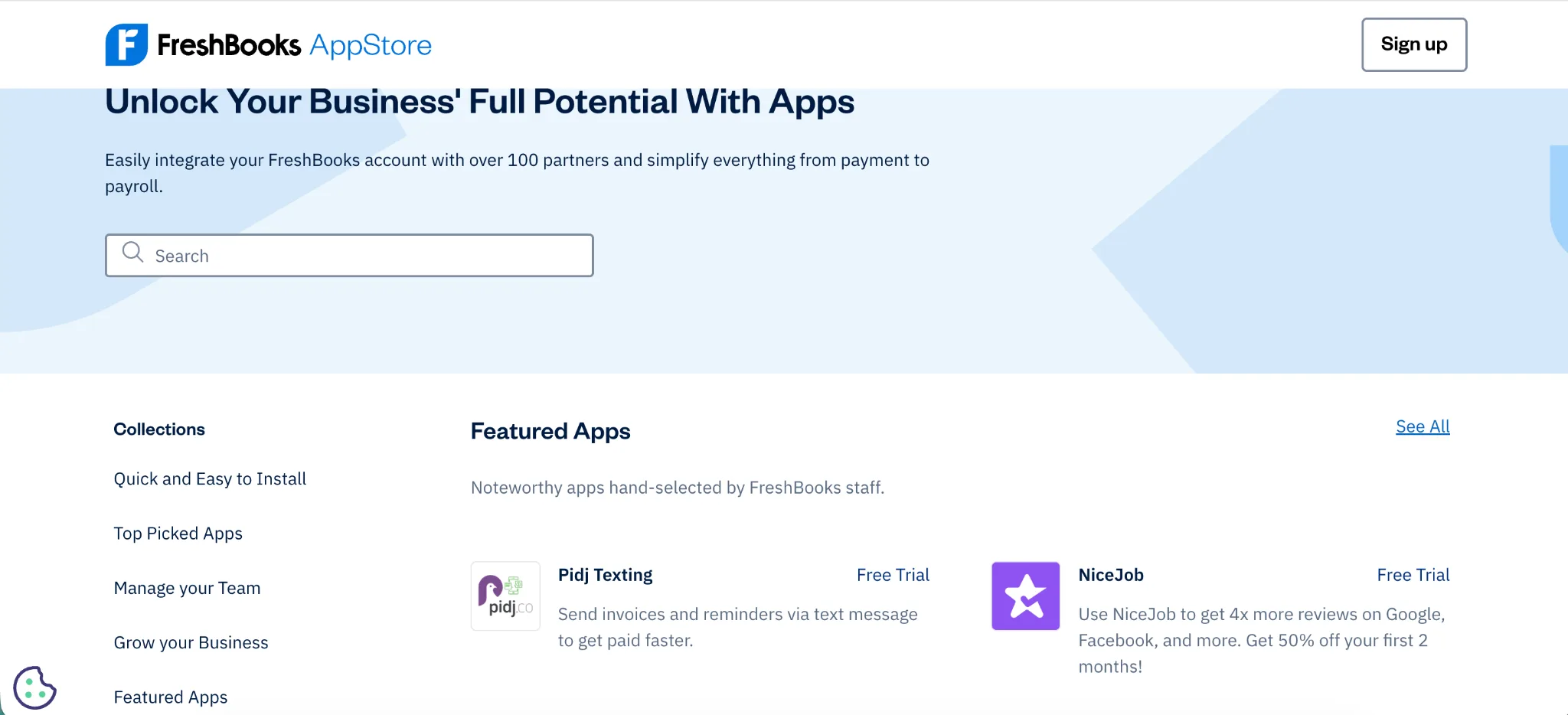
These connections help FreshBooks act as the financial center of a small business. For example, the HubSpot integration can create FreshBooks clients from selected leads, then return invoice and payment activity to HubSpot.
FreshBooks also connects with Zapier. Account owners and administrators can use it to create automations between FreshBooks and thousands of other apps without writing code. Developers can build custom connections through the FreshBooks API when a ready made app does not cover the required process.
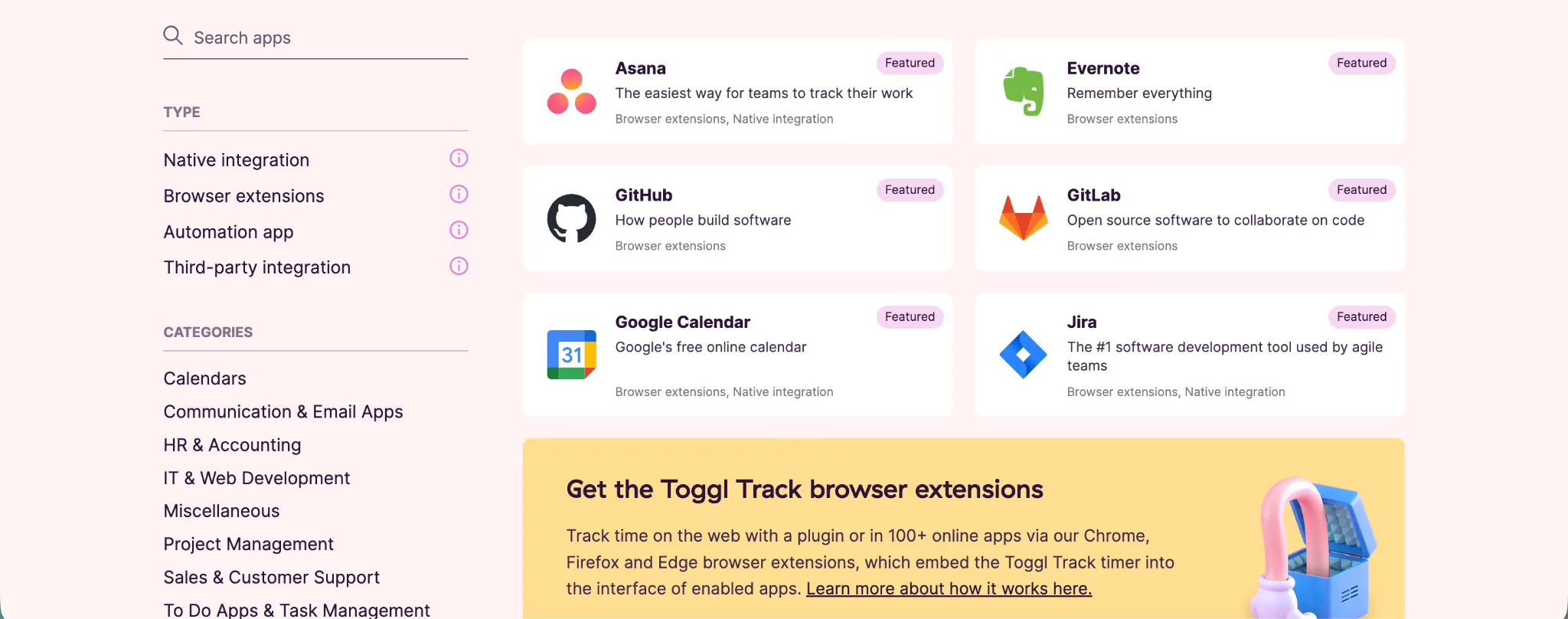
Native integrations provide deeper connections with tools such as Jira, Salesforce, Slack, and QuickBooks Online. Google Calendar and Outlook events can also appear inside Toggl Track and become time entries automatically.
Toggl Track also supports Zapier, an API, and webhooks for custom reporting or data transfers. However, many browser integrations mainly add timer controls rather than fully syncing project information between both platforms.
FreshBooks is better when integrations need to connect invoices and client records with the rest of the business. Toggl Track is stronger when the priority is recording time directly inside project and communication tools.
Mobile and desktop apps
FreshBooks and Toggl Track both support work away from the main web app, but their apps reflect different priorities. FreshBooks brings accounting functions to mobile devices, while Toggl Track focuses more closely on flexible and accurate time capture.
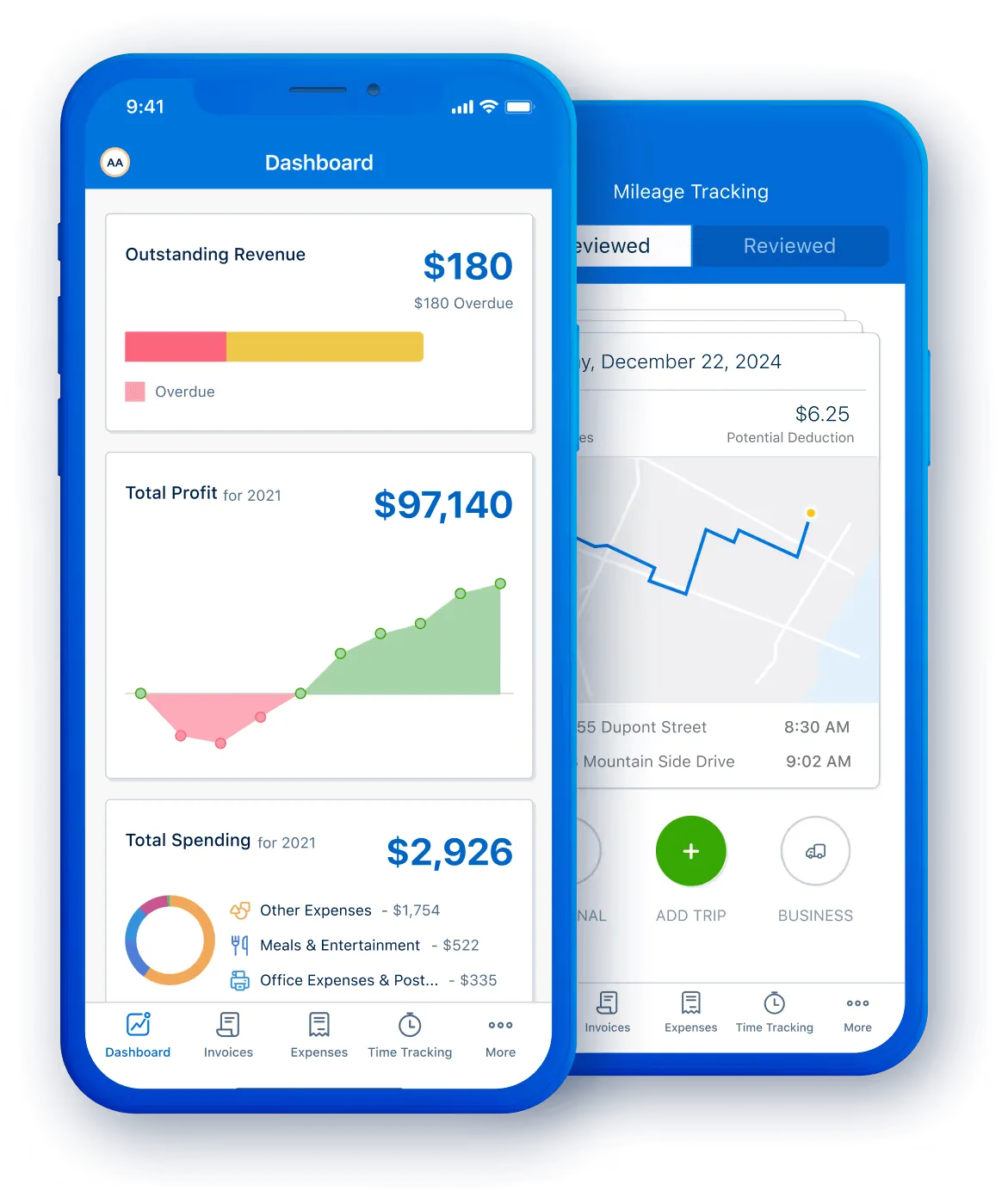
This wider feature set can help freelancers and small teams manage client work while away from their desks. For example, someone can track time during a client visit, photograph an expense receipt, and prepare an invoice through the same app.
FreshBooks does not provide the same dedicated desktop timer experience. Computer users mainly access the cloud platform through a supported browser, although the Chrome extension can make starting a timer easier while working in other browser tabs.
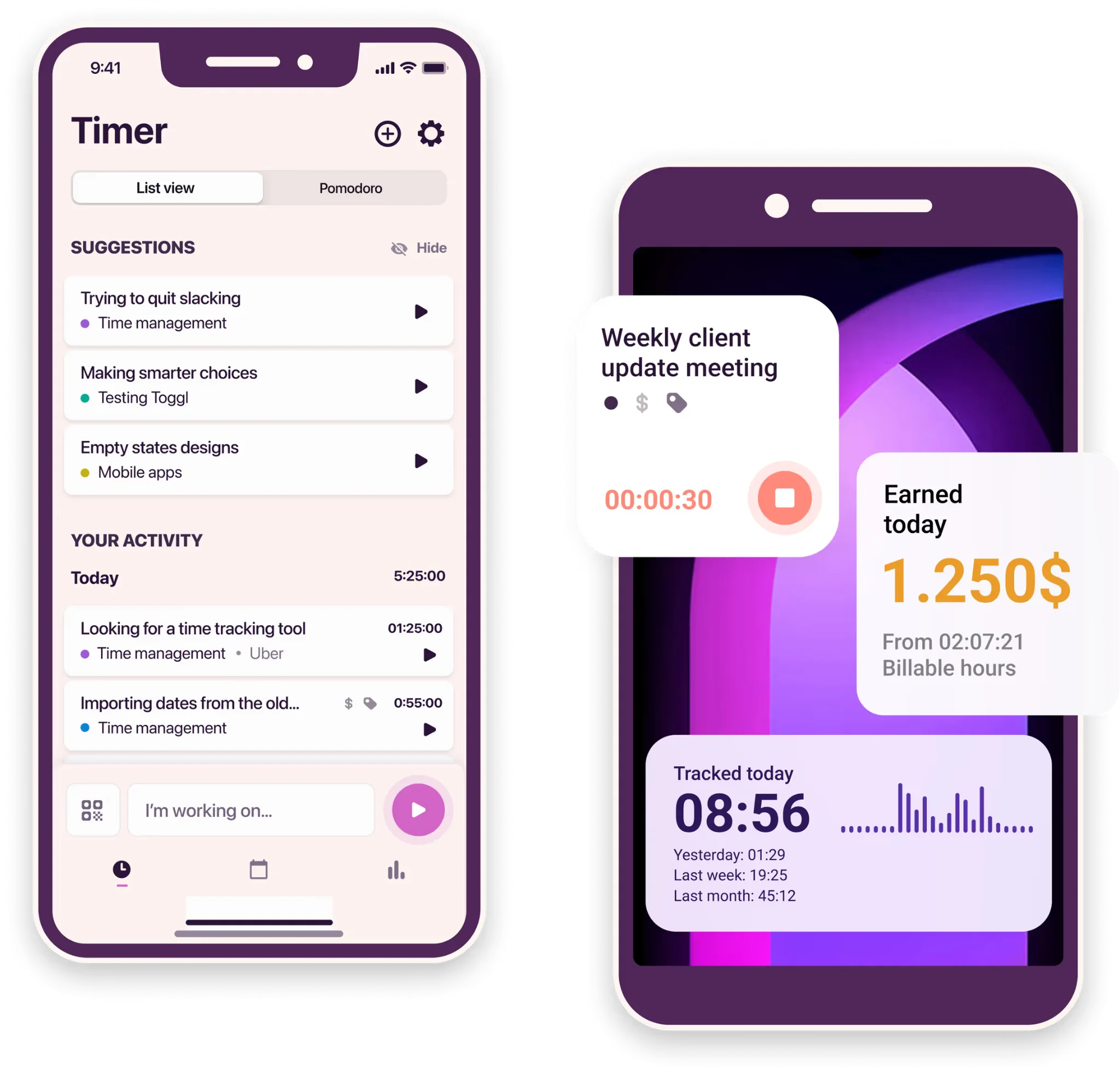
Users can turn calendar events into time entries and review private Timeline activity before deciding what to add. Toggl Track tasks can also be attached to projects on paid plans, giving users another way to categorize work from the timer.
The iOS and Android apps sync entries with the wider Toggl Track account. Users can start timers, edit previous records, and work with Calendar views while moving between devices.
FreshBooks offers the better mobile app for managing finances and client administration. Toggl Track provides the stronger desktop experience for people who need focused time tracking throughout the day.
Ease of use
FreshBooks is easy to use for accounting, while Toggl Track offers the simpler experience for recording time. The better option depends on whether users need a timer alone or a wider system for managing client finances.
FreshBooks brings several business functions into one interface. Users can manage clients, record expenses, create invoices, and track project time from the main navigation. Tracked hours and expenses can also be added to invoices without exporting data into another platform.
The wider feature set creates more setup work. Businesses need to add clients, services, payment terms, and accounting details before they can use the platform properly. Freelancers may appreciate having everything together, but users who only need time tracking may find parts of the interface unnecessary.
The mobile apps make common tasks accessible away from a computer. Users can create invoices, scan receipts, and track time from iOS or Android. This is useful for people who manage client work while travelling or visiting job sites.
Toggl Track is easier to adopt as a dedicated timer. Users can start tracking from the web or desktop app, then assign the entry to a project. Manual mode and Calendar view make it easy to add missed work or correct inaccurate records.
Its desktop app also works offline and syncs recorded data once the connection returns. Timeline can record private app and browser activity, helping users reconstruct their day without sharing that information with managers.
Toggl Track is easier for teams that want to begin recording hours with little configuration. FreshBooks requires more initial setup, but it provides a more convenient experience when time tracking must connect directly with invoices and accounting.
Pricing plans
FreshBooks and Toggl Track use very different pricing models. FreshBooks charges according to the number of billable clients, with extra fees for team members. Toggl Track charges per user and reserves its stronger reporting controls for paid plans.
FreshBooks does not offer a permanent free plan. New users can test the platform for 30 days before selecting Lite, Plus, Premium, or a custom Select plan. Annual subscriptions receive a 10 percent discount.
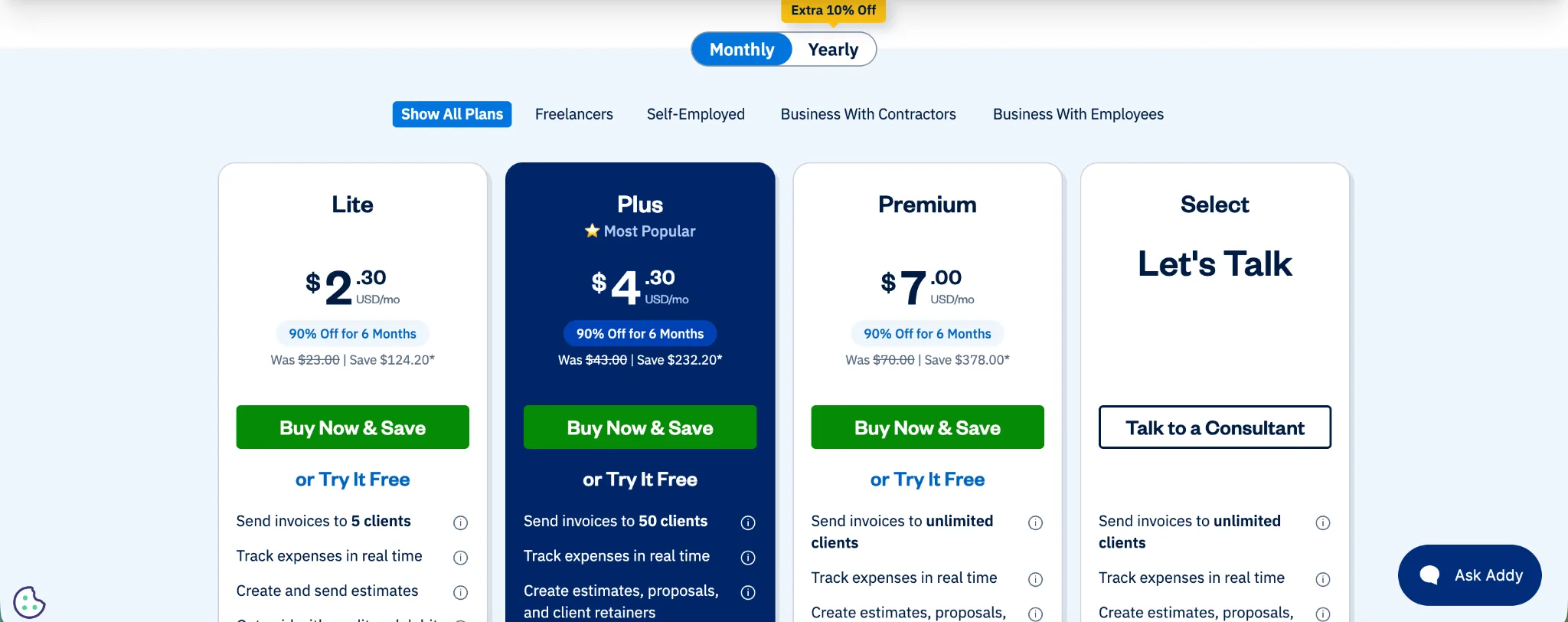
Lite normally costs $23 per month and supports invoicing for five clients. It includes unlimited tracking, expense tracking, estimates, and basic tax reports. Each additional team member costs $11 per month.
Plus costs $43 per month and raises the client limit to 50. It adds accounting reports, proposals, receipt scanning, and accountant access. Premium costs $70 per month and supports unlimited clients, project profitability, and more advanced receipt management.
FreshBooks Select uses custom pricing for businesses with more complex requirements. It includes two team member accounts, dedicated phone support, lower payment fees, and unlimited client invoicing.
Toggl Track pricing starts with a more useful free plan for time tracking. It supports tracking through web, desktop, and mobile apps, along with productivity reports and more than 100 browser integrations. However, the number of users is limited.
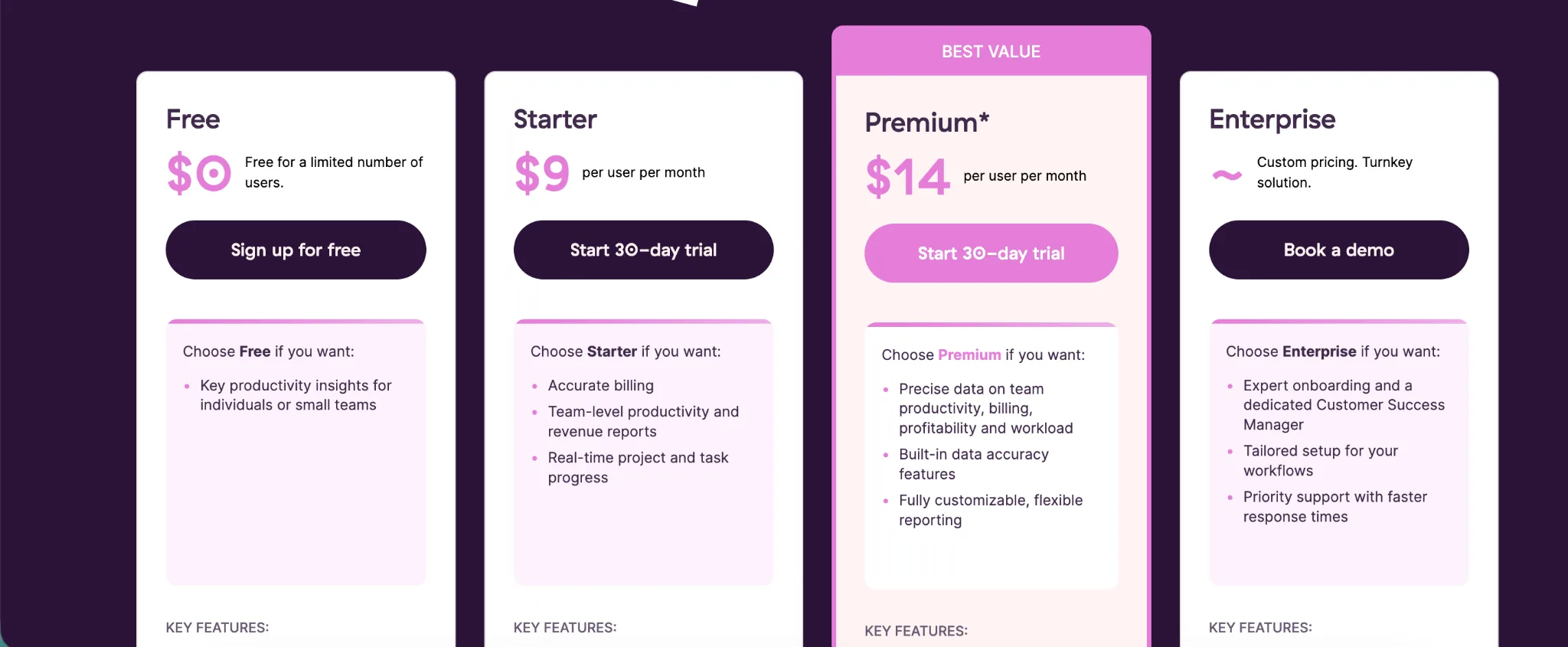
Starter costs $9 per user each month with annual billing, or $12 with monthly billing. It adds billable rates, project estimates, tasks, and team reporting.
Premium costs $20 per user with monthly billing. Annual pricing normally costs $18 per user each month, although Toggl currently offers the first annual term for $14. Premium adds profitability analysis, fixed fee projects, approval controls, and customizable reports.
Toggl Track offers better value when time tracking is the main requirement, especially for individuals who can stay on the free plan. FreshBooks costs more, but the subscription also covers invoicing and expense management within the same accounting platform.
Freshbooks vs Toggl Track: which one should you get?
FreshBooks and Toggl Track solve different problems. FreshBooks is the better choice when time tracking supports invoicing and accounting, while Toggl Track is better for teams that need deeper visibility into how work hours are used.
Get FreshBooks if you:
- Want time tracking connected directly with invoices
- Need expense tracking and accounting reports
- Manage a limited number of recurring clients
- Want to accept online payments through the same platform
- Prefer one system for client records and project finances
- Need payroll integrations for employees or contractors
FreshBooks works best for freelancers and small service businesses that want to manage time and finances together. It reduces the need to move billable hours between separate accounting tools.
Get Toggl Track if you:
- Need a dedicated time tracking platform
- Want desktop apps with offline tracking and idle detection
- Need detailed reports across projects or team members
- Want profitability analysis for client work
- Prefer flexible manual entries and Calendar views
- Need a free plan for an individual or small team
Toggl Track is the better option for agencies and professional services teams that need clearer time data. It also gives employees more ways to record and correct their hours without introducing surveillance features.
Both tools come with tradeoffs. FreshBooks offers fairly basic time analysis and becomes expensive when several team members need access, while Toggl Track requires separate software for accounting and payroll.
Businesses that want accurate time records without constant timer management may need an alternative that captures work automatically.
Get Timely and say goodbye to manual time tracking
FreshBooks works well when recorded hours need to feed into invoices and accounting. Toggl Track offers deeper time reports, but users still need to remember to start and stop timers or reconstruct missed work later.
Timely captures work automatically in the background. Its Memory tracker records time spent across web and desktop apps, while AutoSheet drafts entries and allocates them to the relevant projects or clients. Users review the completed timesheet before approving it.
This approach reduces forgotten hours and incorrect entries. Meetings and focused project work are less likely to disappear from timesheets simply because someone forgot to start a timer.
Timely also protects employee privacy. Captured activity remains private until the user approves what appears on the shared timesheet. The platform does not use screenshots or keystroke logging, giving managers dependable data without turning time tracking into surveillance.
Teams can then use the reporting dashboard to review logged time and project costs. Reports also connect recorded work with client profitability, giving managers clearer information for planning and billing.
FreshBooks is stronger for accounting, while Toggl Track is stronger for timer based tracking. Timely is the better option when you want accurate records without asking employees to manage timers throughout the day.
Try Timely for free and let your work build your timesheet automatically.