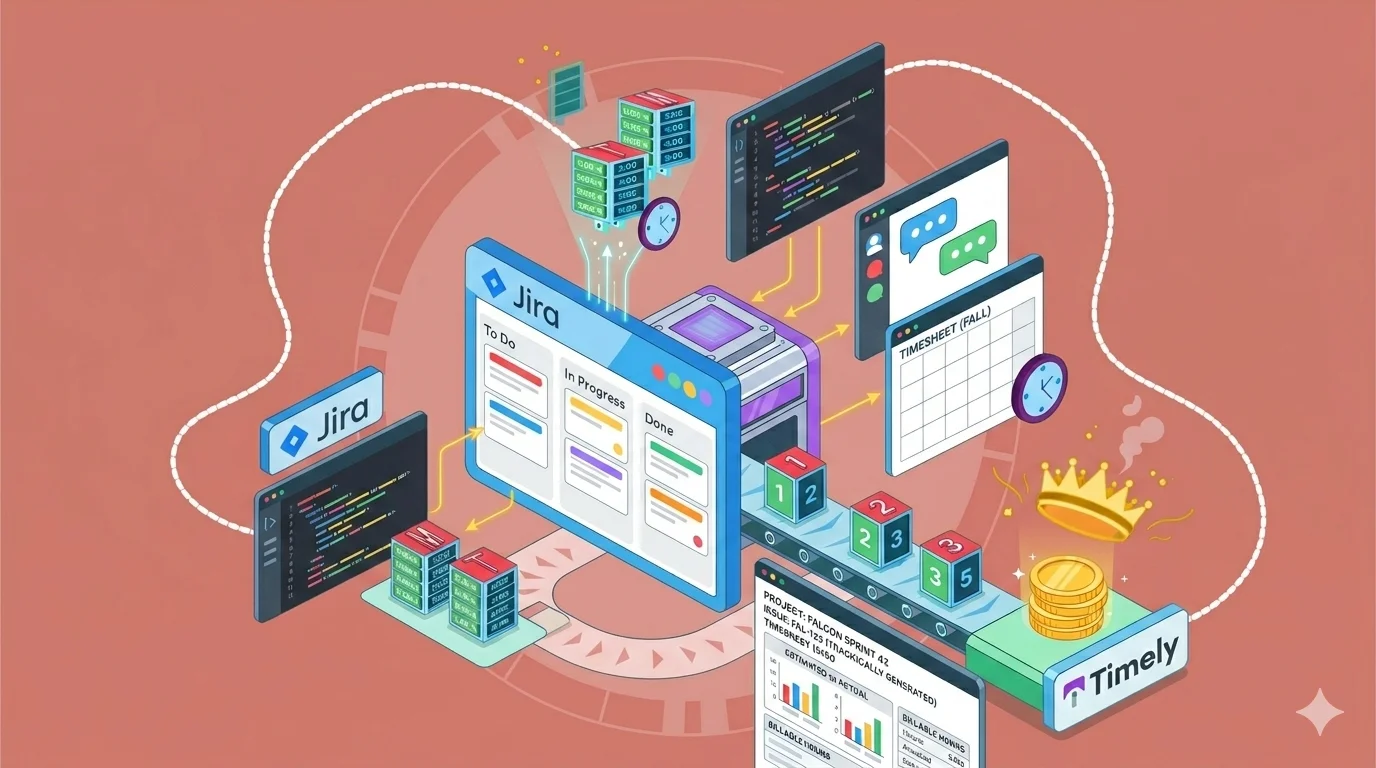
If Jira is your primary project management platform and a single source of truth when it comes to tasks, tracking time in it becomes second nature. Built mostly for development teams, Jira’s time tracking feature allows you to improve productivity, do better resource allocation, and in general, get a better idea of where time goes across story points and features.
However, time management features in Jira are anything but perfect. You could try and get the most out of the native Jira options or opt for a third-party integration that takes things to another level.
Today, we show you how you can do Jira time tracking without the headaches.
There is a better way to track time in Jira. Try Timely for free today.
Who can do native Jira time tracking?
Native time tracking is not locked behind Jira’s higher-tier plans. Jira Cloud includes built-in time tracking across its main plans, including Free, Standard, Premium, and Enterprise, as long as time tracking is enabled by an admin and the right permissions are in place.
That means even teams on the Free plan can use Jira’s native time tracking to:
- Log work on issues
- Set original estimates
- View time spent on tasks
- Manage basic time tracking settings, if they have admin access
The paid plans do not unlock time tracking itself. What they change is the broader Jira environment around it, such as automation limits, admin controls, analytics, storage, and enterprise governance. In other words, a Free plan team can still track time natively, but larger teams on Standard, Premium, or Enterprise may find Jira easier to manage at scale because of the extra plan features around permissions, reporting, and administration.
There is one important catch: native time tracking only works if your Jira admin has turned it on and users have permission to log work. Jira also lets admins choose a different time tracking provider, which is why some teams use marketplace apps instead of the built-in tracker.
So the simple answer is this: any Jira Cloud team can use native time tracking, including Free users, but access still depends on configuration and permissions. Even if you want to track time natively, your admin can simply disable time tracking and you’re back to square one.
The downsides of tracking time natively in Jira
Native time tracking in Jira works well for basic logging, but once you rely on time data for reporting, billing, or planning, the limitations become obvious.
No real timesheets or approval workflows
Jira lets you log work on issues, but it does not provide a proper timesheet experience. There’s no clean weekly view where you can:
- Review all logged hours in one place
- Submit time for approval
- Validate entries before payroll or invoicing
For teams that need structured processes, this quickly becomes messy — all you get is a simple time tracking field with a basic work description.
Limited reporting and visibility
Jira includes reports, but they are not built for deep time analysis. You will struggle to:
- Break down time by client or billable hours
- Get clear summaries across teams
- Answer simple questions like where time went over a month
Most project managers end up exporting data or building custom dashboards just to get usable insights. For teams that need proper reporting and visibility, this is a significant gap.
Time tracking is tied strictly to issues
All time is logged against individual issues, which creates friction in day-to-day work. This makes it difficult to:
- Track time across multiple tasks in one session
- Log time against a client or project directly
- Get a clean overview of your entire day
It forces you to think in terms of tickets, not actual work — and you don’t get the bigger picture of project planning or the detailed breakdowns of everyone’s working hours.
No billing or invoicing functionality
Jira does not connect time tracking to money. There is no native way to:
- Assign hourly rates
- Mark time as billable vs non-billable
- Generate invoices from tracked time
If you work with clients, this creates extra steps outside Jira. Granted, Jira is primarily built for project and capacity planning within dev teams, but this can be a hurdle for development agencies that work on client projects and need to make more informed decisions about time spent across tasks and projects. Tools with proper invoicing workflows make a significant difference here.
Fully manual tracking leads to gaps
Time tracking in Jira depends on users logging work manually. This often leads to:
- Forgotten entries
- Inaccurate estimates filled in later
- Inconsistent data across teams and their time tracking reports
Over time, this reduces trust in the data completely. You rely on your team to get realistic estimates of time spent across tasks and subtasks, which can often lead to inconsistencies and false reports. Automated time tracking is a much better choice if you want to remove the friction of manual timers and you need better estimates with accuracy measured in seconds.
Limited usability for non-technical teams
Jira is built primarily for engineering and product teams, not time tracking. For non-technical users, logging time can feel:
- Unintuitive
- Buried inside issue views and custom fields
- Disconnected from their actual workflow
This becomes a barrier to adoption across the wider team. Jira can be pretty complex, and if you want to just configure Jira time tracking settings, you may run into a wall.
Bottom line: Jira’s native time tracking is fine for basic issue-level logging, but it lacks the structure, accuracy, and usability needed for serious time tracking use cases. You can get around this by integrating Jira with other tools from the Atlassian marketplace.
Why third-party Jira time tracking apps are a better choice
Native time tracking in Jira is built around work logs, time estimates, and actual time on issues, which works fine for basic tracking. But once teams need cleaner data, better workflows, or real reporting, third-party apps become the better option.
Better structure around work logs and time estimates
Jira focuses on logging time per issue, but third-party tools build a proper system around it. Instead of scattered work logs, you get:
- Centralized timesheets across all tasks and projects
- Clear comparisons between time estimates and actual time
- A structured view of your entire workday, not just individual tickets
This makes time data easier to understand and act on.
Clearer permissions and control
Jira has a dedicated time tracking permissions section, but it can be rigid and difficult to manage at scale. Third-party tools simplify this with:
- Role-based access to time entries and reports
- Easier approval workflows for submitted hours
- Better control over who can edit, submit, or lock time
This is especially useful for growing teams where control and accountability matter.
Reporting that actually answers business questions
Jira’s reporting is built for issue tracking, not time analysis. Third-party tools give you:
- Breakdowns by project, client, or team member
- Visibility into billable vs non-billable work
- Clear insights into where time is going
For software development teams, this means understanding not just what was built, but how much effort it actually required.
Track time across tools, not just Jira issues
Work does not happen only inside Jira. Third-party tools track time across:
- Code editors
- Browsers
- Meetings and calendars
- Communication tools
This gives you a complete picture of work, instead of limiting tracking to issue-based logging.
Less manual work, more accurate data
Jira relies heavily on manual logging, which leads to gaps. Third-party tools reduce this with:
- Automatic tracking options
- Smart suggestions based on activity
- Faster logging workflows
The result is more accurate time data, without relying on people to remember every entry.
Built for scaling teams, not just tracking tasks
Jira’s time tracking is an add-on to issue management. Third-party tools are built specifically for time tracking at scale. They support:
- Larger teams with complex workflows
- Cross-project reporting
- Consistent data across departments
How Timely helps your team track time in Jira
If you rely on Jira for managing work, Timely fills in everything Jira is missing on the time tracking side, without changing how your team works.
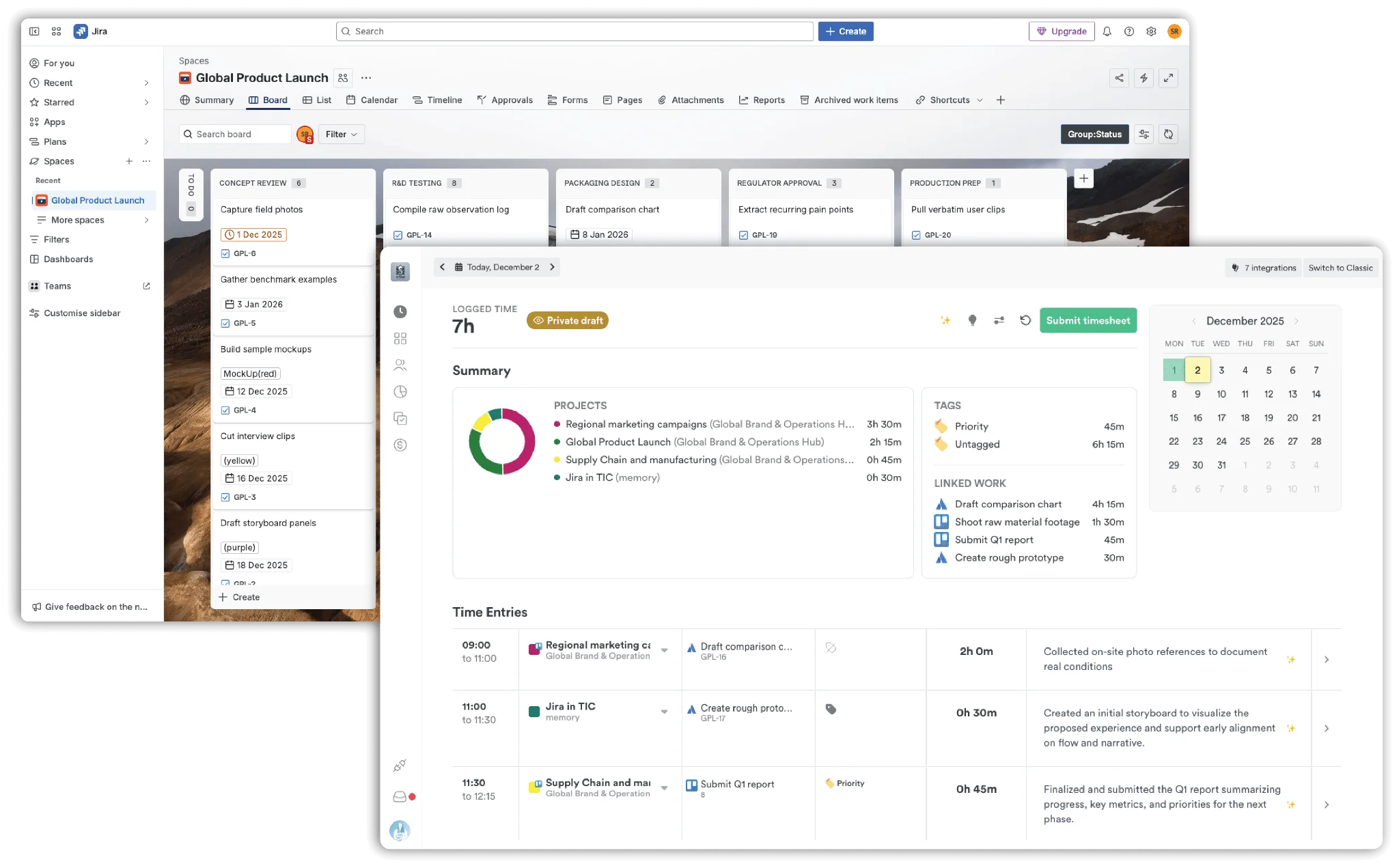
Instead of forcing people to manually log hours, Timely captures time automatically and keeps your Jira data clean and up to date.
Automatic tracking for every Jira issue
Timely tracks actual time spent on Jira tickets in the background, without relying on timers or manual input. Its Memory feature records activity as it happens, then suggests time entries later.
- No more missed work logs
- No reconstructing your day from memory
- Far more accurate actual time vs time estimates
This is especially useful for software development teams, where work is often fragmented across tools and sessions. Learn more about Timely’s automatic time tracking.
Work logs sync directly into Jira
One of the biggest advantages is that Timely does not replace Jira — it enhances it.
- Every time entry logged in Timely is synced back as a Jira work log
- Jira remains your single source of truth
- No duplicate data or manual updates required
This keeps your reporting and sprint tracking inside Jira accurate and up to date.
Real-time sync between projects, issues, and teams
Timely automatically syncs your Jira structure into its own system.
- Jira projects map to Timely projects
- Issues map to tasks
- Teams map to users
Any changes made in one tool appear in the other almost instantly, so everything stays aligned without extra setup.
AI-generated timesheets from real activity
Instead of filling out timesheets manually, Timely builds them for you.
- Learns from past entries and behavior
- Suggests complete timesheets for review
- Reduces admin work significantly
This removes the biggest pain point in Jira — manually logging time after the fact.
Better reporting for estimates vs actual time
Because time is tracked continuously, reporting becomes far more useful. You can clearly see:
- How time estimates compare to actual time
- Where sprints are slipping
- Which tasks take longer than expected
This turns sprint reviews and retrospectives into something based on real data, not guesswork.
Less friction, better adoption across teams
Timely works quietly in the background, so developers and teams can stay focused in Jira.
- No constant timer switching
- No context switching between tools
- No extra admin work
The result is more consistent work logs and higher data quality, without forcing behavior changes.
Ready to start tracking time in Jira, but without the headaches? Try Timely for free today.