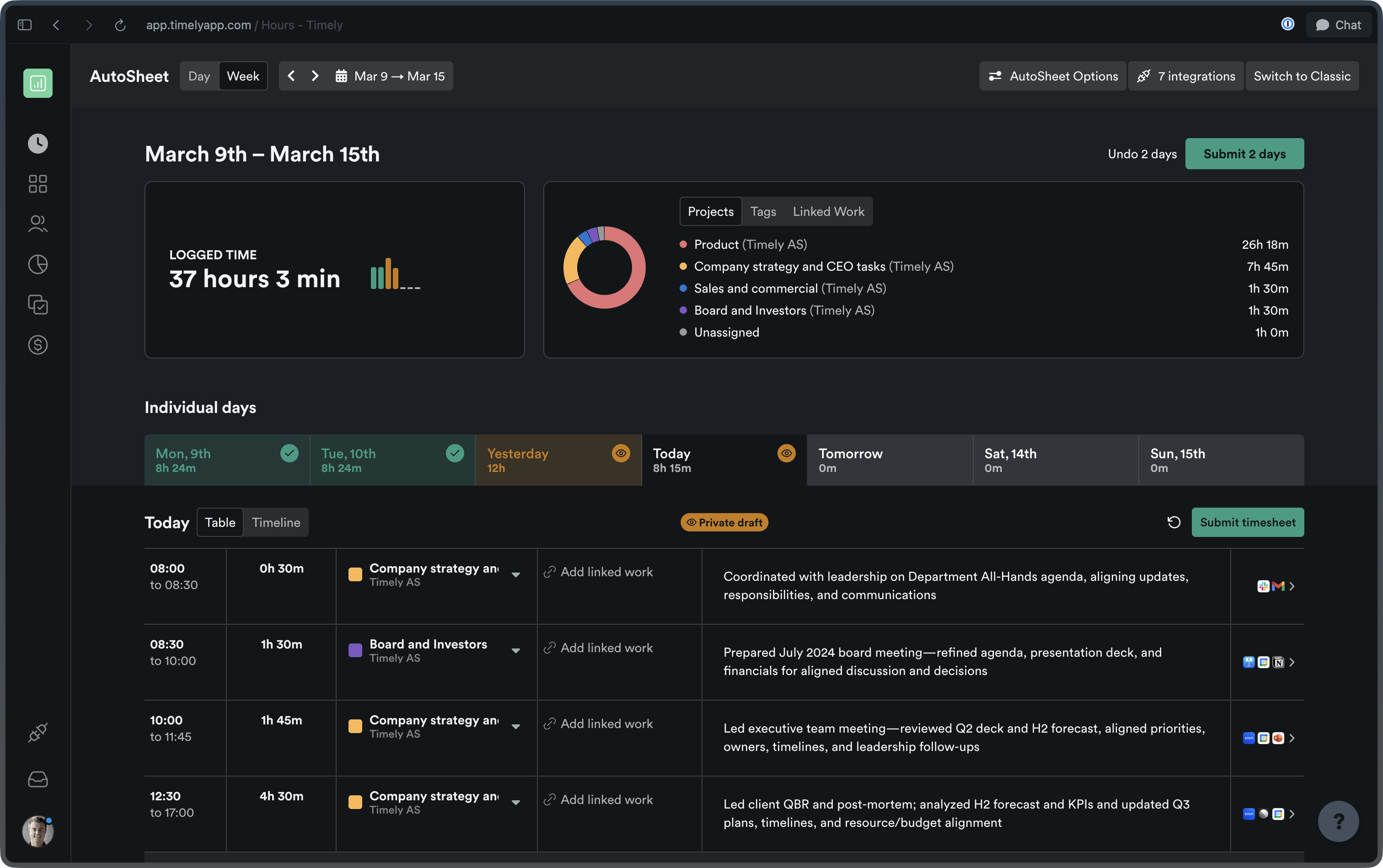
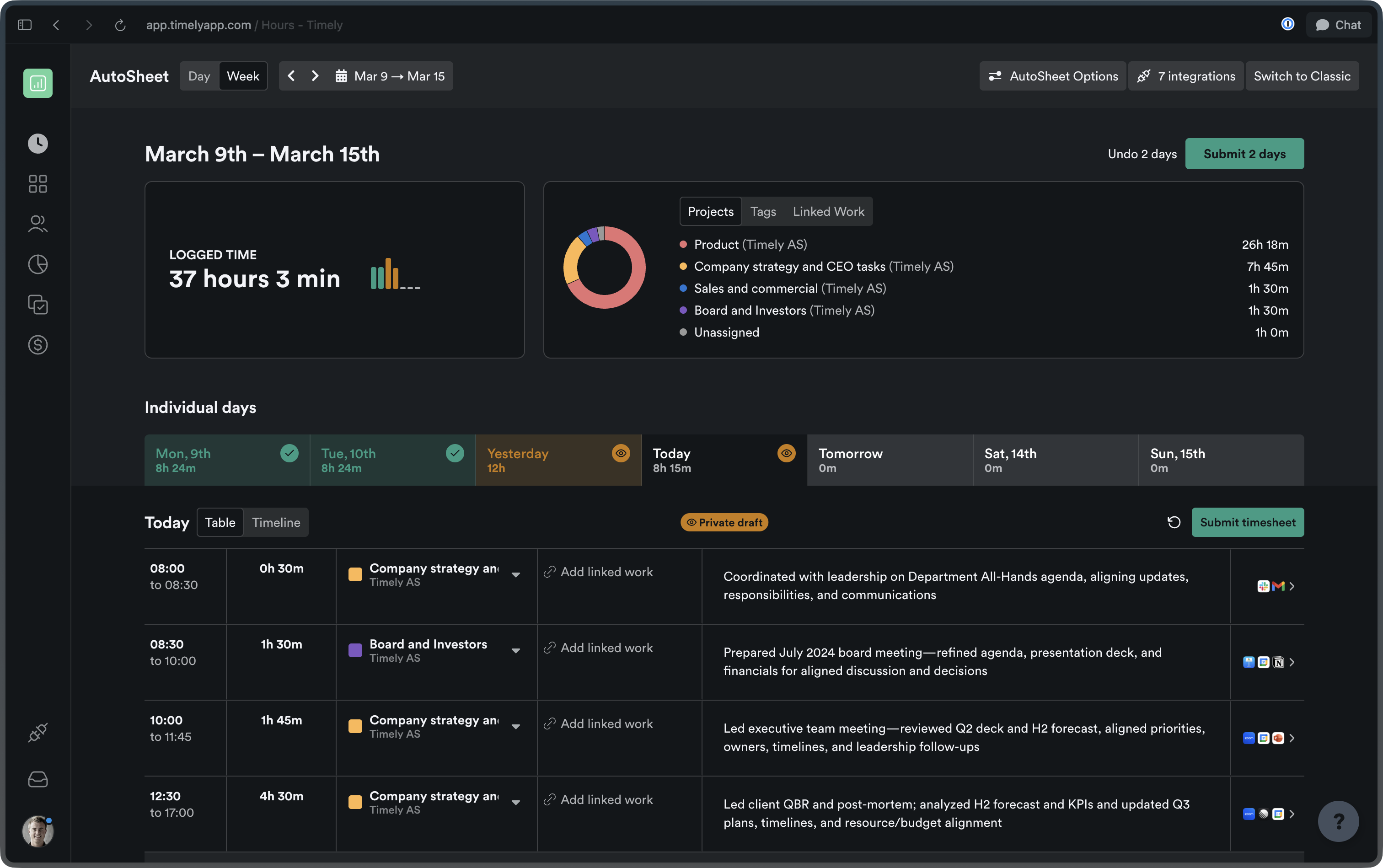
AutoSheet
More ways to view, edit, and manage your time, all in one place.
Week view
See your entire week at a glance with per-day tabs, week-specific actions, and a redesigned summary experience. A new logged-time widget, combined projects/tags/linked-work card, and quick date-jump controls (Today / This Week) make navigating your timesheet faster than ever.
Richer timeline interactions
Hover over activities to highlight their time spans, reassign activities directly from the timeline, and select multiple activities by clicking or dragging. Managing your captured time has never felt this fluid.
Batch edit time entries
Select multiple time entries at once to change their project, linked work, or assignee, or delete them all in a single action. Perfect for tweaking timesheets at the end of a busy week.
Delete activities from the Timeline
Permanently delete memories directly from the AutoSheet timeline. Switch into “Edit Activities” mode, hover over any entry to reveal the delete popover, and confirm.
Custom summary intervals
Set your own summary interval in AutoSheet including a new 10-minute option for those who want granular, real-time awareness of their tracked work. The default has also been updated from 30 minutes to 15 minutes. You can also set fully custom increments, like 6-minute intervals — perfect for legal teams who bill in tenths of an hour.
Settings & experience
A faster, more modern Timely: from dark mode to a rebuilt settings area.
Dark mode — now everywhere
Dark mode is now fully supported across all settings and workspace pages. Whether you’re reviewing timesheets late at night or just prefer a darker workspace, Timely has you covered.
Settings sidebar navigation
The settings area has been redesigned with a new vertical sidebar layout. Finding and moving between sections is now intuitive and fast.
Rebuilt Personal Details page
The Personal Details settings page has been rebuilt from the ground up for a faster, more modern experience.
Dedicated email & sign-in settings
Email address, linked emails, and authentication settings now have their own dedicated page — making account security easier to manage in one clear place.
Re-applied task filters
Your last selected filters on the Tasks page are now remembered and restored when you return. No more re-applying the same filter every time you switch tabs.
Recovered transactions in Balance History
Recovered transactions now appear alongside standard transactions in the Balance Transaction History, giving admins a complete, unified view of account activity.
Tasks & projects
Better tools for planning, delegating, and keeping your team on track.
Bulk task creation
Create multiple tasks at once from the Tasks list, assigning one per team member with a shared title, description, project, and dates. Capacity warnings automatically flag any scheduling conflicts so you can plan with confidence.
Upgraded projects page
The projects list now supports sortable columns, pagination, adjustable column visibility, and faster server-side search. Managing a large portfolio of projects just got a lot more manageable.
Filter ClickUp tasks by assignee
Opt in to a setting that limits which ClickUp tasks are visible to each user, so people only see tasks they’re directly assigned to.
Log time to Asana subtasks
You can now log time directly to Asana subtasks, with support for up to 5 levels of nesting between a project and a task.
Team leads can send time logging reminders
Team leads can now send time logging reminders to their team members directly — no need to escalate to admins.