At first glance, Time Doctor and Hubstaff look like they do the exact same things. They both track time and monitor activity. They both promise better visibility into remote work.
But once you get past the homepage messaging, the difference is pretty clear.
Time Doctor is built for deeper oversight and productivity analysis. Hubstaff is built to connect time tracking to operations, payroll, scheduling, and even field work.
So this is not really a simple tracker versus tracker comparison. It is about whether you want a tool that tells you how people worked, or one that helps you manage time, costs, schedules, and accountability in one place.
Time Doctor and Hubstaff too intrusive for your team? Get accurate time tracking with Timely instead. Try it for free today.
Time Doctor vs Hubstaff: at a glance
| Time Doctor | Hubstaff | |
|---|---|---|
| Best for | Teams that want deep productivity visibility | Teams that want tracking tied to payroll, schedules, budgets, and ops |
| Free plan | No, 14-day free trial only | No, 14-day free trial only |
| Starting price | $6.67 per user per month | $4.99 per seat per month |
| Monitoring depth | Very high | High |
| Screenshots | Yes | Yes |
| Screen recording | Yes | No |
| Web and app usage | Yes | Yes |
| Payroll support | Yes, through payroll reporting and integrations | Yes, plus payments and cost tools |
| Invoicing and billing | More limited focus | Stronger native focus |
| GPS tracking | Not a headline feature | Yes |
| Attendance and time off | Yes | Yes |
| Integrations | 60+ | 35+ direct and Zapier |
| Overall feel | Productivity oversight platform | Workforce management platform with monitoring |
Time Doctor vs Hubstaff: key features
Both tools go well beyond simple timers, but they do not focus on the same problems.
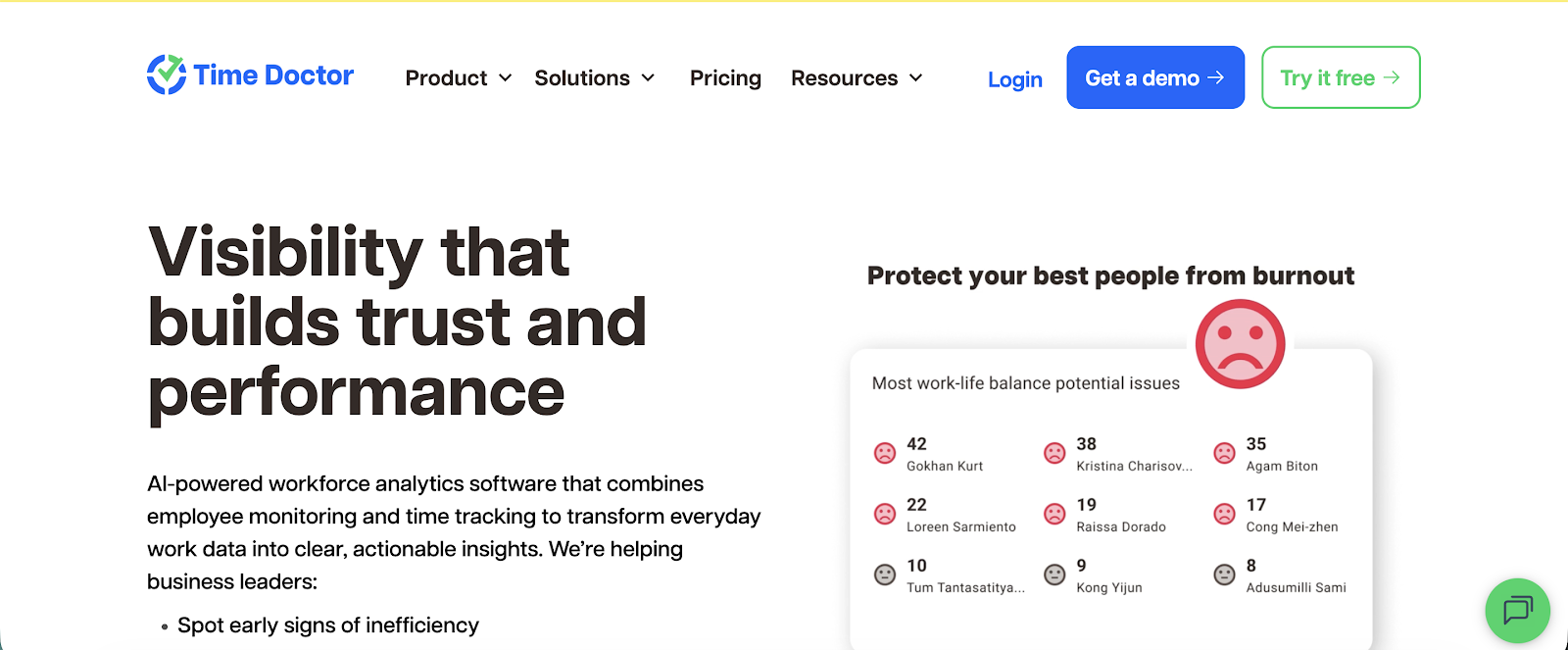
Time Doctor is stronger when you want detailed productivity visibility across remote or hybrid teams. It is a proper employee monitoring software that comes with time tracking as a feature.
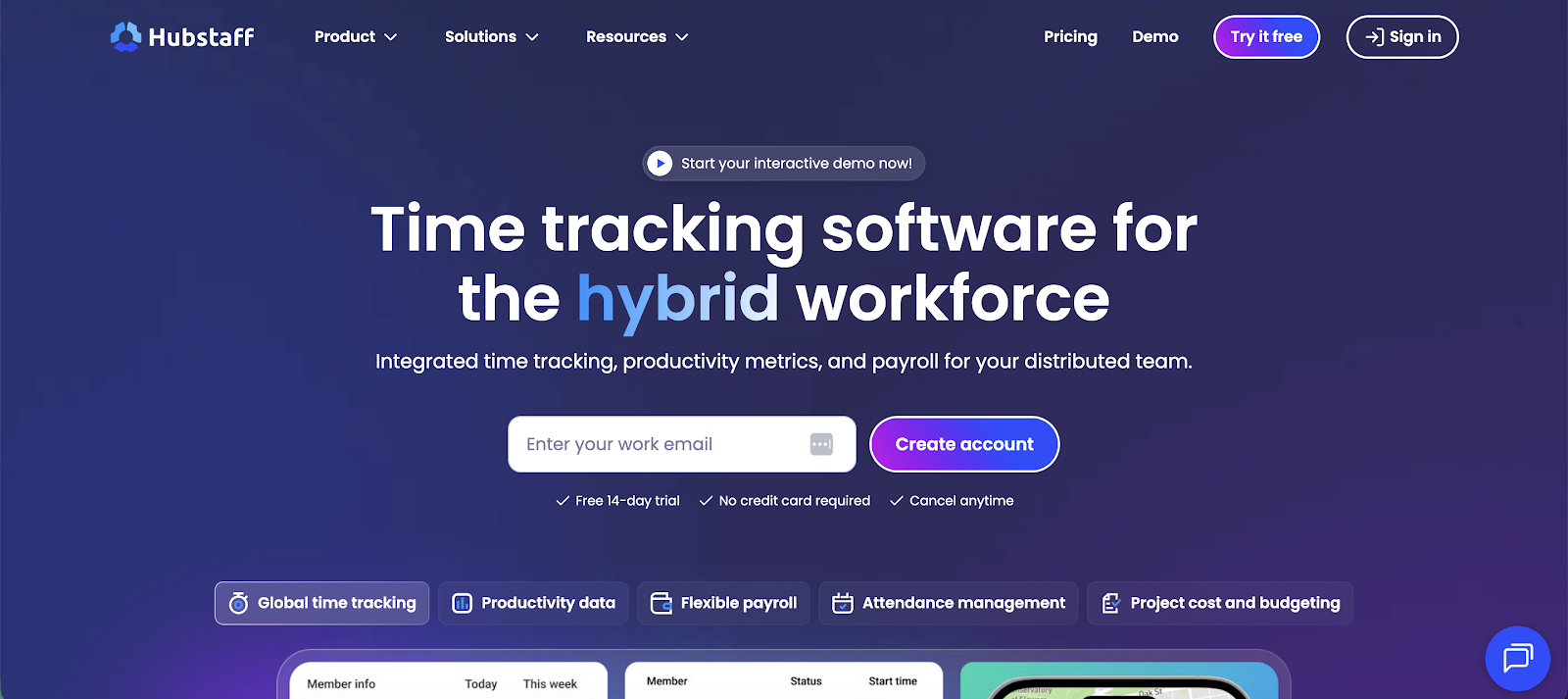
Hubstaff is broader and more operations-friendly, especially if you need scheduling, attendance, GPS tracking, invoicing, or project cost controls alongside time tracking.
Time tracking
Both tools handle core time tracking well, but the feel is different.
Time Doctor supports interactive desktop tracking, automatic tracking, offline tracking, break tracking, and timeline reporting. It is built around the idea that tracked time should lead directly into productivity analysis. The feature set reflects their main target audience: remote and hybrid teams that need to monitor employee productivity.
Hubstaff is a true piece of time tracking software that covers automated timesheets, project and task tracking, attendance, idle time tracking, and screenshots. But its time tracking feels more connected to operations, because the same data can feed project budgets, payroll, client billing, and field team workflows.
You also get client login access, so that when you track employee time, the client can log in and browse through timesheets to see what you have completed and when.
Reporting and analytics
This is one of the clearest differences.
Time Doctor pushes harder on analytics. You get timeline reports, hours tracked reports, web and app usage, custom exports, executive dashboards, unusual activity reporting, and work-life balance metrics. It is built for managers who want to inspect patterns, not just total hours. If you want accurate tracking and you manage hybrid and remote employees, Time Doctor will have more than enough time management features for the average user.
Hubstaff also has strong reporting, but it is more operational in tone. Its reporting is tied to productivity, payroll, project budgets, client billing, compliance, and workforce analytics like capacity planning and remote versus in-office performance.
Employee monitoring
Both tools monitor activity, but Time Doctor is the more aggressive one.
Time Doctor includes:
- screenshots
- video screen recording
- inactivity alerts
- unusual activity reporting
- web and app usage
- real-time dashboards
It is clearly built for teams that want close visibility into what happens during the workday. These productivity tools can be a blessing for some teams, but for others, it may actually drive off team members because they might feel the lack of trust.
Hubstaff also offers activity monitoring features such as screenshots, app and URL usage, idle time tracking, activity levels, and employee monitoring, but it frames these features more around transparency and accountability than constant surveillance. It also gives admins controls over screenshot frequency and monitoring settings.
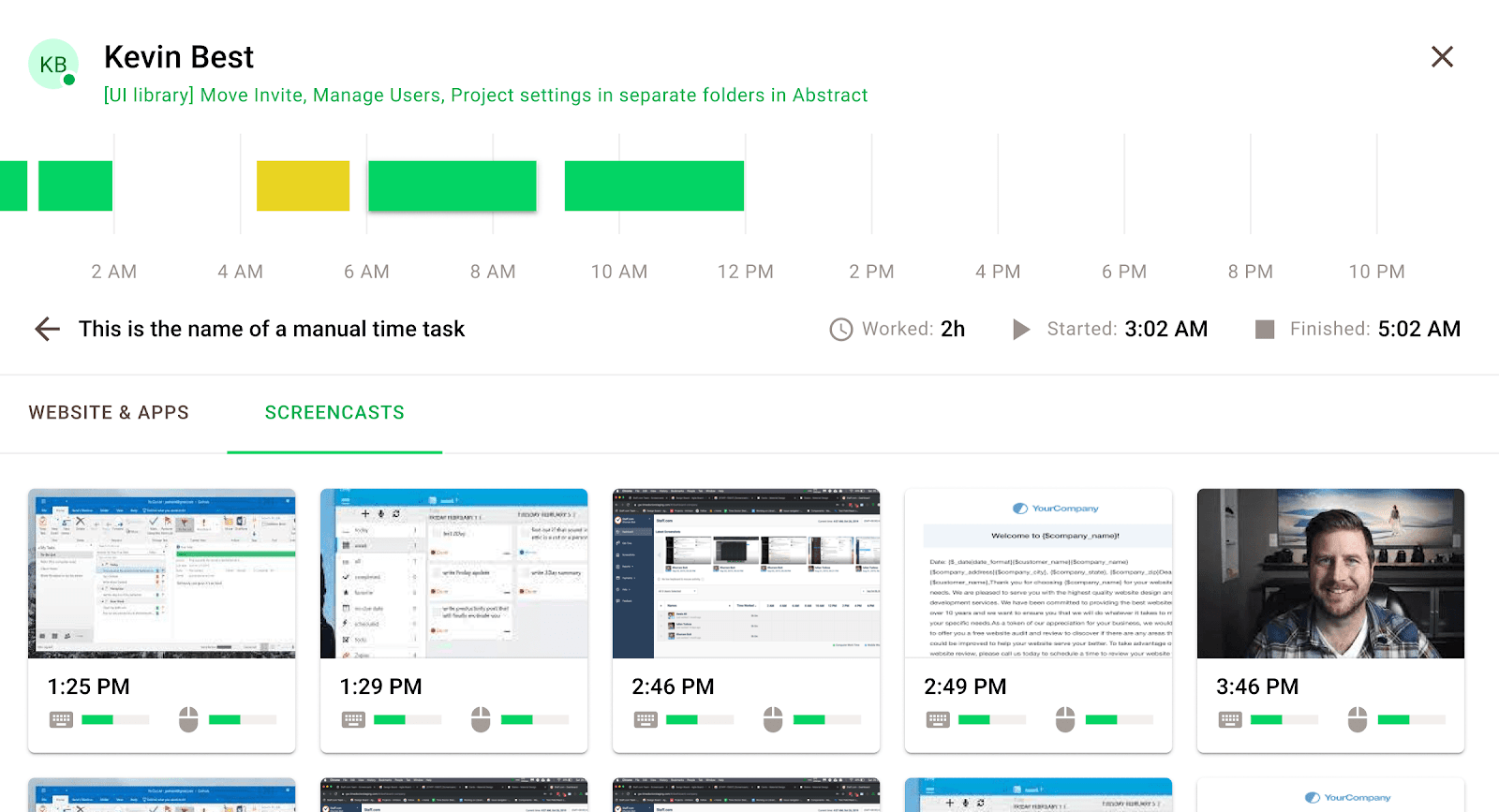
If you value employee privacy and trust automatic time tracking or manual time entry to do the job, these features are overkill for your team.
Payroll, invoicing, and workforce operations
This is where Hubstaff starts pulling away.
Time Doctor includes payroll reporting and supports payroll workflows through integrations. That is useful, but payroll is still just one piece of a larger productivity system.
Hubstaff is more built out here. It offers project cost budgeting, invoicing and billing, overtime tracking, attendance, time off tracking, and global payments. If you want tracked time to connect directly to cost control and payouts, Hubstaff is doing more of that work natively.
Project and task management
Neither of these is a true project management tool first, but they still differ.
Time Doctor includes project and task management mainly to support tracking and analytics. The projects are there so you can understand where time went.
Hubstaff treats projects more like an operational layer. Projects connect to tasks, budgets, billing, schedules, and team management, so the project side feels more practical for agencies, consultancies, and service businesses.
Mobile app and cross-platform support
Hubstaff is more versatile here.
Time Doctor supports desktop apps, browser extensions, and offline tracking, but much of its full monitoring setup is still tied to the desktop environment. In fact, you will need the desktop app installed across devices to get access to all the productivity monitoring tools, such as idle time detection and attendance tracking during work hours.
Hubstaff supports Mac, Windows, Linux, web, and mobile, and also adds GPS tracking for mobile and field teams. That makes it easier to use across office staff, remote teams, and people who are not sitting at a desk all day.
Hubstaff vs Time Doctor: ease of use and interface
These tools do not feel equally heavy once you actually start using them.
Time Doctor gives managers a lot of control, but it asks for more patience in return. Between dashboards, alerts, tracking modes, productivity reports, and monitoring settings, there is simply more to configure and more to review. That depth is useful if you need it, but it also means a steeper learning curve.
Just tracking time in Time Doctor is simple enough. Problems arise when you want to understand the time spent on tasks and projects because the dashboards — especially when coupled with project management integrations — can get confusing for first-time users.
Hubstaff is still not a lightweight timer app, but it is easier to understand because the product is organized around practical workflows. Time, schedules, attendance, budgets, invoices, and payments sit closer together, which makes the product feel more usable for day-to-day team management.
You will still have all the timer-based tracking and team performance management features, but compared to Time Doctor, even first-time users can understand the data and apply it to make more informed decisions almost immediately.
In simple terms:
- Time Doctor feels more like a productivity oversight platform
- Hubstaff feels more like a workforce management tool with monitoring built in
That distinction matters. If your team only needs hours, activity, and reports, Time Doctor can feel heavier than necessary. If you need time tracking to feed payroll, staffing, or project costs, Hubstaff makes more immediate sense.
Hubstaff and Time Doctor: integrations
Both tools integrate with the usual business apps, but the emphasis is not the same.
Time Doctor says it offers 60+ integrations and add-ons across project management software, payments and accounting tools, help desk, communication, CRM, and HRIS. The goal is to connect tracking data to the rest of your reporting and management stack.
Hubstaff currently lists 35+ direct integrations, including Jira, Slack, Wise, Deel, Asana, Google Calendar, Trello, GitHub, ClickUp, Zendesk, QuickBooks, Monday, PayPal, Gusto, and Salesforce. It also connects to hundreds of other apps through Zapier.
What that means in practice:
- Time Doctor is stronger if you want more integrations tied to reporting and productivity analysis
- Hubstaff is stronger if you want time tracking to plug into scheduling, payroll, budgeting, accounting, and field operations
So while both are fine on integrations, Hubstaff has the more practical business ops angle, and Time Doctor has the more analytics-driven angle.
Hubstaff vs Time Doctor: employee monitoring tools
Both tools sell visibility, but they do not define it the same way.
Time Doctor is built around detailed productivity analytics. It includes screenshots, screen recording, web and app usage, inactivity alerts, unusual activity reporting, timeline reports, and executive dashboards. That makes it the stronger choice if your main question is: what exactly happened during the workday?
Hubstaff also monitors productivity, but the framing is softer. It offers employee monitoring, activity tracking, screenshots, app and URL usage, idle time tracking, and real-time dashboards. It is still very much a monitoring product, just one that talks more about accountability and transparency than deep behavior analysis.
Monitoring vs privacy
This is where the decision gets uncomfortable for some teams.
Time Doctor gives you more detail, but that detail can come at a cultural cost. Screenshots, screen recording, unusual activity flags, and web and app tracking are useful for managers who need proof of work, but they can also make people feel like they are being measured every minute.
Hubstaff is not exactly privacy-first either. It still tracks activity, screenshots, app use, and idle time. There is even URL tracking to stay on top of the websites that your employees visit during work hours. The difference is that Hubstaff gives admins explicit controls over whether monitoring is enabled, disabled, blurred, or adjusted, which makes it a bit easier to set boundaries.
So the real split is this:
- Time Doctor is better when you want deeper scrutiny
- Hubstaff is better when you still want monitoring, but with more room to tune how visible it feels
Neither tool is ideal if your team is highly sensitive to surveillance.
Time Doctor vs Hubstaff: pricing plans
There is no free forever plan here. Both products offer a 14-day free trial instead.
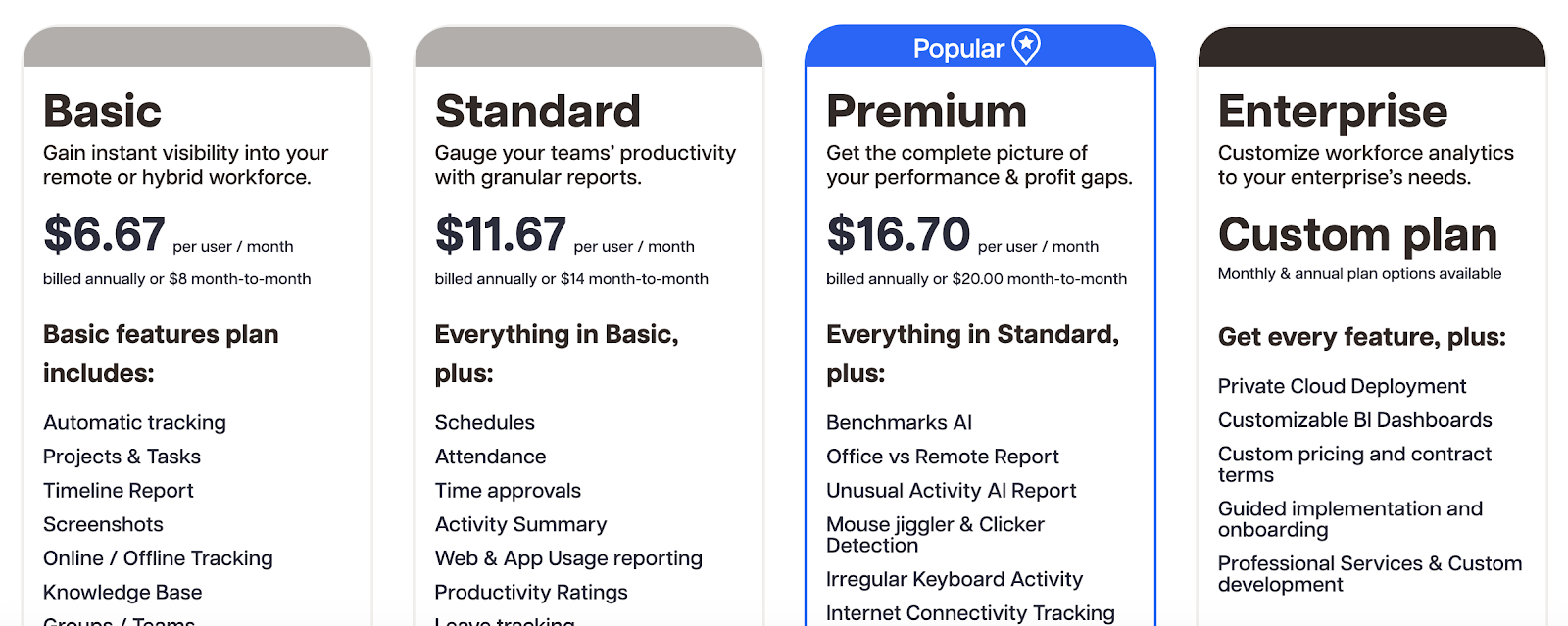
Time Doctor paid plans start at $6.67 per user per month on annual billing for Basic, then $11.67 for Standard and $16.70 for Premium, with Enterprise pricing available through sales. The product is priced around progressively deeper visibility, analytics, and reporting.
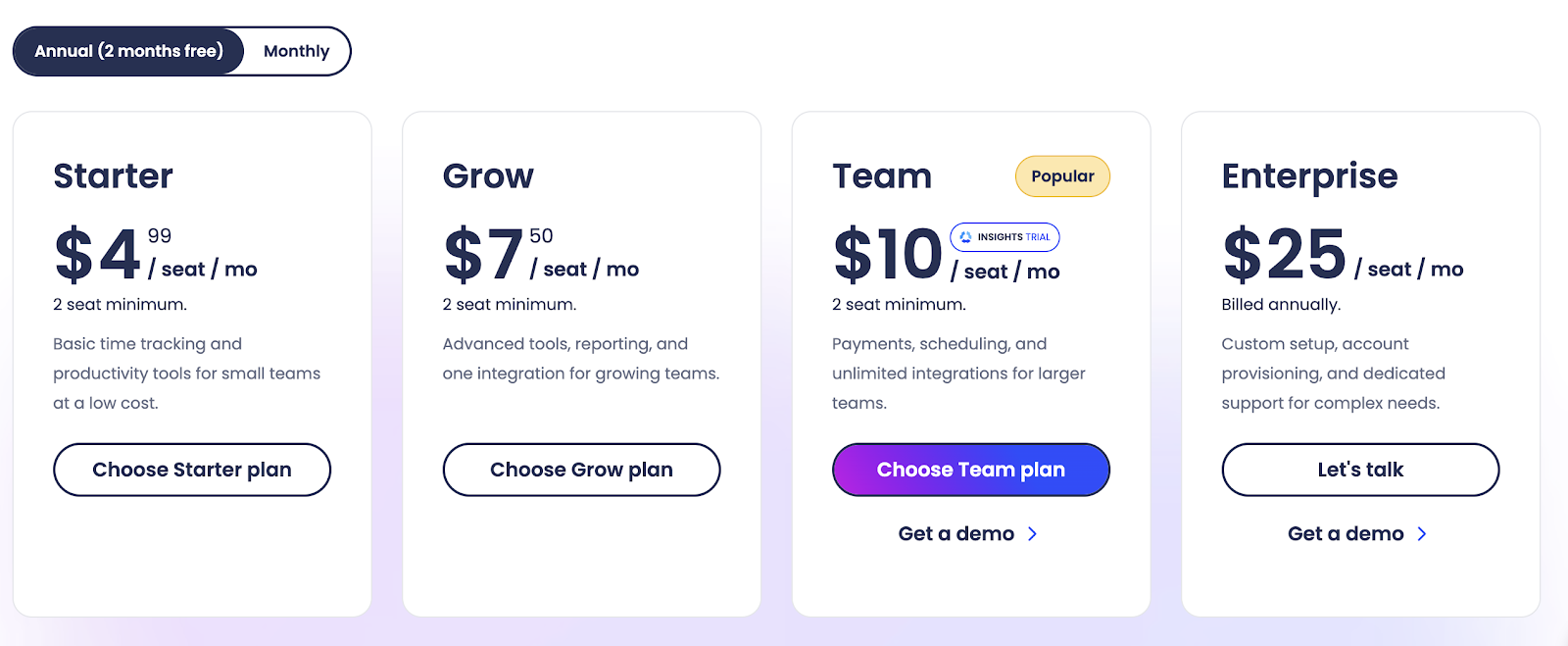
Hubstaff starts lower. Its current annual pricing begins at $4.99 per seat per month for Starter, then $7.50 for Grow, $10 for Team, and $25 for Enterprise. Hubstaff also has a 2-seat minimum on the paid plans it surfaces publicly.
That leaves you with a pretty clear pricing story:
- Time Doctor asks you to pay more for deeper productivity analysis, with the best features kept away from the basic plans
- Hubstaff gives you a broader mix of operations, tracking, and management features at a lower starting price
If you only care about close monitoring, Time Doctor can justify the extra spend. If you want better value across time tracking, payroll, budgets, invoicing, and scheduling, Hubstaff looks stronger on price-to-feature balance.
Which one should you get?
This choice is easier if you stop thinking about "time tracking" and start thinking about management style.
Get Time Doctor if:
- You want the strongest possible view into productivity patterns
- You care about screenshots, screen recording, unusual activity tracking, and detailed reports on digital activity
- You manage remote teams where proof of work matters a lot
- You want analytics that go beyond basic hours and project reports
Time Doctor is the better pick when your main concern is oversight and only employee monitoring tools can fill that gap. It is more intense, more detailed, and more manager-centric.
Get Hubstaff if:
- You want time tracking to connect directly to payroll, budgets, scheduling, attendance, and invoicing
- You manage remote teams, field teams, or mixed workforces and need strong mobile and desktop apps
- You want activity tracking, but not quite as much analysis overhead
- You care about cost control as much as productivity visibility
Hubstaff is the better pick when you want tracking to feed actual business operations, not just reporting.
In short:
- Time Doctor is better for deeper supervision
- Hubstaff is better for broader workforce management
If your whole goal is to see how work happened, pick Time Doctor. If your goal is to turn tracked time into staffing, scheduling, payroll, project costs, and invoices, pick Hubstaff.
Why Timely is the better alternative for accurate time tracking
There is one big issue that both of these tools still share: they ask teams to live inside a monitoring mindset.
With Time Doctor, that usually means deeper oversight, more scrutiny, and more pressure around activity. With Hubstaff, that pressure is a bit softer, but it is still a system built around tracking behavior, not just recording time.
That creates a familiar problem. People start working for the tracker instead of just doing the work.
This is exactly where Timely is easier to argue for.
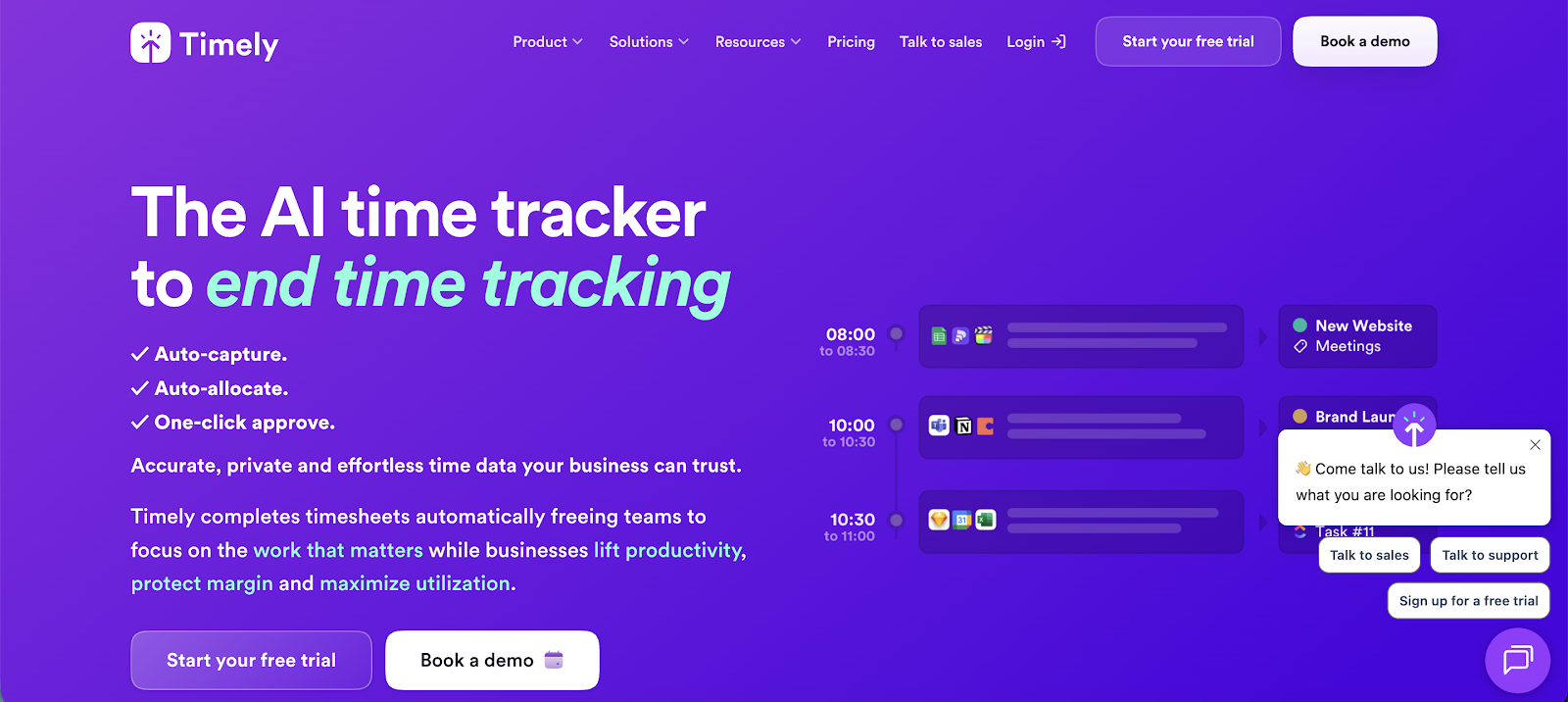
Instead of asking people to manage timers or work under heavy monitoring, Timely automatically captures work activity in the background and turns it into accurate time records. That means fewer missed hours, less cleanup at the end of the week, and much less tension around screenshots or activity scores.
Why that matters:
- No timer pressure
- No screenshot culture
- No need to build trust around surveillance
- Cleaner time data for billing and reporting
- Less friction for people who hate tracking tools
So if you want accurate time tracking without turning the workday into an audit trail, Timely is the better alternative. It solves the biggest weakness both Time Doctor and Hubstaff still have, which is that they ask for too much behavior change just to get decent time data.