Jira
Sync Jira projects, workspaces, tasks, tags and send Timely time entries back to Jira worklogs helping you turn every minute into margin and insight.



Bring Jira and Timely together for effortless, AI-powered time tracking - your whole day logged in one click. Track sprint work effortlessly, compare estimated vs. actual time, generate accurate burndowns, and run better retros with real data
Key Features & Sync Details
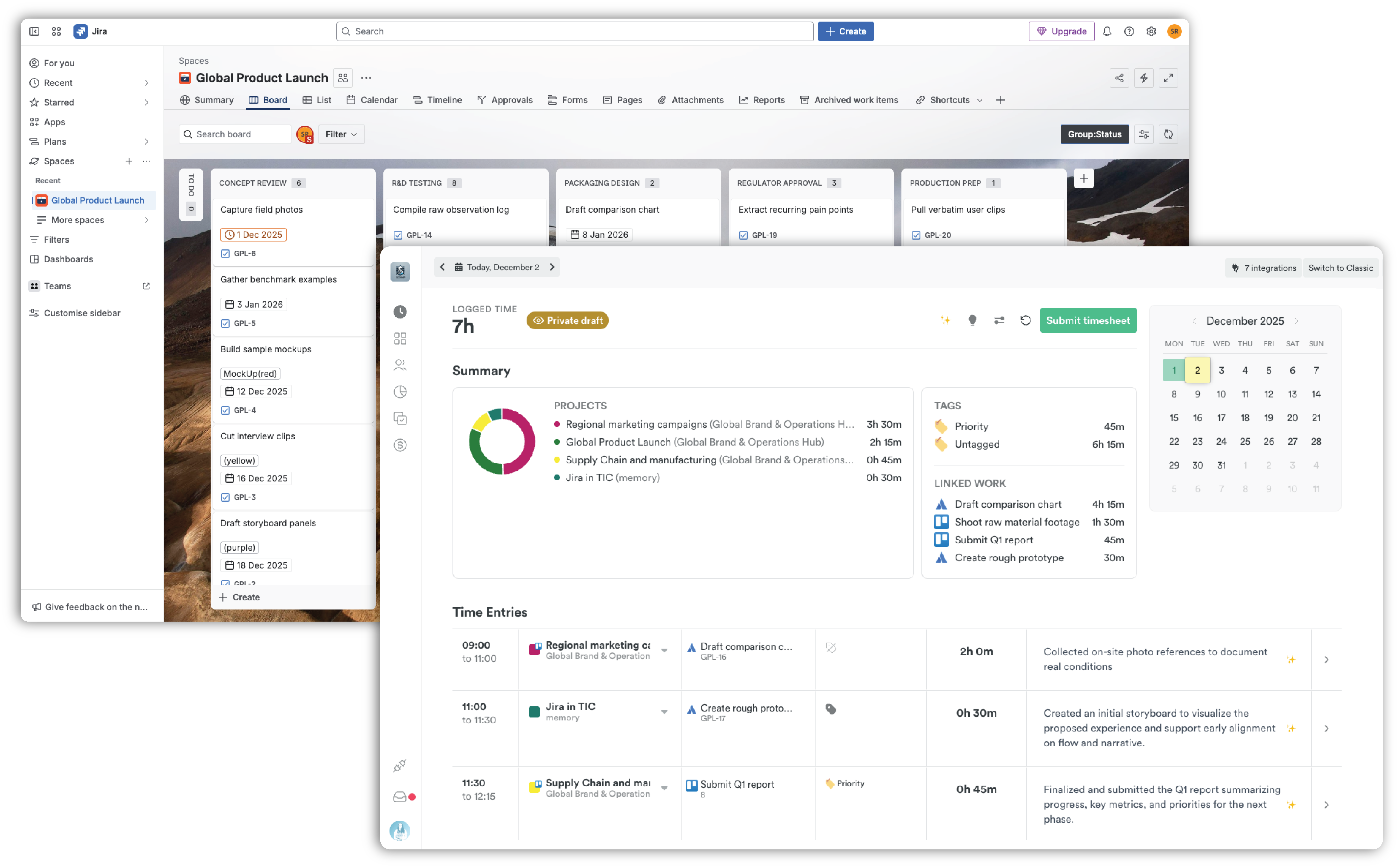
Real-Time Sync: Automatically aligns projects, issues, teams, and time entries between Timely and Jira. Changes in one tool appear in the other within seconds.
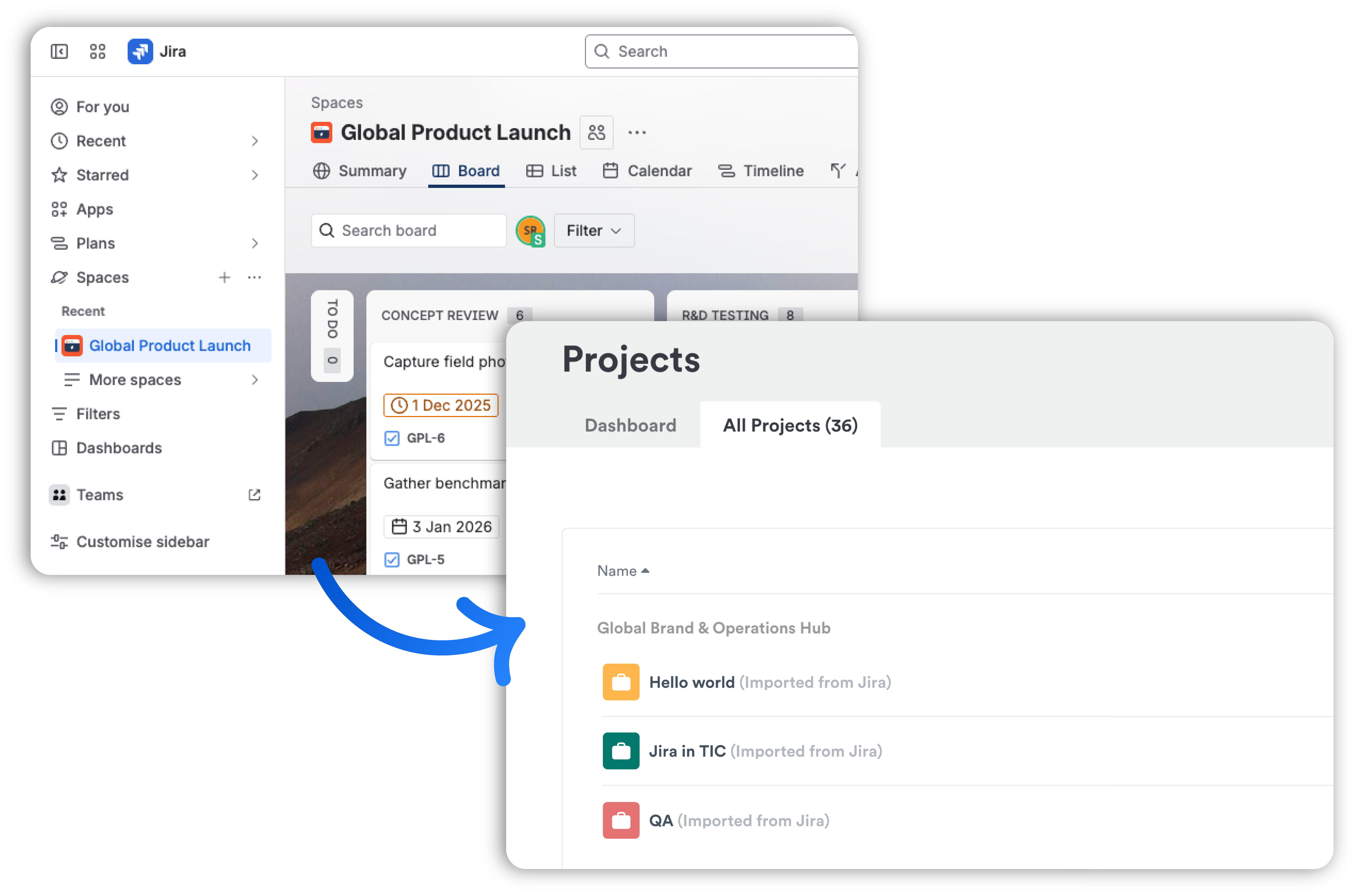
- Mapping: Jira Projects, Workspaces, and Tasks sync to Timely Projects, Clients, and Time Entries.
- Worklogs: Every time entry logged in Timely is instantly synced back to Jira as an accurate worklog, ensuring Jira remains your trusted source of truth.
AI-Powered Automation:
- Time spent on all Jira tickets is automatically tracked.
- Timely’s AI learns from your logged entries to draft complete timesheets for your Jira activity.
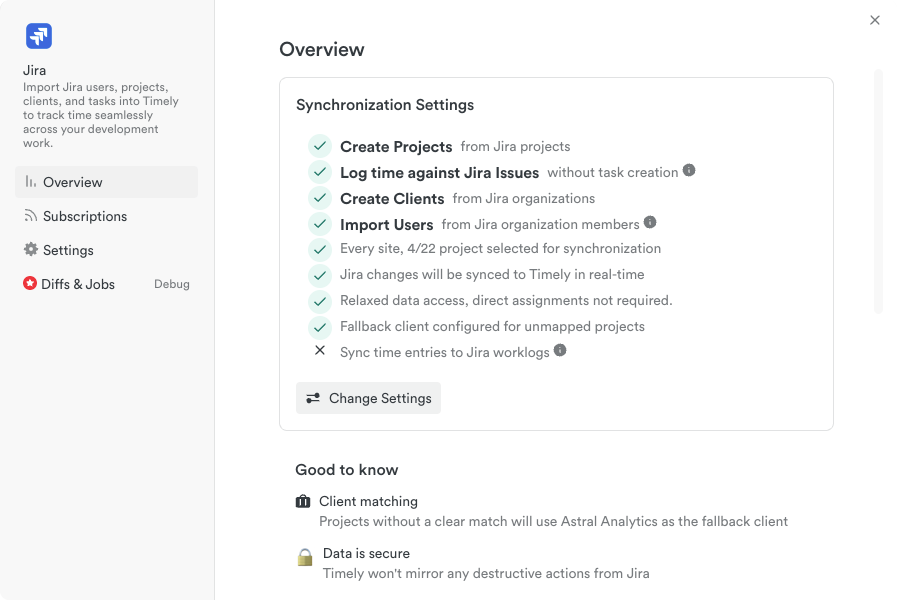
Customization: You can set up the integration to fit your specific workflow by selecting the projects you want to sync and aligning your teams and clients.
Security: Uses OAuth authentication, encrypted data transfer, and enterprise-grade reliability. Built-in safeguards prevent duplication, such as Timely automatically recreating worklogs deleted in Jira.
Benefits
- Accuracy: Achieve accurate time sheets, worklogs, and client billing.
- Reporting: Access complete time data for budgeting, forecasting, and unified reporting across both tools. Generate accurate worklogs for improved sprint planning and retrospectives (comparing estimated vs. actual time).
- Efficiency: Reduce admin work, context switching, and manual data entry, allowing teams to focus on development.
Ideal For: Agile teams, Project Managers, Agencies, and Engineering teams needing unified reporting and accurate, consistent data.
Requirements & Setup
- Requires a Timely Premium, Unlimited, or Enterprise plan.
- Simple setup takes less than five minutes (requires an initial admin connection).
What Gets Synced:
- Jira Projects → Timely Projects
- Workspaces → Clients
- Tasks → Time entries
- Jira Labels → Timely tags
- Timely time entries → Jira worklogs
Task Sync Rules
If tasks are synced and some assignees on the task are not assigned to the project in Timely, the task is not imported
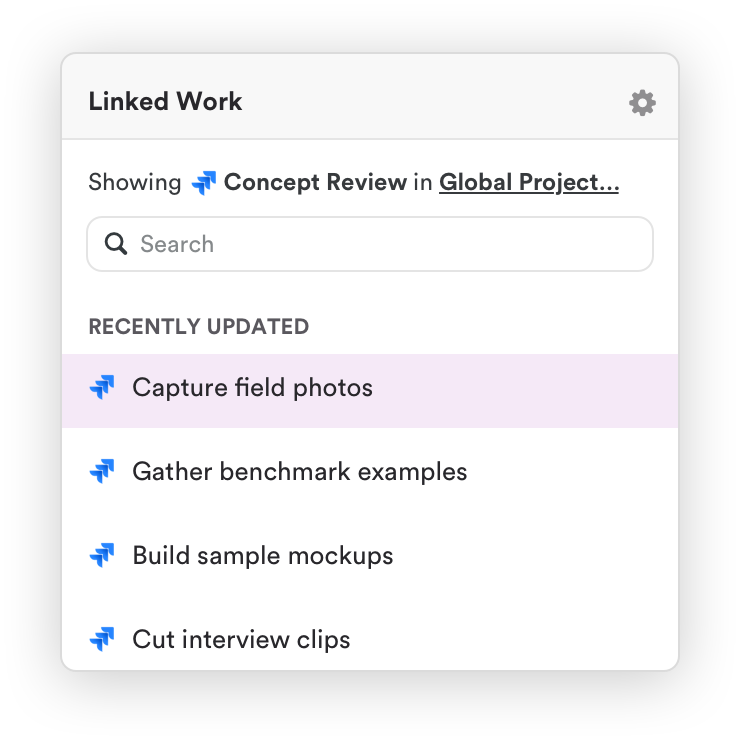
Jira issues appear as "memories" on the Timely timeline - they can be attached to time entries but don't necessarily create full Timely Task objects




the world

"Ingenious, efficient and effective time tracking system"

"Effective tool to help you keep track of time and stay productive"

"User-friendly and effective"

"Timely record my time automagically"

"Timely is hands down the best time tracking app available"

"A great experience which has made my invoicing life much easier!"

"So many valuable uses for Timely & Memory"

"Black box for all your daily efforts"

"A perfect tool to follow your time on projects"

"Best time tracking app"

"Timely - our time management tool"
"It's super easy tracking task details on timely without much hassle"

"Unbeatable time-tracking for many clients and projects"

"Best time tracking software on the market"

"An excellent, intuitive time tracker that helped me actually start tracking my screen time"

"Ingenious, efficient and effective time tracking system"

"User-friendly and effective"
"Effective tool to help you keep track of time and stay productive"
"Timely record my time automagically"
"Timely is hands down the best time tracking app available"
"Timely - our time management tool"
"An excellent, intuitive time tracker that helped me actually start tracking my screen time"
"Best time tracking software on the market"
"Unbeatable time-tracking for many clients and projects"
"It's super easy tracking task details on timely without much hassle"
"Best time tracking app"
"So many valuable uses for Timely & Memory"
"Black box for all your daily efforts"
"A great experience which has made my invoicing life much easier!"
"A perfect tool to follow your time on projects"
"So many valuable uses for Timely & Memory"
"Black box for all your daily efforts"
"A great experience which has made my invoicing life much easier!"
"Best time tracking app"
"A perfect tool to follow your time on projects"
"User-friendly and effective"
"Effective tool to help you keep track of time and stay productive"
"Timely record my time automagically"
"Ingenious, efficient and effective time tracking system"
"Timely is hands down the best time tracking app available"
"Timely - our time management tool"
"An excellent, intuitive time tracker that helped me actually start tracking my screen time"
"Best time tracking software on the market"
"Unbeatable time-tracking for many clients and projects"
"It's super easy tracking task details on timely without much hassle"
"So many valuable uses for Timely & Memory"
"Black box for all your daily efforts"
"A perfect tool to follow your time on projects"
"A great experience which has made my invoicing life much easier!"
"Best time tracking app"
"A great experience which has made my invoicing life much easier!"
"Black box for all your daily efforts"
"Best time tracking app"
"A perfect tool to follow your time on projects"
"So many valuable uses for Timely & Memory"
"User-friendly and effective"
"Effective tool to help you keep track of time and stay productive"
"Timely record my time automagically"
"Ingenious, efficient and effective time tracking system"
"Timely is hands down the best time tracking app available"
"Ingenious, efficient and effective time tracking system"
"Effective tool to help you keep track of time and stay productive"
"User-friendly and effective"
"Timely record my time automagically"
"Timely is hands down the best time tracking app available"
"A great experience which has made my invoicing life much easier!"
"So many valuable uses for Timely & Memory"
"Black box for all your daily efforts"
"A perfect tool to follow your time on projects"
"Best time tracking app"
"An excellent, intuitive time tracker that helped me actually start tracking my screen time"
"Timely - our time management tool"
"It's super easy tracking task details on timely without much hassle"
"Unbeatable time-tracking for many clients and projects"
"Best time tracking software on the market"
"Effective tool to help you keep track of time and stay productive"
"Timely is hands down the best time tracking app available"
"Timely record my time automagically"
"Ingenious, efficient and effective time tracking system"
"User-friendly and effective"
"Timely - our time management tool"
"It's super easy tracking task details on timely without much hassle"
"Unbeatable time-tracking for many clients and projects"
"Best time tracking software on the market"
"An excellent, intuitive time tracker that helped me actually start tracking my screen time"
"Timely - our time management tool"
"An excellent, intuitive time tracker that helped me actually start tracking my screen time"
"Best time tracking software on the market"
"Unbeatable time-tracking for many clients and projects"
"It's super easy tracking task details on timely without much hassle"